



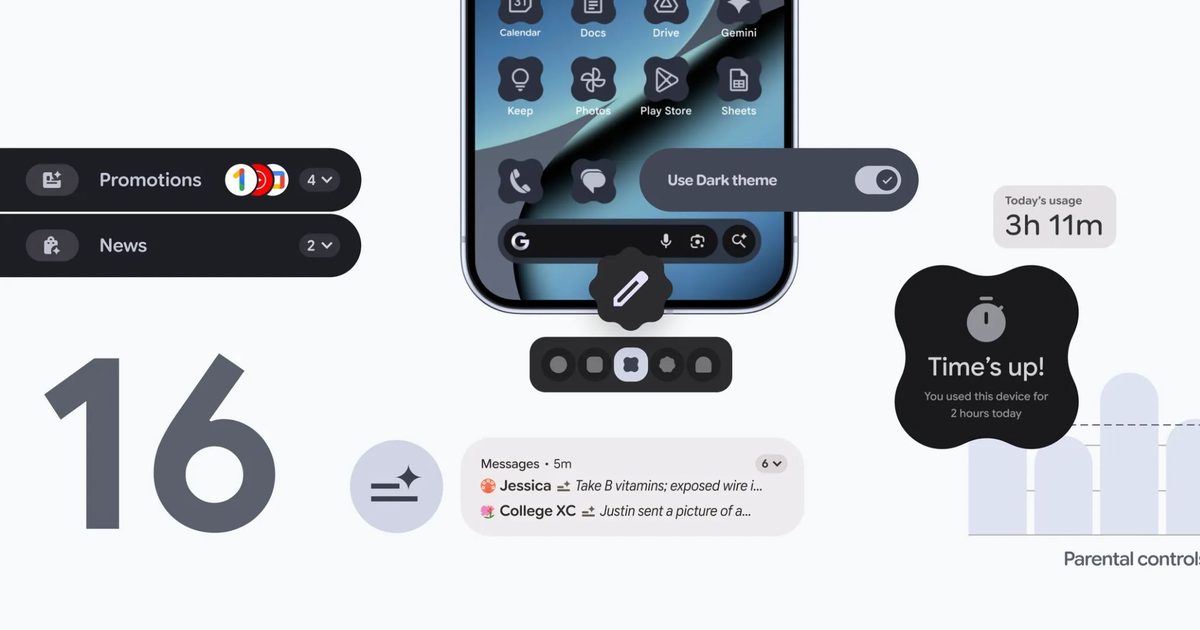
Google just pushed the button on Android 16 QPR2, its second major update of the year, and it represents a huge shift in how our phones get better. Gone are the days of waiting for one massive “Android 17” drop every fall. Google has officially switched gears to delivering two meaningful updates a year – a platform overhaul first, followed by a feature-packed polish like this one.
Right now, this is hitting Pixel devices, with Samsung, OnePlus, and others expected to catch up soon (likely via updates like One UI 8.5). This isn’t just a bug fix; it’s a serious upgrade list. We’re talking AI-powered notification summaries, a smart Notifications Organizer that cleans up your shade, auto-themed icons that actually match your wallpaper, and a much smarter dark mode.
It also packs a punch for safety and accessibility. You’re getting enhanced scam detection, “urgent” call tags so you know when to pick up, and better parental controls baked right into the system settings.
Why this matters: Android becomes more helpful, safer, and more consistent across devices
This update is basically Google trying to help your brain deal with information overload. The standout feature is definitely the AI Notification Summaries. Instead of scrolling through 50 panicked messages in a group chat, your phone’s NPU will just give you a quick bullet point of what you missed.
Then there is the Notifications Organizer, which finally understands that an Instagram like is not as important as a text from your boss. It automatically bundles low-priority stuff – newsletters, promos, random app alerts – so your phone stops buzzing for nonsense.
Security is getting smarter, too. Circle to Search can now look at a suspicious text or email and tell you, “Hey, this looks like a scam,” right there on the screen. The Phone app is also letting people flag calls as “urgent,” so you don’t screen an emergency thinking it’s spam.
For parents, moving Family Link controls directly into the main Settings menu is a huge quality-of-life win. No more digging through separate apps to manage screen time.
Why you should care: These upgrades will genuinely make your everyday phone use smoother
If you have ever felt like your phone is just a noise machine, this update is for you. It’s all about cutting clutter. Features like Chrome pinned tabs on mobile or the ability to easily exit annoying group chats are things we’ve wanted for years.
For Samsung users, this new schedule is great news. Two updates a year means you aren’t waiting 12 months for new features. Your Galaxy S25 or S26 stays fresh and secure without that long, stagnant waiting period we used to have.

What’s next: Two major Android updates per year, more AI features coming in 2025
This is the new normal. We can expect another major Android release in mid-2025, followed by another big feature drop later in the year.
The goal is pretty clear: Google wants Android to be an AI-first operating system. Expect deeper Gemini integrations and more automated features that run silently in the background. Android isn’t just an OS anymore; it’s becoming an active assistant that manages your digital life for you.
