

Technologist Mag
  • Home
  • Tech News
  • AI
  • Apps
  • Gadgets
  • Gaming
  • Guides
  • Laptops
  • Mobiles
  • Wearables
  • More
    • Web Stories
    • Trending
    • Press Release

Subscribe to Updates

Get the latest tech news and updates directly to your inbox.

What's On
Review: Xgimi Titan Noir Max Home Projector (2026)

Review: Xgimi Titan Noir Max Home Projector (2026)

16 July 2026
You can now link your favorite apps to AI Mode in Google Search to get things done

You can now link your favorite apps to AI Mode in Google Search to get things done

16 July 2026
The UK Company Information Businesses Should Check Before Approving a New Supplier

The UK Company Information Businesses Should Check Before Approving a New Supplier

16 July 2026
Everyone Thinks They Have the Diarrhea Parasite

Everyone Thinks They Have the Diarrhea Parasite

16 July 2026
Your OnePlus phone is switching to ColorOS, whether you like it or not

Your OnePlus phone is switching to ColorOS, whether you like it or not

16 July 2026
Facebook X (Twitter) Instagram
Technologist Mag
SUBSCRIBE
  • Home
  • Tech News
  • AI
  • Apps
  • Gadgets
  • Gaming
  • Guides
  • Laptops
  • Mobiles
  • Wearables
  • More
    • Web Stories
    • Trending
    • Press Release
Technologist Mag
Home » You can now link your favorite apps to AI Mode in Google Search to get things done
Tech News

You can now link your favorite apps to AI Mode in Google Search to get things done

By technologistmag.com16 July 20262 Mins Read
You can now link your favorite apps to AI Mode in Google Search to get things done
Share
Facebook Twitter Reddit Telegram Pinterest Email

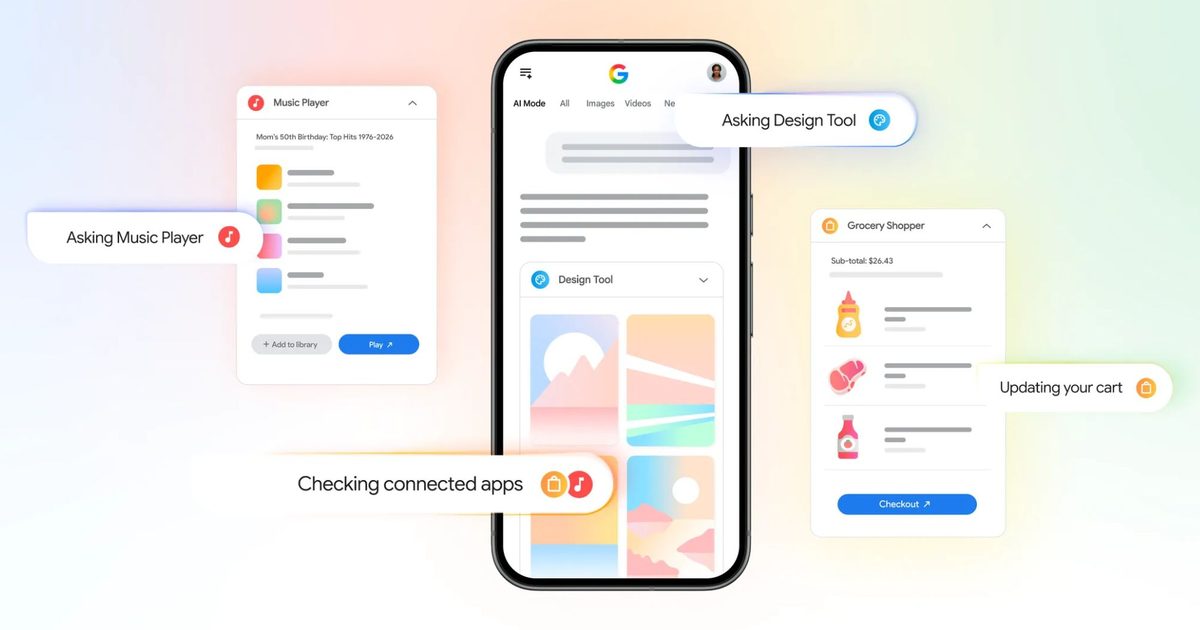
Google is making AI Mode in Search more useful by letting you connect third-party apps. Starting this week in the US, you can securely connect some of your go-to apps directly to AI Mode, letting Search actually complete tasks for you instead of just answering questions.

This update builds on a similar trick Google already pulled off inside the Gemini app, and now it is landing in Search itself. The initial rollout includes three launch partners, Instacart, Canva, and YouTube Music, with Google saying more app integrations are on the way.

Starting to roll out in the U.S. today – I think this’ll be really helpful for streamlining your day. More partners and app integrations coming soon. See details here: https://t.co/P8uoolKSZR

— Robby Stein (@rmstein) July 16, 2026

Which apps can you connect to AI Mode right now?

The first wave of integrations zeroes in on the kind of everyday tasks that usually start with a random Google search anyway. Say you are throwing a backyard barbecue and using AI Mode to sort out your grocery list. Connect Instacart, and every ingredient lands straight in your cart, leaving you just a couple of taps away from checkout instead of a whole separate shopping trip.

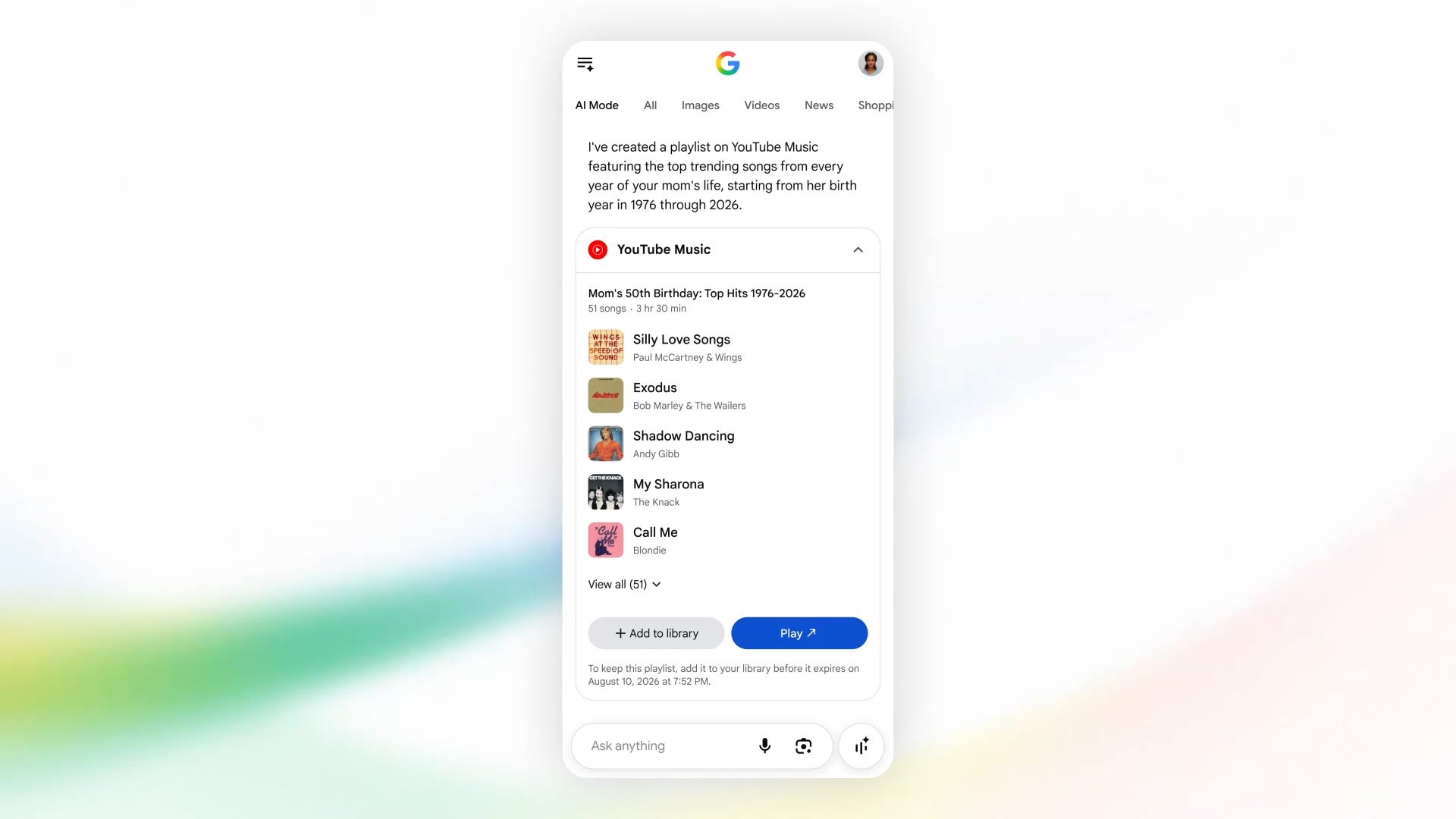
Need a flyer or invitation designed but have zero desire to open Canva yourself? Just ask AI Mode, and it hands you ready-made template options. If you want the perfect playlist to match your event’s vibe, AI Mode can whip one up using YouTube Music, save it to your library, and hit play before your guests even show up.
google-search-ai-mode-connect-apps-youtube

Why does this update matter?

This is not just a small tweak; it is actually a big change in how Google Search operates. Instead of tossing you a pile of links and leaving you to finish the job yourself, Google Search can now reach directly into the apps you already use.

With this update, AI Mode will feel less like a search bar and more like a personal assistant that quietly gets your errands done in the background. And according to Google, this is only the opening act, with more app partners expected to join soon.

Share. Facebook Twitter Pinterest LinkedIn Telegram Reddit Email
Previous ArticleThe UK Company Information Businesses Should Check Before Approving a New Supplier
Next Article Review: Xgimi Titan Noir Max Home Projector (2026)

Related Articles

Review: Xgimi Titan Noir Max Home Projector (2026)

Review: Xgimi Titan Noir Max Home Projector (2026)

16 July 2026
Everyone Thinks They Have the Diarrhea Parasite

Everyone Thinks They Have the Diarrhea Parasite

16 July 2026
Your OnePlus phone is switching to ColorOS, whether you like it or not

Your OnePlus phone is switching to ColorOS, whether you like it or not

16 July 2026
OnePlus, the ‘Flagship-Killer’ Smartphone Brand, Is All but Dead

OnePlus, the ‘Flagship-Killer’ Smartphone Brand, Is All but Dead

16 July 2026
You can now edit videos in Google Vids by simply describing the changes

You can now edit videos in Google Vids by simply describing the changes

16 July 2026
Gay Men Flocked to Goose for Friendship. Some Still Feel Excluded

Gay Men Flocked to Goose for Friendship. Some Still Feel Excluded

16 July 2026
Stay In Touch
  • Facebook
  • Twitter
  • Pinterest
  • Instagram
  • YouTube
  • Vimeo

Subscribe to Updates

Get the latest tech news and updates directly to your inbox.

Don't Miss
You can now link your favorite apps to AI Mode in Google Search to get things done

You can now link your favorite apps to AI Mode in Google Search to get things done

By technologistmag.com16 July 2026

Google is making AI Mode in Search more useful by letting you connect third-party apps.…

The UK Company Information Businesses Should Check Before Approving a New Supplier

The UK Company Information Businesses Should Check Before Approving a New Supplier

16 July 2026
Everyone Thinks They Have the Diarrhea Parasite

Everyone Thinks They Have the Diarrhea Parasite

16 July 2026
Your OnePlus phone is switching to ColorOS, whether you like it or not

Your OnePlus phone is switching to ColorOS, whether you like it or not

16 July 2026
Star Ocean: The Second Story R Gets Switch 2 Edition, But With The Usual Square Enix Caveats

Star Ocean: The Second Story R Gets Switch 2 Edition, But With The Usual Square Enix Caveats

16 July 2026
Technologist Mag
Facebook X (Twitter) Instagram Pinterest
  • Privacy
  • Terms
  • Advertise
  • Contact
© 2026 Technologist Mag. All Rights Reserved.

Type above and press Enter to search. Press Esc to cancel.