




Technologist Mag
  • Home
  • Tech News
  • AI
  • Apps
  • Gadgets
  • Gaming
  • Guides
  • Laptops
  • Mobiles
  • Wearables
  • More
    • Web Stories
    • Trending
    • Press Release

Subscribe to Updates

Get the latest tech news and updates directly to your inbox.

What's On
Self Assessment for Doctors Working Part-Time or Building a Portfolio Career

Self Assessment for Doctors Working Part-Time or Building a Portfolio Career

22 September 2026
How to Use AI With Your Privacy Intact

How to Use AI With Your Privacy Intact

22 September 2026
Valor Mortis Preview: Uneven Difficulty Balance

Valor Mortis Preview: Uneven Difficulty Balance

21 September 2026
Bungie Announces Plans To Restore Vaulted Destiny 2 Content And Substantial Reworks To Marathon

Bungie Announces Plans To Restore Vaulted Destiny 2 Content And Substantial Reworks To Marathon

21 September 2026
After 8 Years in Space, ‘BepiColombo’ Is Finally Approaching Mercury

After 8 Years in Space, ‘BepiColombo’ Is Finally Approaching Mercury

21 September 2026
Facebook X (Twitter) Instagram
Technologist Mag
SUBSCRIBE
  • Home
  • Tech News
  • AI
  • Apps
  • Gadgets
  • Gaming
  • Guides
  • Laptops
  • Mobiles
  • Wearables
  • More
    • Web Stories
    • Trending
    • Press Release
Technologist Mag
Home » Wispr Flow launches an AI note-taker that works without joining calls
Tech News

Wispr Flow launches an AI note-taker that works without joining calls

By technologistmag.com5 August 20262 Mins Read
Wispr Flow launches an AI note-taker that works without joining calls
Share
Facebook Twitter Reddit Telegram Pinterest Email

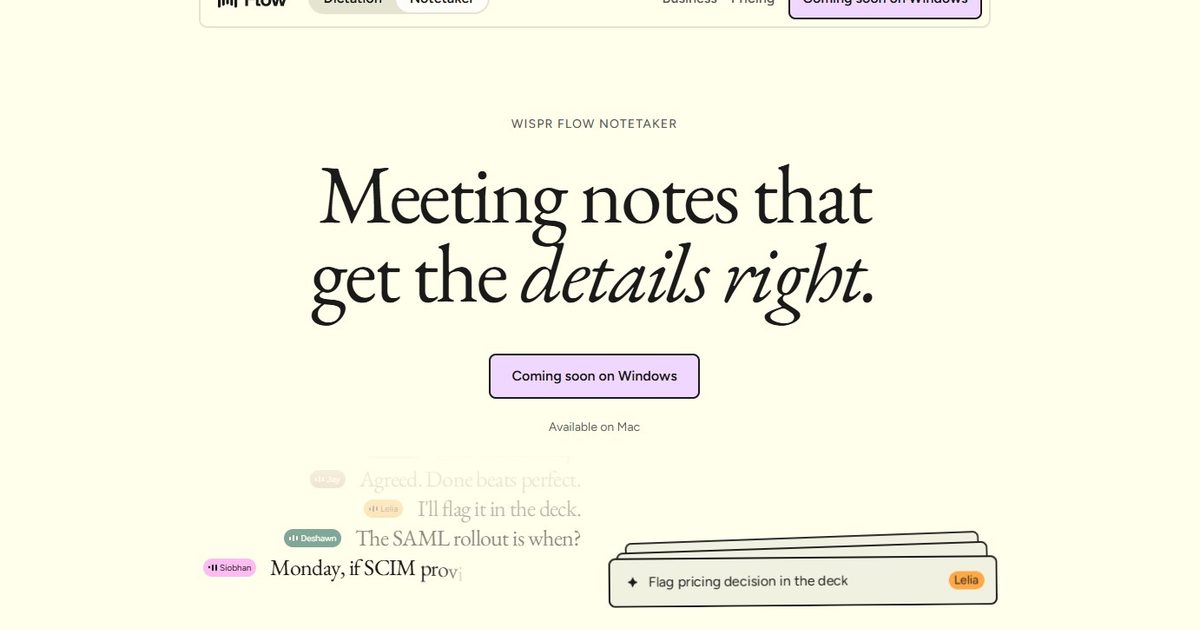
Wispr Flow has launched Notetaker, an AI meeting assistant built into its existing Mac app. It can record conversations, show a live transcript, and prepare notes covering decisions, deadlines, assigned work, and unresolved issues.

Wispr Flow is best known for its dictation tool, which turns spoken thoughts into edited text wherever the user is working. Notetaker takes the company beyond voice typing and applies its transcription technology to meetings, interviews, and in-person conversations.

It records calls without adding another participant

Notetaker captures audio through the Mac instead of joining a meeting as a visible bot. This allows it to work across Zoom, Google Meet, Microsoft Teams, Slack Huddles, Discord, browser calls, and conversations picked up through the computer’s microphone.

The app can also detect calls that are not listed on the user’s calendar and ask whether they want to begin taking notes. Wispr says this works across Meet, Zoom, Teams, WhatsApp, and FaceTime. During a meeting, users can follow the live transcript, write their own notes, or select “What did I miss?” for a recap of the previous few minutes.

The finished notes are prepared after the complete conversation has been analyzed, allowing Wispr to correct transcription errors and add speaker labels that may have been missing from the live version.

It uses your existing work context

Notetaker can use information already stored in Flow and connected work accounts to understand who is attending and which projects or internal terms are being discussed. Calendar invitations, saved vocabulary, Gmail, and Slack may help it handle names, product terminology, and company jargon more accurately.

Past calls remain searchable, and results include a reference to the relevant part of the conversation so users can check the original discussion themselves. MCP support also lets ChatGPT, Claude, Cursor, and other compatible tools access meeting notes and transcripts.

Granola users can import their existing notes in one step. Notes from Otter, Fathom, and other services can remain searchable alongside new meetings through MCP. Notetaker is available now on Mac and supports English. Windows support is coming soon, while mobile remains on the roadmap.

The feature is included in Wispr Flow’s free plan with usage limits. Flow Pro costs $15 per month or $12 per month when billed annually and includes unlimited use.

Share. Facebook Twitter Pinterest LinkedIn Telegram Reddit Email
Previous ArticleThere’s a MagSafe Accessory for That
Next Article 13 Best Coolers for Sunshine and Nighttime (2026)

Related Articles

How to Use AI With Your Privacy Intact

How to Use AI With Your Privacy Intact

22 September 2026
After 8 Years in Space, ‘BepiColombo’ Is Finally Approaching Mercury

After 8 Years in Space, ‘BepiColombo’ Is Finally Approaching Mercury

21 September 2026
Justice for CSS | WIRED

Justice for CSS | WIRED

21 September 2026
AI, Tariffs, Rare Minerals: What to Expect From Trump’s Upcoming Summit With Xi Jinping

AI, Tariffs, Rare Minerals: What to Expect From Trump’s Upcoming Summit With Xi Jinping

21 September 2026
Dyson Won’t Say What’s Wrong With Its CameraJet Toothbrush

Dyson Won’t Say What’s Wrong With Its CameraJet Toothbrush

21 September 2026
The Search for Silicon Valley’s Most Powerful Woman

The Search for Silicon Valley’s Most Powerful Woman

21 September 2026
Stay In Touch
  • Facebook
  • Twitter
  • Pinterest
  • Instagram
  • YouTube
  • Vimeo

Subscribe to Updates

Get the latest tech news and updates directly to your inbox.

Don't Miss
How to Use AI With Your Privacy Intact

How to Use AI With Your Privacy Intact

By technologistmag.com22 September 2026

If the tech industry sought to create a method of seducing users into sending their…

Valor Mortis Preview: Uneven Difficulty Balance

Valor Mortis Preview: Uneven Difficulty Balance

21 September 2026
Bungie Announces Plans To Restore Vaulted Destiny 2 Content And Substantial Reworks To Marathon

Bungie Announces Plans To Restore Vaulted Destiny 2 Content And Substantial Reworks To Marathon

21 September 2026
After 8 Years in Space, ‘BepiColombo’ Is Finally Approaching Mercury

After 8 Years in Space, ‘BepiColombo’ Is Finally Approaching Mercury

21 September 2026
Justice for CSS | WIRED

Justice for CSS | WIRED

21 September 2026
Technologist Mag
Facebook X (Twitter) Instagram Pinterest
  • Privacy
  • Terms
  • Advertise
  • Contact
© 2026 Technologist Mag. All Rights Reserved.

Type above and press Enter to search. Press Esc to cancel.