


Technologist Mag
  • Home
  • Tech News
  • AI
  • Apps
  • Gadgets
  • Gaming
  • Guides
  • Laptops
  • Mobiles
  • Wearables
  • More
    • Web Stories
    • Trending
    • Press Release

Subscribe to Updates

Get the latest tech news and updates directly to your inbox.

What's On
With a Better Understanding of Physics, We Could Predict Volcanic Eruptions

With a Better Understanding of Physics, We Could Predict Volcanic Eruptions

13 September 2026
Try These 3 iOS 27 Safari Settings to Get More Out of Apple’s Browser

Try These 3 iOS 27 Safari Settings to Get More Out of Apple’s Browser

13 September 2026
I Tried 10 of the Most Popular Indoor Gardening Systems

I Tried 10 of the Most Popular Indoor Gardening Systems

13 September 2026
The Smart Bird Feeders Everyone’s Talking About (and Actually Buying) (2026)

The Smart Bird Feeders Everyone’s Talking About (and Actually Buying) (2026)

13 September 2026
AI Agents Are Thirsty for Power

AI Agents Are Thirsty for Power

13 September 2026
Facebook X (Twitter) Instagram
Technologist Mag
SUBSCRIBE
  • Home
  • Tech News
  • AI
  • Apps
  • Gadgets
  • Gaming
  • Guides
  • Laptops
  • Mobiles
  • Wearables
  • More
    • Web Stories
    • Trending
    • Press Release
Technologist Mag
Home » WhatsApp can now open and edit PDFs without making you download them first
Tech News

WhatsApp can now open and edit PDFs without making you download them first

By technologistmag.com22 July 20262 Mins Read
WhatsApp can now open and edit PDFs without making you download them first
Share
Facebook Twitter Reddit Telegram Pinterest Email

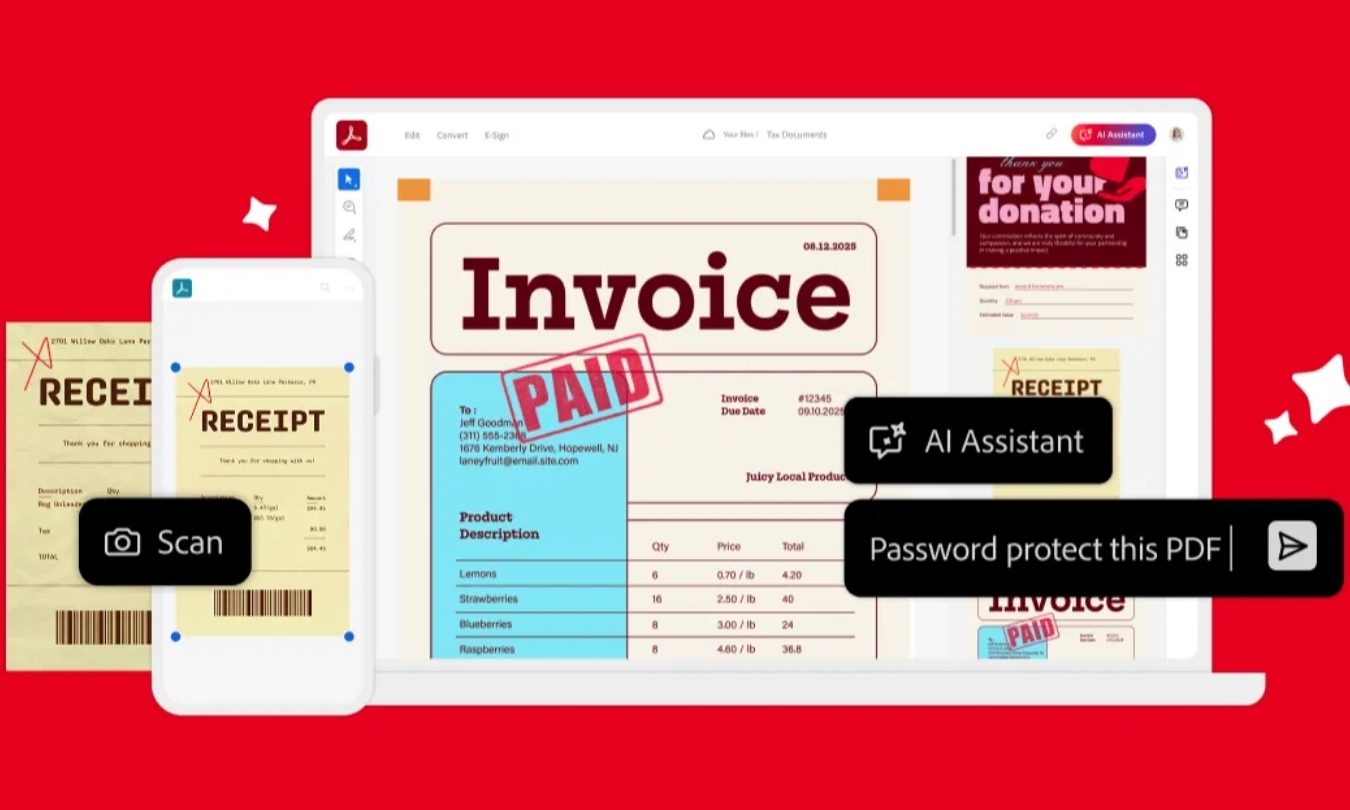
Adobe is making PDF attachments much less annoying in WhatsApp. Its new Acrobat integration lets you open a PDF and mark it up without downloading the file or leaving the conversation.

The feature is available today through WhatsApp Web and the Windows app. The headline comes with an important caveat, though. This isn’t full PDF editing. You can review and annotate a document, but you can’t rewrite its original text or rearrange the layout.

What can you do with a PDF inside WhatsApp

PDFs now open directly inside a WhatsApp conversation. You can scroll through each page and zoom in when the fine print starts looking suspiciously fine.

Acrobat also brings over its basic annotation tools. You can highlight a contract clause, cross out an outdated line, or draw directly on the page before sending your feedback through the chat.

That removes the tedious routine of downloading a file, opening another app, making your notes, and returning to WhatsApp. Anything beyond lightweight markup will still require a dedicated PDF editor.

How does the integration handle security

Adobe says password-protected PDFs will keep their existing protection when opened through WhatsApp. Files shared in personal chats will also remain covered by the platform’s end-to-end encryption.

The convenience doesn’t strip away the safeguards already attached to the file or conversation. That’s useful when you’re reviewing a contract or invoice containing information you’d rather not share with the entire internet.
Adobe Acrobat tax prep

Who is this new WhatsApp feature for

Adobe is targeting people who already exchange documents through WhatsApp. A small business could review an invoice in the same conversation where it discusses payment, while a student could mark up an assignment without bouncing between apps.

The integration also expands Adobe’s effort to place Acrobat tools inside platforms people already use. WhatsApp joins services including Chrome, Microsoft 365, ChatGPT, and Workday.

Adobe’s wider strategy is ambitious, but the immediate benefit is pleasantly ordinary. If a PDF only needs a quick review, WhatsApp users on the web or Windows can now handle it without leaving the chat.

Share. Facebook Twitter Pinterest LinkedIn Telegram Reddit Email
Previous ArticleWhy Kyoto Was The Perfect Setting For Onimusha: Way Of The Sword
Next Article ‘The Odyssey’ Is Inspiring Unprecedented Levels of Cope

Related Articles

With a Better Understanding of Physics, We Could Predict Volcanic Eruptions

With a Better Understanding of Physics, We Could Predict Volcanic Eruptions

13 September 2026
Try These 3 iOS 27 Safari Settings to Get More Out of Apple’s Browser

Try These 3 iOS 27 Safari Settings to Get More Out of Apple’s Browser

13 September 2026
I Tried 10 of the Most Popular Indoor Gardening Systems

I Tried 10 of the Most Popular Indoor Gardening Systems

13 September 2026
The Smart Bird Feeders Everyone’s Talking About (and Actually Buying) (2026)

The Smart Bird Feeders Everyone’s Talking About (and Actually Buying) (2026)

13 September 2026
AI Agents Are Thirsty for Power

AI Agents Are Thirsty for Power

13 September 2026
You Don’t Have a Right to Safe Drinking Water, Trump-Appointed Judge Rules

You Don’t Have a Right to Safe Drinking Water, Trump-Appointed Judge Rules

12 September 2026
Stay In Touch
  • Facebook
  • Twitter
  • Pinterest
  • Instagram
  • YouTube
  • Vimeo

Subscribe to Updates

Get the latest tech news and updates directly to your inbox.

Don't Miss
Try These 3 iOS 27 Safari Settings to Get More Out of Apple’s Browser

Try These 3 iOS 27 Safari Settings to Get More Out of Apple’s Browser

By technologistmag.com13 September 2026

At Apple’s recent hardware event, the software powering its foldable iPhone Duo stood out, with…

I Tried 10 of the Most Popular Indoor Gardening Systems

I Tried 10 of the Most Popular Indoor Gardening Systems

13 September 2026
The Smart Bird Feeders Everyone’s Talking About (and Actually Buying) (2026)

The Smart Bird Feeders Everyone’s Talking About (and Actually Buying) (2026)

13 September 2026
AI Agents Are Thirsty for Power

AI Agents Are Thirsty for Power

13 September 2026
Heroes Of The Storm Gets First New Character In – Sep 12, 2026

Heroes Of The Storm Gets First New Character In – Sep 12, 2026

12 September 2026
Technologist Mag
Facebook X (Twitter) Instagram Pinterest
  • Privacy
  • Terms
  • Advertise
  • Contact
© 2026 Technologist Mag. All Rights Reserved.

Type above and press Enter to search. Press Esc to cancel.