





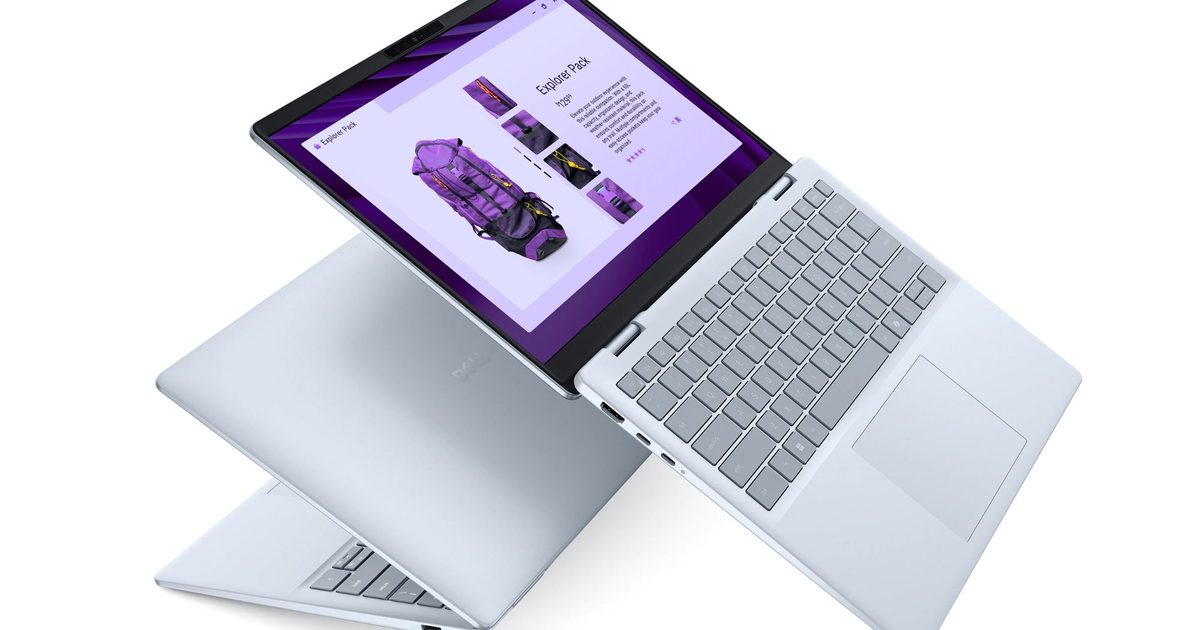
AI-powered laptops and Copilot+ PCs are becoming more relevant because the way people use laptops has changed significantly over the last few years. Modern routines are now built around multitasking, cloud collaboration, video conferencing, streaming, and productivity tools that remain active throughout the day.
Most professionals are no longer using laptops only for documents and browsing. A typical workday may involve AI-assisted meetings, browser tabs running alongside productivity apps, organizing files across multiple platforms, and switching between communication tools while working remotely or traveling. That shift has increased demand for laptops that feel smarter, more responsive, and better optimized for modern productivity.
This is where AI-powered systems are beginning to matter more. Features like automatic battery optimization, AI-assisted workflow management, smarter multitasking, and meeting enhancements are designed to reduce friction during everyday use rather than simply add new features for the sake of innovation.
Systems like the Dell 14 Plus, Dell 16 Plus, and XPS 13 are designed to support these evolving AI-assisted experiences by balancing portability, responsiveness, and everyday performance. Across the category, Copilot+ PCs are increasingly designed to improve how everyday tasks feel across work, learning, creativity, and everyday use rather than positioning AI as something futuristic.
What Makes a Laptop an AI-Powered PC?
An AI-powered laptop or Copilot+ PC is designed to handle certain AI-assisted tasks directly on the device while improving everyday productivity workflows in the background. One of the biggest differences in modern AI PCs is the inclusion of dedicated AI processing hardware called an NPU, or Neural Processing Unit. Instead of relying only on the CPU or GPU, the NPU is designed to manage AI-related tasks more efficiently and with lower power consumption.
For most users, however, the technical details matter less than the actual experience. In practical terms, AI-powered laptops are designed to improve how systems manage multitasking, battery efficiency, video conferencing, and workflow automation. Rather than requiring constant manual adjustments, these systems can dynamically optimize workloads depending on how the laptop is being used.
For example, AI-assisted video call enhancements can automatically improve microphone clarity, background management, eye contact correction, and framing during meetings. AI optimization can also help prioritize active applications during heavier multitasking sessions, helping systems feel smoother while several apps are open simultaneously.
Copilot+ PCs also focus heavily on workflow assistance. Features like smarter search, productivity suggestions, task organization, summarization tools, and AI-assisted writing workflows are increasingly becoming part of modern laptop experiences.
Importantly, AI-powered laptops are not only about speed or raw performance. The goal is to make workflows feel more seamless and less disruptive during everyday use.
Systems like the Dell 14 Plus naturally fit into these mainstream AI productivity workflows because they balance portability, responsiveness, and workflow flexibility for modern work routines. The Dell 16 Plus, meanwhile, supports users who spend more time multitasking across larger productivity environments during workdays.
The XPS 13 is also a strong match for premium mobility-focused use, where portability and lightweight AI performance are priorities.
How AI Improves Everyday Productivity Workflows
AI-powered laptops are becoming more useful because many of their features directly improve everyday productivity workflows rather than introducing completely new ways of working.
One of the clearest examples is meeting management. AI-assisted tools can now help summarize discussions, reduce background noise, improve voice clarity, and organize follow-up information more efficiently after meetings. For professionals spending hours every week on video calls, these improvements can reduce friction throughout the workday.
AI also helps multitasking feel smoother during heavier workflows. A typical work session may involve browser tabs, spreadsheets, messaging apps, presentations, and video calls running simultaneously. AI-assisted optimization can help systems prioritize active tasks, improve responsiveness, and manage resources more intelligently during those situations.
Systems like the Dell 14 Plus are designed around these types of mainstream AI-assisted productivity workflows where users want smoother day-to-day performance without carrying heavier systems everywhere. The Dell 16 Plus fits naturally into multitasking-heavy environments where users spend more time working across larger productivity layouts or juggling several applications throughout the day.
AI productivity tools are also improving organization and workflow management. Features like smarter file search, contextual recommendations, task assistance, and AI-powered summaries can help reduce time spent manually sorting through information.
Users often move between apps, conversations, creative tools, and collaborative platforms throughout the day, making these AI-assisted features increasingly valuable. Another important advantage is reduced interruption. Instead of forcing users to actively manage performance settings or troubleshoot responsiveness issues, AI-assisted systems can adapt automatically depending on workload conditions.
That difference may sound small, but over long workdays it can help workflows feel faster, more organized, and less mentally exhausting. The goal of modern AI PCs is not to replace productivity habits entirely. Instead, they are designed to remove smaller workflow frustrations that slow people down throughout the day.
Why Battery Optimization and Efficiency Matter in AI PCs
Battery optimization has become increasingly important as hybrid work and mobile productivity continue to grow.
Many people now spend significant time away from fixed desk setups. Travel, remote work, cafés, co-working spaces, and flexible environments all require laptops that can keep up without constantly relying on charging points.
This is one area where AI-assisted optimization is becoming genuinely useful.
AI-powered systems can intelligently manage background tasks, prioritize active applications, and optimize power usage depending on workload demands throughout the day. Instead of applying maximum performance at all times, the system can adapt dynamically based on how the laptop is being used.
For example, during lighter workflows like document editing, browsing, or email management, the system can improve efficiency and reduce unnecessary power consumption. When heavier multitasking begins, resources can scale more intelligently to maintain responsiveness.
That flexibility becomes particularly useful during travel or long unplugged work sessions.
Systems like the Dell 14 Plus naturally align with these mobility-focused workflows because they balance portability and AI-assisted productivity for hybrid work environments.
The Dell 16 Plus also supports professionals who need stronger multitasking capabilities while still maintaining efficient all-day productivity during remote work sessions.
Efficiency is not only about battery life itself. It also affects thermals, noise levels, and how comfortable a laptop feels during long workdays. Better optimization can help systems remain quieter and more consistent during everyday productivity use.
As hybrid work becomes more common, efficiency and smarter power management are becoming central parts of the overall laptop experience rather than secondary considerations.
What Features Matter Most in a Copilot+ PC?
Choosing an AI-powered laptop or Copilot+ PC is less about finding the most powerful hardware and more about understanding which features actually improve workflows.
Here are the features that matter most in a modern AI PC:
- Responsiveness: Faster responsiveness helps workflows feel smoother during multitasking, meetings, and everyday productivity use. Delays while switching between apps or opening files can interrupt focus during workdays.
- AI Acceleration: Dedicated AI processing allows systems to handle AI-assisted workflows more efficiently. This helps improve tasks like meeting enhancements, workload optimization, and productivity assistance.
- Multitasking Performance: Modern workflows often involve browser tabs, messaging apps, spreadsheets, presentations, and video conferencing simultaneously. Strong multitasking support helps reduce slowdowns and interruptions.
- Portability: Hybrid work has made mobility increasingly important. Lightweight systems are easier to carry between offices, cafés, airports, and home setups.
Battery Optimization
AI-assisted power management helps improve efficiency during all-day productivity sessions and unplugged workflows.
- Display Quality: Comfortable displays improve visibility during multitasking and reduce fatigue during longer work sessions. This becomes especially important for professionals working across multiple windows simultaneously.
- Workflow Flexibility: The best AI PCs are designed to adapt smoothly across different work environments and productivity styles without requiring constant manual adjustments.
Systems like the Dell 14 Plus naturally support portable AI-assisted workflows, while the Dell 16 Plus fits more comfortably into larger multitasking environments. For users who prioritize portability, the XPS 13 combines a lightweight premium design with AI-assisted features and everyday versatility.
For users handling heavier crossover workflows involving more advanced multitasking or productivity-intensive workloads, the XPS 14 can also fit naturally into those environments without turning the experience into a spec-heavy setup.
Why AI-Powered Laptops Are Becoming More Relevant
AI-powered laptops are becoming more relevant because everyday computing has grown more demanding and more fragmented over time.
Remote work, hybrid collaboration, multitasking growth, and cloud-based productivity tools have changed how people use laptops throughout the day. Many people now spend hours switching between meetings, messaging platforms, browser tabs, presentations, and collaborative tools without long breaks between tasks.
Manufacturers have responded by building systems that manage workflows more intelligently and efficiently. AI-assisted optimization helps reduce smaller interruptions that often slow people down during busy days. Features like automatic workload balancing, meeting enhancements, and battery optimization are designed to improve consistency rather than dramatically change how people work.
AI PCs have moved well beyond niche technology status to become practical, everyday productivity devices. Systems like the Dell 14 Plus and Dell 16 Plus align well with these evolving needs, balancing AI-assisted productivity with portability and real-world usability.
The XPS 13 balances portability, premium design, and modern AI-assisted experiences for users who are frequently on the move.
Importantly, the growing relevance of AI-powered laptops is not about replacing traditional productivity workflows. It is about helping those workflows feel smoother, faster, and easier to manage across increasingly busy environments.
FAQs
What Is an AI-Powered Laptop?
An AI-powered laptop includes hardware and software designed to improve AI-assisted tasks such as workflow optimization, video conferencing enhancements, multitasking management, and productivity automation. These systems are designed to make everyday workflows feel smoother and more efficient during regular use.
What Is a Copilot+ PC?
A Copilot+ PC is a new category of Windows laptops built to deliver advanced AI experiences directly on the device. To qualify as a Copilot+ PC, a laptop must include a Neural Processing Unit (NPU) capable of delivering at least 45 TOPS (trillion operations per second) of AI performance. This dedicated AI hardware enables features like AI-assisted productivity, faster on-device AI processing, smarter multitasking, and more efficient power management, making everyday workflows smoother without relying heavily on the cloud.
Are AI PCs Worth It?
AI PCs can be useful for people who regularly multitask, attend video meetings, or work across several productivity applications throughout the day. Features like smarter optimization, workflow assistance, and battery management can help improve overall efficiency during busy work routines.
Do AI PCs Improve Battery Life?
AI PCs can help improve battery efficiency through smarter workload management and background optimization. Instead of applying maximum performance constantly, the system can dynamically manage resources depending on how the laptop is being used throughout the day.
What Features Matter Most in an AI Laptop?
The most important features in an AI laptop include responsiveness, multitasking performance, portability, battery optimization, display comfort, and AI-assisted workflow features. The best systems focus on improving real productivity experiences rather than simply adding technical AI capabilities.
Conclusion
AI-powered laptops and Copilot+ PCs are becoming more useful because modern productivity workflows continue to grow more demanding and multitasking-heavy. People now expect laptops to handle meetings, browser-heavy workflows, collaboration tools, file organization, and productivity apps simultaneously without creating interruptions during the workday.
This is where AI-assisted optimization is starting to make a noticeable difference. Features like smarter multitasking management, meeting enhancements, workflow automation, and battery optimization are designed to improve everyday productivity experiences in practical ways.
Importantly, the value of AI PCs is not about futuristic concepts or technical complexity. The real benefit comes from reducing friction during everyday workflows and helping systems feel more responsive, organized, and efficient across different work environments. Systems like the Dell 14 Plus, Dell 16 Plus, XPS 13, and XPS 14 naturally fit into these evolving productivity expectations by balancing portability, workflow flexibility, and AI-assisted computing experiences for modern work routines.
