

Technologist Mag
  • Home
  • Tech News
  • AI
  • Apps
  • Gadgets
  • Gaming
  • Guides
  • Laptops
  • Mobiles
  • Wearables
  • More
    • Web Stories
    • Trending
    • Press Release

Subscribe to Updates

Get the latest tech news and updates directly to your inbox.

What's On
Forget Meta Ray-Bans. These Dorky-Looking Virtual Display Glasses Are Way More Useful

Forget Meta Ray-Bans. These Dorky-Looking Virtual Display Glasses Are Way More Useful

24 August 2026
Autonomous AI drones are now killing humans, and there’s no going back

Autonomous AI drones are now killing humans, and there’s no going back

24 August 2026
The Best Home Theater Projectors in 2026: XGIMI, Hisense, Leica, and More

The Best Home Theater Projectors in 2026: XGIMI, Hisense, Leica, and More

24 August 2026
The hottest tech trend right now is making your phone slower

The hottest tech trend right now is making your phone slower

24 August 2026
Review: Birdfy Nest Duo

Review: Birdfy Nest Duo

24 August 2026
Facebook X (Twitter) Instagram
Technologist Mag
SUBSCRIBE
  • Home
  • Tech News
  • AI
  • Apps
  • Gadgets
  • Gaming
  • Guides
  • Laptops
  • Mobiles
  • Wearables
  • More
    • Web Stories
    • Trending
    • Press Release
Technologist Mag
Home » This app turns your text and voice messages into living AI characters
Tech News

This app turns your text and voice messages into living AI characters

By technologistmag.com11 July 20262 Mins Read
This app turns your text and voice messages into living AI characters
Share
Facebook Twitter Reddit Telegram Pinterest Email

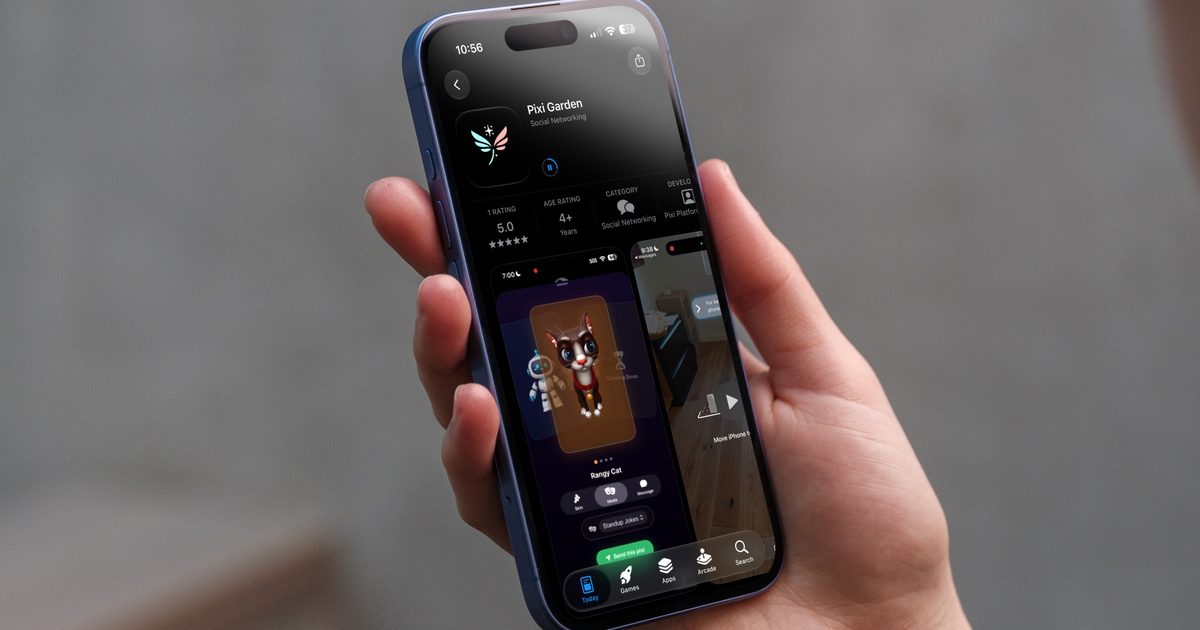
If you ever thought that your text messages were missing the panache, you might want to check out this new app on the block. Instead of sending a boring wall of text or a voice message, Pixi Garden allows you to send animated AI characters that deliver your message with style. 

What exactly is a Pixi Garden?

A Pixi is essentially a smart, animated 3D character that you drop straight into someone’s DM instead of typing out a message. Instead of reading your text, the person on the other end watches this character walk in, put on a little performance, and deliver your message.

The company behind it, Pixi Garden, calls this concept “agentic media,” and honestly, I haven’t seen anything quite like it before. The app lets you both send and receive these characters, and they are not just restricted to messages either. 
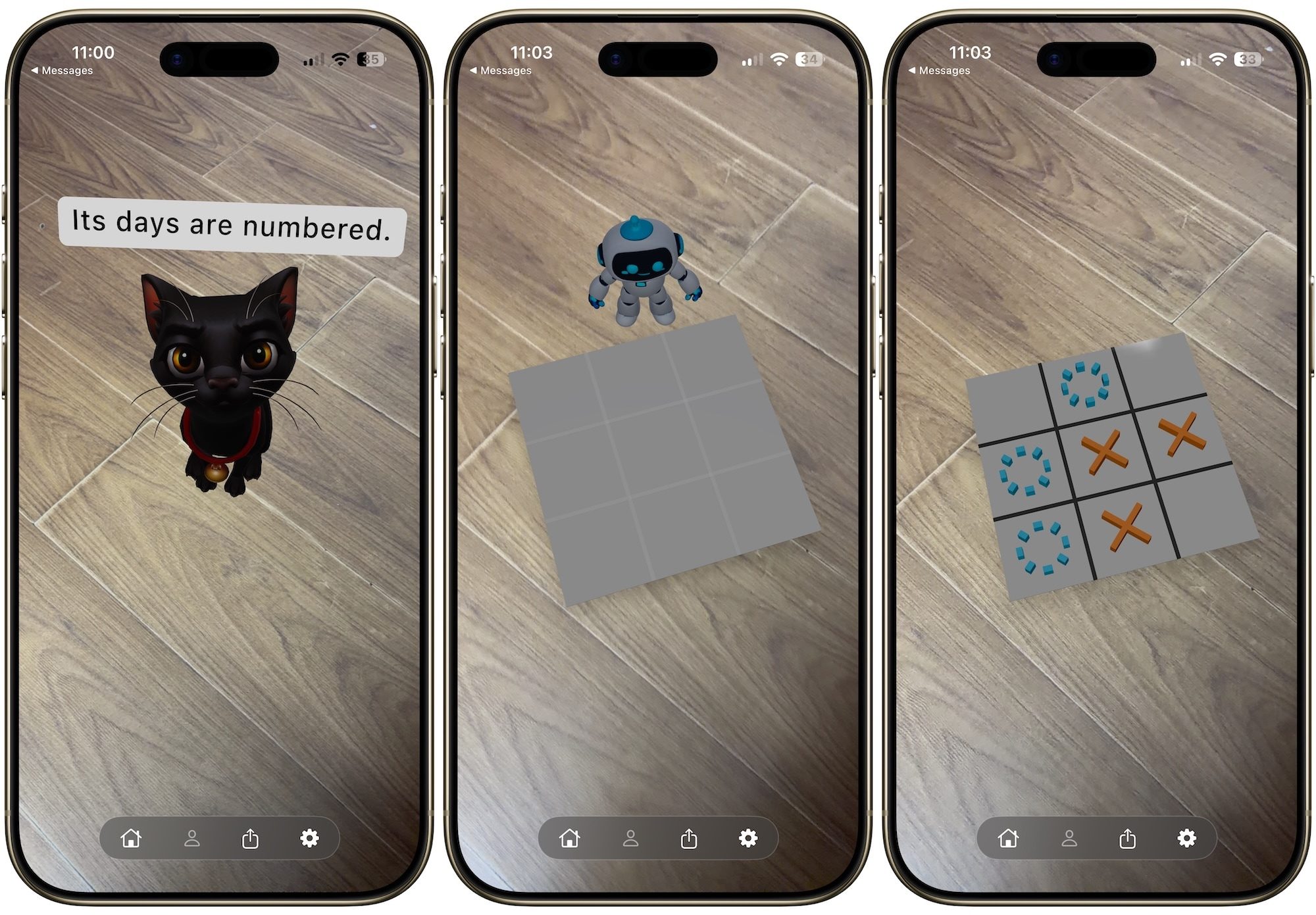
messages and games via Pixi

You can task these characters to deliver jokes and play games like Tic Tac Toe and Whack-A-Mole. Currently, there are only three pixis on the app. There’s a cat, a robot, and an animated envelope. My only gripe with this app is that only the animated envelope can deliver the voice message, while the other two are restricted to text messages only. 

Where and how do you even send a pixi?

The biggest selling point for me is that Pixi doesn’t want you to download another messaging app. Instead, Pixi Garden works right inside the Messages app, with support for WhatsApp and other platforms reportedly on the way. That’s a smart move, since nobody wants to convince their entire friend group to switch platforms just to send an animated character.
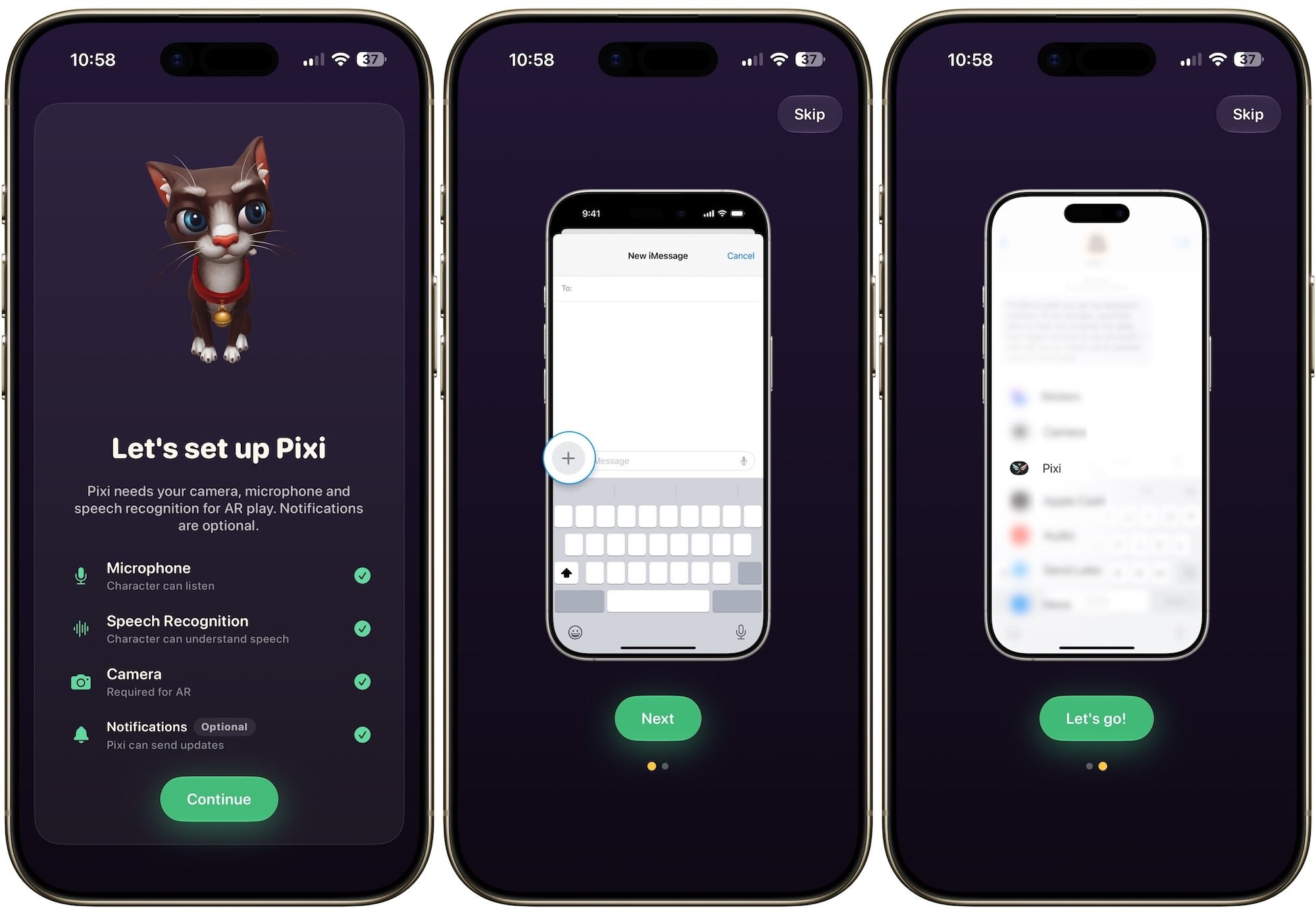
Pixi working on iPhone

In my testing, the messages I sent worked flawlessly. There was an issue with the talking envelope, but after a few attempts, it started working too. That said, the app is new, and it will take a few months for the developers to bake in enough features to merit its usage on a daily basis. 

It’s a great concept, and I enjoyed using it in my brief testing and cannot wait to see where developers will take this next. The app is currently available on iPhone and iPad, and you can download it from the App Store.

Share. Facebook Twitter Pinterest LinkedIn Telegram Reddit Email
Previous ArticleExclusive: How Jay-Z Pulled Off a Surprise-Filled Show During New York’s Wildest Summer
Next Article DuRoBo’s Krono e-reader and it’s page-turning sidekick Moodi are now available globally

Related Articles

Forget Meta Ray-Bans. These Dorky-Looking Virtual Display Glasses Are Way More Useful

Forget Meta Ray-Bans. These Dorky-Looking Virtual Display Glasses Are Way More Useful

24 August 2026
Autonomous AI drones are now killing humans, and there’s no going back

Autonomous AI drones are now killing humans, and there’s no going back

24 August 2026
The Best Home Theater Projectors in 2026: XGIMI, Hisense, Leica, and More

The Best Home Theater Projectors in 2026: XGIMI, Hisense, Leica, and More

24 August 2026
The hottest tech trend right now is making your phone slower

The hottest tech trend right now is making your phone slower

24 August 2026
Review: Birdfy Nest Duo

Review: Birdfy Nest Duo

24 August 2026
A mysterious app just appeared on millions of Android phones, and it’s actually there to help

A mysterious app just appeared on millions of Android phones, and it’s actually there to help

24 August 2026
Stay In Touch
  • Facebook
  • Twitter
  • Pinterest
  • Instagram
  • YouTube
  • Vimeo

Subscribe to Updates

Get the latest tech news and updates directly to your inbox.

Don't Miss
Autonomous AI drones are now killing humans, and there’s no going back

Autonomous AI drones are now killing humans, and there’s no going back

By technologistmag.com24 August 2026

We have all seen the warning that AI can make mistakes. For a chatbot, that…

The Best Home Theater Projectors in 2026: XGIMI, Hisense, Leica, and More

The Best Home Theater Projectors in 2026: XGIMI, Hisense, Leica, and More

24 August 2026
The hottest tech trend right now is making your phone slower

The hottest tech trend right now is making your phone slower

24 August 2026
Review: Birdfy Nest Duo

Review: Birdfy Nest Duo

24 August 2026
A mysterious app just appeared on millions of Android phones, and it’s actually there to help

A mysterious app just appeared on millions of Android phones, and it’s actually there to help

24 August 2026
Technologist Mag
Facebook X (Twitter) Instagram Pinterest
  • Privacy
  • Terms
  • Advertise
  • Contact
© 2026 Technologist Mag. All Rights Reserved.

Type above and press Enter to search. Press Esc to cancel.