

Technologist Mag
  • Home
  • Tech News
  • AI
  • Apps
  • Gadgets
  • Gaming
  • Guides
  • Laptops
  • Mobiles
  • Wearables
  • More
    • Web Stories
    • Trending
    • Press Release

Subscribe to Updates

Get the latest tech news and updates directly to your inbox.

What's On
Review: Hisense U7SG TV (2026)

Review: Hisense U7SG TV (2026)

19 April 2026
Best Meta Glasses (2026): Ray-Ban, Oakley, AR

Best Meta Glasses (2026): Ray-Ban, Oakley, AR

19 April 2026
The 11 Best Fans to Buy Before It Gets Hot Again (2026)

The 11 Best Fans to Buy Before It Gets Hot Again (2026)

19 April 2026
The Best Pet Cameras of 2026

The Best Pet Cameras of 2026

19 April 2026
AI boom fuels surge in new app launches across App Store and Google Play

AI boom fuels surge in new app launches across App Store and Google Play

19 April 2026
Facebook X (Twitter) Instagram
Technologist Mag
SUBSCRIBE
  • Home
  • Tech News
  • AI
  • Apps
  • Gadgets
  • Gaming
  • Guides
  • Laptops
  • Mobiles
  • Wearables
  • More
    • Web Stories
    • Trending
    • Press Release
Technologist Mag
Home » The next Pixel phone could get a glowing back, if Android 17’s code is anything to go by
Tech News

The next Pixel phone could get a glowing back, if Android 17’s code is anything to go by

By technologistmag.com17 April 20263 Mins Read
The next Pixel phone could get a glowing back, if Android 17’s code is anything to go by
Share
Facebook Twitter Reddit Telegram Pinterest Email

If you are old enough to remember the Google Pixel C, a controversial tablet in its own right, you know it featured a light bar at the back that showed Google’s brand colors and battery capacity.

It seems that Google is planning to bring this feature back with a couple of enhancements. A new APK teardown of the latest Android Canary and Android 17 Beta releases has revealed references to this feature in the code.

According to 9to5Google, the teardown reveals that Google is working on a new hardware feature called Pixel Glow. The feature, which first showed up in code as “orbit” and “light_animations,” has been officially named and branded as Pixel Glow in Android 17 Beta 4. 

According to the Settings description, it “uses subtle light and color on the back of your device to inform you of important activity when it’s face down.” Google’s pitch for it is centered around staying in the moment without losing touch.

So, what will Pixel Glow do?

Right now, two confirmed use cases have surfaced. The first is calls from your favorite contacts, where Pixel Glow will quietly light up instead of blaring a ringtone when your phone is lying face down. 

The second is when you’re talking to Gemini, giving you visual feedback for hands-free interactions. The Settings page also includes a warning advising users who are sensitive to light to use Pixel Glow with caution.

Pixel Glow

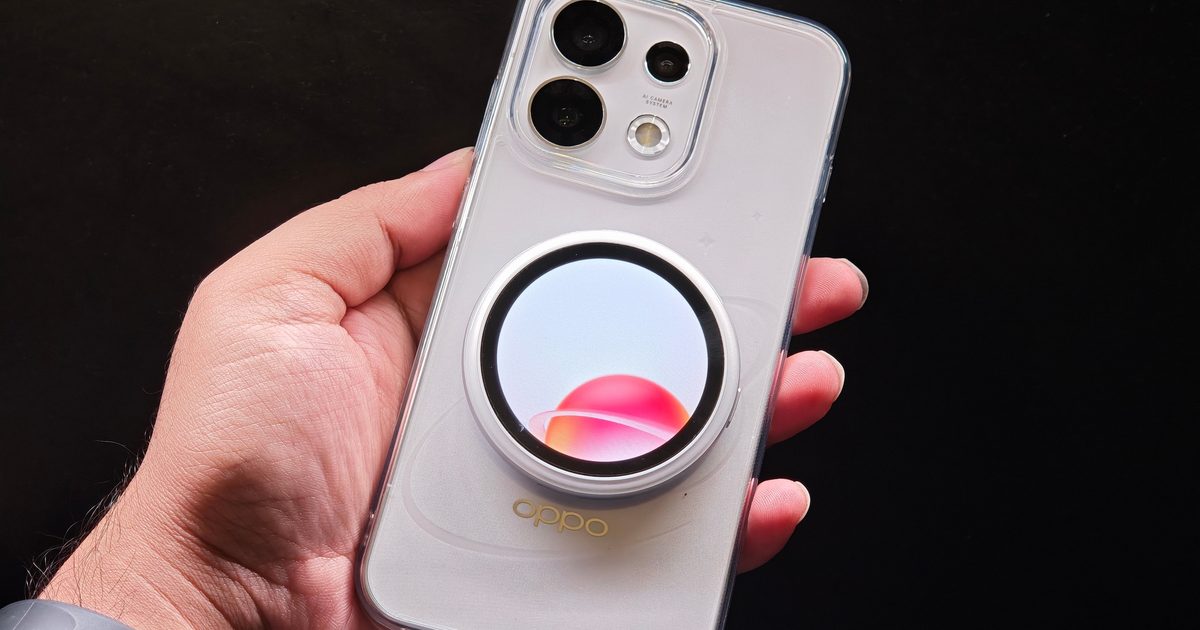
As for where the lights will physically live on the phone, that’s still unclear. Leaked Pixel 11 Pro XL renders don’t show a dedicated cutout, but the Camera Bar seems like a natural fit. 

The settings page states that the Pixel Glow will not work if a user has flash notifications turned on, which makes me think the lighting feature might be around the camera bar, and it’s turned off to prevent a clash with the flash feature. 

Could there be a Pixel laptop on the way?

Here’s where things get interesting. 9to5Google found that the Pixel Glow Settings page explicitly checks whether the device is a desktop, suggesting the feature is coming to a Pixel laptop as well. References to an “ic_laptop_light” icon in this week’s Android code point in the same direction.

Google has made laptops before, including the Pixelbook and Pixelbook Go, and while both laptops featured good hardware, a combination of high prices and software limitations meant they were not successful. 

Now, at a time when RAM and SSD shortages are already driving laptop prices higher, and a MacBook Neo sells at $599, Google will have to pull off a miracle to make it work.
Share. Facebook Twitter Pinterest LinkedIn Telegram Reddit Email
Previous ArticleThe Best Wi-Fi Routers to Reach Every Corner of Your Home
Next Article Visible Promo Code: Save Over $400 in April 2026

Related Articles

Review: Hisense U7SG TV (2026)

Review: Hisense U7SG TV (2026)

19 April 2026
Best Meta Glasses (2026): Ray-Ban, Oakley, AR

Best Meta Glasses (2026): Ray-Ban, Oakley, AR

19 April 2026
The 11 Best Fans to Buy Before It Gets Hot Again (2026)

The 11 Best Fans to Buy Before It Gets Hot Again (2026)

19 April 2026
The Best Pet Cameras of 2026

The Best Pet Cameras of 2026

19 April 2026
AI boom fuels surge in new app launches across App Store and Google Play

AI boom fuels surge in new app launches across App Store and Google Play

19 April 2026
All Gemini users can now access Notebook projects on the web without paying a dime

All Gemini users can now access Notebook projects on the web without paying a dime

19 April 2026
Stay In Touch
  • Facebook
  • Twitter
  • Pinterest
  • Instagram
  • YouTube
  • Vimeo

Subscribe to Updates

Get the latest tech news and updates directly to your inbox.

Don't Miss
Best Meta Glasses (2026): Ray-Ban, Oakley, AR

Best Meta Glasses (2026): Ray-Ban, Oakley, AR

By technologistmag.com19 April 2026

Every time I’ve written about Meta’s AI-enabled glasses, I invariably get asked these questions: Why…

The 11 Best Fans to Buy Before It Gets Hot Again (2026)

The 11 Best Fans to Buy Before It Gets Hot Again (2026)

19 April 2026
The Best Pet Cameras of 2026

The Best Pet Cameras of 2026

19 April 2026
AI boom fuels surge in new app launches across App Store and Google Play

AI boom fuels surge in new app launches across App Store and Google Play

19 April 2026
All Gemini users can now access Notebook projects on the web without paying a dime

All Gemini users can now access Notebook projects on the web without paying a dime

19 April 2026
Technologist Mag
Facebook X (Twitter) Instagram Pinterest
  • Privacy
  • Terms
  • Advertise
  • Contact
© 2026 Technologist Mag. All Rights Reserved.

Type above and press Enter to search. Press Esc to cancel.