

Technologist Mag
  • Home
  • Tech News
  • AI
  • Apps
  • Gadgets
  • Gaming
  • Guides
  • Laptops
  • Mobiles
  • Wearables
  • More
    • Web Stories
    • Trending
    • Press Release

Subscribe to Updates

Get the latest tech news and updates directly to your inbox.

What's On
The Supreme Court Just Blocked Trump’s Efforts to Control Mail-In Voting for the Midterms

The Supreme Court Just Blocked Trump’s Efforts to Control Mail-In Voting for the Midterms

14 September 2026
The Top New Features in Apple’s iOS 27 and iPadOS 27

The Top New Features in Apple’s iOS 27 and iPadOS 27

14 September 2026
Here’s How To Get A Steam Frame – Sep 14, 2026

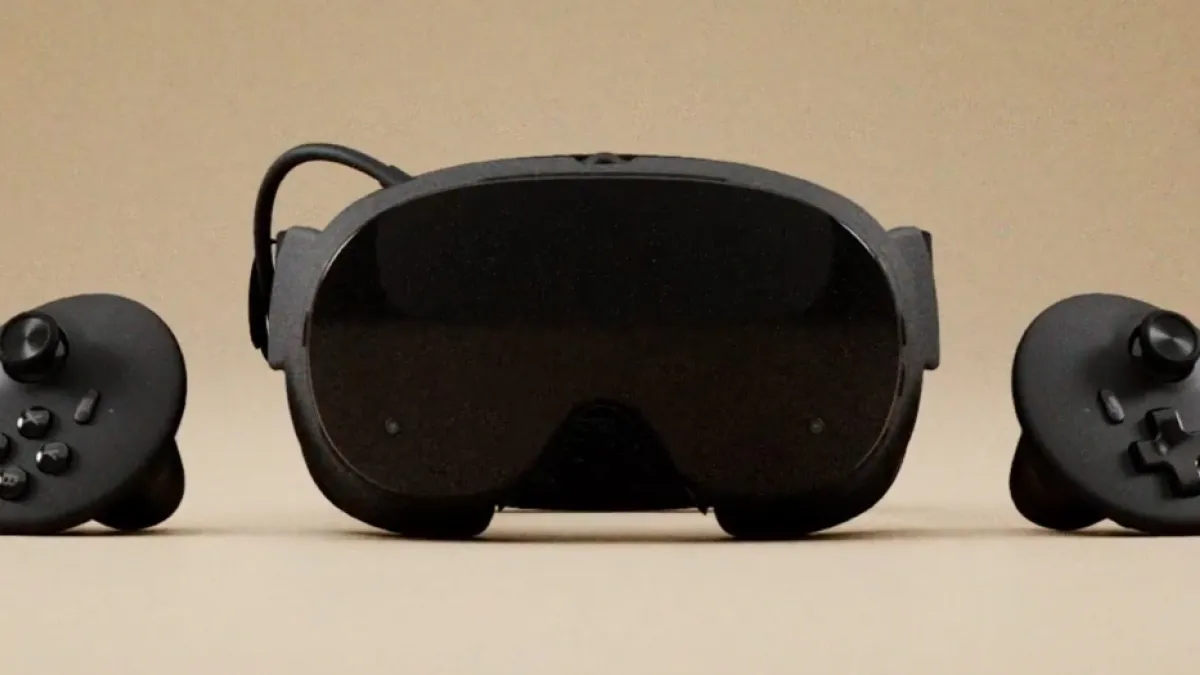
Here’s How To Get A Steam Frame – Sep 14, 2026

14 September 2026
New York Seizes a Dozen Celebrity Deepfake Websites

New York Seizes a Dozen Celebrity Deepfake Websites

14 September 2026
Best Noise-Canceling Earbuds (2026): Bose, Apple, Samsung, Beats, and More

Best Noise-Canceling Earbuds (2026): Bose, Apple, Samsung, Beats, and More

14 September 2026
Facebook X (Twitter) Instagram
Technologist Mag
SUBSCRIBE
  • Home
  • Tech News
  • AI
  • Apps
  • Gadgets
  • Gaming
  • Guides
  • Laptops
  • Mobiles
  • Wearables
  • More
    • Web Stories
    • Trending
    • Press Release
Technologist Mag
Home » The Light Flip Is the Stylish Dumb Flip Phone of Your Dreams
Tech News

The Light Flip Is the Stylish Dumb Flip Phone of Your Dreams

By technologistmag.com21 July 20262 Mins Read
The Light Flip Is the Stylish Dumb Flip Phone of Your Dreams
Share
Facebook Twitter Reddit Telegram Pinterest Email

The Light Flip doesn’t have a touchscreen; instead, users have to rely on a D-pad, three function keys, a confirm and cancel button, and old-school T9 typing with predictive text. All the “tools” from the Light Phone III—what Light Phone calls its apps on its LightOS platform—will work when the Light Flip launches next year.

It’s a pretty limited set, with tools like Phone, Alarm, Calculator, Calendar, and Directions. However, in May, the company announced a software development kit that enables third-party developers to create new tools for the platform, expanding the possibilities. These may need tweaks to perform just as well on the Light Flip.

Photograph: Courtesy of Light Phone

There’s USB-C, Bluetooth, Wi-Fi, 5G connectivity, Nano SIM and eSIM support, even a headphone jack, a perk missing on the pricier Light Phone III. (There is no NFC.) On the front, the lack of a screen keeps up with the distraction-free ethos—it’s just a notification LED that flashes when new alerts come through. There’s a 12-MP camera on the back, and a replaceable 1,800-mAh battery. Flip it open and there’s a 2.8-inch OLED display, stereo speakers, and two microphones.

The whole device is plastic, unlike its all-metal sibling, which helps keep the cost down. That also allows the company to offer it in six colors: black, navy, red, pink, yellow, and light gray. It’s IP54 water- and dust-resistant.

Tang points to the recent Summer of Ludd festival that took place in New York City, where he and other Light Phone members were present as participants. Event-goers booed people who pulled out their smartphones to record video.

“The sentiment of pushing back on smartphones is so strong; they don’t like AI,” he says. “They want these different form factors that make them feel proud or completely separated from smartphone app stores. It makes us feel encouraged that this is exactly what we’ve wanted to do for 10 years, and now it’s getting bigger and bigger and younger and younger.” It’s no accident that Light Phone’s new flippy handset is being announced a day before Samsung’s Galaxy Unpacked event, where the mobile giant is expected to debut its latest folding smartphones.

Share. Facebook Twitter Pinterest LinkedIn Telegram Reddit Email
Previous ArticleFujifilm Instax Mini 13 review: This instant camera won me over with its no-frills retro charm
Next Article Vibecoded apps are flooding Apple’s App Store, and users are getting sick of them

Related Articles

The Supreme Court Just Blocked Trump’s Efforts to Control Mail-In Voting for the Midterms

The Supreme Court Just Blocked Trump’s Efforts to Control Mail-In Voting for the Midterms

14 September 2026
The Top New Features in Apple’s iOS 27 and iPadOS 27

The Top New Features in Apple’s iOS 27 and iPadOS 27

14 September 2026
New York Seizes a Dozen Celebrity Deepfake Websites

New York Seizes a Dozen Celebrity Deepfake Websites

14 September 2026
Best Noise-Canceling Earbuds (2026): Bose, Apple, Samsung, Beats, and More

Best Noise-Canceling Earbuds (2026): Bose, Apple, Samsung, Beats, and More

14 September 2026
A College Girl Was Exploited on Camera. A Network of Anonymous Men Got to Work

A College Girl Was Exploited on Camera. A Network of Anonymous Men Got to Work

14 September 2026
Review: Roborock Qrevo 2 Pro

Review: Roborock Qrevo 2 Pro

14 September 2026
Stay In Touch
  • Facebook
  • Twitter
  • Pinterest
  • Instagram
  • YouTube
  • Vimeo

Subscribe to Updates

Get the latest tech news and updates directly to your inbox.

Don't Miss
The Top New Features in Apple’s iOS 27 and iPadOS 27

The Top New Features in Apple’s iOS 27 and iPadOS 27

By technologistmag.com14 September 2026

Apple’s latest iPhone and iPad software—iOS 27 and iPadOS 27—is here. While this release won’t…

Here’s How To Get A Steam Frame – Sep 14, 2026

Here’s How To Get A Steam Frame – Sep 14, 2026

14 September 2026
New York Seizes a Dozen Celebrity Deepfake Websites

New York Seizes a Dozen Celebrity Deepfake Websites

14 September 2026
Best Noise-Canceling Earbuds (2026): Bose, Apple, Samsung, Beats, and More

Best Noise-Canceling Earbuds (2026): Bose, Apple, Samsung, Beats, and More

14 September 2026
A College Girl Was Exploited on Camera. A Network of Anonymous Men Got to Work

A College Girl Was Exploited on Camera. A Network of Anonymous Men Got to Work

14 September 2026
Technologist Mag
Facebook X (Twitter) Instagram Pinterest
  • Privacy
  • Terms
  • Advertise
  • Contact
© 2026 Technologist Mag. All Rights Reserved.

Type above and press Enter to search. Press Esc to cancel.