






Think about how many online accounts you use in a typical week. Between work, banking, shopping, streaming, social media, and everything in between, it’s easy to end up managing dozens of passwords. Remembering a different, secure password for every account simply isn’t realistic, which is why so many people fall back on reusing the same login across multiple websites. That’s a recipe for disaster, if you ask any cybersecurity expert.
If you’re in a conundrum on how to safely handle digital privacy, password managers are a reliable solution. Rather than trying to remember every single password yourself, a credentials manager tool securely stores your login details, creates stronger passwords for new accounts, and automatically fills them in whenever you need them.
Moreover, a majority of modern password managers also support passkeys, nudging you toward convenient passwordless sign-ins without leaving your existing accounts behind. Whether you’re looking for the strongest security, the best value, or something simple enough for the whole family to use, these are some of the best password managers worth considering in 2026.
Keeper Security
The more online accounts you create, the harder it becomes to keep every password unique. It’s one of the biggest reasons people end up reusing the same login across multiple websites, even though doing so can put several accounts at risk if one password is ever compromised. Keeper removes that burden by securely storing your credentials, generating stronger passwords, and making them available whenever you need them.
Everything you save is protected with a zero-knowledge security architecture, meaning your passwords, passkeys, payment cards, identity information, secure notes, and other sensitive data are encrypted before they leave your device. Since only you hold the key to unlock your vault, even Keeper can’t access what’s stored inside. It’s a simple approach that gives you the convenience of having everything in one place without sacrificing security.
Keeper also makes everyday logins as effortless as possible. Once your credentials are saved, the service can automatically fill them in across websites and apps, while its built-in password generator helps you create strong, unique passwords for every new account. As passkeys gain more traction, Keeper lets you store and sync them alongside traditional passwords, making it easier to embrace passwordless sign-ins without disrupting your existing accounts. It also stores two-factor authentication codes within your vault, reducing the need to juggle multiple authentication apps.
Another aspect that stands out for Keeper is that it goes beyond basic password management. You can securely share credentials with family members or coworkers without exposing the actual password, store important files and documents alongside your logins, and even designate trusted emergency contacts who can access your vault if something happens to you. Users looking for an extra layer of protection can also add BreachWatch, which monitors for compromised credentials and alerts you if your information appears in known data breaches.
While the free version is fairly limited, Keeper’s premium plans unlock unlimited password and passkey storage, seamless syncing across Windows, macOS, Linux, Android, iPhone, and all major browsers, making it easy to access your vault wherever you are. If your priority is protecting your digital life without making everyday logins more complicated, Keeper strikes an excellent balance between powerful security and daily convenience.
1Password
If you’re looking for a password manager that’s as easy to use as it is secure, 1Password continues to be one of the strongest premium options available. It takes the hassle out of managing dozens of online accounts by securely storing your passwords, generating stronger credentials for new logins, and automatically filling them in whenever you need them. Whether you’re switching between a Windows PC, Mac, iPhone, Android device, or web browser, everything stays synced and ready to access.
Beyond passwords, 1Password has evolved into a secure home for much of your digital life. It supports passkeys alongside traditional passwords, making it easier to embrace passwordless sign-ins as more websites adopt them. You can also securely store payment cards, identity information, important documents, API keys, and other sensitive data, so everything you need is protected in one encrypted vault instead of being scattered across different apps and devices.
What really sets 1Password apart is how it helps you stay ahead of potential security issues. Its Watchtower feature continuously checks for weak, reused, or compromised passwords and alerts you when it’s time to make changes, while Travel Mode lets you temporarily remove selected vaults from your devices before crossing borders and restore them later with a click. Families can also securely share passwords and other sensitive information without exposing the actual credentials.
Although it doesn’t offer a permanent free plan, 1Password delivers one of the most polished and well-rounded password management experiences available today. Together, it makes a compelling choice for individuals, families, and even businesses that want powerful security without sacrificing simplicity.
Bitwarden
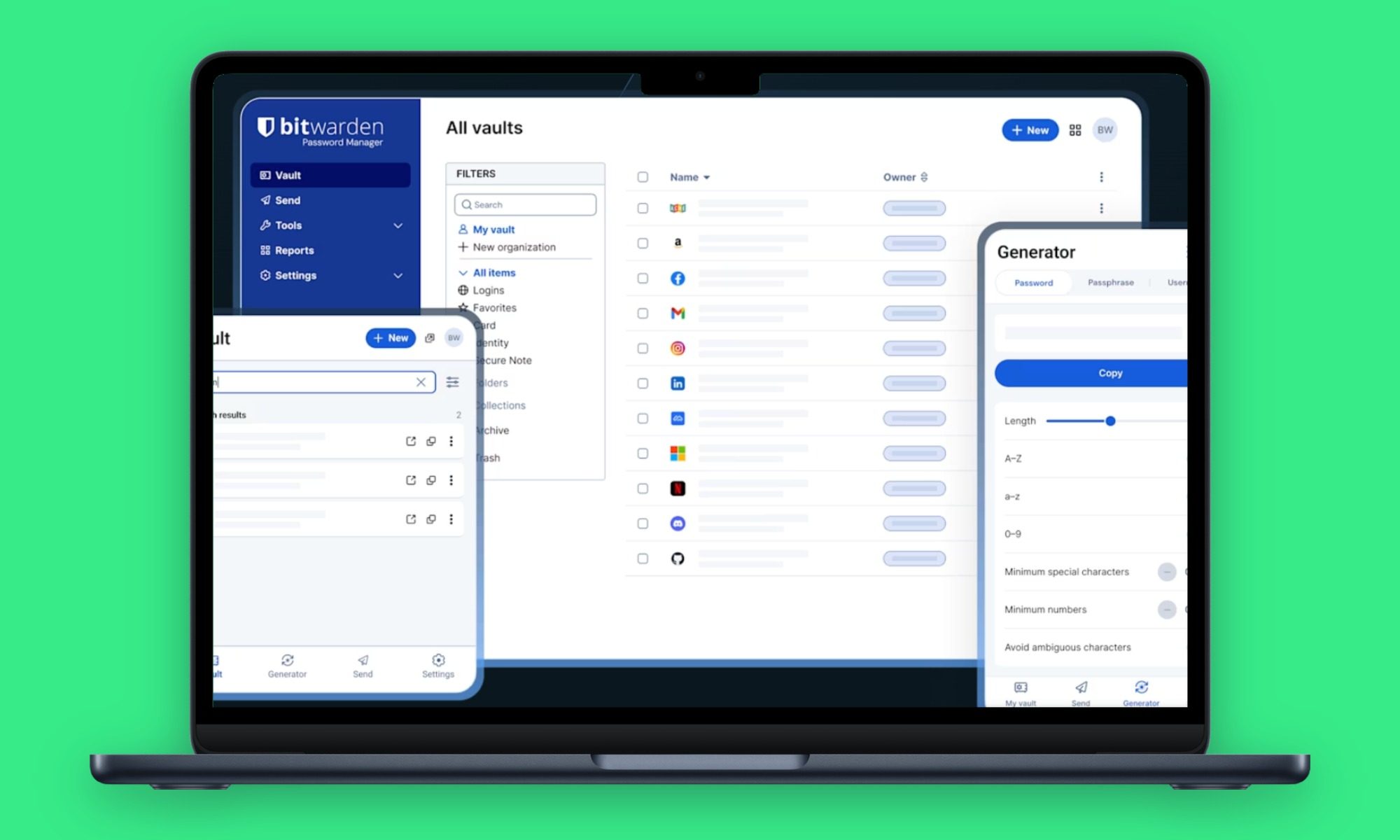
Not everyone wants to pay for a password manager, and thankfully, you don’t have to sacrifice security to get a reliable one. Bitwarden continues to be one of the best free password managers available, offering many of the features you’d expect from a premium service without the monthly subscription.
Getting started is simple. Bitwarden securely stores your passwords, automatically fills in your login details, and generates strong, unique passwords whenever you create a new account. It also supports passkeys, making it easy to manage both traditional passwords and passwordless logins from a single encrypted vault. Everything stays synced across your devices, whether you’re using Windows, macOS, Android, Linux, iPhone, or your preferred web browser.
One of Bitwarden’s biggest strengths is its open-source approach, allowing its code to be independently reviewed by the security community for added transparency. Alongside passwords, you can also store secure notes, payment cards, and other sensitive information, while its zero-knowledge architecture ensures only you can access your encrypted vault.
The generous free plan includes unlimited password storage and syncing across an unlimited number of devices, making it more than enough for most people. If you need additional features like integrated two-factor authentication (TOTP), encrypted file attachments, emergency access, and advanced security reports, Bitwarden Premium costs $19.80 per year. For households, the Families plan starts at $3.99 per month (billed annually) and supports up to 6 users with shared collections. If you’re looking for the best balance of affordability, security, and everyday usability, Bitwarden remains one of the easiest password managers to recommend.
Dashlane
A password manager can do much more than just remember your login credentials, and Dashlane is a great example. While it handles the basics with ease, it also helps you stay on top of your overall online security, making it a strong choice for anyone who wants more than simple password storage.
Dashlane securely stores your passwords, automatically fills in login details, and generates strong passwords whenever you create a new account. It also supports passkeys, allowing you to manage both traditional passwords and passwordless sign-ins from a single encrypted vault that syncs across your devices. Besides passwords, you can securely store payment cards, personal information, and notes, keeping your most important data organized in one place.
Password protection is only part of what Dashlane offers. It takes a proactive approach to online security by continuously monitoring the dark web for compromised credentials and alerting you if your personal data appears in a known data breach, allowing you to act before your accounts are affected. Another useful feature is Secure Sharing, which lets you share passwords with trusted family members without revealing your actual login credentials.
Moreover, Dashlane also offers Personal and Family plans, while its premium subscriptions unlock additional features such as unlimited device access and advanced security tools. If you’re looking for a password manager that helps protect your accounts long after you’ve created a strong password, Dashlane remains one of the best options available out there.
NordPass
Sometimes the best software is the one you barely notice. NordPass keeps password management simple with a clean, intuitive interface that makes it easy to organize your passwords without feeling overwhelmed, making it an excellent choice for anyone who wants stronger online security without a steep learning curve.
Once your passwords are saved, NordPass does the heavy lifting by automatically filling in login details, generating strong credentials for new accounts, and keeping everything securely synced across your devices. It also supports passkeys, allowing you to manage both traditional passwords and passwordless sign-ins from a single encrypted vault. Added to that, you can securely store payment cards, personal data, and notes, keeping your most important information organized in a single place.
NordPass also helps you stay on top of your online security with tools like Password Health, which identifies weak or reused passwords, and Data Breach Scanner, which alerts you if your credentials have been exposed. A free plan is available to get started, while Premium unlocks unlimited device access, secure sharing, and additional security features.
RoboForm
Password managers have changed a lot over the years, but RoboForm has remained relevant by focusing on what most people actually need. It keeps signing in straightforwardly, remembers the details you’d rather not, and still offers one of the best autofill experiences available today.
Its biggest strength is convenience. Beyond saving passwords and passkeys, RoboForm quickly fills out everything from login pages to lengthy online forms, helping you breeze through checkouts, registrations, and account updates with just a few clicks. Secure notes, payment cards, bookmarks, and personal information can also be stored in your encrypted vault, so your everyday essentials are always close at hand.
Security hasn’t taken a back seat, either. RoboForm supports multiple two-factor authentication methods, passwordless login options, secure password sharing, emergency access, and password health reports that highlight weak or reused credentials. It also includes dark web monitoring for up to five email addresses and even offers a Local Only Mode for users who prefer to keep their vault stored exclusively on their own device instead of syncing it through the cloud.
Starting at $1.74 per month for new subscribers, RoboForm Premium packs a comprehensive feature set into one of the most affordable plans available. For anyone who values convenience, dependable autofill, and long-term reliability, RoboForm continues to be a smart choice.
LastPass
LastPass remains one of the most recognizable names in password management, offering a straightforward way to keep your passwords, passkeys, payment cards, and other sensitive information organized in one secure place. Its familiar interface and broad platform support make it easy to manage your accounts whether you’re using a desktop browser or a mobile device.
Beyond securely storing your credentials, LastPass automatically fills in login details, generates strong passwords for new accounts, and syncs everything across your devices. It also supports secure password sharing, password health reports, dark web monitoring, and multifactor authentication, helping you strengthen your overall online security without adding extra complexity.
That said, LastPass’s history can’t be overlooked. The company has spent the past few years rebuilding trust following widely reported security breaches, introducing additional security measures and improvements to its platform. While some users may still prefer alternatives because of those incidents, LastPass remains a capable password manager with a familiar experience. The free plan covers the basics, while Premium starts at $2.10 per month (billed annually) and the Families plan starts at $2.80 per month (billed annually) for up to 6 users.
McAfee True Key
Not everyone needs a password manager packed with advanced features. If your priority is securely storing passwords and making everyday logins easier, McAfee True Key offers a straightforward experience that’s simple to set up and use.
True Key automatically saves and fills in your passwords as you browse, helping you create a smoother and more secure sign-in experience across your devices. Everything stored in your vault is protected with AES-256 encryption and a zero-knowledge architecture, ensuring only you can access your saved credentials. It also supports multi-factor authentication, allowing you to add an extra layer of security beyond your master password, while trusted devices can take advantage of biometric authentication for quicker access where supported.
True Key is free to download, making it an easy option to try before deciding whether you need the additional features available through eligible McAfee security subscriptions. If you’re already using McAfee’s security products or simply want a dependable password manager that covers the essentials, True Key is a practical choice.
Which password manager is right for you?
Finding the right password manager comes down to what matters most to you. Some users prioritize advanced security features, while others focus on affordability, privacy, or a simple user experience that’s easy to use from day one. The good news is that every option on this list offers a far safer alternative than relying on weak or reused passwords. So, take a moment to consider the devices you use, the features you’ll benefit from most, and whether you need a solution for yourself, your family, or your workplace. Whichever you choose, adopting a password manager is one of the simplest ways to make your digital life more secure.
