




Spending hours at a desk can make the right office chair feel less like an upgrade and more like an essential part of your workspace. Whether you’re a writer working from home, a corporate professional hopping between meetings, or someone whose “quick task” turns into three hours at a desk, your office chair gets far more use than you realize.
Finding the right ergonomic office chair isn’t just about fixing stiffness but about building a workspace that genuinely supports how you work. Adjustable lumbar support, seat depth, armrests, recline, and proper spinal alignment all make a measurable difference when you spend most of your day behind a screen. Just as importantly, a well-built chair allows you to shift positions naturally rather than keeping your body locked into one rigid posture for hours.
Because different budgets, body types, and work habits call for distinct setups, here are the top ergonomic office chairs to consider in 2026.
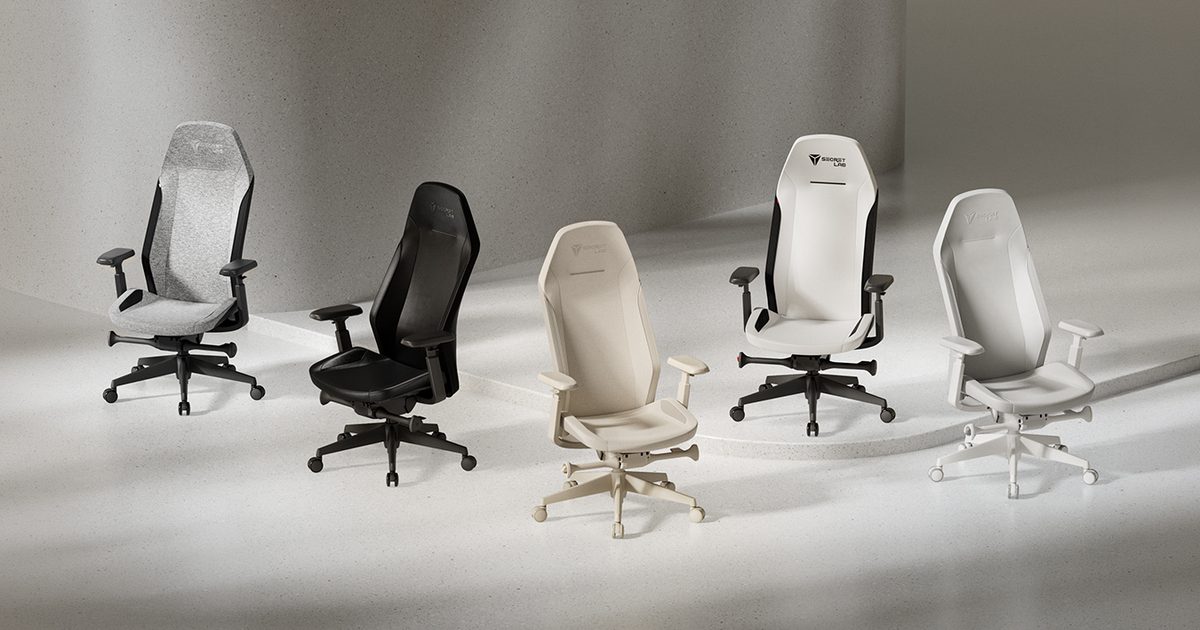
Secretlab ATLAS
Best ergonomic office chair overall
| Pros | Cons |
| Highly adjustable ergonomic design | Premium positioning may not suit every budget |
| Supports both focused sitting and rest | 120-degree tilt is more work-focused than deep reclining |
| Full-back, neck, and head support |
Most of us don’t spend eight hours sitting the same way. You might be fully focused while replying to emails, lean back during a meeting, then shift again while reading through a report. The problem is that many office chairs are designed around just one ideal sitting position. Instead of expecting you to stay in one posture, the Secretlab ATLAS is designed to support the way your body naturally moves throughout the workday.
That flexibility starts with plenty of room for personalization. The seat height can be adjusted to help keep your feet firmly planted, while adjustable seat depth lets you slide the base forward or backward for a better fit. The RE-CURVE backrest follows the natural S-shaped contour of your spine, pairing integrated lumbar support with a hybrid spring-and-foam structure that moves with you. Its full-height frame extends support through your shoulders, neck, and head instead of stopping around the middle of your back. Clinical testing by United States Ergonomics found strong pressure distribution, with users noting freedom to move without feeling unsupported.
The ATLAS becomes particularly useful if your workday rarely involves sitting completely still. When you lean back, the synchronous tilt mechanism opens the angle between your hips and torso while keeping the seat stable. You can lock the chair at four angles between 100 and 120 degrees, or adjust the tilt force across four levels to find the resistance that feels right for you.
Secretlab puts just as much thought into what you’re actually sitting against. Rather than relying on standard foam or mesh, the ATLAS uses proprietary materials engineered to distribute weight evenly and reduce pressure hotspots. If long hours at a desk tend to leave you feeling warm, the SoftWeave Plus Fabric option uses a soft, breathable knit designed to promote airflow for a cooler sitting experience.
There are some practical details worth considering before buying, too. Starting at $519, the ATLAS Regular is recommended for users under 5 feet 10 inches and has a maximum load of 265 pounds. Secretlab backs the chair with a three-year warranty, with the option to extend coverage to five years by sharing a picture of your Secretlab chair. It also comes with an up to 49-day refund and return policy, giving you more time to decide whether it’s the right fit for your workspace.
For anyone looking for a chair that adapts to the way they naturally work, the Secretlab ATLAS combines extensive adjustability with movement-focused ergonomics, making it a compelling choice for long hours at a desk.
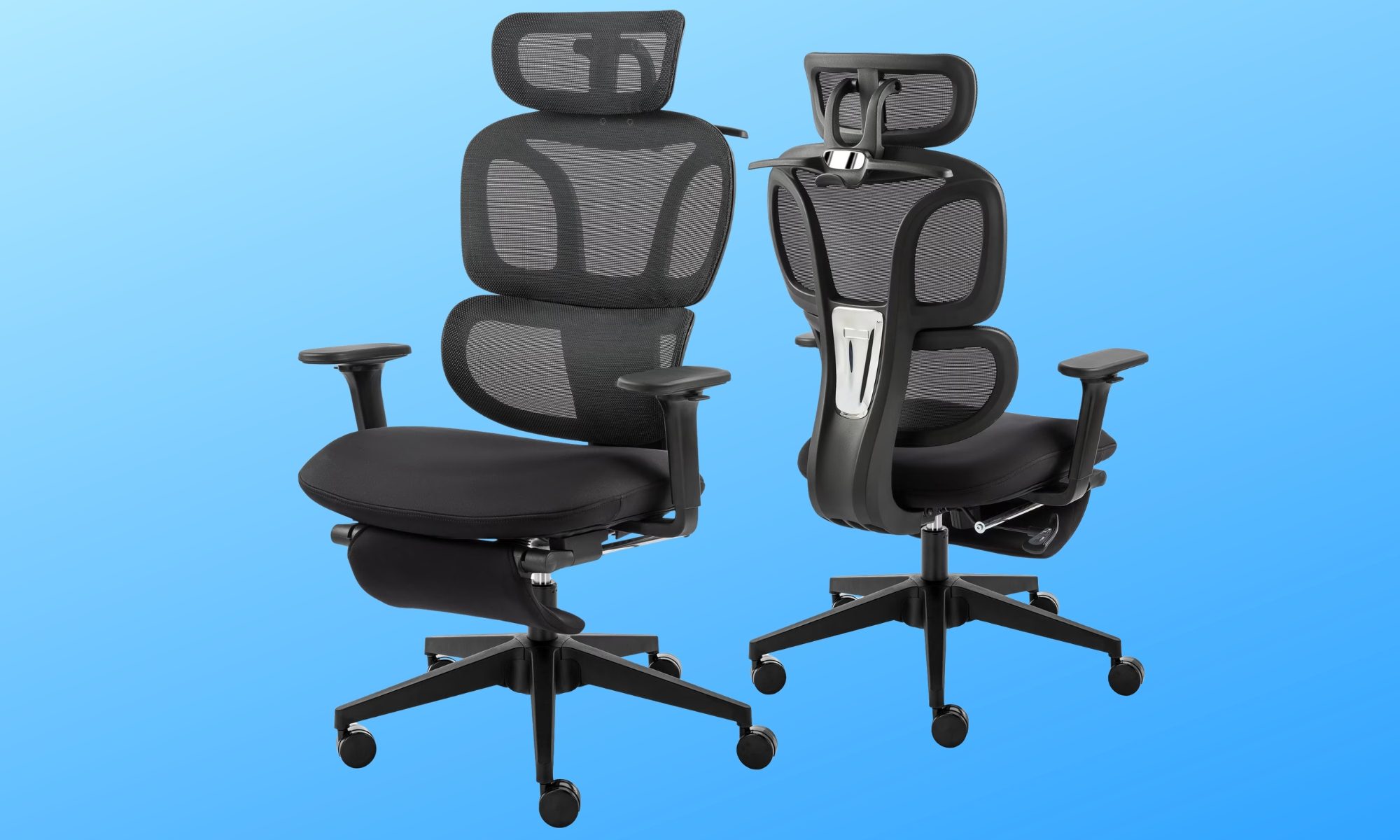
Hforesty Ergonomic Mesh Office Chair
Best for versatile comfort
| Pros | Cons |
| Plenty of adjustable support | Bulky compared with simpler task chairs |
| Pull-out footrest for relaxing | Coat hanger may not be useful for everyone |
| Breathable mesh backrest |
Not everyone needs an office chair packed with premium adjustments to stay comfortable throughout the day. For most people, a chair that nails the daily essentials right while offering a few extra comfort features strikes the perfect balance, and the Hforesty Ergonomic Mesh Office Chair lands in that very category.
The core design uses a double-back structure to cushion both your spine and lower back, paired with a breathable mesh backrest that prevents heat buildup during longer sessions. Underneath, Hforesty swaps mesh for a contoured, thick sponge cushion shaped to relieve pressure across your hips.
Adjustability covers all key touchpoints: chair height, headrest angle, armrest placement, and recline angle. You can set the backrest to 90 degrees for typing, 110 degrees for reading, or 135 degrees for a deep recline, while an adjustable tilt-tension dial unlocks a gentle rocking motion.
One feature that makes the Hforesty particularly versatile is its pull-out footrest. After a long stretch of work, you can extend it and give your legs somewhere to rest without leaving your desk. There’s even an integrated coat hanger on the back for keeping a jacket or other clothing off the floor.
With a 300-pound weight capacity and a practical mix of work and rest controls, Hforesty delivers strong daily ergonomics without bloated pricing.
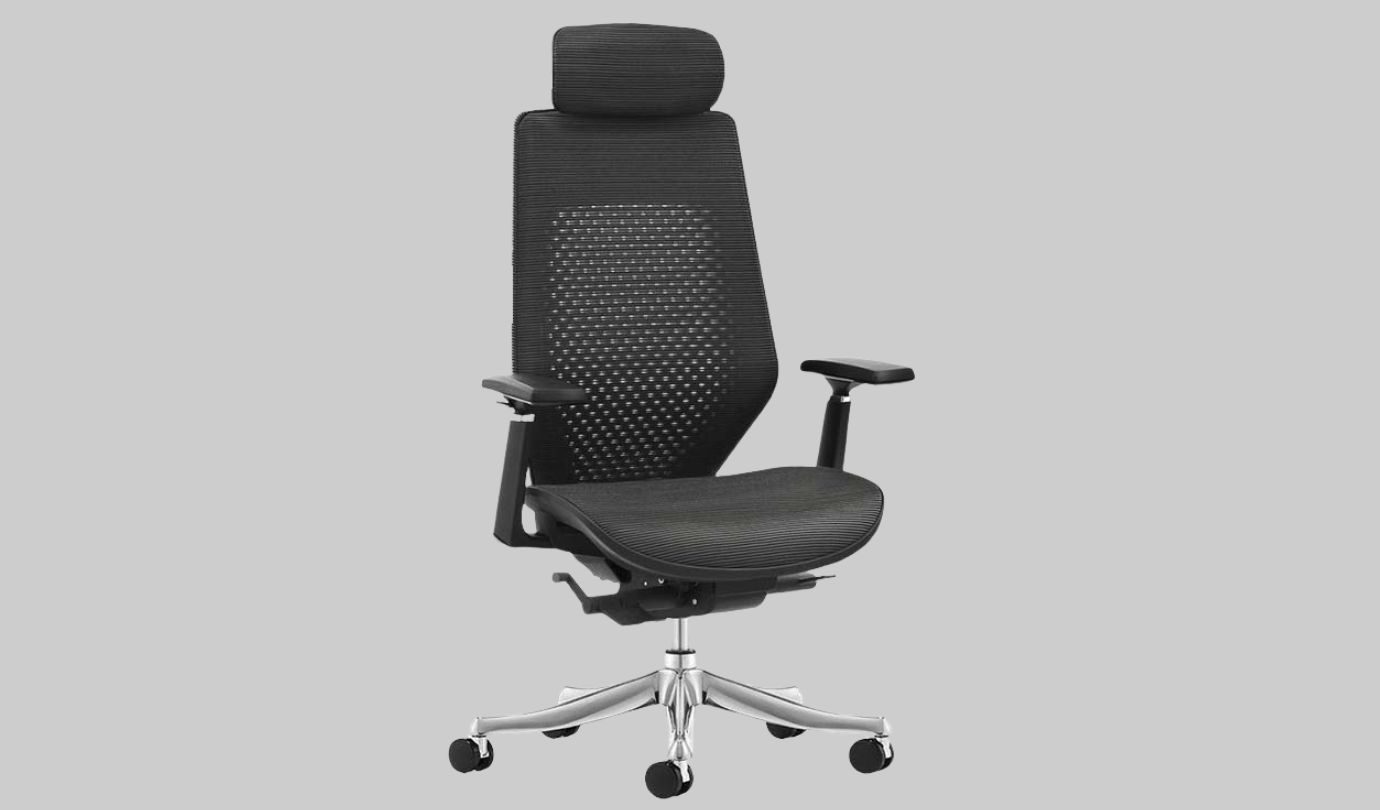
FlexiSpot C8 Exclusive Ergonomic Chair
Best for easy adjustability
| Pros | Cons |
| Automatic adaptive lumbar support | Relatively expensive at full price |
| Plenty of useful adjustments | More adjustments than casual users need |
A chair can feature dozens of adjustment levers and still leave you wasting time wrestling with them. The FlexiSpot C8 Exclusive Ergonomic Chair automates key adjustments so you get personalized comfort without manual guesswork.
A big part of that comes down to its 2-way automatic adaptive lumbar support. Rather than relying entirely on manual positioning, the system is designed to adapt according to your body shape and weight. That can be especially useful if you tend to shift positions throughout the day or simply don’t want lumbar support to become another setting you have to repeatedly think about.
You aren’t giving up manual customization, either. The C8 lets you adjust the back height and slide the seat depth forward or backward, helping accommodate different body proportions and sitting preferences. Its additional 3D adjustable armrests give you control over where your arms rest while you’re typing or working at your desk.
When it’s time to move out of a focused working position, a three-level synchro-tilt recline gives you ample room to kick back during calls, and the mesh backrest ensures constant ventilation.
Built around a heavy-duty aluminum alloy chassis and smooth PU casters, the C8 is currently priced at $389.99, down from the original $599.99. It makes a compelling choice for anyone who prefers smart, hands-off lower-back support over manual levers.
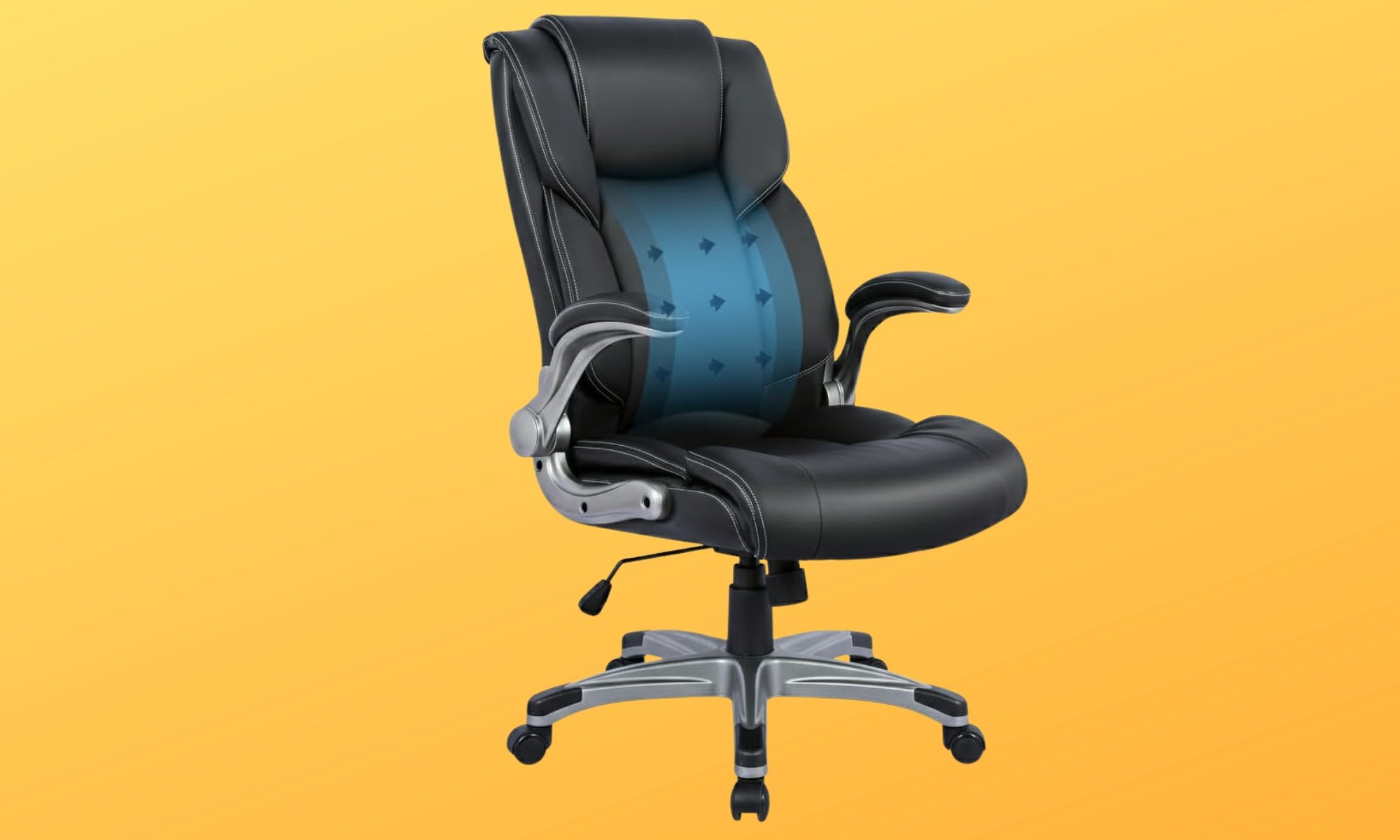
COLAMY Ergonomic Executive Office Chair
Best big and tall ergonomic office chair
| Pros | Cons |
| Inflatable lumbar support | Fewer fine-tuning options |
| Supports up to 300 pounds | |
| Space-saving flip-up armrests |
Not every office chair is designed with larger body types in mind. If you’ve ever felt squeezed into a narrow seat or wished for more support during long workdays, finding a chair with the right proportions can make all the difference. The COLAMY Ergonomic Executive Office Chair is built around that idea by combining a spacious executive design with practical ergonomic features.
A core feature is the built-in inflatable lumbar airbag. Instead of relying on a fixed lower-back cushion, you can increase or decrease the firmness until it feels right for your body. Paired with the high-back design, it delivers targeted support where many people need it most during extended hours at a desk.
The rest of the chair keeps things refreshingly simple. Pneumatic height adjustment, a tilt-lock mechanism, a 360-degree swivel base, and smooth-rolling casters cover the everyday essentials without overwhelming you with endless controls. The padded armrests also flip upward by 90 degrees, making it easy to slide the chair neatly under your desk or create extra room whenever you need it.
The black bonded leather upholstery gives the chair a classic executive look. Combined with its 300-pound weight capacity and generous seating dimensions, it offers a comfortable fit for larger users who want more room to settle in.
Priced at only $177.99, the COLAMY isn’t trying to compete with highly adjustable premium ergonomic chairs. Instead, it emphasizes the features that matter most for daily comfort. A spacious seat, adjustable lumbar support, and practical everyday functionality make it an appealing choice for anyone looking for dependable support without stretching their budget.
Steelcase Series 1
Best for shared workspaces
| Pros | Cons |
| LiveBack system adapts to your spine | Price may be steep for multiple workstations |
| Compact, space-conscious design | Upright back lock offers limited recline positions |
| Wide range of customization options |
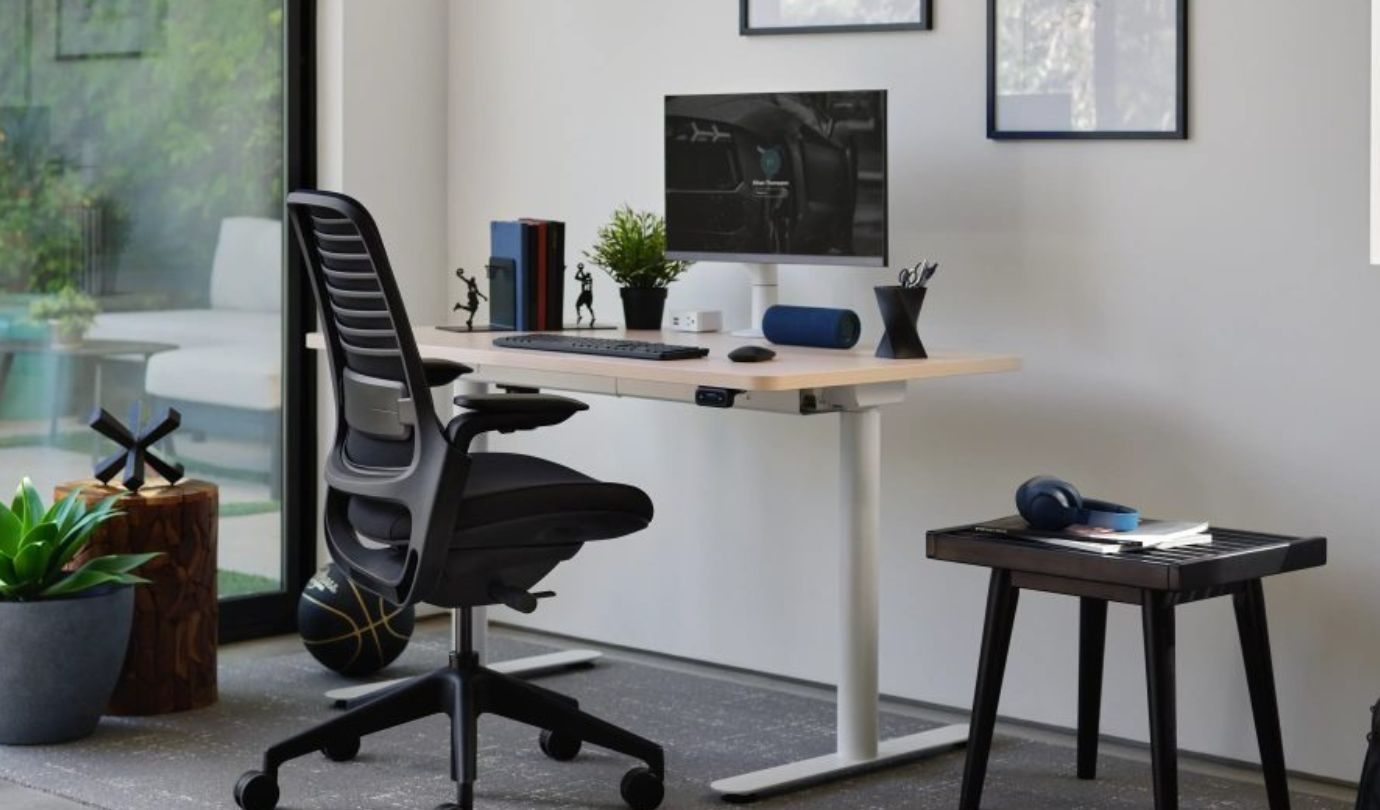
Unlike a home office, shared workspaces rarely have the luxury of a chair that’s adjusted once and left exactly the way you like it. Different people, body types, and working styles often use the same workstation throughout the day, making adaptability one of the most important features a chair can offer. That’s precisely what the Steelcase Series 1 is designed for.
Its LiveBack Flexor System is designed to move with your spine as you naturally shift positions, helping maintain support instead of forcing you into one fixed posture. A height-adjustable lumbar support system lets each user fine-tune lower-back comfort, making it easier to accommodate different preferences without overcomplicating the setup.
The Series 1 also keeps movement effortless. Its weight-activated recline automatically adjusts resistance based on who’s sitting in the chair, while an upright back lock provides extra stability when it’s time to focus. Flexible seat edges and adaptive foam cushioning are designed to distribute pressure more evenly, helping improve comfort during longer work sessions.
Its compact footprint also makes it particularly well suited to offices where space is at a premium. Steelcase also offers a variety of upholstery options, frame finishes, 3D Microknit back styles, and caster choices for carpet or hard flooring, giving businesses plenty of flexibility when furnishing different workspaces.
At $530, the Series 1 represents a premium investment. However, for offices that need a durable chair capable of comfortably supporting multiple users throughout the day, its combination of adaptive ergonomics, compact design, and thoughtful customization makes it well worth considering.
EZAKI High Back Ergonomic Executive Office Chair
Best executive office chair
| Pros | Cons |
| Plush memory foam and spring-pack seat | Armrest position may not suit everyone |
| Includes two sets of wheels | Limited 90 to110-degree recline only |
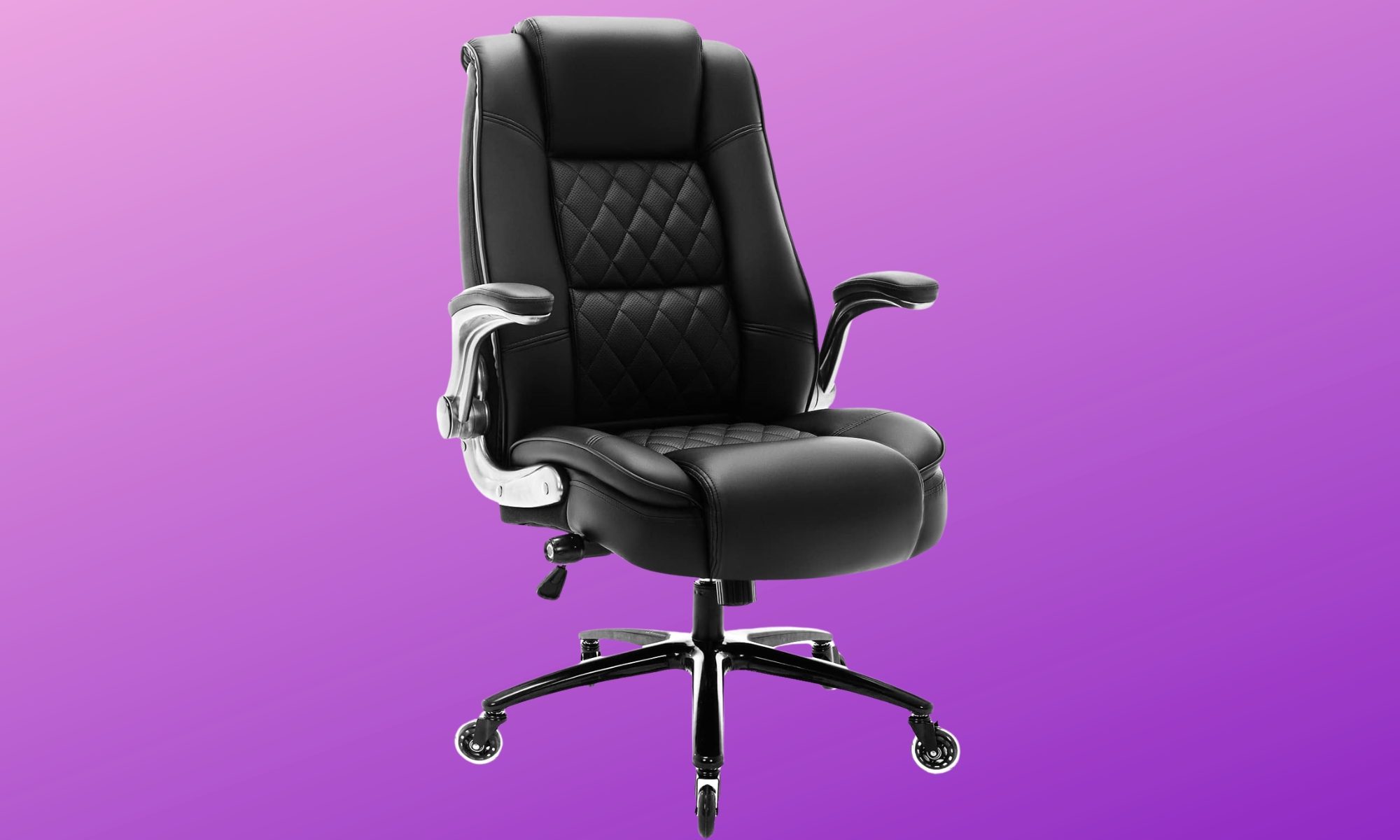
If your office doubles as a place where you meet clients, jump on video calls, or simply prefer a workspace that looks as polished as it feels, appearance matters just as much as comfort. The challenge is that many executive chairs prioritize style over long-term support. The EZAKI High Back Ergonomic Executive Office Chair aims to bring those two together.
Rather than relying on foam alone, it combines high-resilience spring packs with thick memory foam cushioning for a softer, more sofa-like sitting experience. Built-in adjustable lumbar support adds targeted support around the lower back, while the high backrest is designed to help maintain a more neutral spinal position.
There’s room to move around, too. The wide seat and 300-pound weight capacity make this another option worth considering for bigger users, while the armrests can be flipped upward when you want more space at your sides. That also lets you push the chair farther underneath your desk when the workday is over.
One practical addition is the choice of wheels. EZAKI includes traditional casters as well as inline rubber rollerblade-style wheels, giving you options for moving across hard flooring or thicker carpet without necessarily adding a separate chair mat.
Adjustment is relatively straightforward, with seat-height control and a rocking function that moves between 90 and 110 degrees. You can also alter the rocking resistance using the tension control.
Starting at around $229.99, depending on the color, the EZAKI isn’t trying to compete with highly configurable task chairs. If your priorities are comfort, practical ergonomic support, and a polished executive look, it brings those qualities together in a straightforward package that’s well suited to everyday office use.
NEO CHAIR Office Desk Chair
Best budget office chair
| Pros | Cons |
| Adjustable lumbar support | Space-saving flip-up armrests |
| Breathable mesh back |
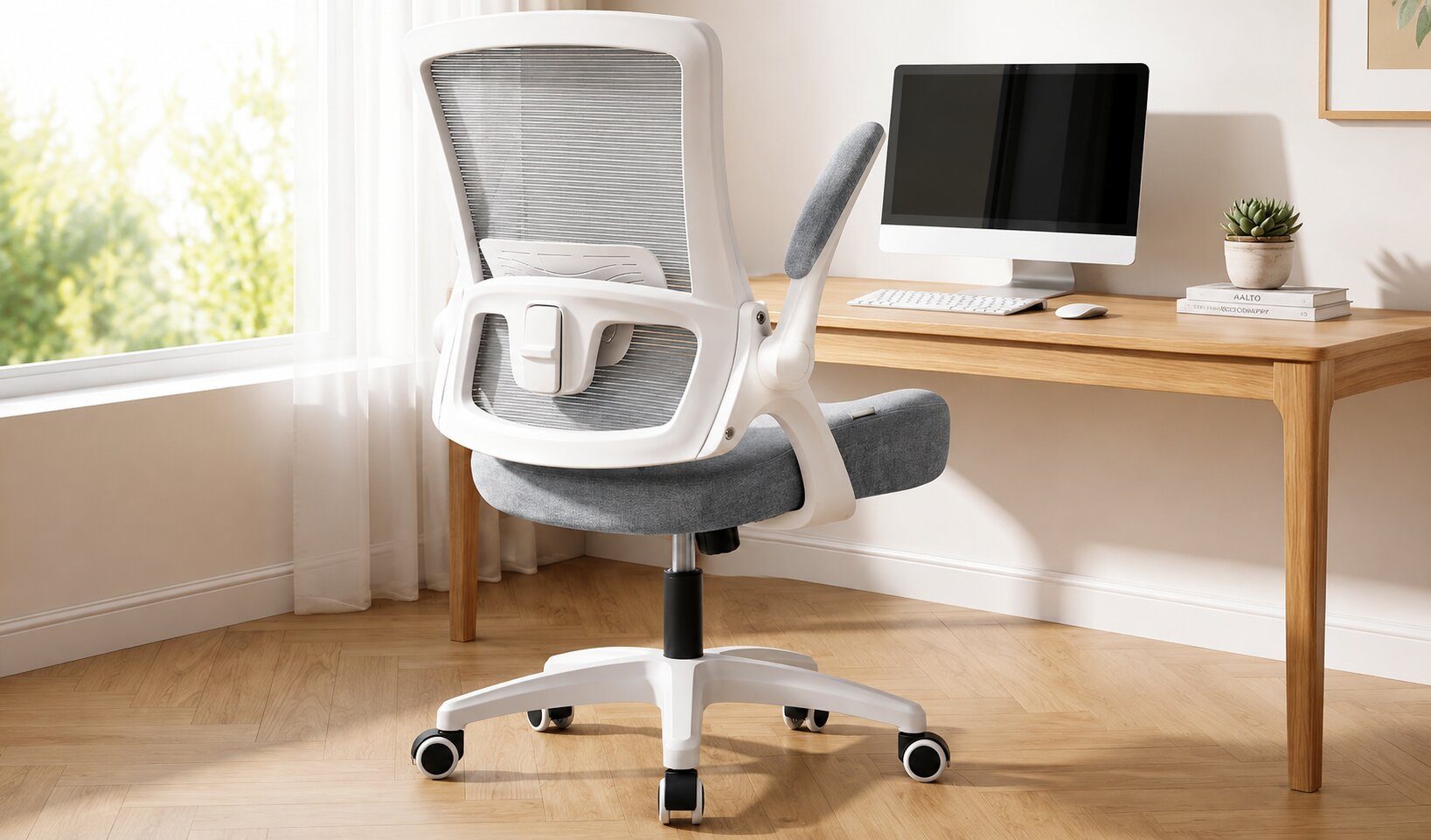
Setting up a comfortable workspace can get expensive quickly. Between monitors, keyboards, desks, and accessories, an ergonomic chair often ends up being one of the biggest purchases. The good news is that improving your sitting posture doesn’t always require spending hundreds of dollars, and the NEO CHAIR Office Desk Chair is proof that a budget-friendly option can still cover many of the ergonomic essentials.
Its high-back design uses breathable mesh, which can be particularly appealing if you tend to feel warm after spending several hours at your desk. More importantly, adjustable lumbar support lets you fine-tune the lower-back support rather than relying entirely on a fixed backrest.
The seat brings another thoughtful detail to the equation. A waterfall-style edge is designed to reduce pressure around the backs of your legs, while the armrests can flip upward when you don’t need them. Besides letting you pull the chair closer to your desk, that extra room can come in handy if you’re someone who occasionally prefers sitting cross-legged while working.
The adjustments aren’t as extensive as what you’ll find on some of the more expensive chairs in this roundup, but the everyday essentials are covered. You can change the seat height and switch the tilt mechanism between tilting and rigid positions, while the swivel base makes moving around your immediate workspace easy.
Budget-friendly shouldn’t automatically mean cutting corners. The NEO CHAIR backs up its approachable price with practical build-quality features, including BIFMA-tested casters, an SGS-certified gas lift, and an internal cushion structure made with FSC-certified wood. While these aren’t features you’ll notice every day, they can provide extra confidence in the chair’s overall construction.
With support for approximately 270 to 275 pounds, the NEO CHAIR won’t be the right fit for every body type. But if you’re setting up a home office, upgrading from a basic desk chair, or simply trying to improve your workspace without stretching the budget too far, it covers many of the ergonomic essentials without piling on features you may never use.
How to pick the right ergonomic office chair
Choosing an ergonomic chair isn’t about picking the model with the longest feature list or the highest price tag. It comes down to selecting a seat that adequately supports your body, suits the way you work, and stays comfortable throughout your day. Whether you’re upgrading your home office, replacing an aging desk chair, or furnishing a brand-new workspace, keeping a few core factors in mind will steer you in the right direction.
Comfort should always come first, but that extends far beyond a soft seat cushion. A well-designed chair should support the specific areas of your body that experience the most strain during long hours at a desk. Lumbar support is particularly vital for maintaining the natural curve of your lower back, while supportive backrests and headrests make a noticeable difference during extended screen time. The best models also encourage natural movement, giving you the flexibility to shift positions throughout the day without locking you into one rigid posture.
Adjustability is another critical aspect that’s easy to overlook until you use your chair daily. Features like seat height, seat depth, recline mechanisms, tilt tension, and adjustable lumbar support allow the hardware to adapt to your unique frame rather than forcing your body to adapt to the chair. The more personalized your setup, the easier it becomes to stay comfortable through everything from quick emails to hours of deep work.
It’s also worth paying attention to the armrests. While terms like 2D, 3D, and 4D simply describe their range of motion, properly positioned armrests dramatically reduce strain on your shoulders and wrists. Some models even feature flip-up armrests, which make it effortless to slide the chair under your desk or open up extra space if you prefer sitting cross-legged.
Beyond adjustments, your chair simply has to fit your frame. Checking the maximum weight capacity is a crucial baseline, but it’s only part of the equation. Seat width, depth, backrest height, and the overall sizing range all dictate long-term comfort because even the most feature-packed office chair won’t feel right if its dimensions don’t match your body.
Ultimately, the ideal ergonomic chair is the one that fits your workspace, champions your posture, and keeps you comfortable from morning to evening. By prioritizing what matters most to your routine, you’ll secure a seat you’ll genuinely enjoy using long after the initial setup wears off.

