


Technologist Mag
  • Home
  • Tech News
  • AI
  • Apps
  • Gadgets
  • Gaming
  • Guides
  • Laptops
  • Mobiles
  • Wearables
  • More
    • Web Stories
    • Trending
    • Press Release

Subscribe to Updates

Get the latest tech news and updates directly to your inbox.

What's On
The Best Audio Players for Kids: Yoto, Toniebox, and More

The Best Audio Players for Kids: Yoto, Toniebox, and More

3 August 2026
Samsung is once again betting on MediaTek to power its flagship tablet

Samsung is once again betting on MediaTek to power its flagship tablet

3 August 2026
The ‘Guardrail Guy’ Went Viral for Posting About Flock Cameras. Then Someone Destroyed Them

The ‘Guardrail Guy’ Went Viral for Posting About Flock Cameras. Then Someone Destroyed Them

3 August 2026
Apple may give the iPhone 18e one extra gigabyte and call it an AI upgrade

Apple may give the iPhone 18e one extra gigabyte and call it an AI upgrade

3 August 2026
Xiaomi just launched an SUV with seven seats and a bedroom upstairs

Xiaomi just launched an SUV with seven seats and a bedroom upstairs

3 August 2026
Facebook X (Twitter) Instagram
Technologist Mag
SUBSCRIBE
  • Home
  • Tech News
  • AI
  • Apps
  • Gadgets
  • Gaming
  • Guides
  • Laptops
  • Mobiles
  • Wearables
  • More
    • Web Stories
    • Trending
    • Press Release
Technologist Mag
Home » Pixel Watch permission error won’t go away, but there’s a weird fix
Tech News

Pixel Watch permission error won’t go away, but there’s a weird fix

By technologistmag.com14 July 20262 Mins Read
Pixel Watch permission error won’t go away, but there’s a weird fix
Share
Facebook Twitter Reddit Telegram Pinterest Email

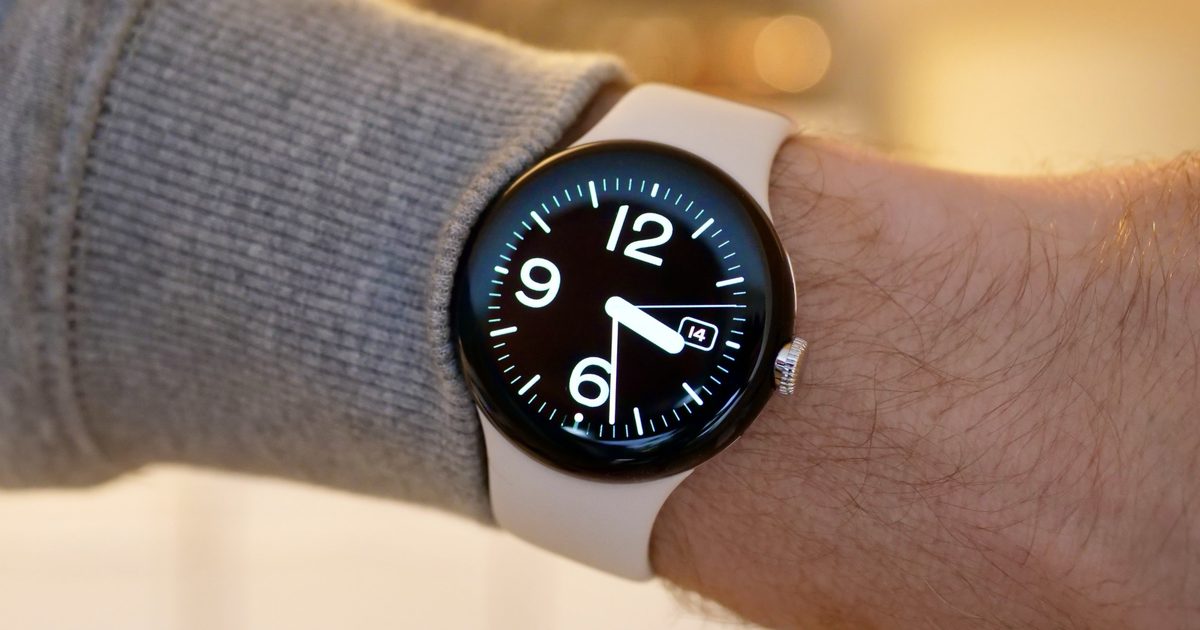
If you own a Pixel Watch, there’s a chance you have seen a stubborn permission prompt carrying the Fitbit logo on your wrist. It asks for access to your sensor data and refuses to leave no matter how many times you dismiss it.

The frustrating part is that most people hit by this have already granted every permission the watch could possibly want. Everything is toggled on, and yet the warning keeps persisting. 

Several users on Reddit have also pointed out that the Health app is still recording their sensor data without any trouble, which suggests the error message is crying wolf. Others have not been so lucky, and report that their data has stopped syncing to the phone entirely.

Is your watch model the problem?

There’s no clear pattern here linking the bug to one specific device. The user who first raised the issue mentioned owning the watch for over two years, which places it at a Pixel Watch 3 or an older model, but the complaints are not neatly limited to any single generation.

What we do know is that the error started popping up only in the last few weeks. That timing has led many users to point their fingers at a recent Google Health update, and honestly, that’s the most reasonable explanation available right now.

So how do you fix it?

Here’s where it gets strange. Factory resetting your watch will not help, and neither will any of the usual permission juggling. A user “Suelg” wrote on the Google support forum that he went through the entire shenanigan of resetting his watch, but it didn’t fix the issue. 

Instead, what fixed it was enabling notifications for the Health app on the watch itself. That is a weird fix, but it works, and several users have corroborated his fix. 

So, if you are also facing the same issue, turn on notifications for the Health app on your Pixel Watch, and the permission error should go away. Nobody can explain why a notification toggle fixes a sensor permission warning. But if it works, it works.

Share. Facebook Twitter Pinterest LinkedIn Telegram Reddit Email
Previous ArticleFactor Promo Code: 50% Off Off Meal Prep
Next Article OnePlus Promo Codes: 30% Off July 2026

Related Articles

The Best Audio Players for Kids: Yoto, Toniebox, and More

The Best Audio Players for Kids: Yoto, Toniebox, and More

3 August 2026
Samsung is once again betting on MediaTek to power its flagship tablet

Samsung is once again betting on MediaTek to power its flagship tablet

3 August 2026
The ‘Guardrail Guy’ Went Viral for Posting About Flock Cameras. Then Someone Destroyed Them

The ‘Guardrail Guy’ Went Viral for Posting About Flock Cameras. Then Someone Destroyed Them

3 August 2026
Apple may give the iPhone 18e one extra gigabyte and call it an AI upgrade

Apple may give the iPhone 18e one extra gigabyte and call it an AI upgrade

3 August 2026
Xiaomi just launched an SUV with seven seats and a bedroom upstairs

Xiaomi just launched an SUV with seven seats and a bedroom upstairs

3 August 2026
Google’s next XL Pixel may get lighter and pricier, with less RAM to start

Google’s next XL Pixel may get lighter and pricier, with less RAM to start

3 August 2026
Stay In Touch
  • Facebook
  • Twitter
  • Pinterest
  • Instagram
  • YouTube
  • Vimeo

Subscribe to Updates

Get the latest tech news and updates directly to your inbox.

Don't Miss
Samsung is once again betting on MediaTek to power its flagship tablet

Samsung is once again betting on MediaTek to power its flagship tablet

By technologistmag.com3 August 2026

Samsung appears ready to place another major bet on MediaTek for its most expensive Android…

The ‘Guardrail Guy’ Went Viral for Posting About Flock Cameras. Then Someone Destroyed Them

The ‘Guardrail Guy’ Went Viral for Posting About Flock Cameras. Then Someone Destroyed Them

3 August 2026
Apple may give the iPhone 18e one extra gigabyte and call it an AI upgrade

Apple may give the iPhone 18e one extra gigabyte and call it an AI upgrade

3 August 2026
Xiaomi just launched an SUV with seven seats and a bedroom upstairs

Xiaomi just launched an SUV with seven seats and a bedroom upstairs

3 August 2026
Google’s next XL Pixel may get lighter and pricier, with less RAM to start

Google’s next XL Pixel may get lighter and pricier, with less RAM to start

3 August 2026
Technologist Mag
Facebook X (Twitter) Instagram Pinterest
  • Privacy
  • Terms
  • Advertise
  • Contact
© 2026 Technologist Mag. All Rights Reserved.

Type above and press Enter to search. Press Esc to cancel.