




Nvidia used Gamescom 2026 to add another important piece to DLSS 4.5. Ray Reconstruction is now available through an Early Access NVIDIA app update, bringing Nvidia’s newer second-generation transformer model to ray-traced and path-traced games on every GeForce RTX GPU.
To recall, Nvidia originally announced it at CES 2026 with a new Super Resolution model and Dynamic Multi Frame Generation, before releasing 6X Multi Frame Generation and the dynamic system in March. Ray Reconstruction was revealed later on and has now reached users at Gamescom, with Nvidia planning its regular NVIDIA app release in September.
This is more than just a simple optimization job. The result is a DLSS package that now attacks several different problems at once. From Super Resolution to Frame Generation, here’s everything that’s been changed and every game that will benefit from it.
What DLSS 4.5 actually includes
DLSS has become less of a single graphics setting and more of a collection of AI rendering technologies. The feature set also differs significantly depending on which RTX generation you own.
| DLSS 4.5 feature | What it does | GPU support |
| Super Resolution | Reconstructs a higher-resolution image from a lower-resolution render using a second-generation transformer model | All GeForce RTX GPUs |
| Ray Reconstruction | Replaces conventional ray-tracing denoisers with an AI reconstruction model | All GeForce RTX GPUs |
| Frame Generation | Generates an additional frame between conventionally rendered frames | RTX 40 and RTX 50 Series |
| Multi Frame Generation | Generates several additional frames for each traditionally rendered frame | RTX 50 Series |
| 6X Multi Frame Generation | Generates up to five additional frames per traditionally rendered frame | RTX 50 Series in supported games |
| Dynamic Multi Frame Generation | Changes the frame-generation multiplier in real time to target a chosen frame rate or display refresh rate | RTX 50 Series |
The broadest DLSS 4.5 upgrade arrived back in January. Nvidia’s second-generation Super Resolution transformer model works across all RTX GPUs and can currently be applied to more than 400 compatible games and applications through NVIDIA app overrides. Nvidia claims that gamers can see the improvement across different visual aspects like lighting, fine edges, and artifact handling.
RTX 50-series owners get the more beefed-up performance features. 6X Multi Frame Generation can create five AI-generated frames for every traditionally rendered one, while Dynamic Multi Frame Generation automatically changes the multiplier as GPU load changes.
Ray Reconstruction for ray tracing has some real potential

Ray tracing sounds wonderfully straightforward when you describe it as simulating light rays bouncing around a scene. Doing that comprehensively for every pixel in real time would demand a ridiculous amount of computing power, so games work with a limited number of ray samples.
Traditional ray-traced games rely on hand-tuned denoisers to smooth that noisy information into a usable image, and some fine lighting detail can disappear during that cleanup process. But in 2023, Nvidia introduced Ray Reconstruction with DLSS 3.5 in 2023 as an AI alternative. The technology works on every RTX GPU because it doesn’t depend on the newer frame-generation hardware found on RTX 40- or RTX 50-series cards.

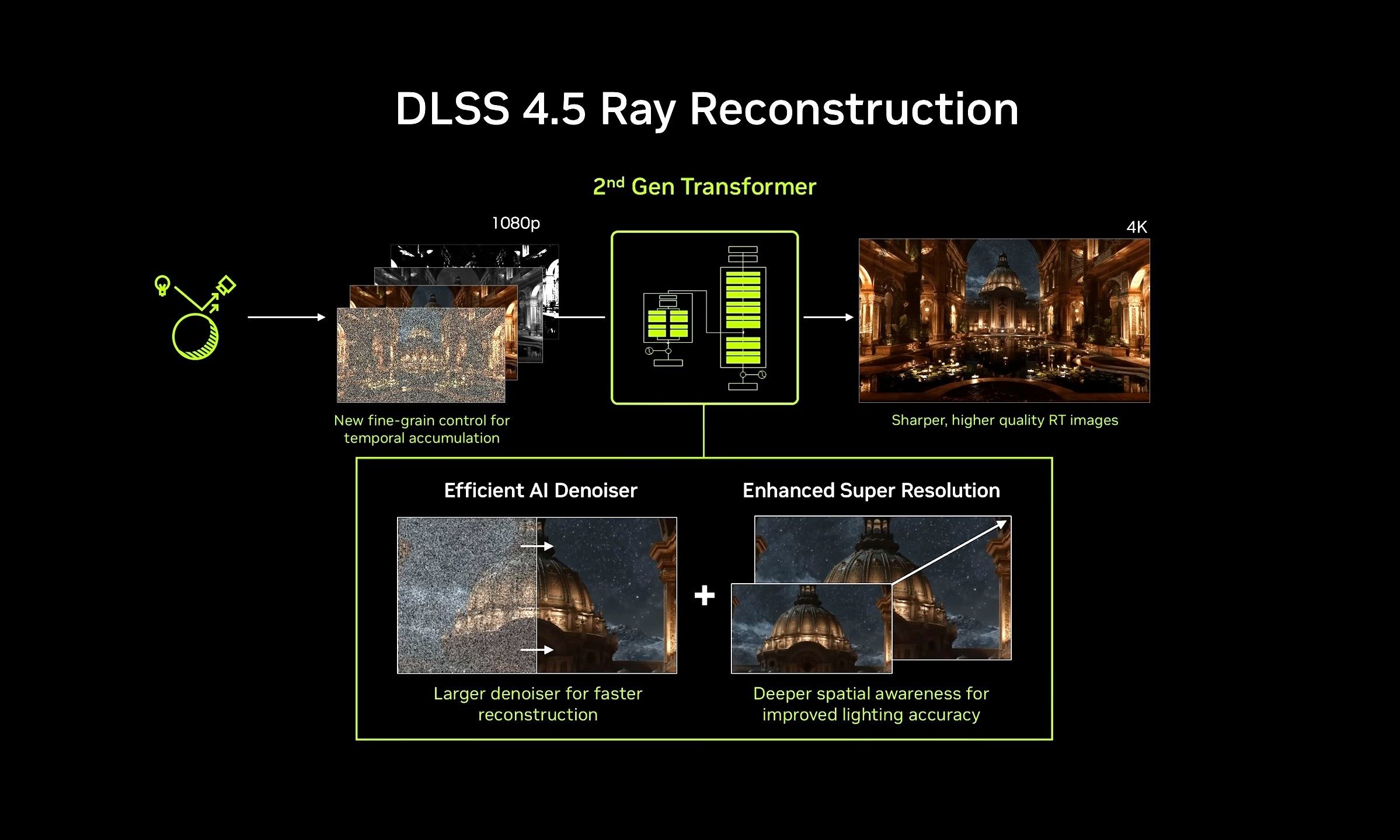
DLSS 4.5 replaces that original Ray Reconstruction network with a second-generation transformer model. To put things simply, it improves the image quality of your games. Lighting should be more accurate, there’s better temporal stability, and motion would have more clarity. The model is also unified with DLSS Super Resolution. Nvidia is also giving developers finer control over temporal accumulation, which affects how information from previous frames contributes to the current image.
Our own testing found Ray Reconstruction particularly useful in games such as Alan Wake 2 and Cyberpunk 2077, where conventional denoising can soften the visual payoff of path tracing.
Which games can use DLSS 4.5 Ray Reconstruction?
Nvidia currently lists 30 games that can use the new Ray Reconstruction model through an NVIDIA app override. The compatibility list includes:
- Alan Wake 2
- EVERSPACE 2
- Neverness to Everness
- Avatar: Frontiers of Pandora
- F1 25
- Portal with RTX
- Backrooms: Escape Together
- FBC: Firebreak
- PRAGMATA
- Call of Duty: Black Ops 7
- Half-Life 2 RTX
- Resident Evil Requiem
- Crimson Desert
- Hogwarts Legacy
- Samson
- Cyberpunk 2077
- I Am Jesus Christ
- Star Wars Outlaws
- Death Relives
- Incursion Red River
- Subliminal
- Directive 8020
- Indiana Jones and the Great Circle
- Sword of Justice
- DOOM: The Dark Ages
- Marvel’s Spider-Man 2
- The First Descendant
- Enlisted
- NARAKA: BLADEPOINT
- War Thunder


Developers can also integrate the new model directly rather than relying on Nvidia’s override. Gamescom brought several more DLSS 4.5 announcements. 007 First Light gets path tracing and DLSS 4.5 Ray Reconstruction on September 15, while Fragmentary Order is launching with Ray Reconstruction and ray tracing.
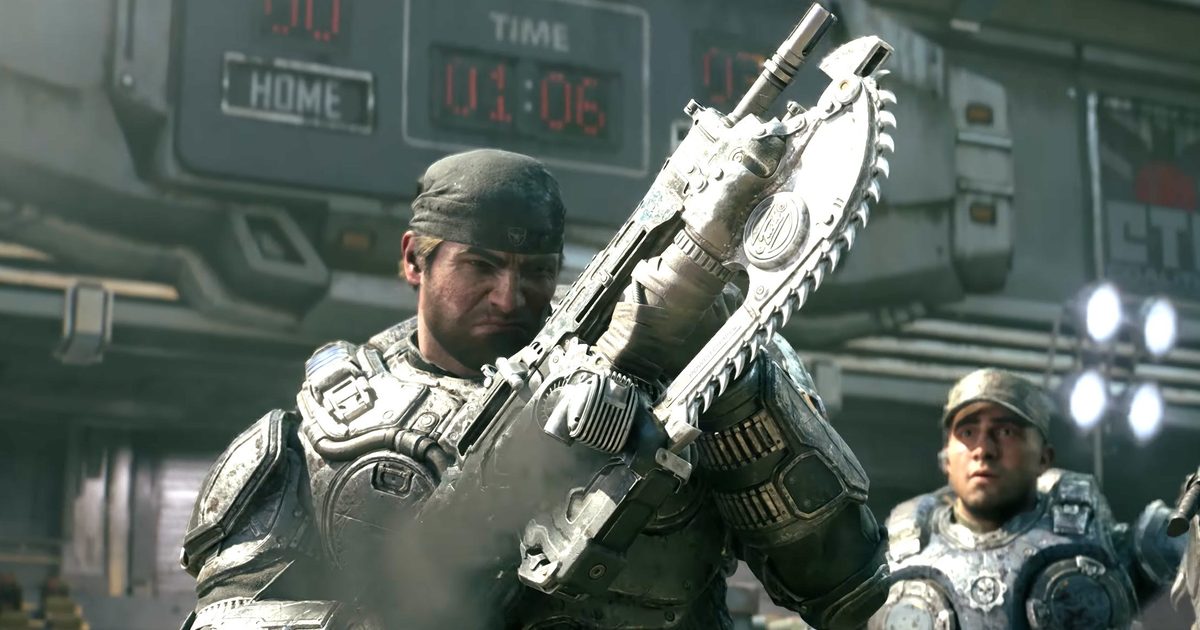
Gears of War: E-Day will support the full DLSS 4.5 feature set alongside RTX Mega Geometry, and Nvidia showed new DLSS 4.5 footage for CONTROL Resonant, AION 2, ANANTA, Aniimo, Beautiful Light, Black State, CINDER CITY, Silver Palace, and Tides of Annihilation.
You don’t need an RTX 50 card for the new Ray Reconstruction
One of the best parts of the DLSS 4.5 announcement was regarding compatibility. Nvidia markets DLSS alongside the RTX 50 series heavily, yet Ray Reconstruction and Super Resolution work across the entire GeForce RTX family. An RTX 20- or RTX 30-series owner won’t be getting Multi Frame Generation, but they can still use the second-generation Super Resolution and Ray Reconstruction models in compatible games, which means this Gamescom update is relevant well beyond Nvidia’s newest GPUs.
To try the new Ray Reconstruction model today, Nvidia says you need to opt into Early Access releases under Settings > About in the NVIDIA app. From there, select a supported game, open Driver Settings, choose DLSS Override – Model Presets, switch to Custom, and select Recommended or Preset F under Ray Reconstruction. The wider full release follows in September.
