



Technologist Mag
  • Home
  • Tech News
  • AI
  • Apps
  • Gadgets
  • Gaming
  • Guides
  • Laptops
  • Mobiles
  • Wearables
  • More
    • Web Stories
    • Trending
    • Press Release

Subscribe to Updates

Get the latest tech news and updates directly to your inbox.

What's On
Best Unlimited Phone Plan: T-Mobile, AT&T, Verizon Compared (2026)

Best Unlimited Phone Plan: T-Mobile, AT&T, Verizon Compared (2026)

31 May 2026
Photoshop is being eaten by the prompt box

Photoshop is being eaten by the prompt box

31 May 2026
Wi-Fi Router vs. Mesh System: Which Is Best for You?

Wi-Fi Router vs. Mesh System: Which Is Best for You?

31 May 2026
Review: M-Audio M Track Duo HD Producer Pack

Review: M-Audio M Track Duo HD Producer Pack

31 May 2026
The Best Prepaid Phone Plans

The Best Prepaid Phone Plans

31 May 2026
Facebook X (Twitter) Instagram
Technologist Mag
SUBSCRIBE
  • Home
  • Tech News
  • AI
  • Apps
  • Gadgets
  • Gaming
  • Guides
  • Laptops
  • Mobiles
  • Wearables
  • More
    • Web Stories
    • Trending
    • Press Release
Technologist Mag
Home » Netflix is testing its own voice search feature and it sounds less frustrating
Tech News

Netflix is testing its own voice search feature and it sounds less frustrating

By technologistmag.com8 May 20262 Mins Read
Netflix is testing its own voice search feature and it sounds less frustrating
Share
Facebook Twitter Reddit Telegram Pinterest Email

Finding something to watch on Netflix can feel like a chore. This is why Netflix has quietly rolled out a native AI-powered voice search feature to a small group of users in the US (via The Verge).

Instead of typing a title, you just describe what you’re in the mood for and let Netflix figure out the rest. It’s still in beta, but early impressions are solid.

How does Netflix’s voice search actually work?

Users who have access to the feature right now are prompted to press the Netflix button on their remote, which brings up a few mood-based suggestions like “I need a good cry” or “watch in the background.”

There’s also an “Ask” button that kicks off the AI voice search. You can speak naturally, and Netflix responds with recommendations displayed as text on screen. However, there’s no voice output on Netflix’s end.

A Reddit user who spotted the feature on a Sony A80J Google TV called it a long-requested addition, noting it worked great right away.

Early testers have found it surprisingly sharp, handling unusual requests like “I had too much coffee today, what should I watch,” which served up a laid-back comedy special and the Headspace Guide to Sleep.

You can also narrow things down with follow-up requests like “more unhinged” or “more bittersweet.” The voice search feature on Netflix doesn’t tap into your viewing history yet, so the recommendations aren’t personalized.

Why isn’t Netflix just using the search that’s already on your TV?
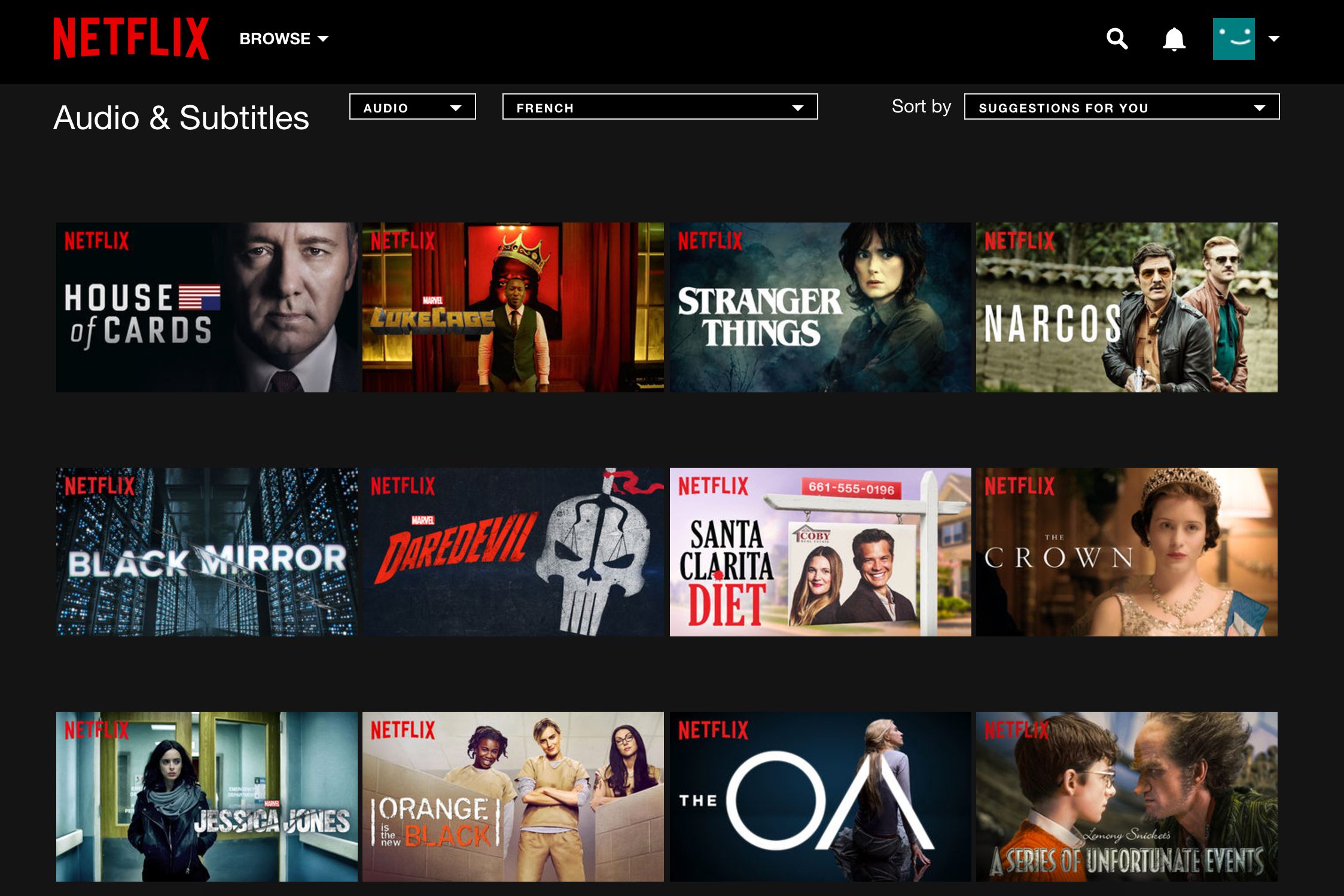
Several Netflix titles to choose from in the Netflix app.

The feature currently works on Chromecast with Google TV and TCL Google TV devices, but not on Roku or Fire TV. That’s probably because Netflix wants you searching inside its own app, not getting redirected to a platform-wide search that mixes in results from competing services.

When you use the mic button inside Hulu or Disney Plus, you’re usually routed to Google, Roku, or Amazon’s universal search. Netflix, like YouTube, has enough market power to keep that in-house.

There is no word yet on a wider rollout, but if this beta holds up, the days of aimlessly scrolling Netflix might finally be numbered.

Share. Facebook Twitter Pinterest LinkedIn Telegram Reddit Email
Previous ArticleSuper Mario World, The Legend Of Zelda Director Takashi Tezuka Retiring From Nintendo
Next Article The New Wild West of AI Kids’ Toys

Related Articles

Best Unlimited Phone Plan: T-Mobile, AT&T, Verizon Compared (2026)

Best Unlimited Phone Plan: T-Mobile, AT&T, Verizon Compared (2026)

31 May 2026
Photoshop is being eaten by the prompt box

Photoshop is being eaten by the prompt box

31 May 2026
Wi-Fi Router vs. Mesh System: Which Is Best for You?

Wi-Fi Router vs. Mesh System: Which Is Best for You?

31 May 2026
Review: M-Audio M Track Duo HD Producer Pack

Review: M-Audio M Track Duo HD Producer Pack

31 May 2026
The Best Prepaid Phone Plans

The Best Prepaid Phone Plans

31 May 2026
Snapchat Planets: What’s the order, and what do they mean?

Snapchat Planets: What’s the order, and what do they mean?

31 May 2026
Stay In Touch
  • Facebook
  • Twitter
  • Pinterest
  • Instagram
  • YouTube
  • Vimeo

Subscribe to Updates

Get the latest tech news and updates directly to your inbox.

Don't Miss
Photoshop is being eaten by the prompt box

Photoshop is being eaten by the prompt box

By technologistmag.com31 May 2026

Coming back from a recent trip, I found myself sorting through a pile of photos…

Wi-Fi Router vs. Mesh System: Which Is Best for You?

Wi-Fi Router vs. Mesh System: Which Is Best for You?

31 May 2026
Review: M-Audio M Track Duo HD Producer Pack

Review: M-Audio M Track Duo HD Producer Pack

31 May 2026
The Best Prepaid Phone Plans

The Best Prepaid Phone Plans

31 May 2026
Snapchat Planets: What’s the order, and what do they mean?

Snapchat Planets: What’s the order, and what do they mean?

31 May 2026
Technologist Mag
Facebook X (Twitter) Instagram Pinterest
  • Privacy
  • Terms
  • Advertise
  • Contact
© 2026 Technologist Mag. All Rights Reserved.

Type above and press Enter to search. Press Esc to cancel.