

Technologist Mag
  • Home
  • Tech News
  • AI
  • Apps
  • Gadgets
  • Gaming
  • Guides
  • Laptops
  • Mobiles
  • Wearables
  • More
    • Web Stories
    • Trending
    • Press Release

Subscribe to Updates

Get the latest tech news and updates directly to your inbox.

What's On
Best Black Friday Deals on My Favorite Shark Vacuums: Up to 0 Off (2026)

Best Black Friday Deals on My Favorite Shark Vacuums: Up to $600 Off (2026)

27 November 2026
WhatsApp’s iPhone app is getting a cleaner look, starting at the bottom

WhatsApp’s iPhone app is getting a cleaner look, starting at the bottom

27 November 2026
Black Friday Mattress Deals: Get Up to 55% Off (2026)

Black Friday Mattress Deals: Get Up to 55% Off (2026)

27 November 2026
A year-round glow with Linkind Smart Permanent Outdoor Lights

A year-round glow with Linkind Smart Permanent Outdoor Lights

27 November 2026
Best Black Friday AirPods Deals I’ve Found (2026)

Best Black Friday AirPods Deals I’ve Found (2026)

27 November 2026
Facebook X (Twitter) Instagram
Technologist Mag
SUBSCRIBE
  • Home
  • Tech News
  • AI
  • Apps
  • Gadgets
  • Gaming
  • Guides
  • Laptops
  • Mobiles
  • Wearables
  • More
    • Web Stories
    • Trending
    • Press Release
Technologist Mag
Home » Mozilla finally adds a built-in ad blocker to Firefox on iOS
Tech News

Mozilla finally adds a built-in ad blocker to Firefox on iOS

By technologistmag.com1 September 20262 Mins Read
Mozilla finally adds a built-in ad blocker to Firefox on iOS
Share
Facebook Twitter Reddit Telegram Pinterest Email

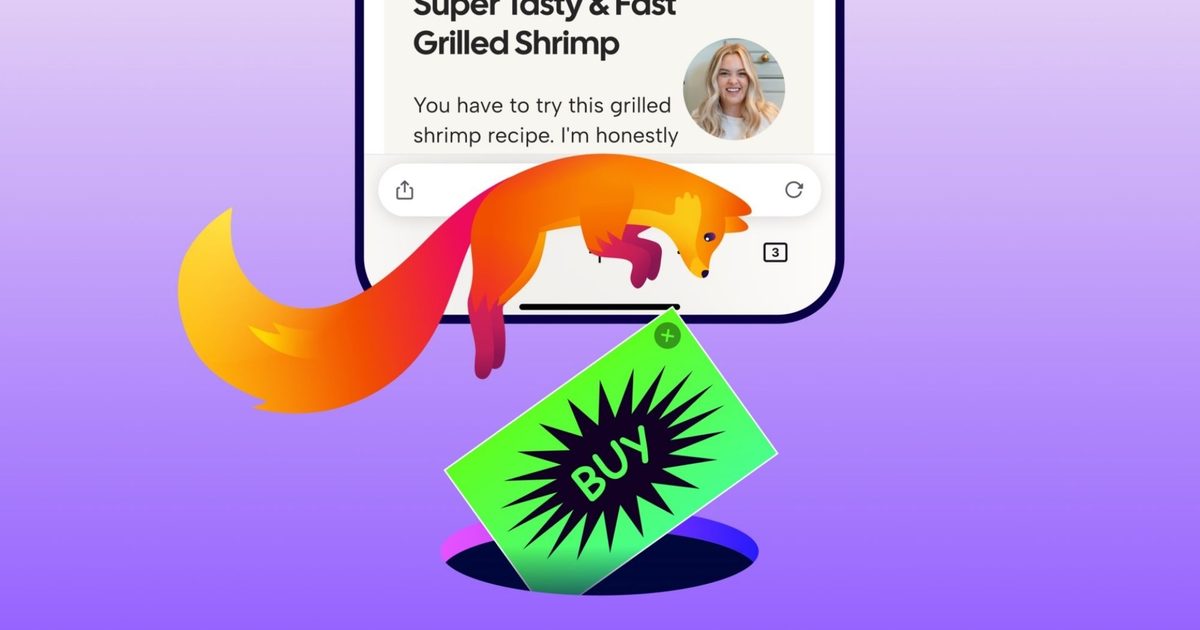
Firefox users on iPhone finally get something Android and desktop users have enjoyed for a while: a real way to block ads without hunting down a separate extension for Firefox. Mozilla officially launched Ad Blocker for Firefox on iOS today, after testing it over the past few weeks.

How the new ad blocker works on iOS

The feature relies on Apple’s WebKit Content Blocker technology paired with the EasyList filter, which is a community-maintained list that identifies known ad and tracker sources. That combination lets Firefox strip out most third-party ads and trackers before they even load, cutting down on clutter and saving you some bandwidth along the way. This is the latest move in Mozilla’s yearslong campaign against ad-based tracking.

However, you should also know what this feature can (and cannot) do. Ads served directly by the website itself will still show up, as will ads inside search results. Firefox’s own sponsored shortcuts on the new tab page are treated separately too, so don’t expect those to disappear.

How to turn on Firefox’s ad blocker on iOS?

You’ll need to turn this on yourself, since Mozilla is keeping it off by default. First, go to Settings, then Browsing, then Ad Blocker to enable it, or toggle it quickly from the site menu whenever you’re browsing.

The ad-blocker works alongside Firefox’s existing Enhanced Tracking Protection, giving iOS users two layers of privacy tools. Notably, Firefox is actually late to this particular party, since Brave, Opera, and Vivaldi already offer built-in ad blocking on their own iOS browsers.

Firefox 155 update: what else is new?

This rollout lands alongside Firefox 155, which brings a handful of other changes too. Smart Window, Mozilla’s AI-assisted browsing feature, is expanding to more users in the US, Canada, and France, picking up faster responses and smarter tab organization along the way.
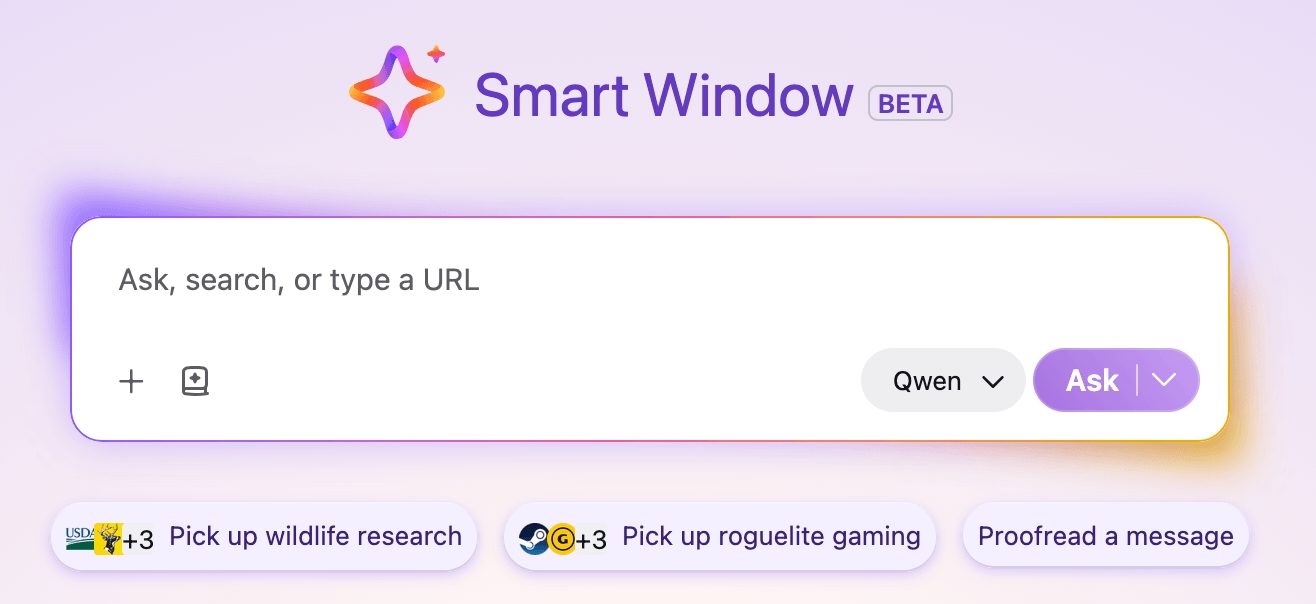
firefox-smartwindow-feature

Organize Tabs feature also got smarter. It now suggests better grouping for related tabs and gives each group a clear descriptive name. The update also adds a visible tracker count right in the address bar, plus a batch of smaller bug fixes across desktop and mobile.

Share. Facebook Twitter Pinterest LinkedIn Telegram Reddit Email
Previous ArticleLabor Day Gift Guide – Digital Trends
Next Article Sonos 27 is opening your speakers to ChatGPT, custom agents, and a new in-house AI assistant

Related Articles

Best Black Friday Deals on My Favorite Shark Vacuums: Up to 0 Off (2026)

Best Black Friday Deals on My Favorite Shark Vacuums: Up to $600 Off (2026)

27 November 2026
WhatsApp’s iPhone app is getting a cleaner look, starting at the bottom

WhatsApp’s iPhone app is getting a cleaner look, starting at the bottom

27 November 2026
Black Friday Mattress Deals: Get Up to 55% Off (2026)

Black Friday Mattress Deals: Get Up to 55% Off (2026)

27 November 2026
A year-round glow with Linkind Smart Permanent Outdoor Lights

A year-round glow with Linkind Smart Permanent Outdoor Lights

27 November 2026
Best Black Friday AirPods Deals I’ve Found (2026)

Best Black Friday AirPods Deals I’ve Found (2026)

27 November 2026
Don’t miss these Black Friday doorbusters on laptops, gaming PCs, and headphones before the sale ends

Don’t miss these Black Friday doorbusters on laptops, gaming PCs, and headphones before the sale ends

27 November 2026
Stay In Touch
  • Facebook
  • Twitter
  • Pinterest
  • Instagram
  • YouTube
  • Vimeo

Subscribe to Updates

Get the latest tech news and updates directly to your inbox.

Don't Miss
WhatsApp’s iPhone app is getting a cleaner look, starting at the bottom

WhatsApp’s iPhone app is getting a cleaner look, starting at the bottom

By technologistmag.com27 November 2026

WhatsApp has been giving its iPhone app quite a few visual makeovers lately, and another…

Black Friday Mattress Deals: Get Up to 55% Off (2026)

Black Friday Mattress Deals: Get Up to 55% Off (2026)

27 November 2026
A year-round glow with Linkind Smart Permanent Outdoor Lights

A year-round glow with Linkind Smart Permanent Outdoor Lights

27 November 2026
Best Black Friday AirPods Deals I’ve Found (2026)

Best Black Friday AirPods Deals I’ve Found (2026)

27 November 2026
Don’t miss these Black Friday doorbusters on laptops, gaming PCs, and headphones before the sale ends

Don’t miss these Black Friday doorbusters on laptops, gaming PCs, and headphones before the sale ends

27 November 2026
Technologist Mag
Facebook X (Twitter) Instagram Pinterest
  • Privacy
  • Terms
  • Advertise
  • Contact
© 2026 Technologist Mag. All Rights Reserved.

Type above and press Enter to search. Press Esc to cancel.