


If you rely heavily on Apple’s Shortcuts app and use it regularly, there’s a decent chance some of your automations have quietly vanished without you ever noticing. They probably exist somewhere in iCloud, but aren’t showing up in your library. iOS 27 is finally doing something about it.
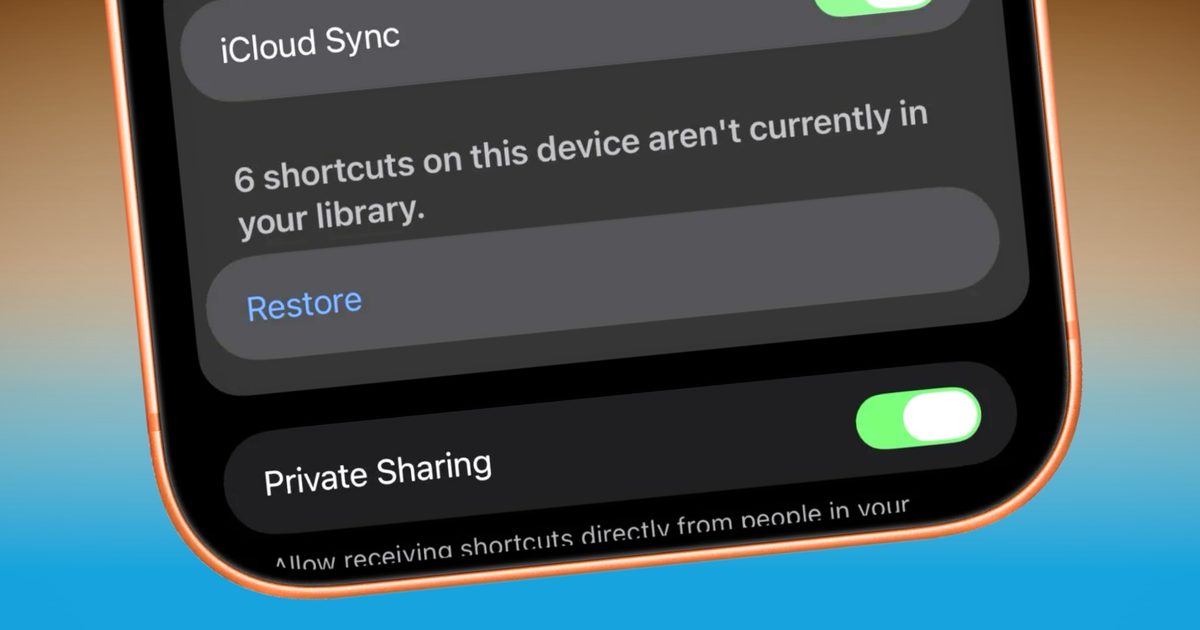
iOS 27’s Beta 3 includes a new Restore button buried in Settings > Apps > Shortcuts. When the system detects automations on your device, ones that aren’t showing up in your library, it displays a counter: “X shortcuts on this device aren’t currently in your library.”
The restore button solves an infuriating problem
Pressing Restore immediately pulls them all back into your “All Shortcuts” view (unsorted). It doesn’t require fiddling with iCloud menus, manual reimporting, or digging through backups (via Matthew Cassinelli).
For those catching up, the Shortcuts sync problem has been pretty bad. Matthew Cassinelli, one of the most prominent Shortcuts experts around, found over 200 automations waiting to be restored when he tried the new button. Even he had no idea when or how they’d disappeared from his library.
Some showed up as duplicates, indicated by a “1” appended to the name, a telltale sign of iCloud sync conflicts. To be fair, Cassinelli had been adding, deleting, and re-adding what he mentioned, and I quote, “up to 4,000 shortcuts,” so his situation is more extreme than most.

Why does this matter for regular iPhone users?
The fact that even a power user couldn’t tell that something was missing says a lot about how silently this bug operates and the frustration it causes.
Most casual Shortcuts users probably won’t hit this. Still, anyone who has built out a meaningful library, morning routines, home automation triggers, Focus Mode configurations, and workflows has been flying without a safety net for years.
A sync hiccup occurs, automations disappear, and there’s been no official way to recover them other than rebuilding from scratch. Having a restore function on the operating system’s level changes that completely.