



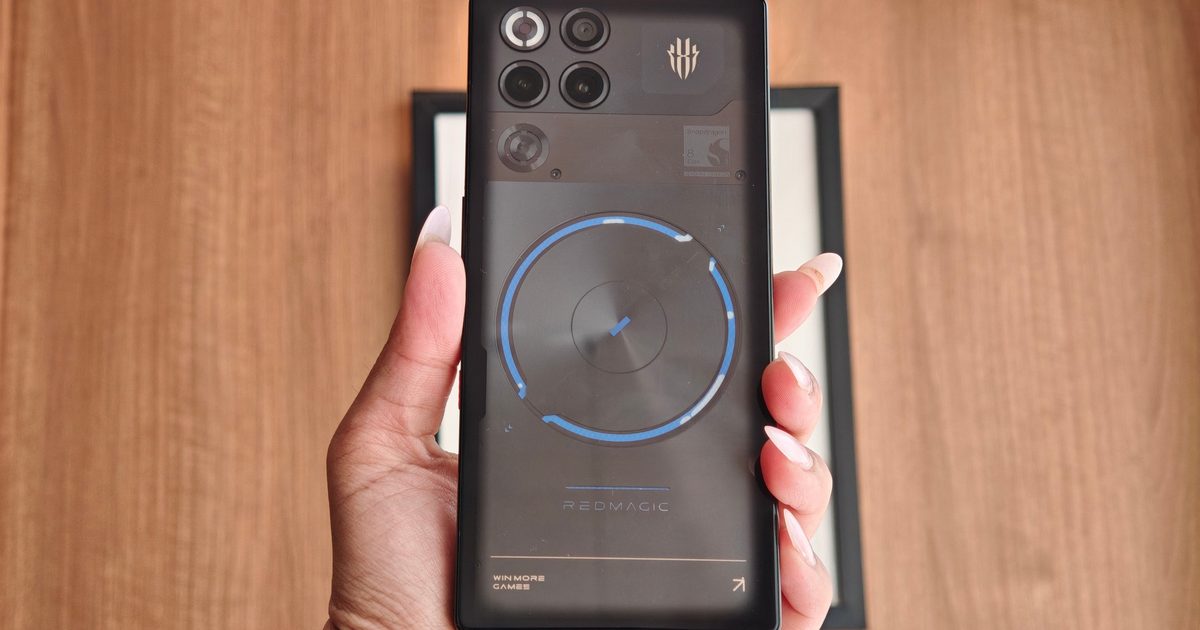
One look at the Red Magic 11S Pro, and you can tell it’s not trying to be subtle. This isn’t chasing the overly polished look and feel of a modern flagship smartphone. It isn’t trying to convince you it’s a great camera phone, either. This thing looks like it escaped from the desk of someone who still thinks transparent electronics are the peak of industrial design.
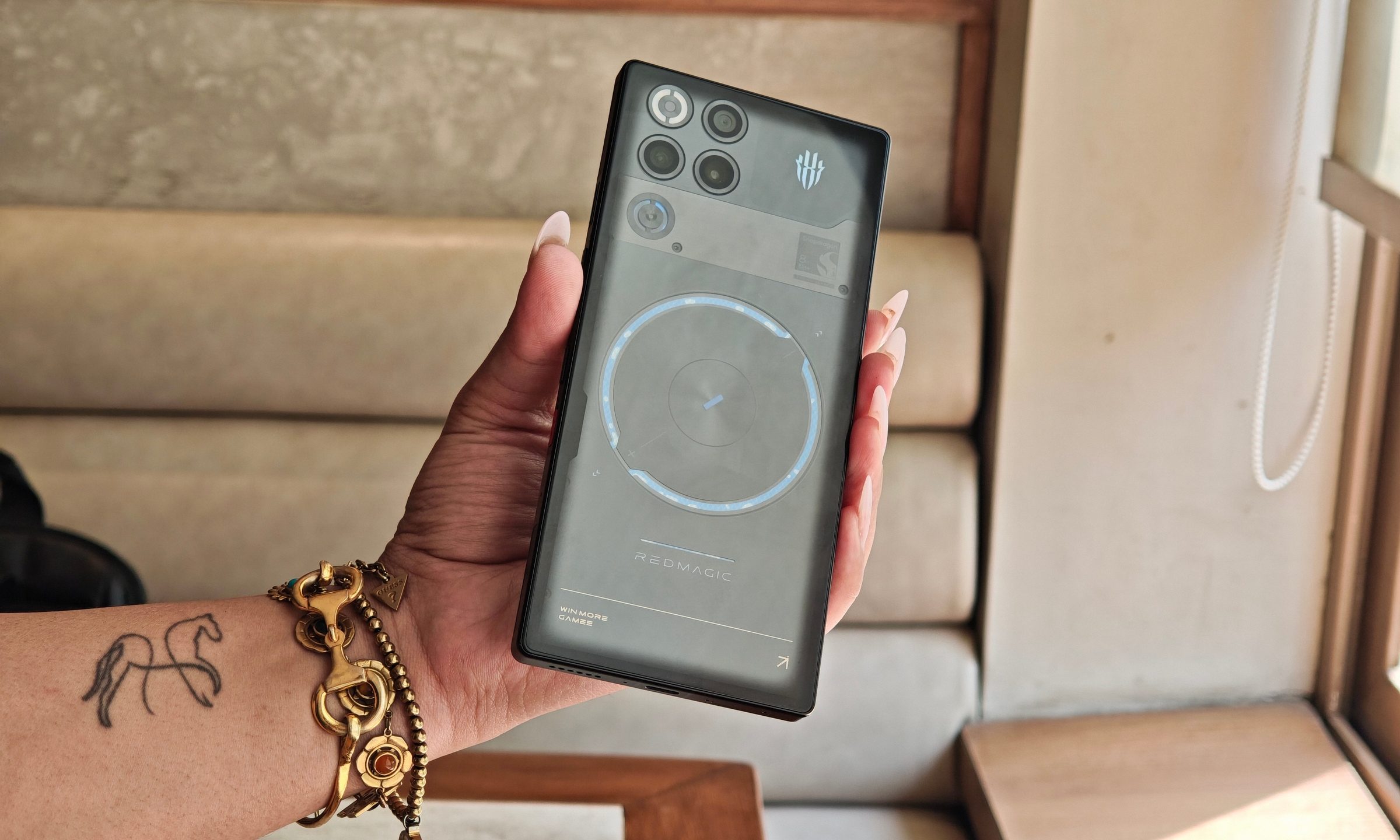
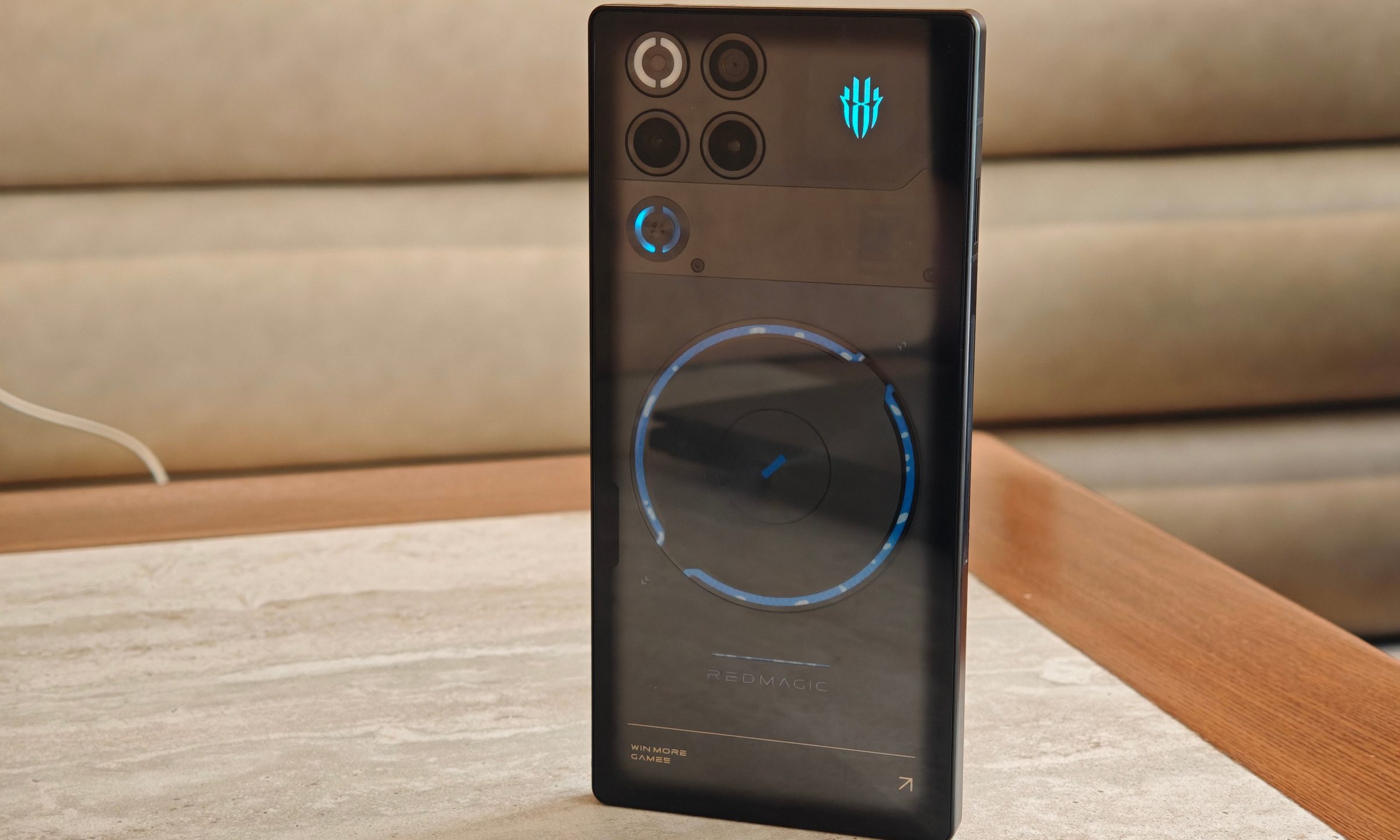
Many phones call themselves gaming phones, then spend half their time trying to look normal. The Red Magic 11S Pro has no such insecurity. The transparent back looks absolutely bonkers, with visible liquid cooling, RGB lighting, a flat glass-and-metal body, and a design that lives or dies by the fact that you either love gaming hardware or you don’t. The Nightfreeze unit I tested looked sleek.
I used the 16GB LPDDR5X Ultra RAM and 512GB UFS 4.1 variant for around a month, mostly as a gaming and testing device instead of a regular daily driver, because this is a phone I had to judge much differently from a normal phone.
So I tried to push it. Benchmarks, high-end Android games, emulation, PC-style game layers, thermals, fans, liquid cooling, the whole thing. The result is a phone that feels less like a flagship Android device and more like a tiny gaming rig that happens to take calls. Coming in after the Red Magic 11 Pro , I already knew what I was getting into.
Peak performance meets an unapologetic and wild design
The transparent back is the first thing you notice, and it remains the most memorable part of the phone after weeks of use. The flowing liquid cooling is actually visible, and yes, it is fun to watch. I had friends stare at it the same way I did the first time. It is hard to get over the idea that there is actual liquid visibly moving inside a phone.

The RGB lighting also works better here than I expected. I’m usually not a fan of RGB on phones, aside from old LED notification lights, but it fits the Red Magic 11S Pro’s personality. This phone is already too gamer-y, so the lights feel natural rather than forced.
In the hand, it feels like a dense glass-and-metal slab. The back and front are completely flat, and there is no camera bump, which gives it a futuristic, almost featureless feel. That also makes it slippery–very slippery. I didn’t use the included case often because the phone looks too unique to hide, though that decision came with constant grip anxiety.

It is also heavy and tiring for one-handed use. Gaming is fine because you’re holding it with both hands, and the fan vents never bothered my fingers. As a normal phone, though, this is a chunky device. Red Magic did not build this for people who want compact elegance.
A full display experience spoils you
The 6.85-inch AMOLED display is one of the phone’s biggest strengths. It has a 2688×1216 resolution, 144Hz refresh rate, and an uninterrupted full-screen design that makes everything feel more immersive. The under-display camera area is almost impossible to spot unless you go looking for it.

That matters more during gaming than it sounds. There is no notch, no hole-punch, and no visual interruption sitting in your HUD. Watching videos and playing games on this screen is genuinely excellent. Outdoor brightness was solid during my use, although both the front and back are reflective. The screen is smooth at 120Hz and 144Hz, though the difference between 120Hz and 144Hz is not something most people will constantly notice. But on a gaming phone, why won’t you go for the higher standard?
Touch response was top-tier, and I didn’t run into accidental touch or sweaty-finger problems during fast games. Competitive titles can take advantage of higher refresh rates, while Red Magic’s gaming tools also offer frame-rate boosting and visual enhancement features for supported titles.
Absurd numbers from the get-go
Performance is the whole point of this phone, and the Red Magic 11S Pro doesn’t waste much time proving itself.
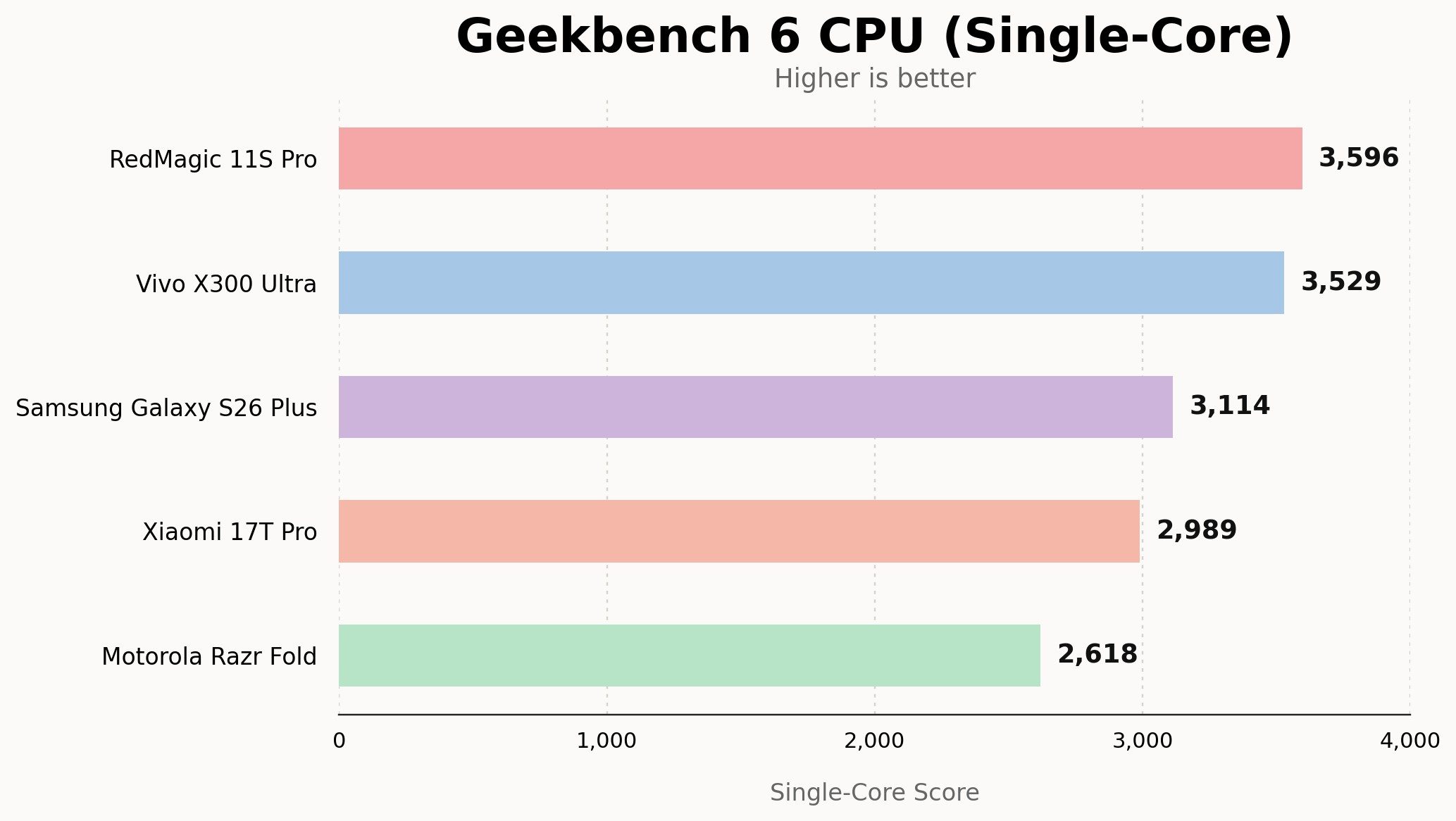
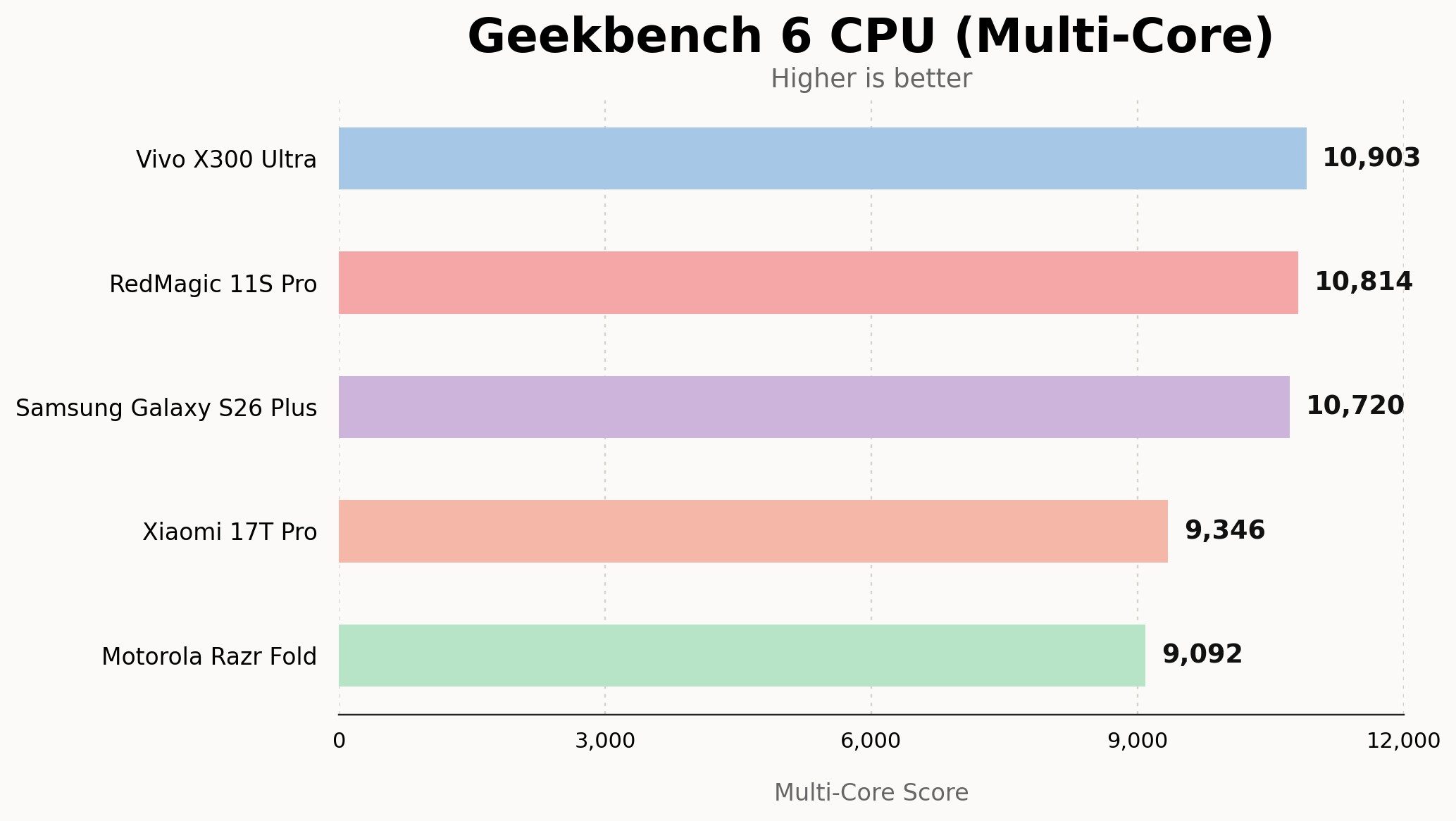
In Geekbench 6, the phone scored 3,596 in single-core and 10,814 in multi-core with Diablo mode enabled. With Diablo mode off, the single-core score dropped to 2,448, while multi-core still stayed high at 10,230. That tells you something important about how Red Magic tunes this device. The phone can go wild when you ask it to, while regular use doesn’t always run at the absolute ceiling by default.
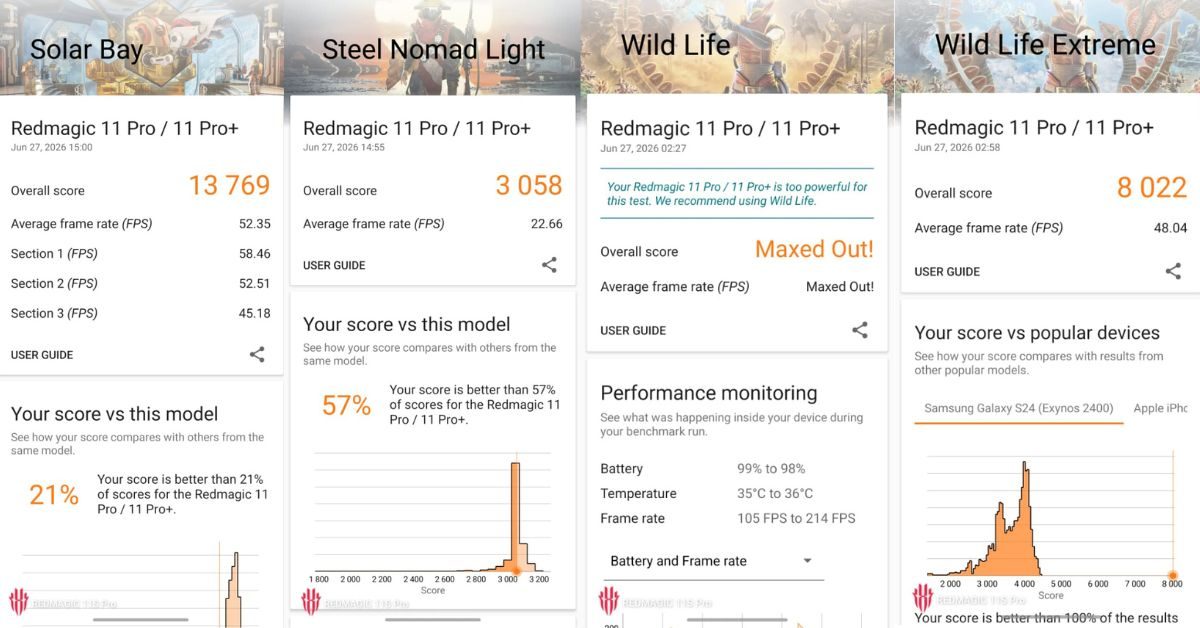
In 3DMark Wild Life Extreme, it scored 8,022 with an average frame rate of 48.04fps. Running Steel Nomad Light, it scored 3,058 with an average frame rate of 22.66fps. The regular Wild Life test simply maxed out, which was something I never expected.
Things get a little complicated once you hit the stress tests. While running the Wild Life Extreme Stress Test, the phone hit a best loop score of 6,464 and a lowest loop score of 2,909, with 45% stability. That number is not flattering, and it shows that sustained synthetic loads can still force heavy throttling. During that run, battery dropped from 78% to 69%, and temperatures moved from 30 degrees Celsius to 44 degrees Celsius. In Diablo mode, the device couldn’t even finish the test.
In regular gaming, though, the story was much better. Performance drops were far less noticeable in actual games than in stress tests. The Red Magic 11S Pro can brute-force benchmark numbers, but its real strength is how comfortably it handles games people actually play.
I’m not a fan of gaming on a smartphone…. until now
Gaming is the big highlight on a gaming smartphone, and that’s exactly what you’re here for. I tried the usual mix of graphically intense mobile titles and some competitive shooters, before I did something much cooler. After a few days of using the Red Magic 11S Pro as a regular device, I stopped treating it like a phone I occasionally game on and started treating it more like a handheld.
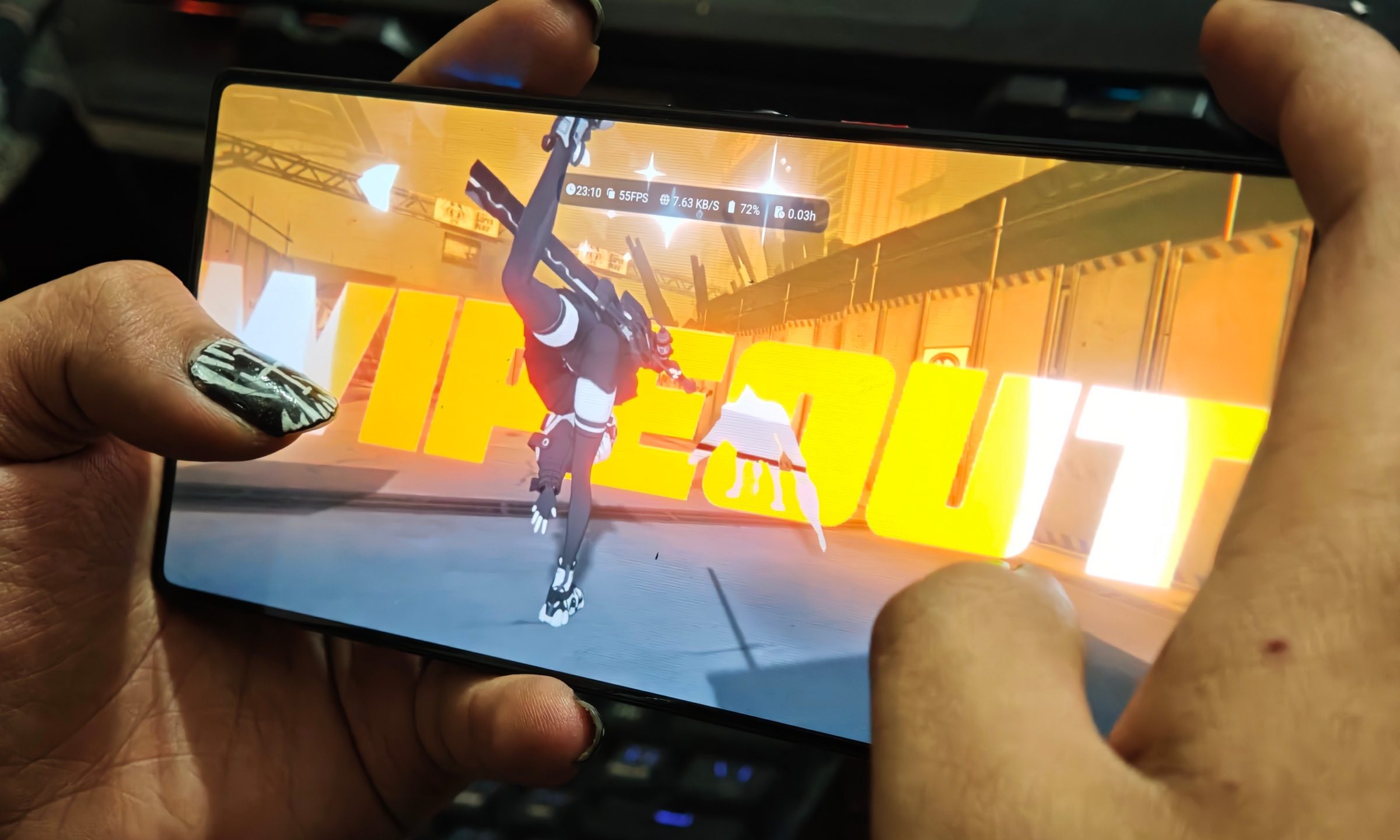
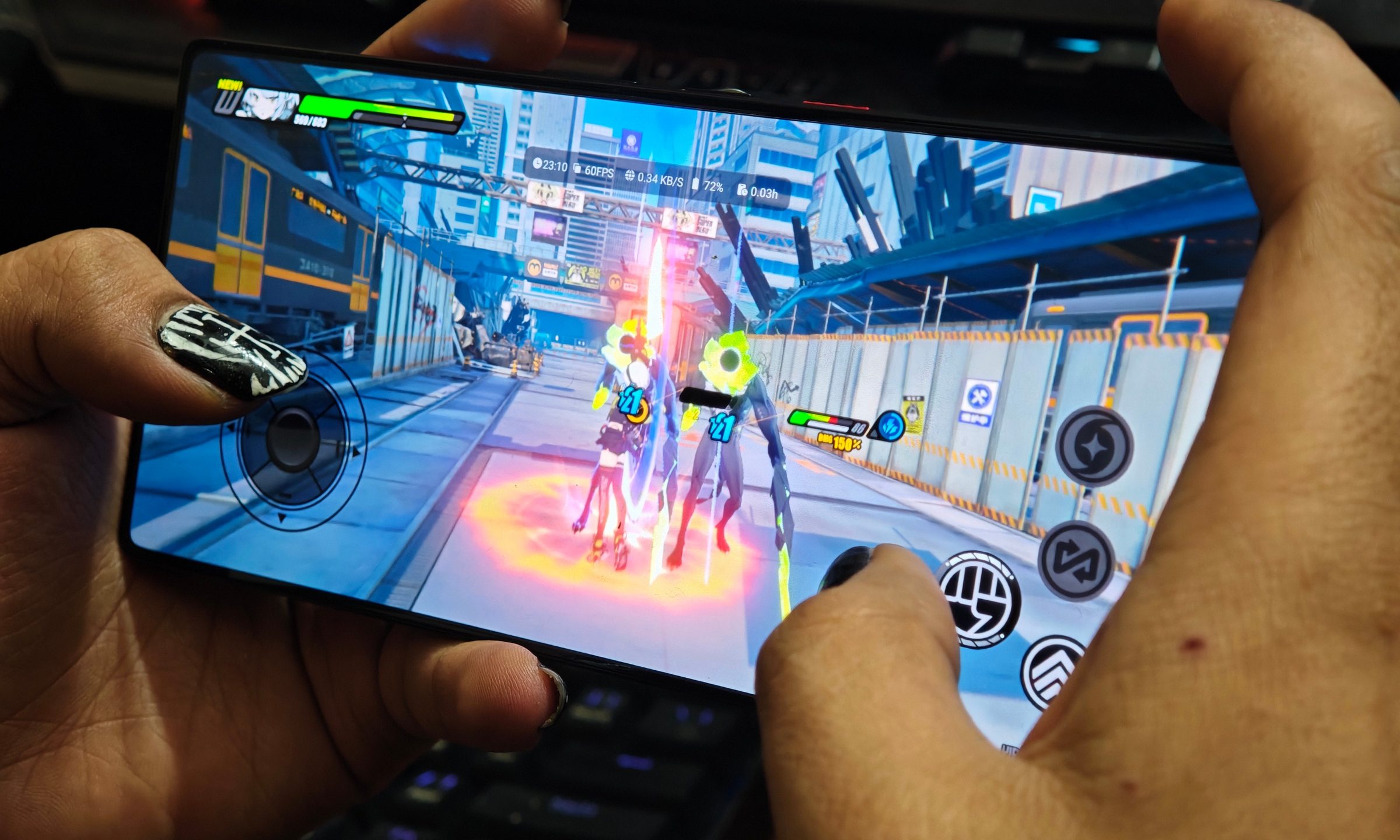
Zenless Zone Zero ran at a stable 60fps on the High preset, and more importantly, it stayed there. No odd dips during combat and no sudden stutters when effects piled up. This is the game that usually exposes weak thermals and performance throttling on a lot of devices. I played longer sessions than I normally would on a phone, and it never felt like it was struggling to keep up.
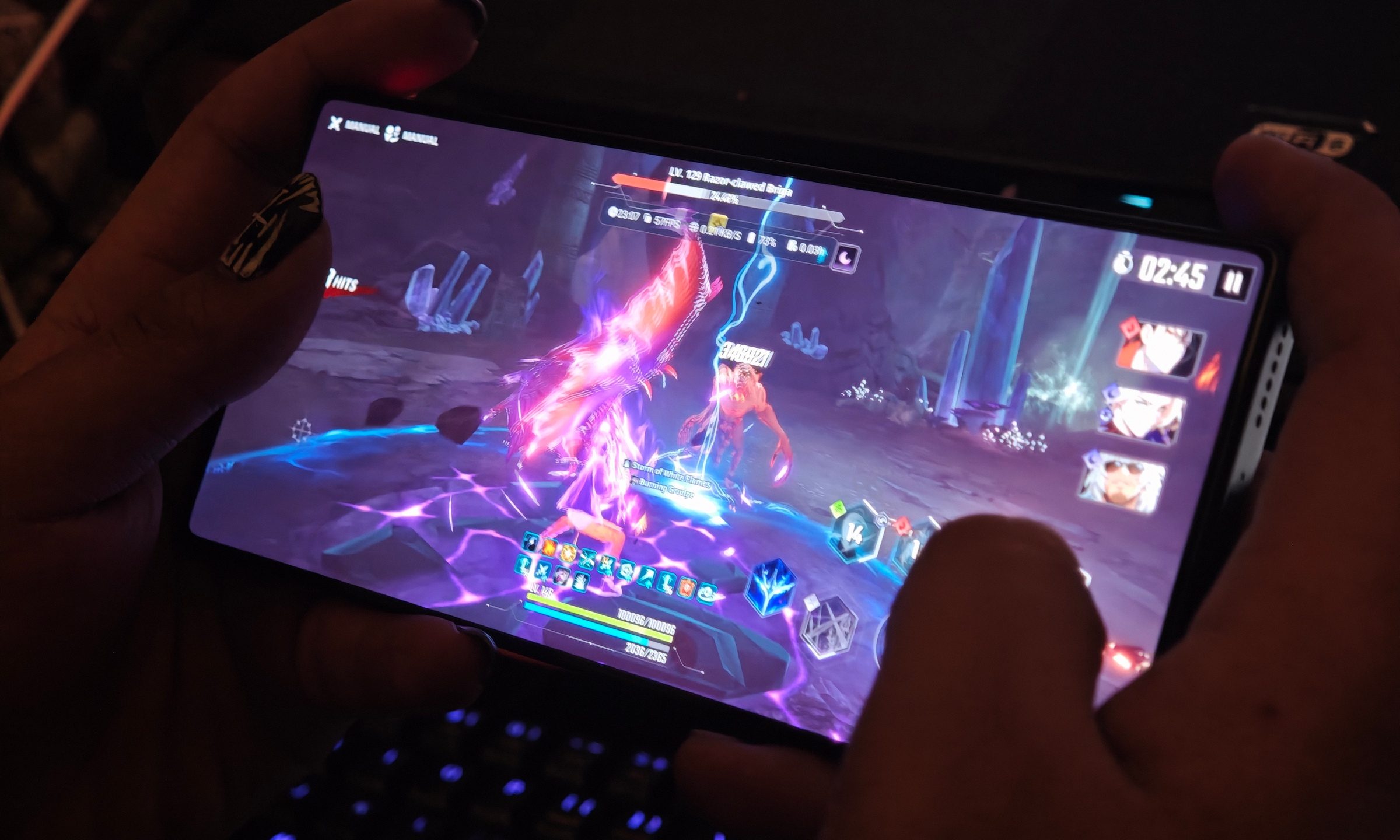
Solo Leveling: Arise also hovered around 60fps, even during busier encounters at max settings. The game felt consistently smooth. Animations stayed fluid, inputs felt immediate, and I didn’t get that subtle hitching that can break immersion.
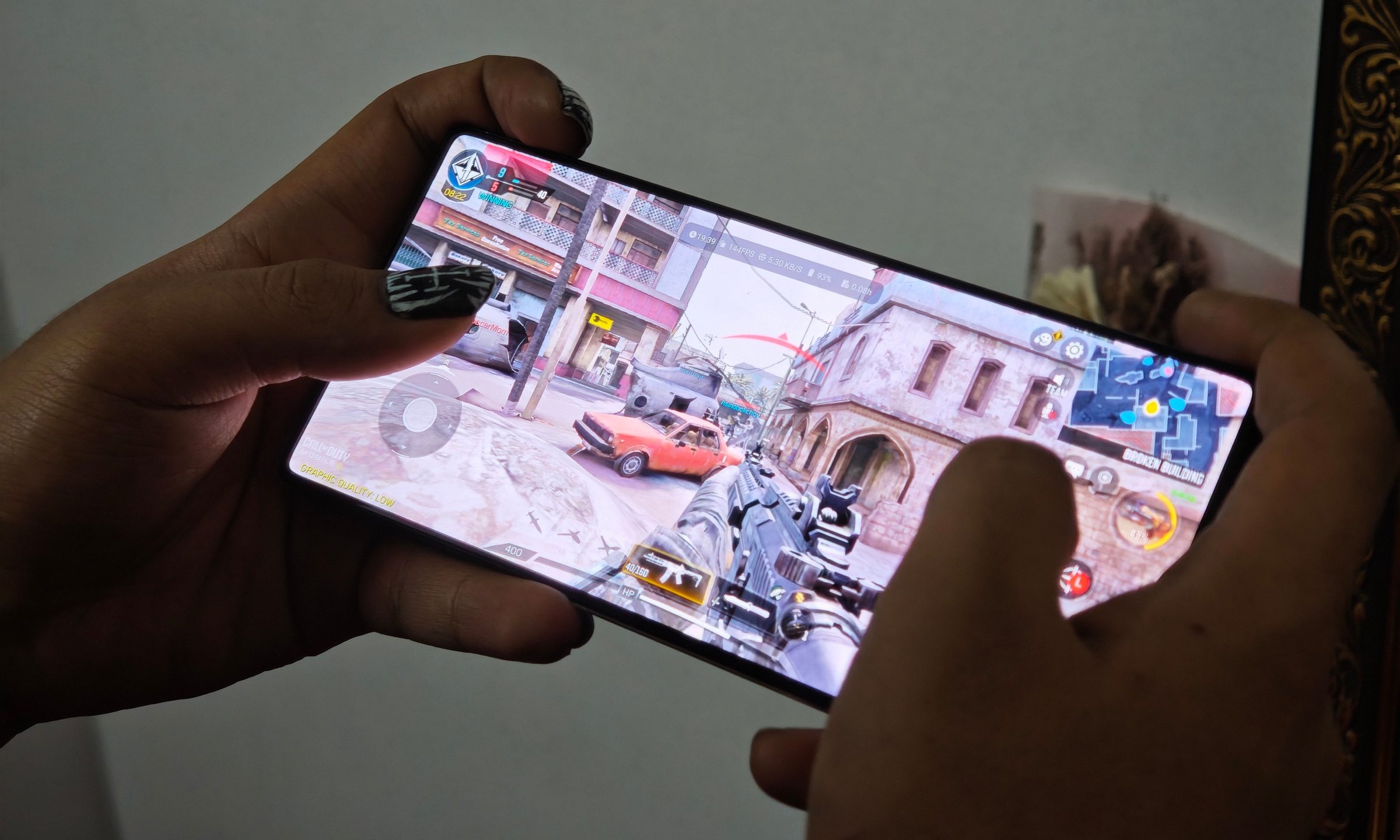
Then there’s Call of Duty: Mobile, which was easily the best mobile gaming experience in terms of just feel. It sat around 143fps at medium settings, and you can actually feel that difference. Everything just responds faster and feels more fluid. The high refresh rate, responsive touch, shoulder triggers to mimic the controller feel, and unobstructed display all come together. It feels like it’s built for this. But honestly, as impressive as native Android gaming is here, emulation is where I ended up spending the most time.
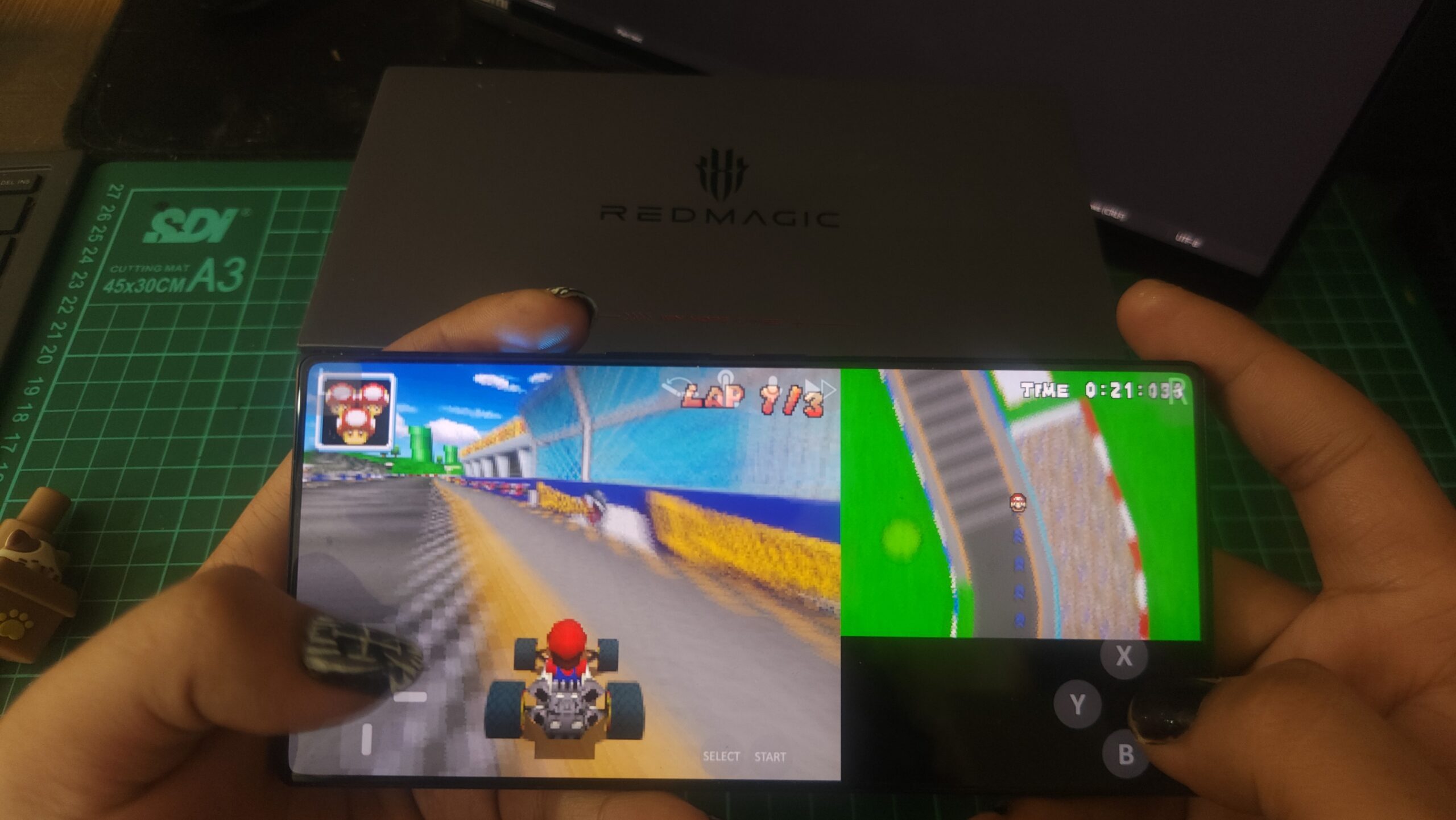
I went down a rabbit hole with older console titles, loading up everything from Mario Kart DS to Ultimate Spider-Man on GameCube. Using Red Magic’s Game Space alongside emulators like Lemuroid, MelonDS, DuckStation, Dolphin, Flycast, NetherSX2, PPSSPP, and others, the experience started to feel less like “playing games on a phone” and more like carrying around a compact retro console.
Some of the lighter stuff was basically effortless. Game Boy Advance titles like Kirby and the Amazing Mirror, Need for Speed Most Wanted, Donkey Kong Country, and Pokémon FireRed/LeafGreen were easy to run. Nintendo DS titles like Animal Crossing: Wild World, Mario Kart DS, and New Super Mario Bros. also felt right at home on the device, especially because the big display gives you enough room to make touch controls feel less suffocating.
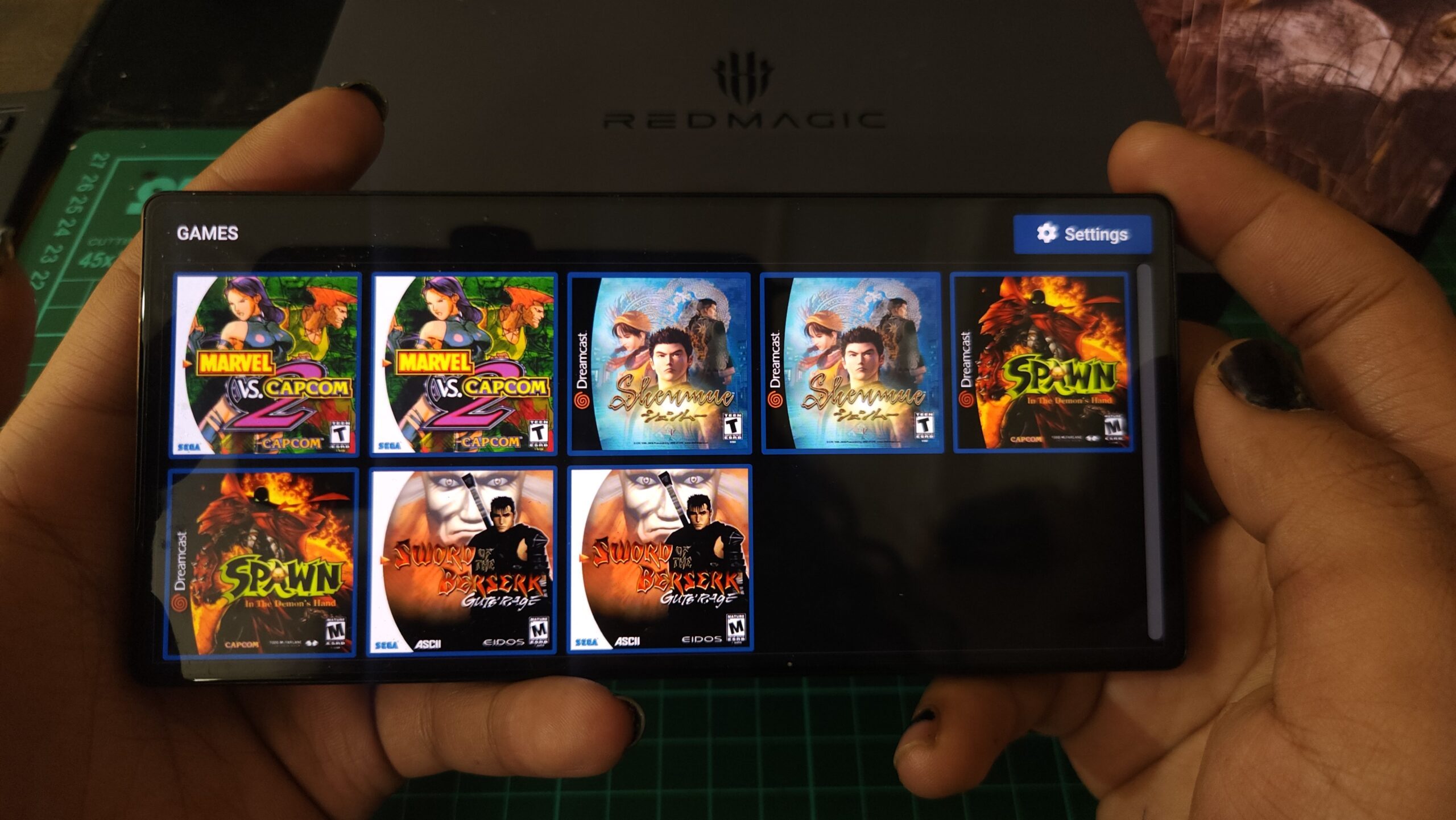
Dreamcast and PS1 emulation were also a lot of fun. Marvel vs. Capcom 2, Shenmue, Spawn: In the Demon’s Hand, Sword of the Berserk: Guts’ Rage, Jackie Chan Stuntmaster, Marvel vs. Capcom: Clash of Super Heroes, and Mortal Kombat Trilogy were all tried and tested here.
The shoulder triggers make a big difference, especially when emulated games rely heavily on touch controls. They clear up space on the screen and make gameplay feel more intuitive. I’d go as far as to say that the triggers played one of the biggest roles in making emulation fun on the phone. Even then, some games are still annoying without a proper controller. The phone can run them, but your thumbs may not always enjoy the arrangement.
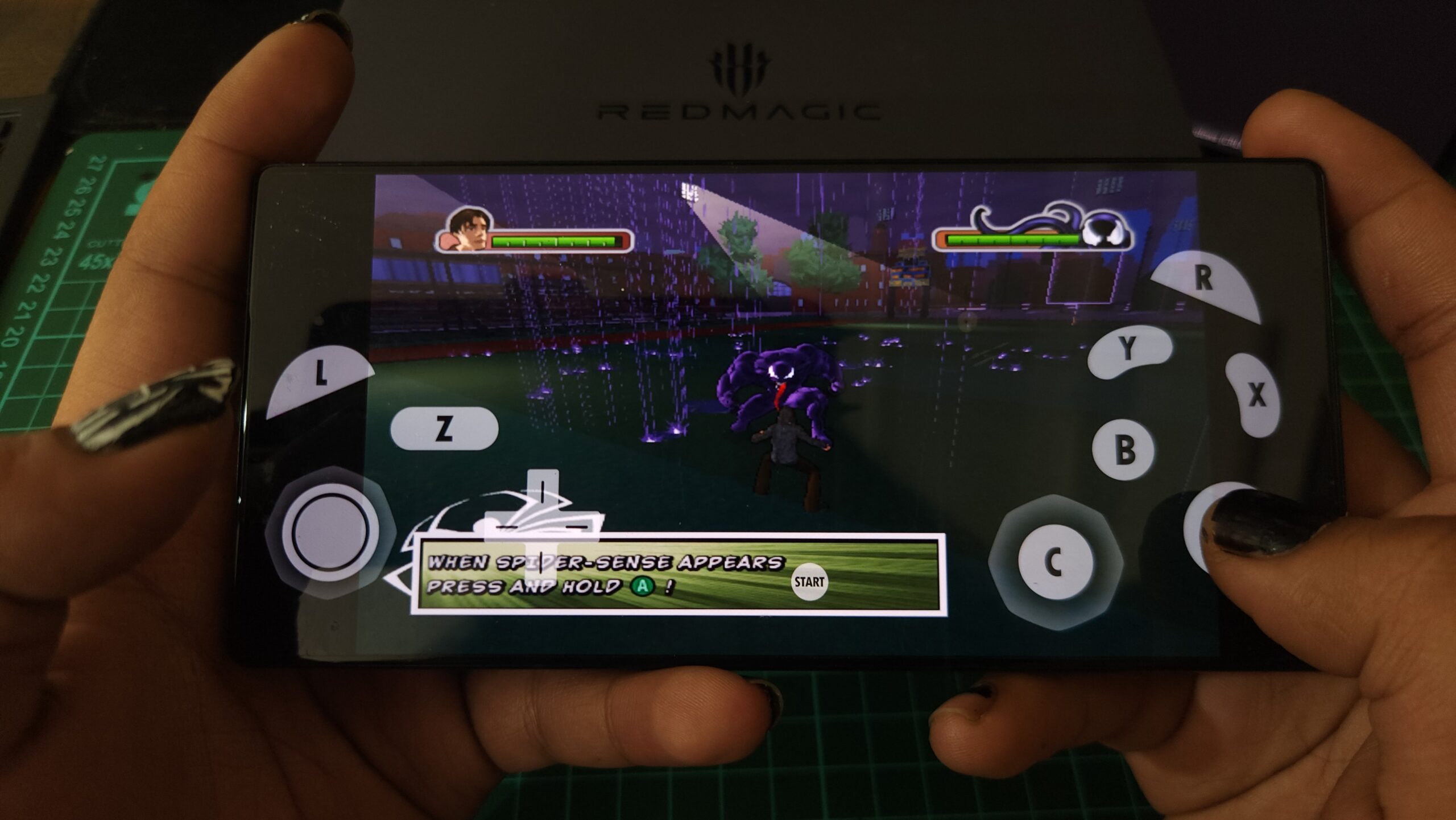
Through Dolphin, games like Ultimate Spider-Man ran well enough. Wii titles were more hit or miss. Call of Duty: Modern Warfare 3 was practically impossible to play because it requires motion controls, which is less a performance problem and more a reminder that emulation is rarely plug-and-play across every game.
But this was just the tip of the iceberg. Aside from a few visual glitches and hiccups, none of these really pushed the phone to its limits. That’s where we turn to PC gaming. With GameHub and PC-style game layers, I was able to run heavier titles like Days Gone and Ghost of Tsushima. The fact that AAA PC-style titles are even technically possible on a phone is still wild.
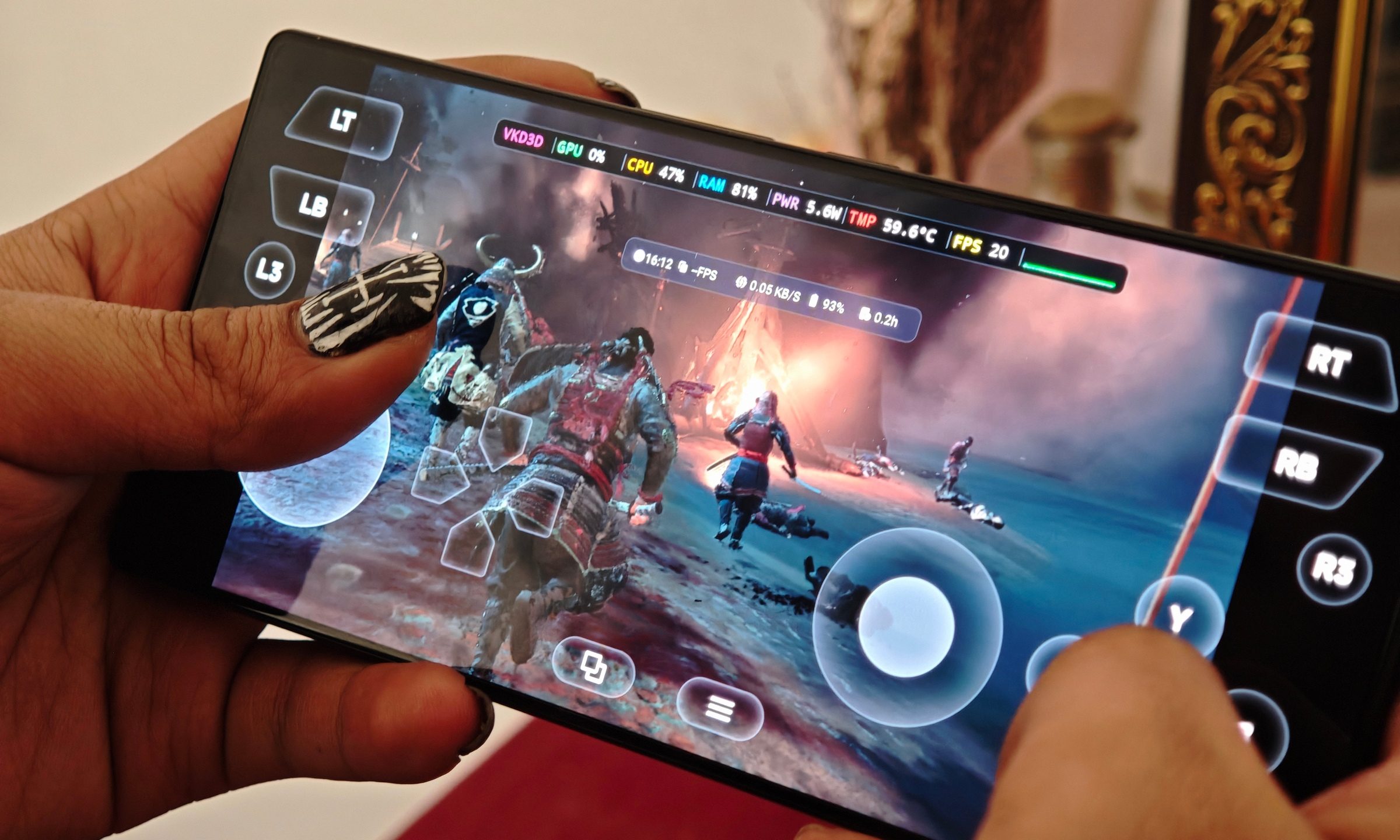
Days Gone was the more playable of the two, hovering around 30fps and feeling surprisingly stable given what’s being asked of the hardware. Heavier titles dipped lower and definitely pushed temperatures harder, but even then, the phone didn’t immediately fall apart. It held on longer than I expected.
Of course, not everything worked. Tekken 8 wouldn’t launch for me. Call of Duty: Modern Warfare 3 through Xbox 360 emulation heated the phone up like crazy and crashed a lot. Ghost of Tsushima had its own problems, including crashes on certain loading screens, especially after failed missions.
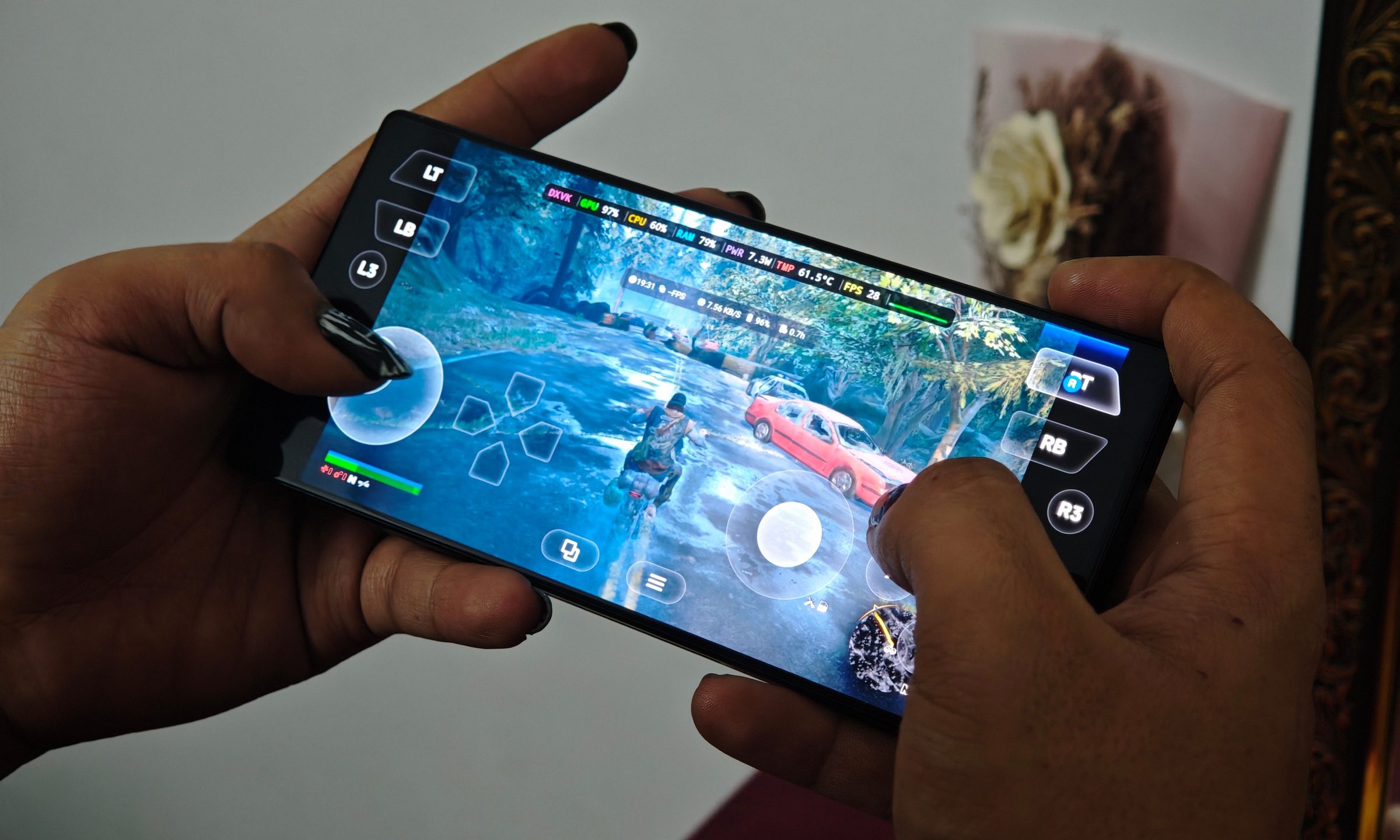
Making the experience even better was Game Space. A physical slider kicks off a mode that differentiates the Red Magic 11S Pro from other devices. You get performance modes, fan controls, overlays, shoulder trigger settings, temperature and FPS monitoring, charging separation, screen recording tools, and more gaming-focused tweaks than most people will ever use.
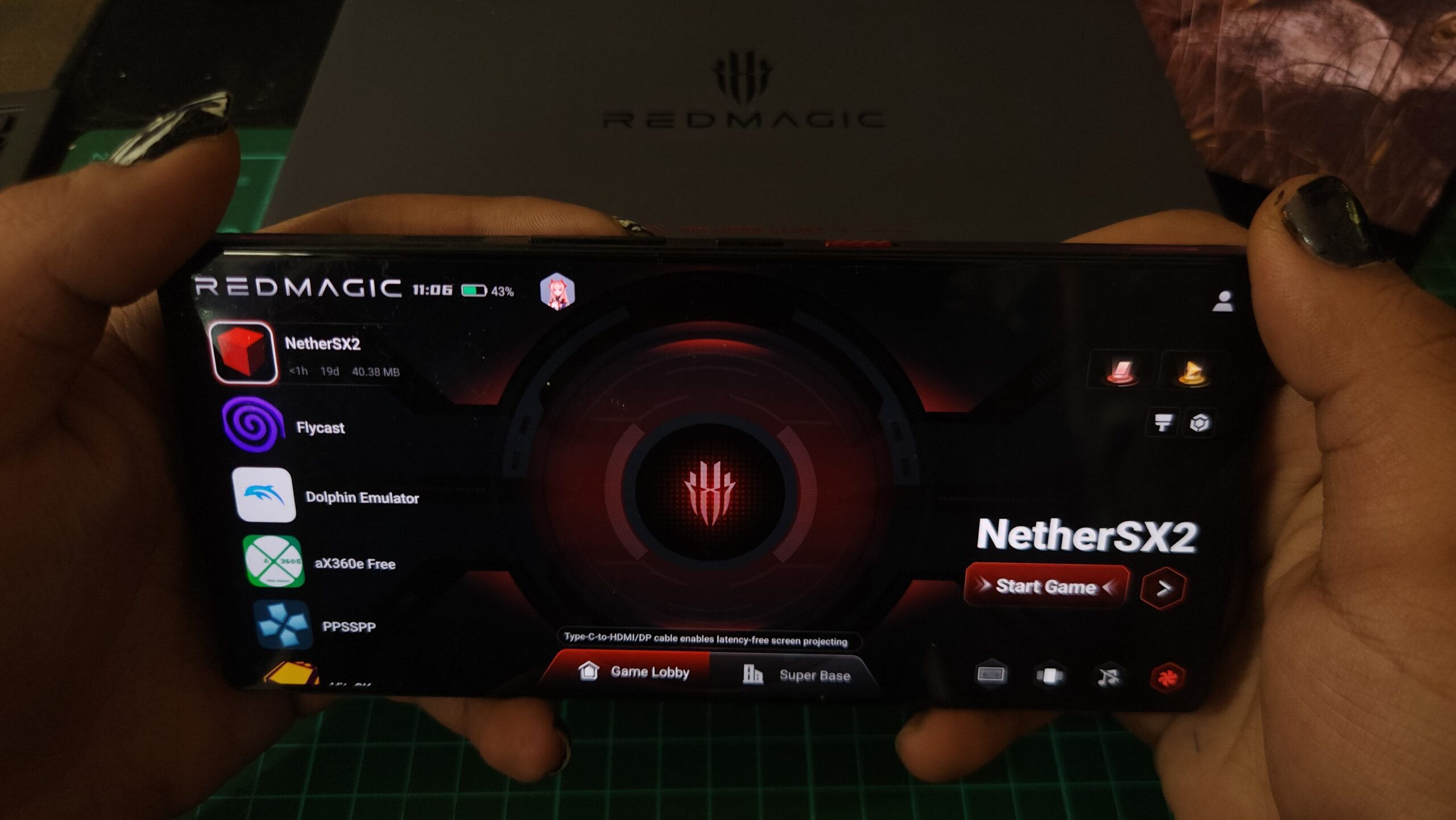
Cooling is loud both visually and audibly
The Red Magic 11S Pro has a visible liquid cooling system, a vapor chamber, and an active fan. That sounds like the best combination for mobile gaming on paper. You can manually turn on liquid cooling, or it kicks in through Game Space. The liquid visibly moves, and the whole thing feels dramatic in a way that suits the phone.
It is absolutely a gimmick in terms of visual appeal, but it isn’t useless. The cooling system gives the phone more thermal headroom when you start pushing games or charging hard. The fan is always at high speed in the modes I tested, and it is audible in close proximity. In a quiet room, you will hear it. It doesn’t sound obnoxious, but it is there.

Heat tends to build around the upper half of the frame, near the chip, though the warmth spreads fairly evenly after longer sessions. During regular gaming, it stayed manageable. But stress testing in Diablo mode did get uncomfortable.
Recovery was relatively quick after stopping a game, and performance drops were far more obvious in benchmarks than in real gaming. The phone may not maintain peak synthetic scores forever, but it stays impressively playable where it counts.
Big battery and even bigger drain when pushed
The 7,500mAh battery gives the Red Magic 11S Pro plenty of breathing room. Used like a regular phone, I could get around seven hours of screen-on time. That’s good, though the number drops quickly when you start using Diablo mode, the fan, high-refresh gaming, emulation, or PC-style game layers.
For a gaming phone, battery drain under load is more important than casual screen-on time. So while a regular flagship often prioritizes balance, the Red Magic 11S Pro lets you push harder, and pushing harder costs power. Charging is strong. I got from 1% to around 70% in 30 minutes, while a full charge took just under an hour. The phone does warm up while charging, though the fan and liquid cooling kick in, so it never became uncomfortable in my experience.
Camera and software are good enough, but clearly secondary
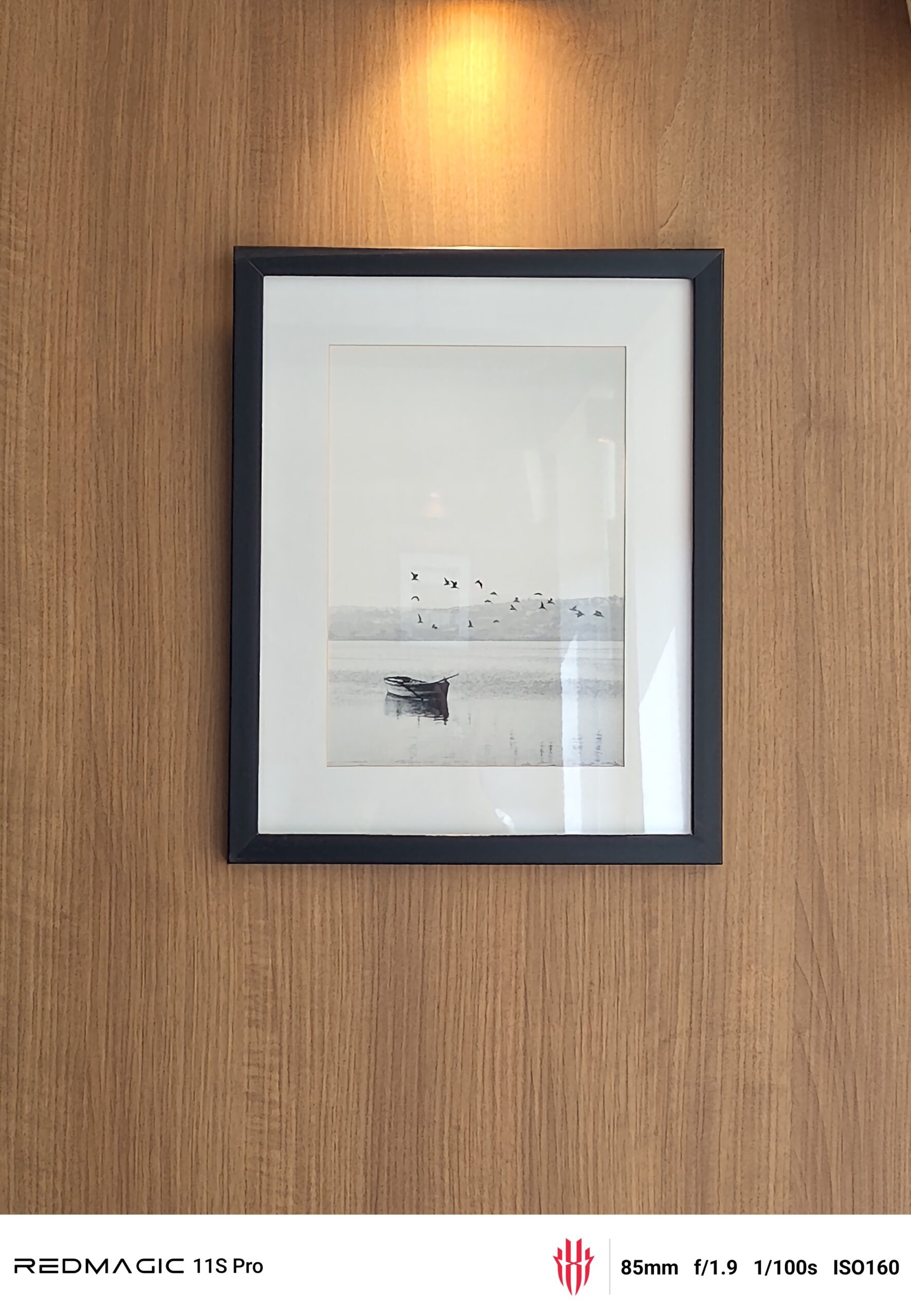
The cameras are fine. The 50MP main camera captures good detail in daylight, though shots can look a little overprocessed. Low-light images are decent, but zooming in reveals an oil-painting effect. The ultrawide is usable during the day, but nothing special. This is not the phone you buy because you want the best camera at the price.

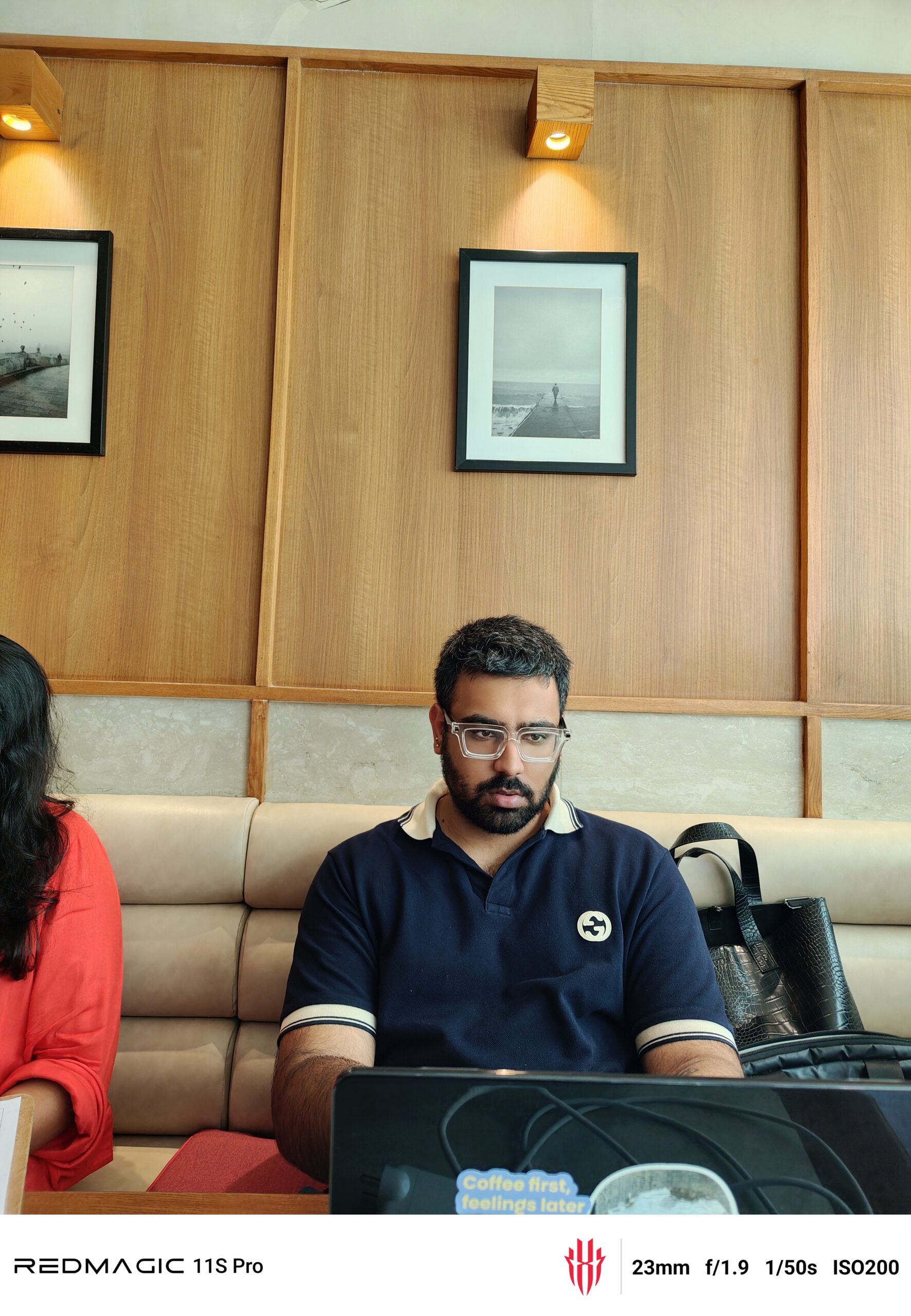
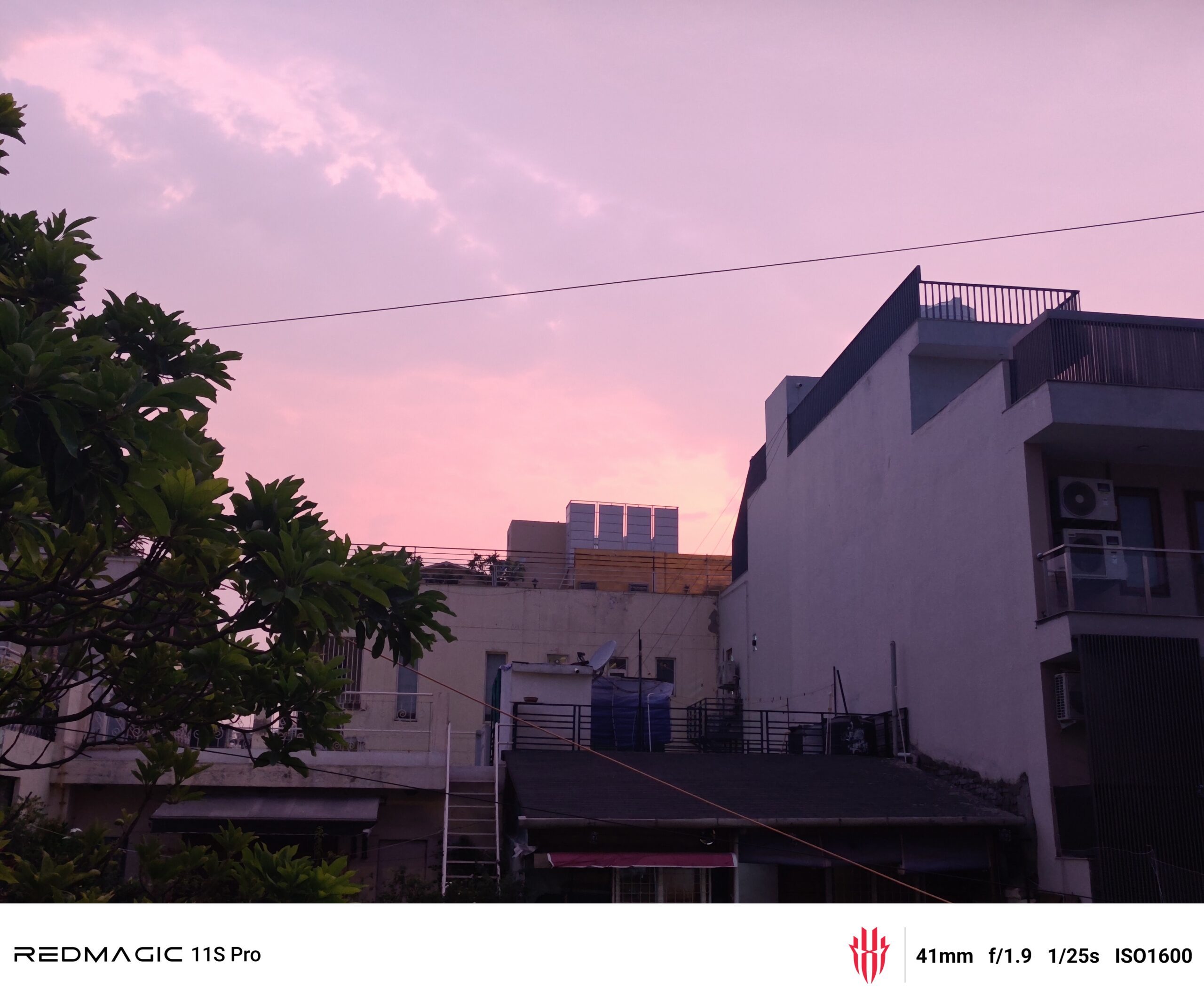

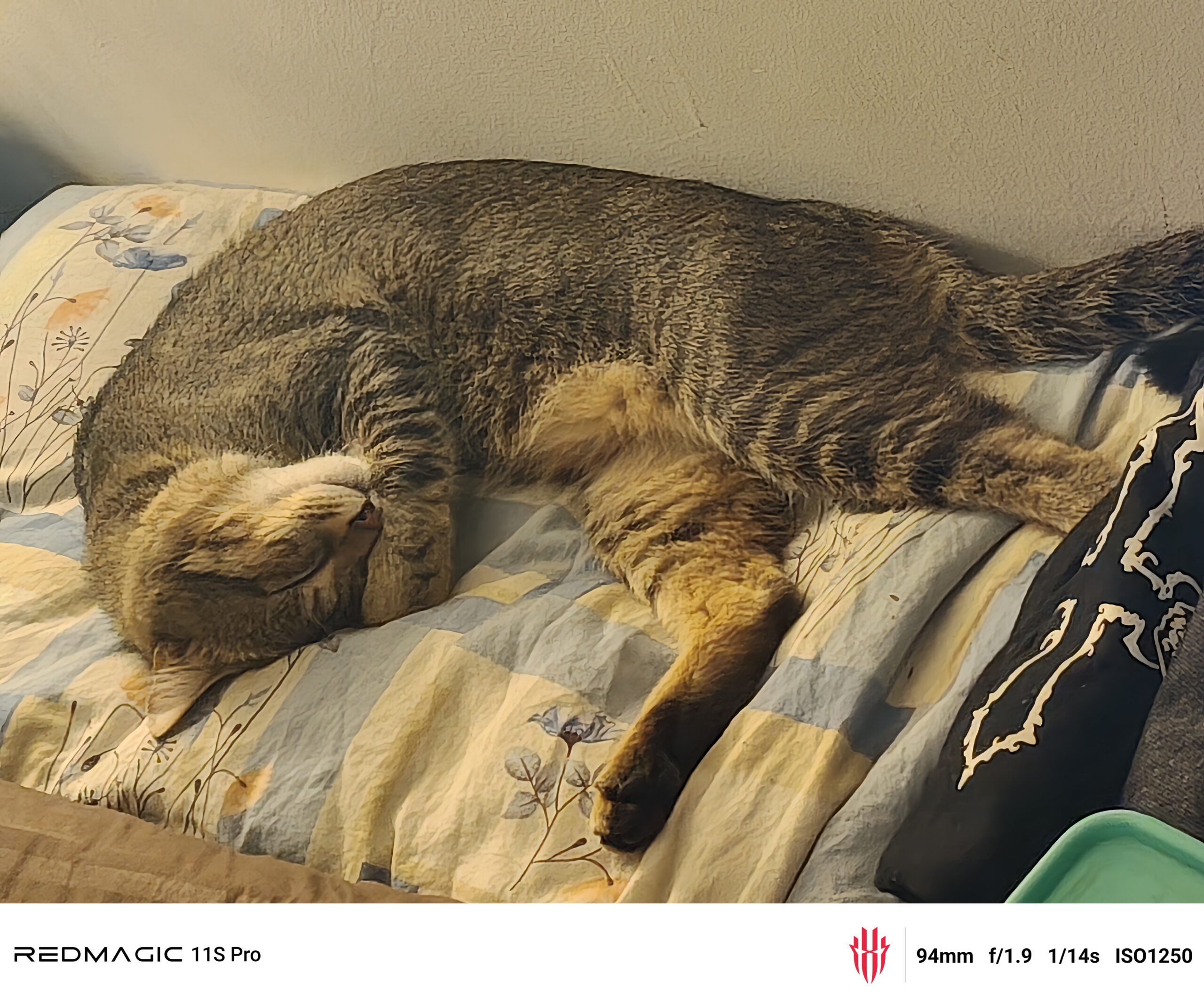
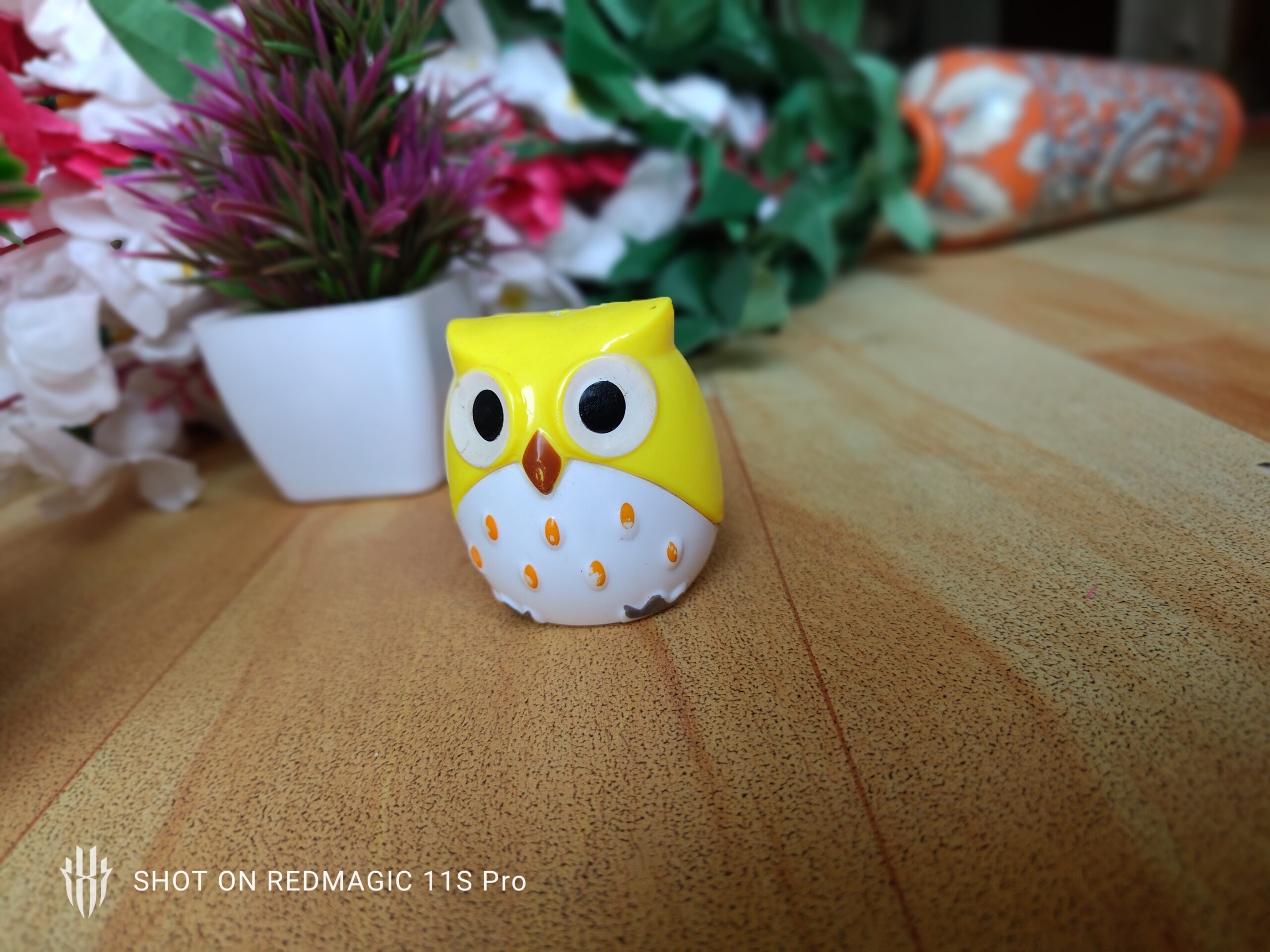
Red Magic OS 11.5, based on Android 16, is smooth, but it comes with some bloatware, including random games. The ultrasonic fingerprint scanner is fast and reliable, and outside of gaming, the phone doesn’t get too hot. I did experience app crashes when stress tests pushed the phone too hard, which is worth mentioning.
As a daily phone, it can work. You just need to be okay with the size, the weight, the design, and the fact that everyone around you will immediately know you bought a gaming phone.
Should you buy the Red Magic 11S Pro?
This is probably not your next purchase if you’re just someone looking to upgrade your smartphone. The brand is targeting a very specific demographic. As a normal phone, it has compromises, despite its $800 price tag. The cameras are average, the software has rough edges, and the design is a lot.
But as a gaming device, it feels properly committed. PC-style gaming experiments, active cooling, shoulder triggers, and a massive battery all add up to something that feels closer to a handheld console than a regular Android phone. Buy it if you want a phone you can push, tinker with, and treat like a portable gaming machine. Skip it if you mostly want a more conventional flagship with great cameras and polished software.