







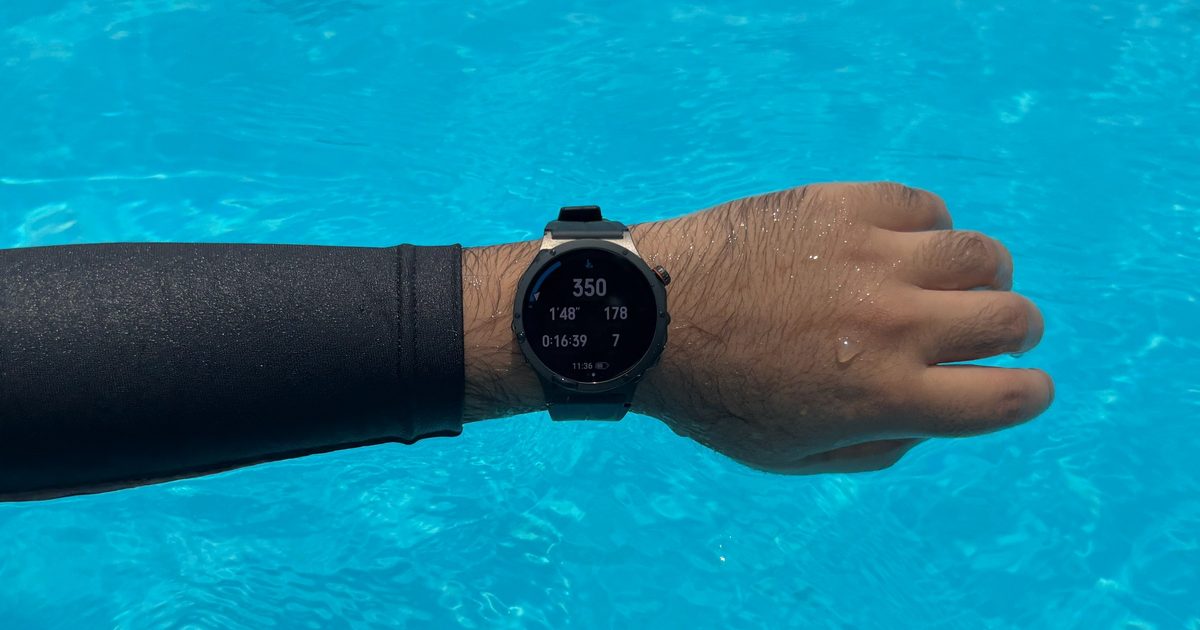
I recently covered a report suggesting that people who use fitness trackers and smartphone apps tend to stay more physically active. While my experience sits far outside the scope of that study that involved cardiovascular disease, I now understand how a wearable can turn an ordinary workout into something you want to repeat.
I have been trying to get back into swimming, and the Oppo Watch X3 arrived at the perfect time.
During a recent session, I took it into a 50-meter pool and swam 1,100 meters. The watch tracked the pool lengths, distance, pace, heart rate, strokes, rest periods, and even the different swimming styles I switched between. My swimming still needs plenty of work, and seeing the effort I put in translating to progress, I could understand what sold it to me.
I never worried about the watch
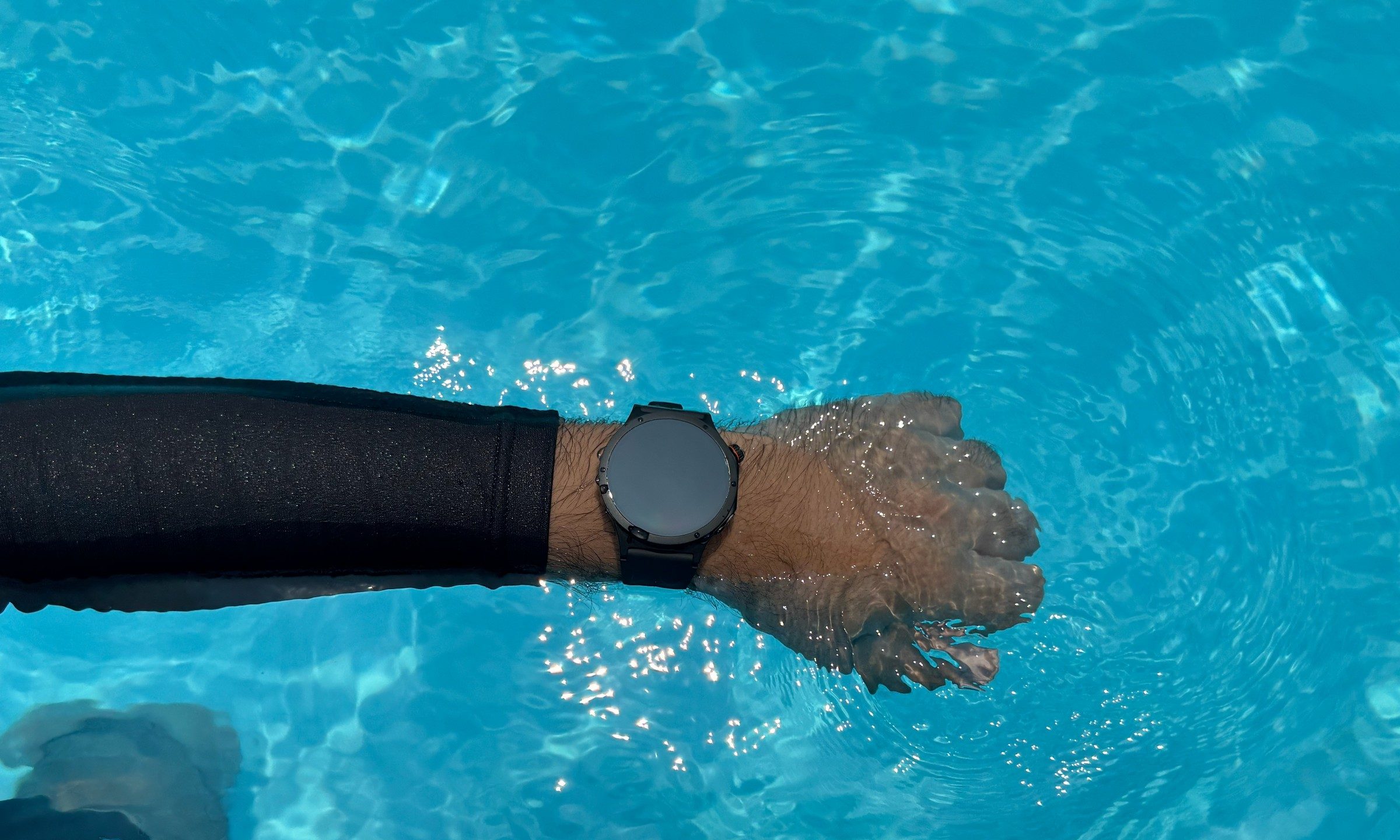
Taking an expensive smartwatch into a pool still requires a small leap of faith. Water resistance ratings don’t matter as your wrist disappears beneath the surface, and yet, the Watch X3 kept me reassured. From random bumps to going 6 feet under the water, the smartwatch blends ruggedness with a sleek look. Its case and bezel use titanium alloy, and the watch carries IP68, IP69, and 5ATM, and MIL-STD-810H durability ratings.
The 5ATM rating is the important one here, since it certifies resistance to static water pressure equivalent to 50 meters and makes the watch suitable for pool swimming. So apart from the first few lengths, I never found myself checking for water damage.
It kept track of far more than distance
The Watch X3 can automatically recognize swimming, although I manually started the workout as soon as I entered the pool. The setup asked for the pool length, so I selected 50 meters and got moving. By the end, the watch had logged 1,100 meters across 22 lengths. It lined up with the pool size and the distance I knew I had covered, which gave me confidence in the basic tracking.

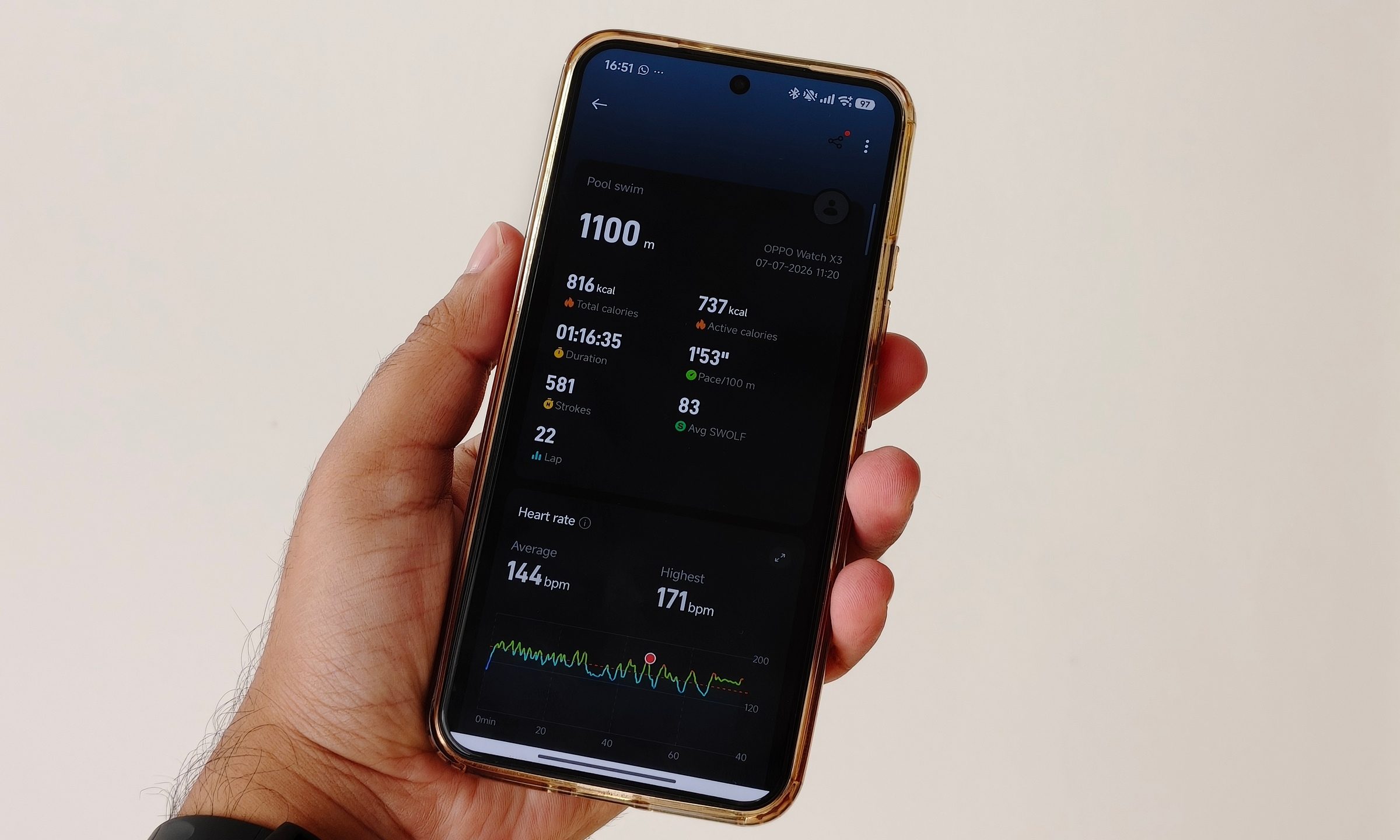
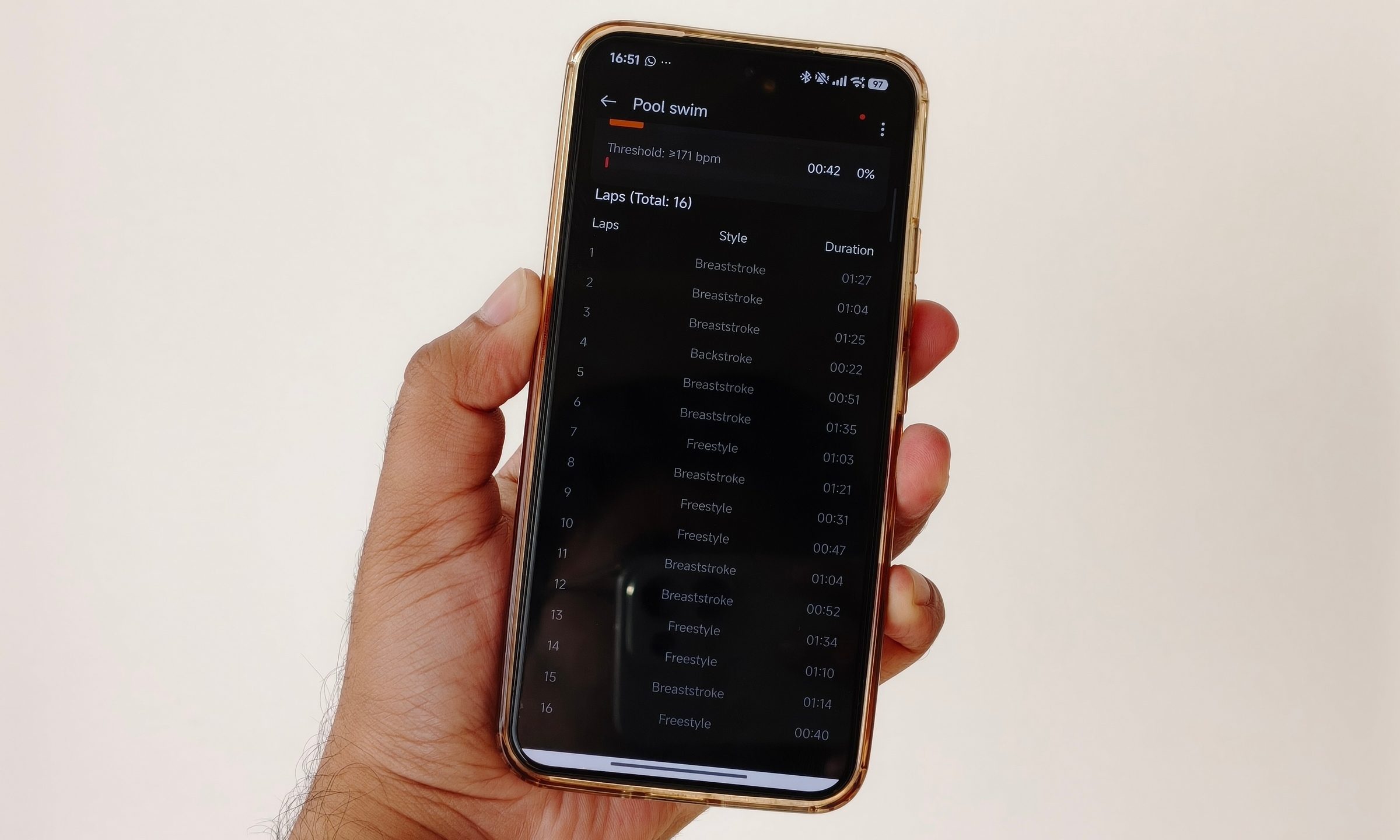
That’s not all, the Oppo Watch X3 recorded a reported average pace of 1 minute and 53 seconds per 100 meters, 581 strokes, an average SWOLF score of 83, and heart-rate data throughout the session. It also identified when I moved between breaststroke, backstroke, and freestyle. Stroke recognition was one of the biggest surprises. I expected reasonable distance tracking from a modern smartwatch. Watching the app break the workout down by swimming style made the result far more useful, especially when I could compare how long each length took.
I would need a chest strap, manual stroke count, and a second reference device before making any scientific accuracy claims about the heart-rate and stroke data. From a practical user perspective, the information matched the structure of my swim closely enough to be genuinely helpful.
It even caught my conversation break
At one point, I started talking to a stranger at the pool. A quick chat stretched into several minutes, as these things tend to do. When the rest period approached five minutes, the watch paused the workout. That kept the session clear from the actual swimming and extended breaks I took in between the sessions.
Once I got moving again, the tracking continued without requiring me to rebuild the workout from scratch. The watch also showed useful information while I was in the water. Oppo advertises Splash Touch for operating the display with wet fingers, and the touchscreen remained usable in damp conditions. But the watch does lock the touch input when you start the swimming session. Though you can navigate using the crown, holding the second button for two seconds takes you out of the session.
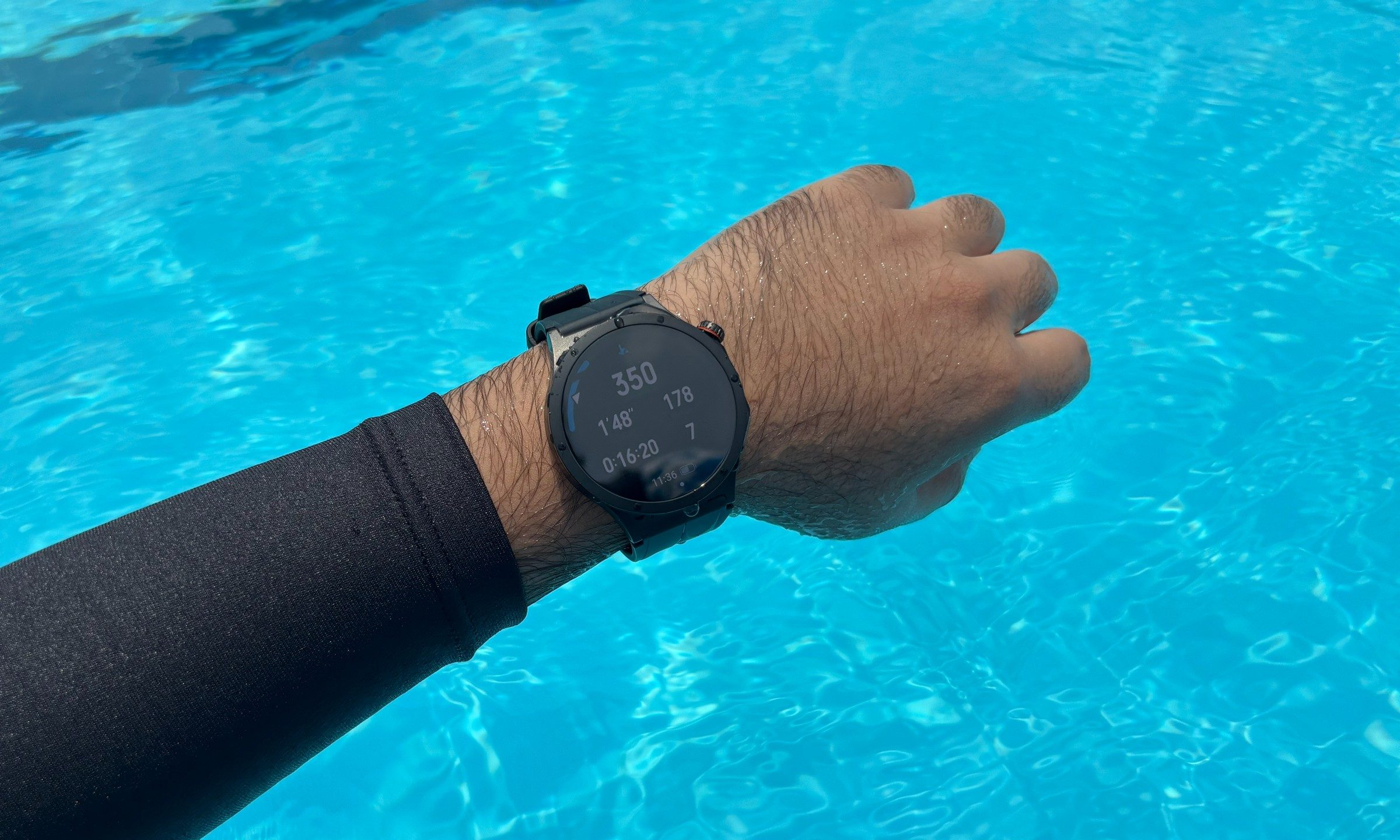
Being able to keep track your activity in real-time motivated me more than I thought it would. Just a quick glance was enough to see the information I cared about, never requiring much interaction. I could check my distance, number of laps I’ve done, my pace, and even the duration of the activity and heart rate.
A color-coded heart-rate indicator also divided my effort into zones such as warm-up, fat burning, endurance, anaerobic, and threshold. I was hardly conducting a professional training session, but the visual feedback made it easy to see when I was pushing harder. The display stayed readable under strong poolside sunlight too, which matters when water, reflections, and a bright sky are all competing with a relatively small watch screen.
The software stayed out of my way
The Snapdragon W5 platform inside the Watch X3 is no longer the newest wearable hardware around. That never became an issue during my session. Starting the workout, entering the pool size, switching between data screens, and reviewing the results remained smooth. Afterwards, the OHealth app presented the session in a clear summary with distance, duration, pace, calories, and a bunch of other things.
Fitness tracking becomes the priority, rather than having you fight the menu. I have noticed similar consistency during walks. The step count has usually landed within one or two steps of the number I counted manually during shorter tests. Step and swim tracking are hardly exclusive to the Watch X3, but the accuracy and convenience were easily the highlight.
I finally understand the motivation
A fitness tracker cannot swim the lengths for me, improve my technique, or drag me back to the pool next week. What it can do is make progress visible. Without the Watch X3, I would have remembered the session as a reasonably long swim where I switched strokes and took a lengthy break to talk to someone. With the data, I knew a lot more.
Those numbers give me something to improve during the next session. That’s when I thought about that research again. Wearables can create a simple feedback loop. One where I complete an activity, see the result, and return with a new goal every day. My single pool session proves nothing about long-term health outcomes, though it gave me a reason to keep swimming.
