


.jpg "How to Claim Your Cut of Apple’s 0 Million Siri Settlement")



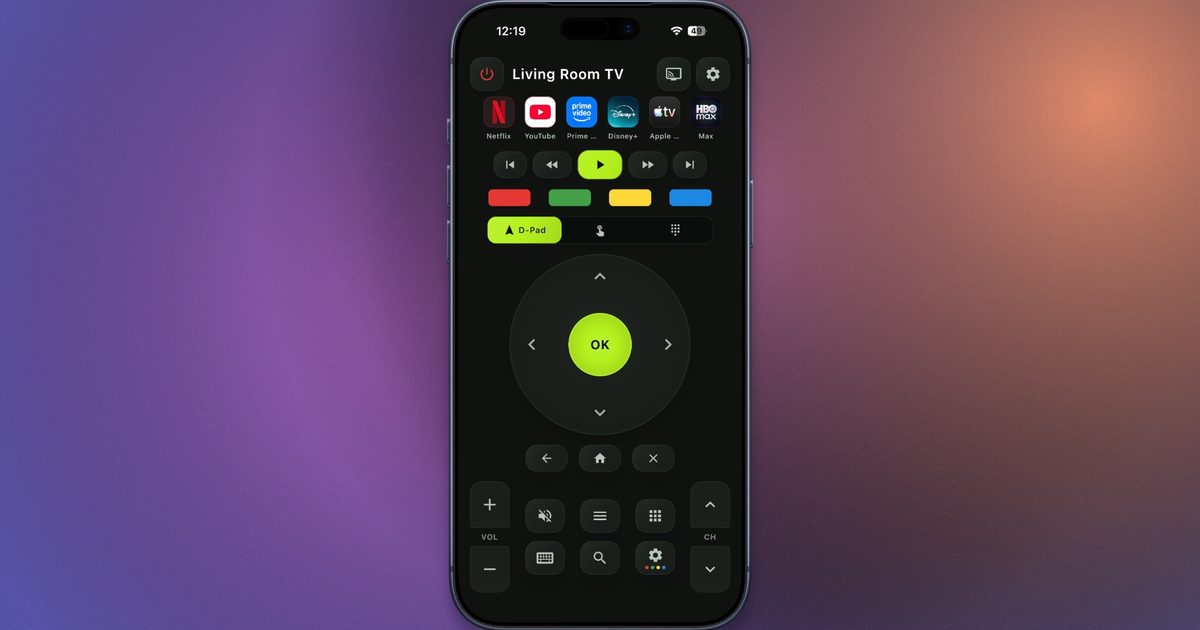
I have been looking for a universal TV remote app that just works without being annoying. Most of the ones I tried had some kind of catch. Some asked me to create an account before I could even connect to a TV. Some showed annoying un-skippable ads before a simple action. A few locked basic controls like volume behind a paywall, while others simply did not work as advertised.
In that search, I recently came across AnyRemote, a free universal TV remote app available on both iOS and Android. It turns your phone into a remote for your TV or streaming device without forcing a login or making you pay for the core buttons.
How AnyRemote works
AnyRemote works over Wi-Fi, so your phone and TV need to be connected to the same network. Once you open the app, it scans for nearby devices and lets you pick your TV or streaming device from the list. If the TV asks for permission, you approve the connection on the screen and start using your phone as the remote.
The app claims support for most major TV brands and streaming platforms, including Samsung, LG, Sony, TCL, Hisense, Philips, Vizio, Roku, Android TV, Google TV, Fire TV, Chromecast, Apple TV, Nvidia Shield TV, Xiaomi TV, and more.
The app covers almost everything you would expect from a proper TV remote. You get volume controls, channel buttons, mute, power, playback controls, app-launch shortcuts, a D-pad, a touchpad, auto-reconnect, and screen mirroring. Keyboard input is especially useful for typing passwords, email addresses, or search terms from your phone instead of slowly moving letter by letter on a TV’s on-screen keyboard. There is voice control as well, which should help if you prefer searching for shows, opening apps, or controlling your TV through spoken commands.
The best part is the pricing
The pricing part is where AnyRemote gets a little more interesting. The app keeps its core features free, and there are no full-screen ads interrupting basic actions. Instead, it shows a small ribbon ad at the bottom of the screen.
The ad can be removed through a paid option, although it does not appear to be available in my region right now. So, for me, the free version still means living with the small banner. There is another option if you want a completely ad-free remote app. TVRem offers a similar set of features without ads or paywalls, but it is only available on iOS.
