
Technologist Mag
  • Home
  • Tech News
  • AI
  • Apps
  • Gadgets
  • Gaming
  • Guides
  • Laptops
  • Mobiles
  • Wearables
  • More
    • Web Stories
    • Trending
    • Press Release

Subscribe to Updates

Get the latest tech news and updates directly to your inbox.

What's On
China’s Open AI Models Are Challenging Silicon Valley’s Playbook

China’s Open AI Models Are Challenging Silicon Valley’s Playbook

22 July 2026
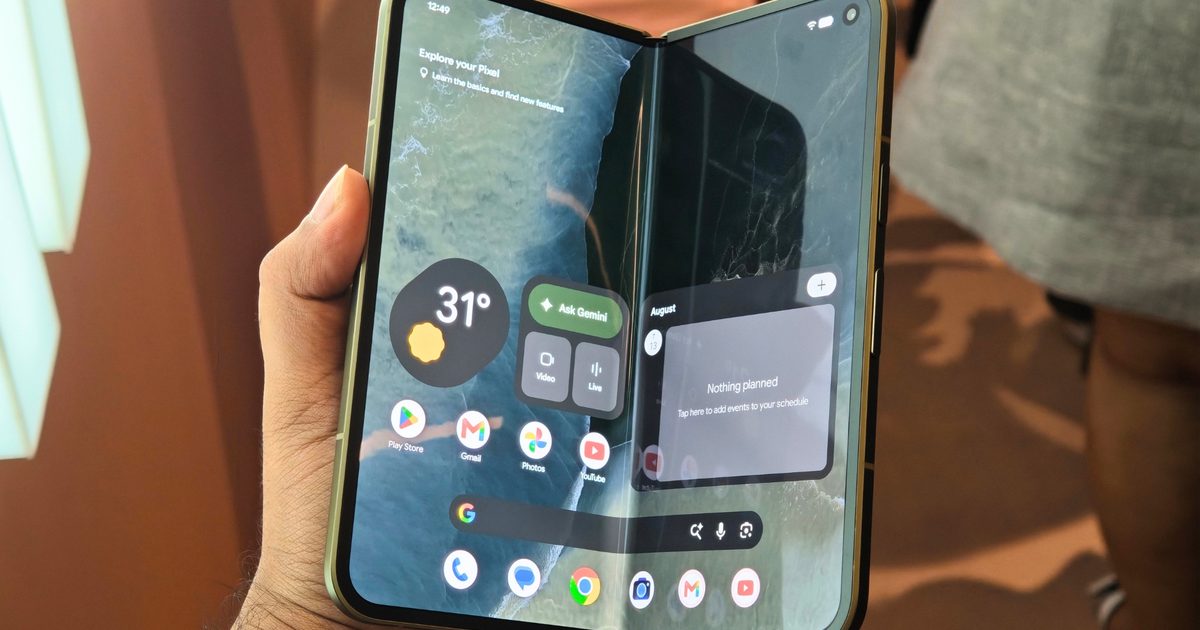
Samsung’s Galaxy Z Fold 8 gets Google’s Gemini Intelligence before the Pixel 11

Samsung’s Galaxy Z Fold 8 gets Google’s Gemini Intelligence before the Pixel 11

22 July 2026
Pokémon TCG: Mega Evolution – Pitch Black | The Coolest Cards We Pulled

Pokémon TCG: Mega Evolution – Pitch Black | The Coolest Cards We Pulled

22 July 2026
Review: Dyson V10 Konical

Review: Dyson V10 Konical

22 July 2026
Microsoft is bringing original Xbox games to PC with backward compatibility

Microsoft is bringing original Xbox games to PC with backward compatibility

22 July 2026
Facebook X (Twitter) Instagram
Technologist Mag
SUBSCRIBE
  • Home
  • Tech News
  • AI
  • Apps
  • Gadgets
  • Gaming
  • Guides
  • Laptops
  • Mobiles
  • Wearables
  • More
    • Web Stories
    • Trending
    • Press Release
Technologist Mag
Home » How to Share a Link to a Particular Phrase
Tech News

How to Share a Link to a Particular Phrase

By technologistmag.com6 June 20262 Mins Read
How to Share a Link to a Particular Phrase
Share
Facebook Twitter Reddit Telegram Pinterest Email

This is very handy when you want to share an excerpt of writing in context, a concept that is totally lost if you just take a screenshot with a highlight.

How This Works

This feature is made possible by a web standard called Text fragments. It’s been built into browsers for years now; it’s just not the kind of feature that made a lot of headlines at the time.

The feature basically creates a URL that includes enough information for your browser to find the highlighted text portion. If you copy a URL made this way and paste it into a document so you can study the link’s structure, you can see how this works.

In the simplest cases, the URL will include the entire highlighted portion. That works fine for short fragments, but for long passages, the URL gets ungainly pretty fast. When you’re linking to longer text fragments, the URL includes a reference to the beginning and end of the excerpt. Either way, the URL tells your browser not only which page to load, but what part of the text should be highlighted. Your browser finds the text, highlights it, and jumps directly to it.

There are subtle differences in how browsers handle this. Safari highlights text in yellow, for example, whereas in my tests Chrome seemed to prefer purple. But since this URL structure is standardized across browsers, a link created in one browser works in every browser.

It’s worth noting this feature doesn’t work in all contexts. If the website you’re reading is behind a paywall, and the person you’re sharing with doesn’t have access, they probably won’t be able to see the excerpt you’re trying to share. The feature also doesn’t work inside PDF files, even when you open them in your browser.

But sharing a text fragment, in most cases, is a lot more useful than sharing a screenshot. Give it a try the next time you’re trying to win an argument online.

Share. Facebook Twitter Pinterest LinkedIn Telegram Reddit Email
Previous ArticleTake On The Chinese Mafia In Virtua Fighter Crossroads, Launching Next Year
Next Article Monster Hunter Developers Confirm Wilds Is Coming To Switch 2, Reveal New Ascendance Expansion Details

Related Articles

China’s Open AI Models Are Challenging Silicon Valley’s Playbook

China’s Open AI Models Are Challenging Silicon Valley’s Playbook

22 July 2026
Samsung’s Galaxy Z Fold 8 gets Google’s Gemini Intelligence before the Pixel 11

Samsung’s Galaxy Z Fold 8 gets Google’s Gemini Intelligence before the Pixel 11

22 July 2026
Review: Dyson V10 Konical

Review: Dyson V10 Konical

22 July 2026
Microsoft is bringing original Xbox games to PC with backward compatibility

Microsoft is bringing original Xbox games to PC with backward compatibility

22 July 2026
WhatsApp’s new in-car experience is built around hands-free control

WhatsApp’s new in-car experience is built around hands-free control

22 July 2026
Google just made switching from iPhone to Android much easier with Android 17

Google just made switching from iPhone to Android much easier with Android 17

22 July 2026
Stay In Touch
  • Facebook
  • Twitter
  • Pinterest
  • Instagram
  • YouTube
  • Vimeo

Subscribe to Updates

Get the latest tech news and updates directly to your inbox.

Don't Miss
Samsung’s Galaxy Z Fold 8 gets Google’s Gemini Intelligence before the Pixel 11

Samsung’s Galaxy Z Fold 8 gets Google’s Gemini Intelligence before the Pixel 11

By technologistmag.com22 July 2026

I’ve watched Google take center stage at Samsung Unpacked events and unveil its key software…

Pokémon TCG: Mega Evolution – Pitch Black | The Coolest Cards We Pulled

Pokémon TCG: Mega Evolution – Pitch Black | The Coolest Cards We Pulled

22 July 2026
Review: Dyson V10 Konical

Review: Dyson V10 Konical

22 July 2026
Microsoft is bringing original Xbox games to PC with backward compatibility

Microsoft is bringing original Xbox games to PC with backward compatibility

22 July 2026
WhatsApp’s new in-car experience is built around hands-free control

WhatsApp’s new in-car experience is built around hands-free control

22 July 2026
Technologist Mag
Facebook X (Twitter) Instagram Pinterest
  • Privacy
  • Terms
  • Advertise
  • Contact
© 2026 Technologist Mag. All Rights Reserved.

Type above and press Enter to search. Press Esc to cancel.
