




Technologist Mag
  • Home
  • Tech News
  • AI
  • Apps
  • Gadgets
  • Gaming
  • Guides
  • Laptops
  • Mobiles
  • Wearables
  • More
    • Web Stories
    • Trending
    • Press Release

Subscribe to Updates

Get the latest tech news and updates directly to your inbox.

What's On
I went hands-on with the Pixel 11, and Google’s cheapest flagship finally has it all

I went hands-on with the Pixel 11, and Google’s cheapest flagship finally has it all

13 August 2026
Wild Blue Skies Review: Bland Homage

Wild Blue Skies Review: Bland Homage

13 August 2026
The best smart home gym equipment

The best smart home gym equipment

13 August 2026
Capcom Had To Ask RE Engine Engineers To Create – Aug 13, 2026

Capcom Had To Ask RE Engine Engineers To Create – Aug 13, 2026

13 August 2026
A Candidate Named ‘Count Binface’ Is the Most Normal Part of This Pivotal UK Election

A Candidate Named ‘Count Binface’ Is the Most Normal Part of This Pivotal UK Election

13 August 2026
Facebook X (Twitter) Instagram
Technologist Mag
SUBSCRIBE
  • Home
  • Tech News
  • AI
  • Apps
  • Gadgets
  • Gaming
  • Guides
  • Laptops
  • Mobiles
  • Wearables
  • More
    • Web Stories
    • Trending
    • Press Release
Technologist Mag
Home » How to reserve your WhatsApp username
Tech News

How to reserve your WhatsApp username

By technologistmag.com29 June 20262 Mins Read
How to reserve your WhatsApp username
Share
Facebook Twitter Reddit Telegram Pinterest Email

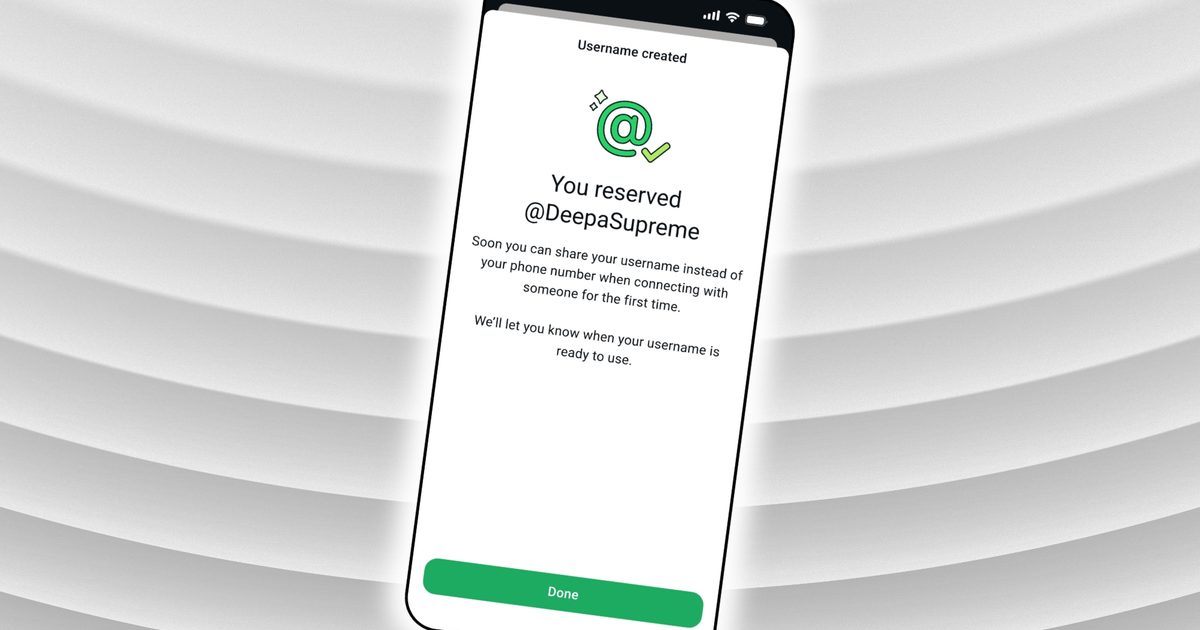
WhatsApp username reservations are now open globally. While you still need a phone number to create an account, usernames let you start conversations without sharing your phone number. 

Claiming yours would take less than a minute, but only when you go in with all the details. 

What should you know before reserving your username?

Your username must be between 3 and 35 characters and must comply with WhatsApp’s policies. Beyond those limits, you’re mostly free to choose what you like.

WhatsApp has already reserved certain handles for top celebrities, VIPs, and verified organizations, so those names are locked. 

If nothing clicks, WhatsApp’s built-in generator can suggest unique handles.
Electronics, Mobile Phone, Phone

How do you actually reserve your username?

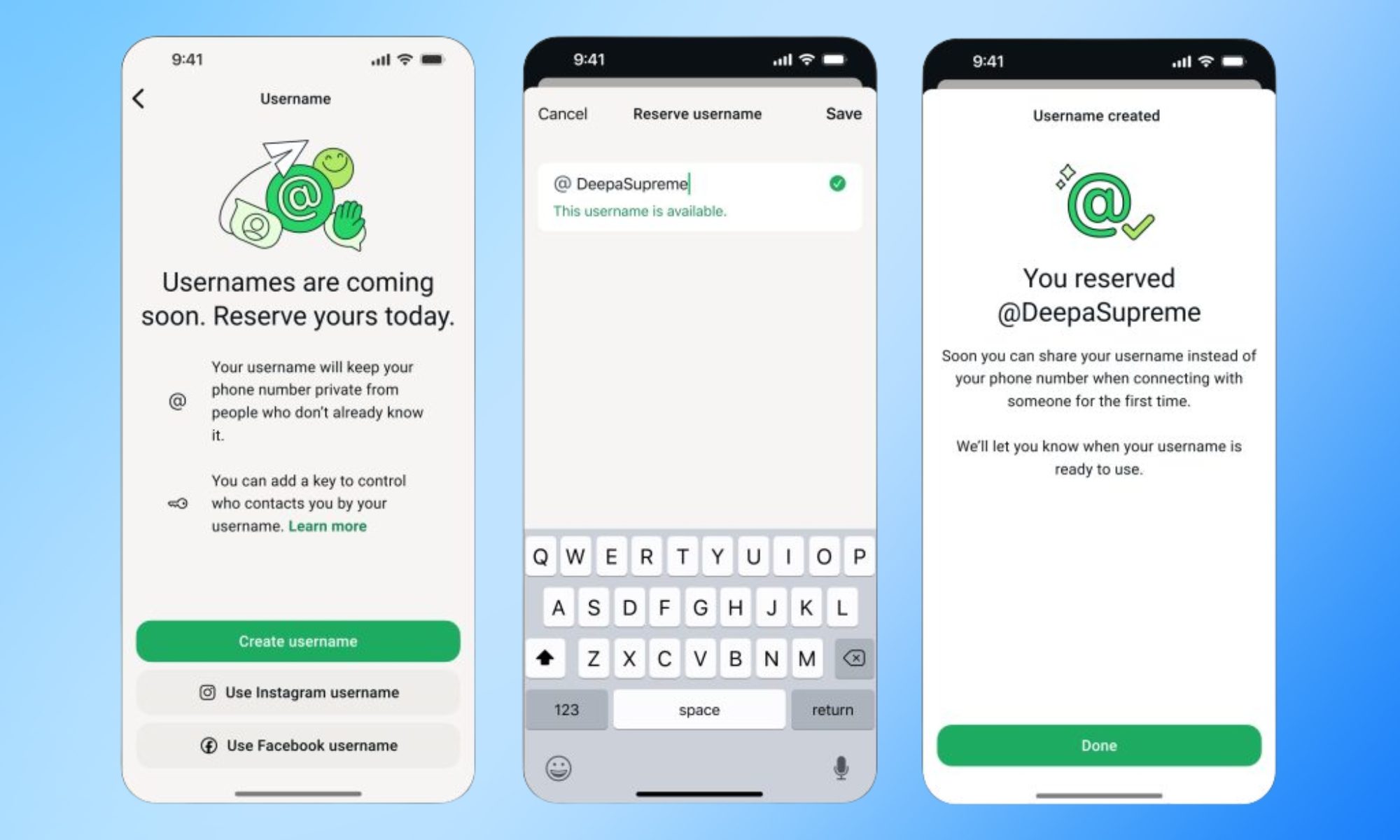
Go to Settings > Account > Username on the latest version of WhatsApp. Thereafter, you can enter your desired username, and the app will tell you whether it is available. The app will also give you suggestions regarding available usernames. 

As seen in the screenshot, you can also use your Instagram or Facebook username. 

Once you select one, it will be linked to your WhatsApp account and will appear when the feature goes live later this year. If the option isn’t visible, hang tight. WhatsApp is rolling this out region by region and will notify you in the app when it arrives in your country. 

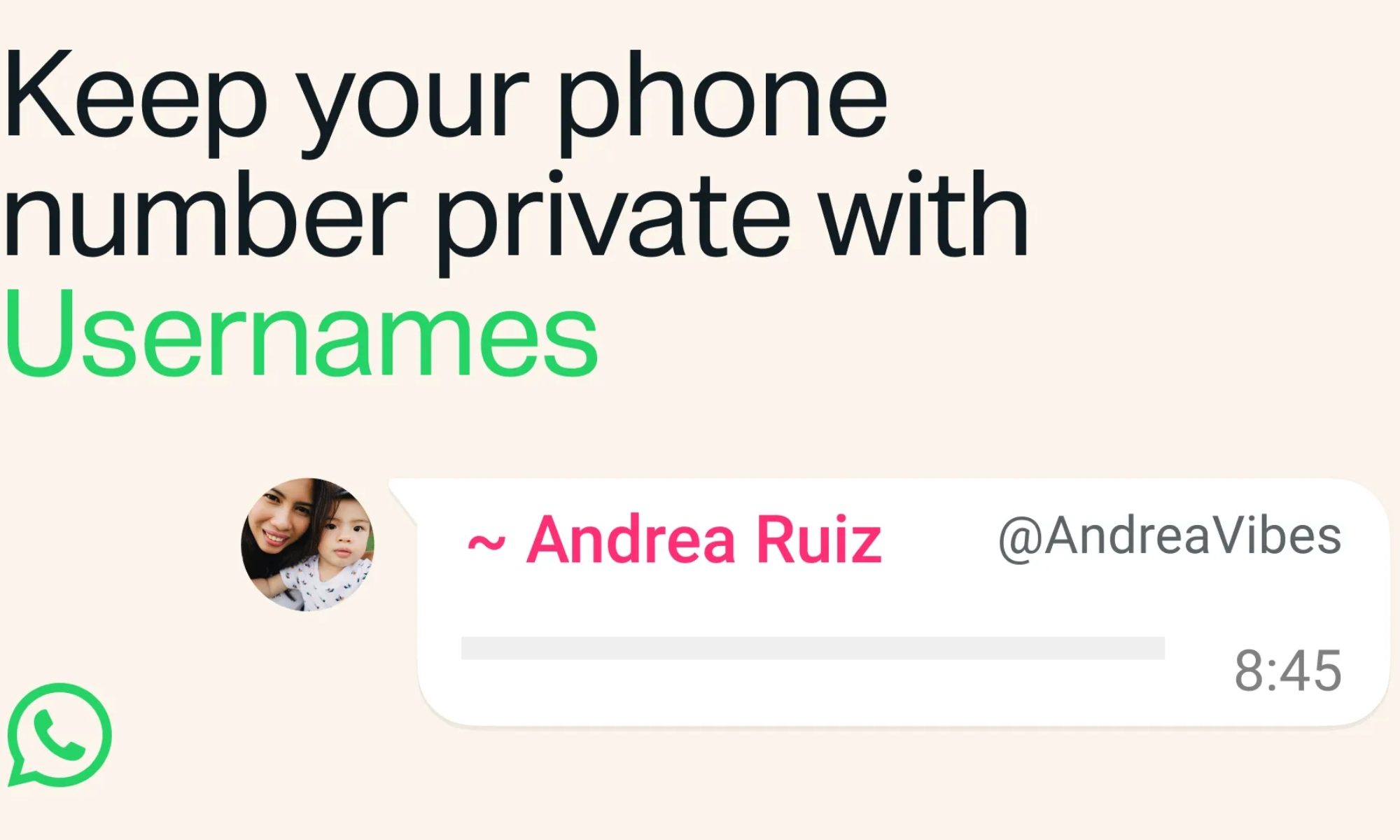
When it does, anyone messaging you for the first time won’t see your phone number, as long as you’ve enabled your username. For extra protection, you can also set an optional username key that contacts will need in addition to your handle to message you.
Text, Person, Face

If you change your mind later, WhatsApp will also let you change or remove your username. 

The importance of usernames

WhatsApp usernames follow a pattern set by Signal, which added phone-number-free contact discovery in 2024. Telegram has also had this feature for years. 

The addition addresses one of WhatsApp’s longest-standing privacy gaps. Sharing your contact information in the app has always required handing over your phone number, making it harder to maintain separation among personal, professional, and public connections.

Share. Facebook Twitter Pinterest LinkedIn Telegram Reddit Email
Previous ArticleXChat finally lands on Android, bringing encrypted messaging beyond X
Next Article iPhone 18 Pro images are already floating on the dark web with a whole bunch of other Apple secrets

Related Articles

I went hands-on with the Pixel 11, and Google’s cheapest flagship finally has it all

I went hands-on with the Pixel 11, and Google’s cheapest flagship finally has it all

13 August 2026
The best smart home gym equipment

The best smart home gym equipment

13 August 2026
A Candidate Named ‘Count Binface’ Is the Most Normal Part of This Pivotal UK Election

A Candidate Named ‘Count Binface’ Is the Most Normal Part of This Pivotal UK Election

13 August 2026
Nvidia’s GeForce Now exits beta on Linux with improved cloud gaming performance

Nvidia’s GeForce Now exits beta on Linux with improved cloud gaming performance

13 August 2026
The Painful Truth of Exactly How ICE’s New Shock Gloves Work

The Painful Truth of Exactly How ICE’s New Shock Gloves Work

13 August 2026
I’m a sucker for colorful phones, and Google knows exactly what it’s doing

I’m a sucker for colorful phones, and Google knows exactly what it’s doing

13 August 2026
Stay In Touch
  • Facebook
  • Twitter
  • Pinterest
  • Instagram
  • YouTube
  • Vimeo

Subscribe to Updates

Get the latest tech news and updates directly to your inbox.

Don't Miss
Wild Blue Skies Review: Bland Homage

Wild Blue Skies Review: Bland Homage

By technologistmag.com13 August 2026

Wild Blue Skies is not shy about the video game experience it is trying to…

The best smart home gym equipment

The best smart home gym equipment

13 August 2026
Capcom Had To Ask RE Engine Engineers To Create – Aug 13, 2026

Capcom Had To Ask RE Engine Engineers To Create – Aug 13, 2026

13 August 2026
A Candidate Named ‘Count Binface’ Is the Most Normal Part of This Pivotal UK Election

A Candidate Named ‘Count Binface’ Is the Most Normal Part of This Pivotal UK Election

13 August 2026
Nvidia’s GeForce Now exits beta on Linux with improved cloud gaming performance

Nvidia’s GeForce Now exits beta on Linux with improved cloud gaming performance

13 August 2026
Technologist Mag
Facebook X (Twitter) Instagram Pinterest
  • Privacy
  • Terms
  • Advertise
  • Contact
© 2026 Technologist Mag. All Rights Reserved.

Type above and press Enter to search. Press Esc to cancel.