


Technologist Mag
  • Home
  • Tech News
  • AI
  • Apps
  • Gadgets
  • Gaming
  • Guides
  • Laptops
  • Mobiles
  • Wearables
  • More
    • Web Stories
    • Trending
    • Press Release

Subscribe to Updates

Get the latest tech news and updates directly to your inbox.

What's On
These New Smart Glasses From Solos Come With a Privacy Shield for the Cameras

These New Smart Glasses From Solos Come With a Privacy Shield for the Cameras

7 July 2026
Marshall refreshes its Acton and Stanmore speakers with better bass and repairability

Marshall refreshes its Acton and Stanmore speakers with better bass and repairability

7 July 2026
Review: Hisense UR9 RGB MiniLED

Review: Hisense UR9 RGB MiniLED

7 July 2026
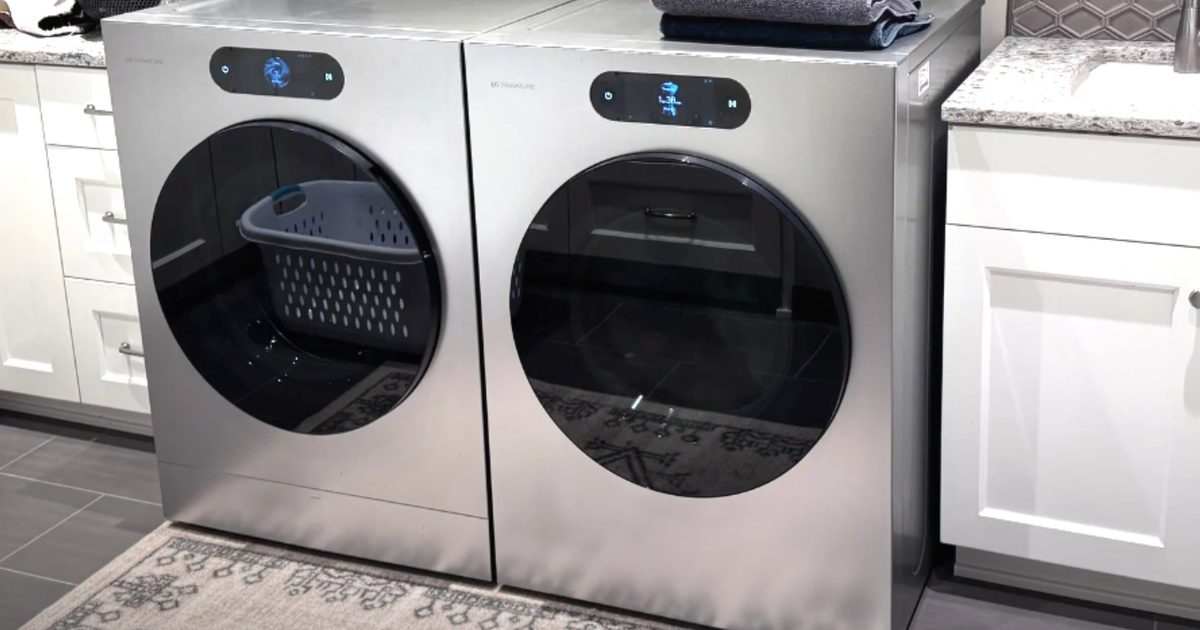
LG SIGNATURE WM9900HSA review: A washer that’s as fun as it is good looking

LG SIGNATURE WM9900HSA review: A washer that’s as fun as it is good looking

7 July 2026
Pete Holmes Is Not Reading Your Email

Pete Holmes Is Not Reading Your Email

7 July 2026
Facebook X (Twitter) Instagram
Technologist Mag
SUBSCRIBE
  • Home
  • Tech News
  • AI
  • Apps
  • Gadgets
  • Gaming
  • Guides
  • Laptops
  • Mobiles
  • Wearables
  • More
    • Web Stories
    • Trending
    • Press Release
Technologist Mag
Home » How to Control Everything on Your Phone With Your Voice (iOS and Android)
Tech News

How to Control Everything on Your Phone With Your Voice (iOS and Android)

By technologistmag.com16 May 20263 Mins Read
How to Control Everything on Your Phone With Your Voice (iOS and Android)
Share
Facebook Twitter Reddit Telegram Pinterest Email

With the arrival of digital assistant apps like Gemini and Siri, most of us have grown used to talking to our phones. But conversing with your Android or iOS device can go way beyond interacting with AI. You can also use your voice to launch apps, fill out text fields, and do just about everything that was previously only possible with your fingers and thumbs.

Of course, the traditional touchscreen input will often be the way to go. But there might well be scenarios—when you’re cooking, repairing something, looking after children, or doing anything else that keeps your hands busy—where it’s easier and more convenient to use voice input instead. The usefulness of voice control is of course well known to those who have impairments that keep them from controling a touchscreen phone with the usual taps and swipes.

Here’s how you can set up the feature on your phone, whether you’re running Android or iOS.

Voice Control on Android

To configure voice control on an Android device, you need to install the free Voice Access app from the Google Play Store. You also need to have the Google app installed, but this should’ve come preinstalled on whatever Android handset you’ve got.

Once you’ve installed Voice Access, you can enable this feature from Settings. On a Pixel phone, head to Accessibility > Voice Access. The exact location of the feature may vary on other handsets, but it’ll be somewhere in the Accessibility menus. For Samsung devices, for example, it’s under Accessibility > Interaction and dexterity > Voice Access.

Enabling Voice Access on Android.

Photograph: David Nield

During the setup of the feature, you’ll be able to tweak a few of the options, including whether to display a persistent button onscreen for launching Voice Access, and whether the feature is always listening for commands whenever the screen is on (which is recommended for convenience).

The same Voice Access screen where you enable the feature also gives you access to a few more key settings. These include options for how long your phone should wait before it stops listening for commands, how precise your phrasing has to be for instructions, and how the Voice Access shortcuts are displayed on screen.

Voice Access can be launched by saying, “Hey Google, start Voice Access,” or via any of the shortcuts you’ve configured in the Voice Access settings (including an on-screen button and a gesture shortcut). When the feature is active, you’ll see an icon showing four dots up in the top left corner, and you can then start speaking to control your phone.

Share. Facebook Twitter Pinterest LinkedIn Telegram Reddit Email
Previous ArticleYouTube is giving creators a new weapon against AI deepfakes
Next Article Asus ROG and Xreal just built the AR glasses gamers have been waiting for, at a price that stings

Related Articles

These New Smart Glasses From Solos Come With a Privacy Shield for the Cameras

These New Smart Glasses From Solos Come With a Privacy Shield for the Cameras

7 July 2026
Marshall refreshes its Acton and Stanmore speakers with better bass and repairability

Marshall refreshes its Acton and Stanmore speakers with better bass and repairability

7 July 2026
Review: Hisense UR9 RGB MiniLED

Review: Hisense UR9 RGB MiniLED

7 July 2026
LG SIGNATURE WM9900HSA review: A washer that’s as fun as it is good looking

LG SIGNATURE WM9900HSA review: A washer that’s as fun as it is good looking

7 July 2026
Pete Holmes Is Not Reading Your Email

Pete Holmes Is Not Reading Your Email

7 July 2026
PlayStation’s disc-killing move may have blindsided the very partners keeping its games business alive

PlayStation’s disc-killing move may have blindsided the very partners keeping its games business alive

7 July 2026
Stay In Touch
  • Facebook
  • Twitter
  • Pinterest
  • Instagram
  • YouTube
  • Vimeo

Subscribe to Updates

Get the latest tech news and updates directly to your inbox.

Don't Miss
Marshall refreshes its Acton and Stanmore speakers with better bass and repairability

Marshall refreshes its Acton and Stanmore speakers with better bass and repairability

By technologistmag.com7 July 2026

Marshall has refreshed two of its most popular wireless speakers. The company has officially unveiled…

Review: Hisense UR9 RGB MiniLED

Review: Hisense UR9 RGB MiniLED

7 July 2026
LG SIGNATURE WM9900HSA review: A washer that’s as fun as it is good looking

LG SIGNATURE WM9900HSA review: A washer that’s as fun as it is good looking

7 July 2026
Pete Holmes Is Not Reading Your Email

Pete Holmes Is Not Reading Your Email

7 July 2026
PlayStation’s disc-killing move may have blindsided the very partners keeping its games business alive

PlayStation’s disc-killing move may have blindsided the very partners keeping its games business alive

7 July 2026
Technologist Mag
Facebook X (Twitter) Instagram Pinterest
  • Privacy
  • Terms
  • Advertise
  • Contact
© 2026 Technologist Mag. All Rights Reserved.

Type above and press Enter to search. Press Esc to cancel.