


This post is brought to you in paid partnership with QuickBooks.
Automated invoicing uses software to send, track, and follow up on invoices automatically.
For small businesses, the difference is significant. When invoices go out late, arrive with errors, or sit in a client’s inbox without a follow-up, payments slow down. And that puts real pressure on day-to-day cash flow.
Automating the invoicing process removes the delays that manual billing creates and gives businesses a more reliable, predictable payment cycle.
How can businesses automate invoicing and payments?
Automated invoicing means using a billing system to handle repetitive work. For example, you can use small business accounting software to generate invoices on a schedule, send them to clients, follow up when payments haven’t arrived, and update your records when they do. It’s fast, consistent, and doesn’t rely on anyone remembering to hit “send.”
The biggest wins come from two areas. First, recurring invoices – for businesses with regular clients or subscription-style work, these go out automatically on a set schedule. Second, automated payment reminders, which prompt clients before and after a due date without you having to write a single follow-up email. Together, these two features do more to reduce payment delays than almost anything else a small business can do.
Here’s how to evaluate invoicing software for your small business:
- Look for recurring invoice functionality: The ability to set up billing templates that send automatically on a weekly, monthly, or custom schedule for regular clients or retainer work.
- Look for automated payment reminders: Software that sends pre-due, on-due, and overdue notices to clients on your behalf, without manual follow-up from you.
- Look for integrated payment options: A “pay now” button built into the invoice itself, accepting credit cards, debit cards, and bank transfers, so clients can pay straight away.
- Look for real-time invoice tracking: Visibility into whether an invoice has been sent, opened, and paid, so you always know where each payment stands.
Why slow invoicing impacts cash flow
Invoice timing has a direct impact on when you get paid. If an invoice goes out three days late, there’s a good chance payment arrives three days late too. Multiply that across dozens of invoices and you’ve got a gap between the work you’ve done and the money in your account – and that gap has consequences.
According to a 2025 report from Intuit QuickBooks, small businesses with outstanding invoices are owed more than $17,000 each on average. Businesses dealing with overdue invoices are more likely to struggle with cash flow problems and rely on credit cards to cover costs. They’re also more likely to delay hiring. These are real operational ones that touch every part of how a business runs.
Manual invoicing makes the problem worse. When billing depends on someone remembering to create, check, and send each invoice, things fall through the cracks. A missed send means a delayed payment. A forgotten follow-up means a client who never got around to paying.
Every delay in your invoicing process becomes a delay in your income. For a small business, that means less cash available to cover payroll, supplies, and the day-to-day costs of keeping things running.
What features improve payment speed
Three things consistently make a difference to how quickly invoices get paid: reminders, payment options, and visibility.
Automated reminders work
Most of the time, late payments aren’t the result of a malicious client. It’s more likely that they pay late because they’re busy and the invoice slipped their mind.
A well-timed reminder before the due date, and again a few days after, significantly increases the chance of on-time payment. Businesses don’t need to write or schedule these manually; a good invoicing system handles it automatically.
Frictionless payment options reduce delays.
The fewer steps between a client and payment, the faster they’ll complete it.
Invoices that include a direct “pay now” link – accepting credit cards, debit cards, and bank transfers – remove the extra steps that cause delays. When a client can pay in under a minute from their phone, they’re far more likely to do it immediately.
Real-time tracking gives you control
Knowing whether an invoice has been opened changes how you respond to late payments.
If a client hasn’t viewed an invoice after several days, you know to resend it. If they’ve seen it but haven’t paid, you know a direct follow-up makes sense. That visibility prevents invoices from going cold without you realizing it.
How QuickBooks Online streamlines invoicing
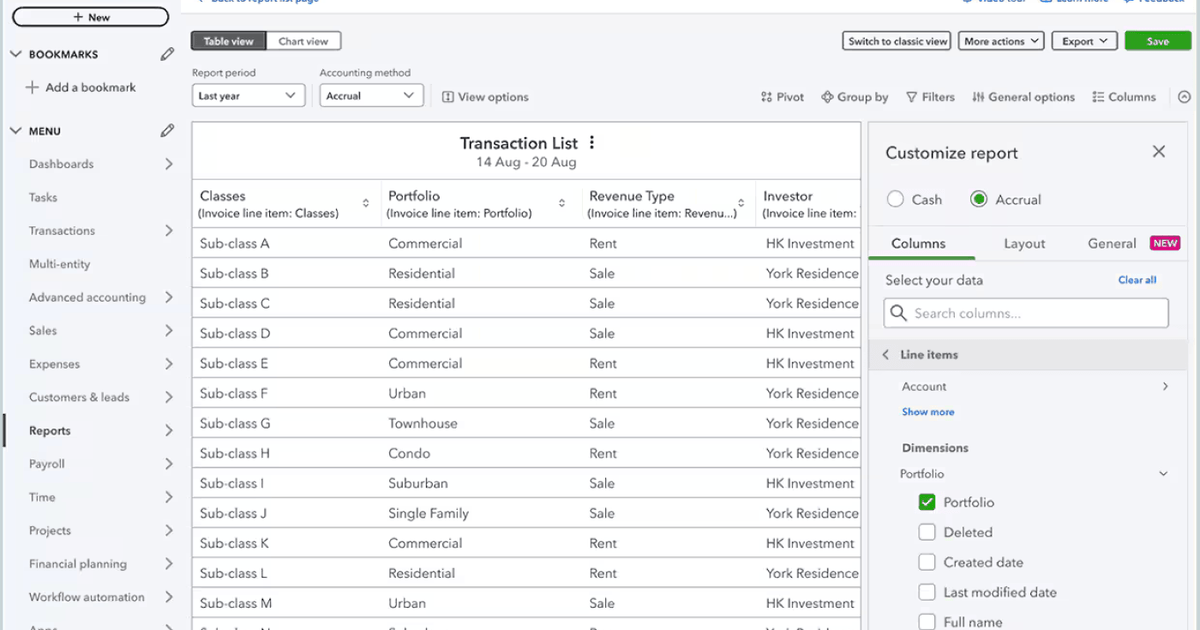
QuickBooks Online brings the full invoicing workflow together in one place: creating the invoice, sending it, following up, collecting payment, and updating your books – all without switching between tools.
QuickBooks Online also includes AI-powered features through Intuit Assist, which analyzes payment behavior and helps draft smarter reminders. According to QuickBooks data, businesses using AI-driven reminders are typically paid up to five days faster than those sending standard follow-ups. On top of that, recurring invoices with autopay enabled get paid at three times the rate of those without it – a straightforward case for turning the feature on wherever it applies.
Payment options within QuickBooks cover credit and debit cards, bank transfers, Apple Pay, PayPal, and Venmo, all accessible directly from the invoice. And because payments are processed inside QuickBooks, reconciliation happens automatically – no manual data entry required.
Example: Streamlined invoicing in action
A freelance web designer works with five monthly retainer clients, setting up a recurring invoice template in QuickBooks Online for each one.
Every month, on the same date, each invoice goes out automatically by email with a “Pay Now” button included. Intuit Assist sends a reminder a few days before the due date, and another if the invoice goes unpaid.
When a client pays by card or bank transfer, the transaction is automatically recorded and reconciled. The designer’s dashboard shows the status of every invoice – sent, viewed, paid, or overdue – in real time, with no manual follow-up needed.
How to choose an invoicing system
The right invoicing software should fit how your business actually works. Use this checklist to help you choose the right platform:
- Recurring billing: Does it support invoices that send automatically on a set schedule?
- Built-in payment processing: Can clients pay directly from the invoice, without logging into a separate system?
- Automated reminders: Can you customize the timing and message, and do they run without manual triggering?
- Invoice tracking: Can you see sent, viewed, and paid status at a glance?
- Accounting integration: Does payment data sync automatically to your books?
- Mobile access: Can you create, send, and monitor invoices from your phone?
- Scalability: Will the system keep up as your client list grows, without requiring more of your time?
If your business is already using accounting software, the simplest move is to choose invoicing tools built into the same platform. Keeping billing and bookkeeping in one system removes duplication and reduces the risk of errors.
FAQ
How can businesses get paid faster?
The most effective steps are to send invoices promptly, include a payment link so clients can pay directly from the invoice, set up automated reminders for unpaid invoices, and offer multiple payment methods. Recurring billing helps too – for clients on a regular schedule, automating the send means they always receive invoices on time. On-time delivery makes on-time payment far more likely.
What is automated invoicing?
Automated invoicing is software-driven billing that handles invoice creation, delivery, and follow-up without manual input. Instead of creating each invoice by hand and chasing payments yourself, the system sends invoices on a schedule, follows up automatically when payments haven’t arrived, and updates your records when they do. For small businesses, it removes one of the most time-consuming parts of running a business and replaces it with a process that works in the background – reliably and consistently.
This content is paid for by the brands indicated. Digital Trends works closely with advertisers to highlight their products and services to our readers. Although this article is informational and not opinionated, it reflects thorough fact-checking by our team to ensure accuracy. Our dedicated partnerships team, not external advertisers, crafts all branded content in-house. For more information on our approach to branded content, click here.