




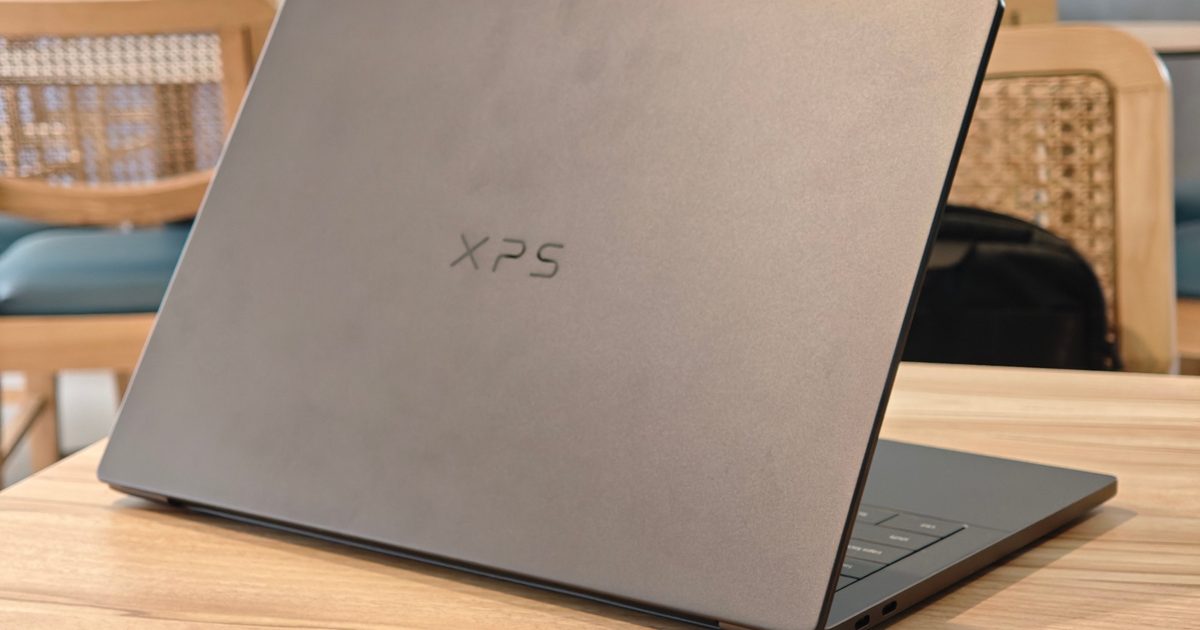
Dell XPS 14
MSRP $2,879.99
“An iconic thin-and-light returns with enough polish and power to make the price hurt a little less.”
Pros
- Stunning CNC aluminum build
- Sharp and responsive 2.8K touchscreen OLED panel
- Strong Core Ultra X7 and Arc B390 iGPU performance
- Great battery life for the performance class
- Impressive speakers
- Excellent haptic touchpad
Cons
- XPS line is even more expensive now
- Keyboard feels a little mushy
- Humble ports selection
- Brightness could’ve been higher
- Very prone to fingerprint
Quick take
Dell’s XPS line has always carried a certain weight. It is one of those Windows laptop families that people recognize even if they don’t follow laptops too closely. Clean design built with premium materials, sharp displays, and high-end hardware. The Dell XPS 14 DA14260 continues that legacy.
This time, it comes with a little more muscle than I expected from a thin-and-light laptop.
My review unit comes in a graphite finish with Intel’s Core Ultra X7 358H processor, 32GB of RAM, a 1TB SSD, Intel Arc B390 graphics, and a 14-inch 2.8K OLED touchscreen. This configuration costs around $2,879.99, which immediately places it in serious premium territory.
After using it as my main work laptop for two weeks, I can comfortably say that the XPS 14 still feels special. It is one of the best-feeling laptops I’ve used recently, performance is genuinely strong, and the OLED display is exactly what I want on a premium notebook.
The price is the big catch. It always is with XPS laptops. Expensive thin-and-light laptops often lean too heavily on design alone. This one has enough performance and endurance to back up the premium act.
Dell XPS 14 Specs
| Model Number | Dell XPS 14, DA14260 |
| Processor | Intel Core Ultra X7 358H |
| Operating System | Windows 11 Home |
| Memory | 32GB LPDDR5X |
| Primary Storage | 1TB PCIe 4.0 NVMe SSD |
| Video Card | Intel Arc B390 |
| Display | 14-inch 2880 x 1800 OLED touchscreen, 400 nits SDR, up to 525 nits HDR, 100% DCI-P3, 20-120Hz |
| Ports | 3x Thunderbolt 4 USB-C with DisplayPort 2.1 and Power Delivery, universal audio jack |
| Dimensions & Weight | 3 pounds / 1.36kg |
| Camera | 8MP (4K webcam) + IR blaster |
| Primary Battery | 70Wh dual-battery system |
| Power Adapter | 100W USB-C |
Design: the XPS still knows how to look expensive
Quick Take: The XPS 14 is clean, portable, and built strong. It is one of the best-feeling Windows laptops in this size class.
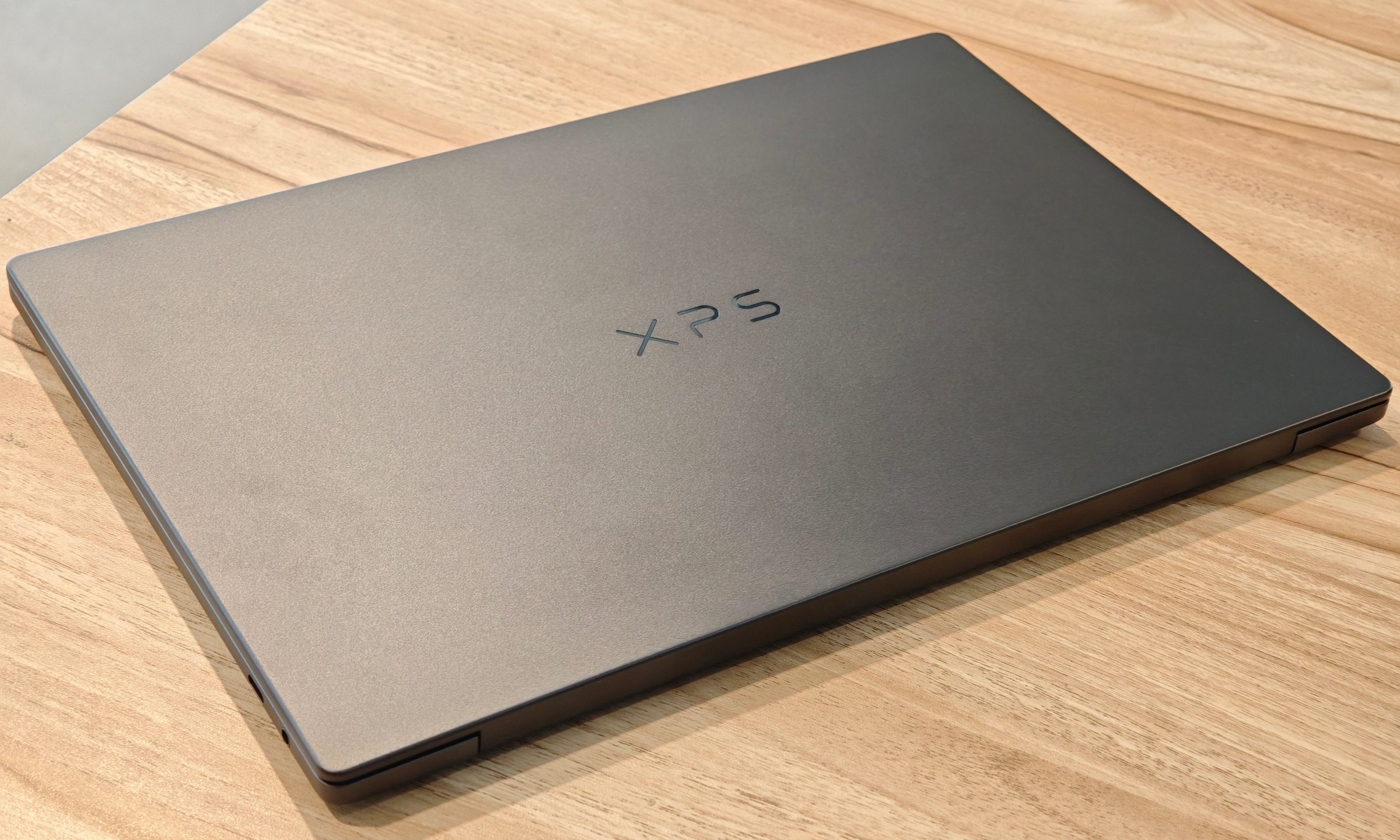
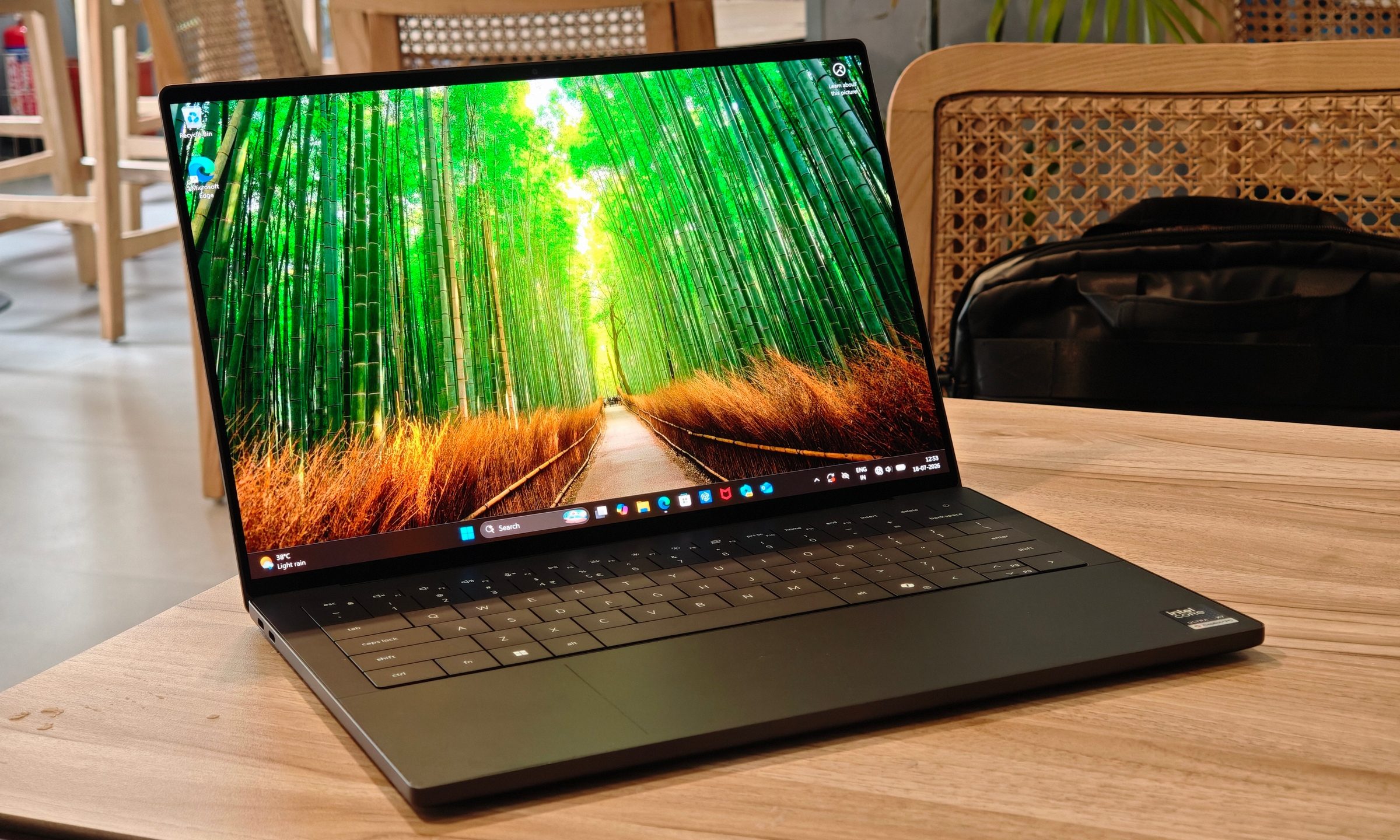
The XPS 14 makes a strong first impression. It is built with a CNC aluminum chassis that feels rigid and dense without becoming too heavy, and the graphite finish gives it that quiet premium look.
At 3 pounds, or about 1.36kg, it is a little heavier than some 14-inch laptops, though I never found it difficult to carry. I barely noticed it in a bag. I even carried it around with another Zenbook laptop of a similar weight at one point, and it reminded me how far thin-and-light laptops have come.
The hinge is robust and holds the display in place well, though it feels a little stiff when opening. The lid can open with one hand, but Dell still doesn’t give you enough of an indent to grip it cleanly. That makes opening the laptop less graceful than it should be, even if it is a nitpick.
The body is also very prone to fingerprints. This is the kind of finish that looks stunning after a wipe and then starts collecting evidence the moment you touch it. It gets a little distracting if you’re not constantly cleaning the smudges, especially on the lid.
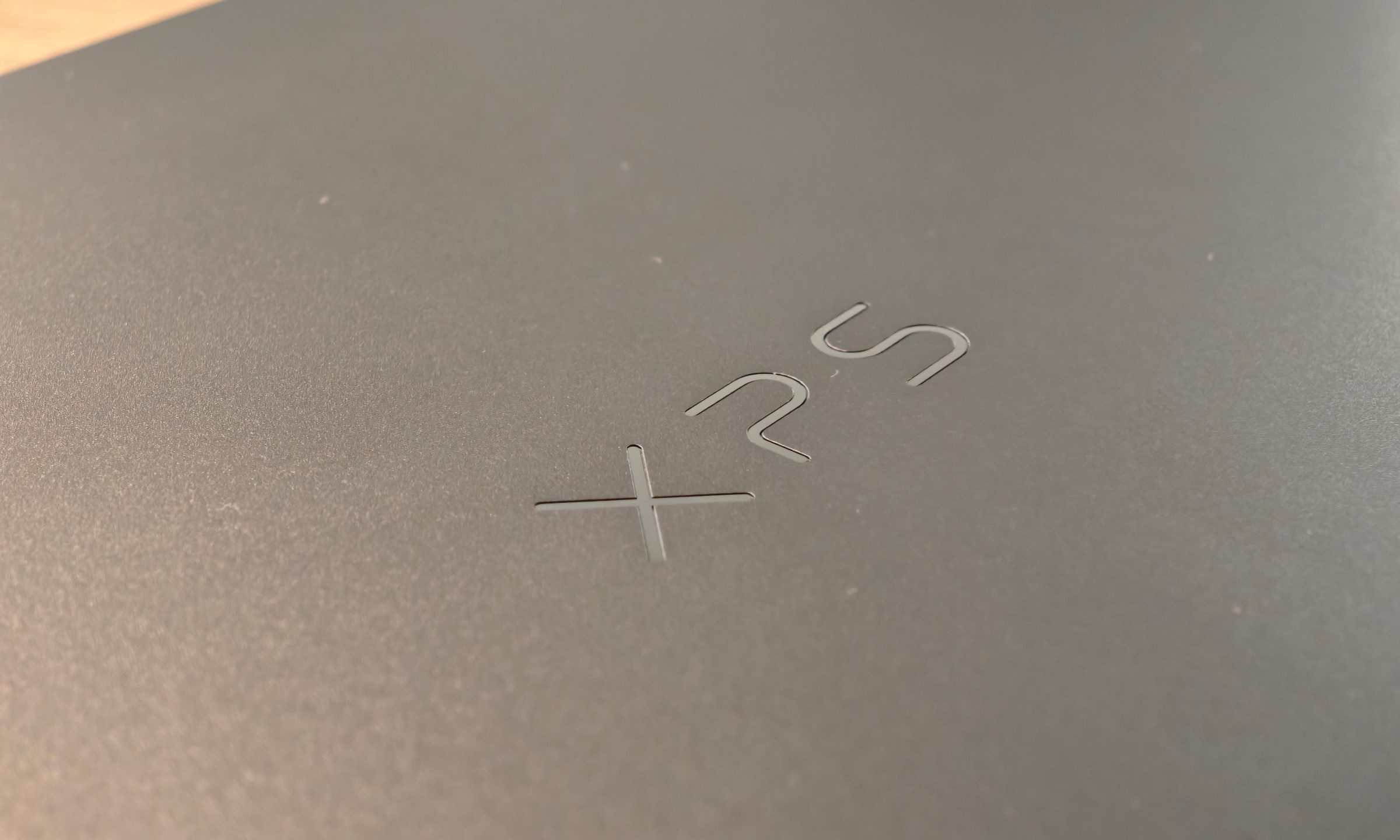
That aside, the design works beautifully. Nothing here screams for attention. It has a quiet and clean presence, with the kind of consistent build that sits right beside Apple’s MacBooks in terms of hand feel. I love ASUS’ Ceraluminum finish on machines like the Zenbook S16 OLED and Zenbook Duo, but this smooth Dell finish has its own charm.
Lap use is another strong point, which surprised me since this packs two fans inside. With no bottom vents to worry about blocking, the laptop stayed mostly cool during regular work. Certain areas around the chip get lightly warm, but the body dissipates heat well enough that it rarely becomes something you think about.
Design score: 9/10
Display: Gorgeous and smooth OLED display with touch support as the cherry on top
Quick take: The OLED panel is excellent, although it doesn’t completely dominate the competition at this price.
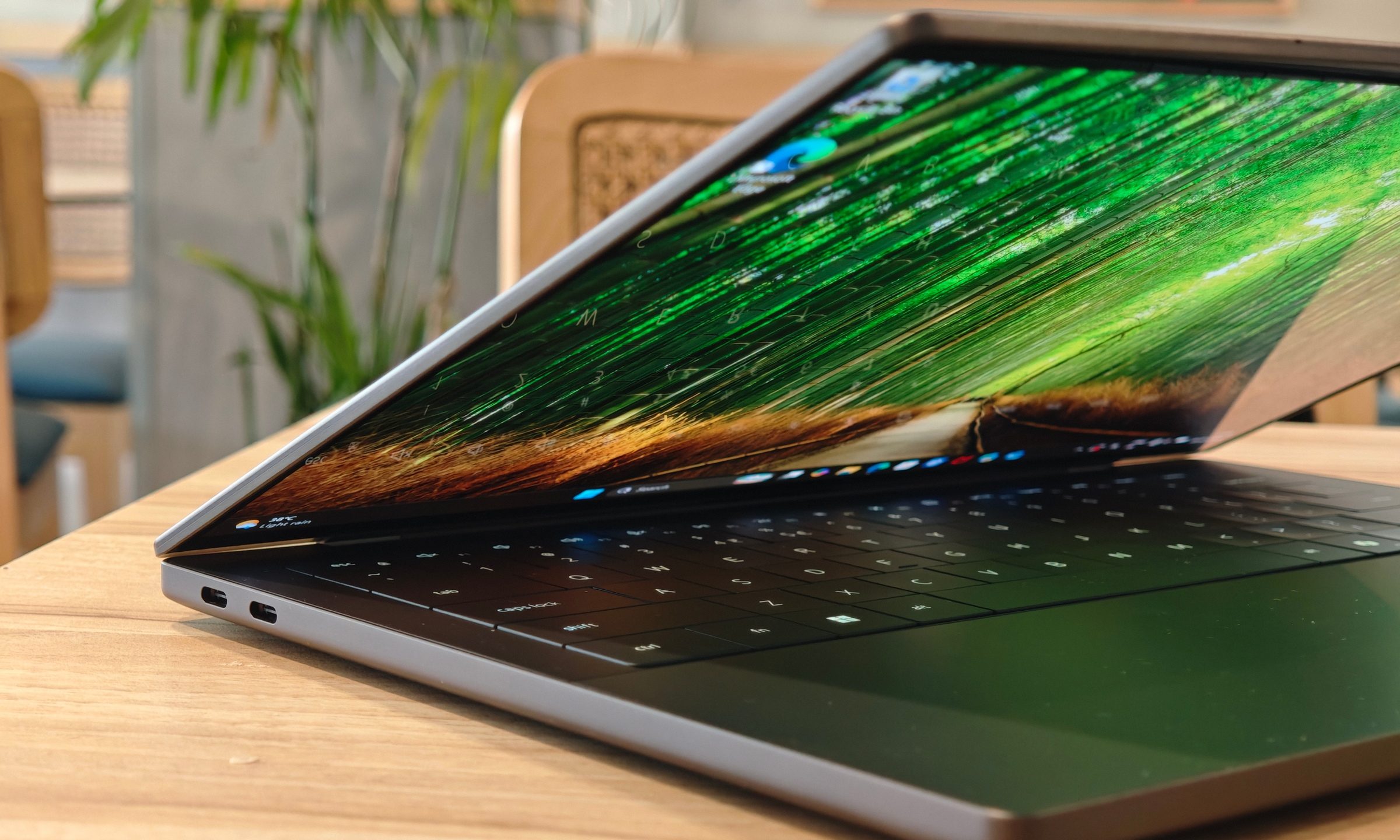
The 14-inch 2.8K OLED is one of the XPS 14’s biggest strengths. It is straight-up eye candy for an immersive visual experience. Dell ships a sharp screen that’s both responsive and vibrant, with rich colors that never look cartoonish. The 20Hz to 120Hz variable refresh rate also keeps everything looking smooth.
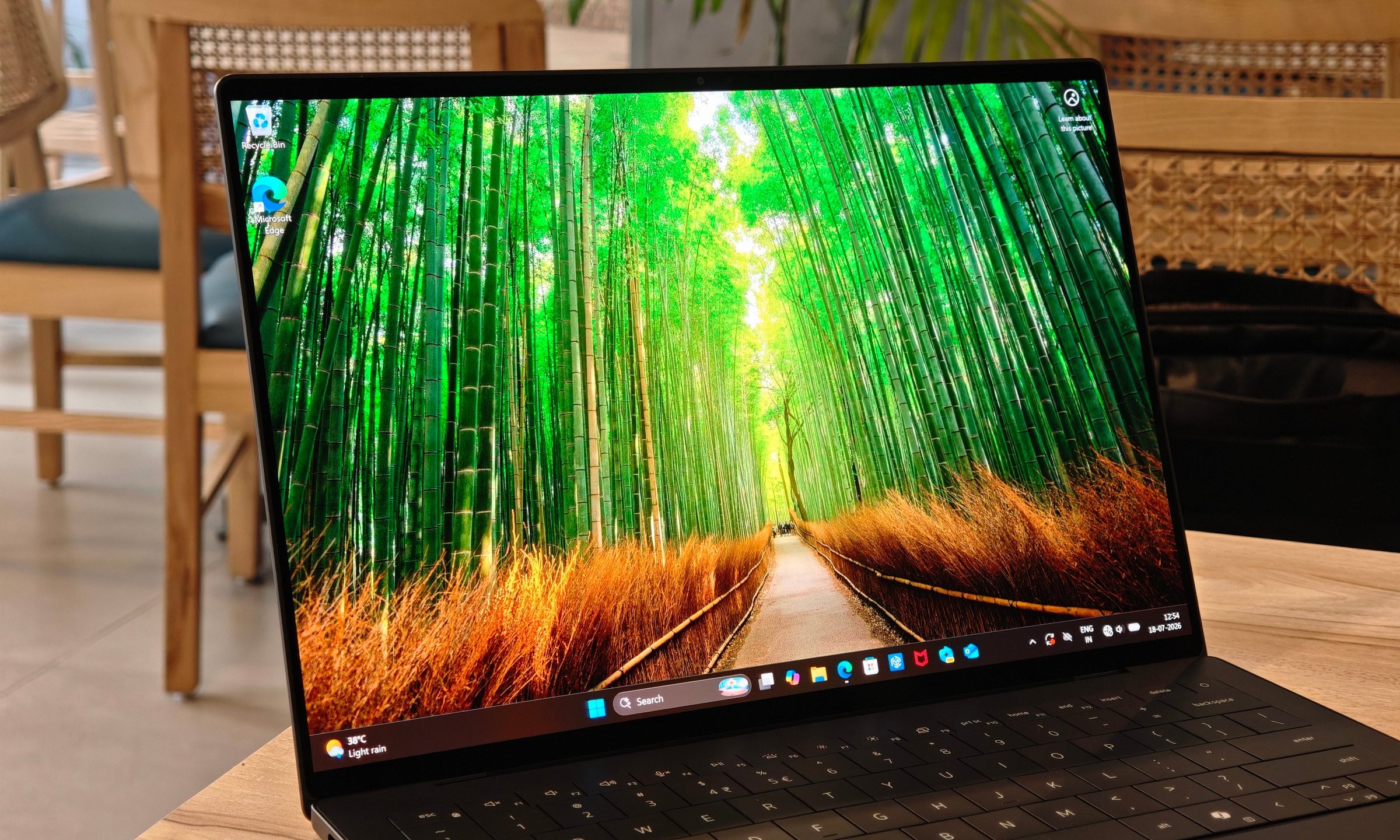
This is my sweet spot for a laptop screen size. Fourteen inches keeps the machine portable, while the high resolution gives you enough space for writing and multitasking. Brightness is good, with Dell rating the panel at up to 525 nits peak with HDR. It remained legible for most of my use, including outdoor work, though I’ve seen brighter panels in this price range.
The Zenbook S16 OLED, for example, goes significantly brighter, while the Zenbook Duo’s entire pitch is that it gives you two excellent 3K OLED panels. I suspect the touchscreen layer may have impacted brightness here, but close to $3,000, you’d also expect stronger anti-reflective treatment.
That is one of the XPS 14’s bigger display weaknesses. The panel is reliable for the most part, and I could work outside with it, provided there wasn’t a bright light source directly behind me. Reflections are apparent and can become distracting depending on the room.

Even so, the XPS 14 holds its own in quality, sharpness, and responsiveness. Colors look accurate by eye, black levels are exactly what you’d expect from OLED, and 100% DCI-P3 coverage makes it a capable panel for creative work. HDR also improves the media experience. Videos look rich, and highlights have more punch.
Display score: 8.5/10
Keyboard and touchpad: beautiful, but still a little divisive
Quick take: The haptic touchpad is excellent, while the keyboard looks better than it types.
Dell’s keyboard design is visually striking. The edge-to-edge keycaps look modern and clean, while the whole deck adds to the laptop’s premium character. I just don’t love the actual typing feel as much as the look.
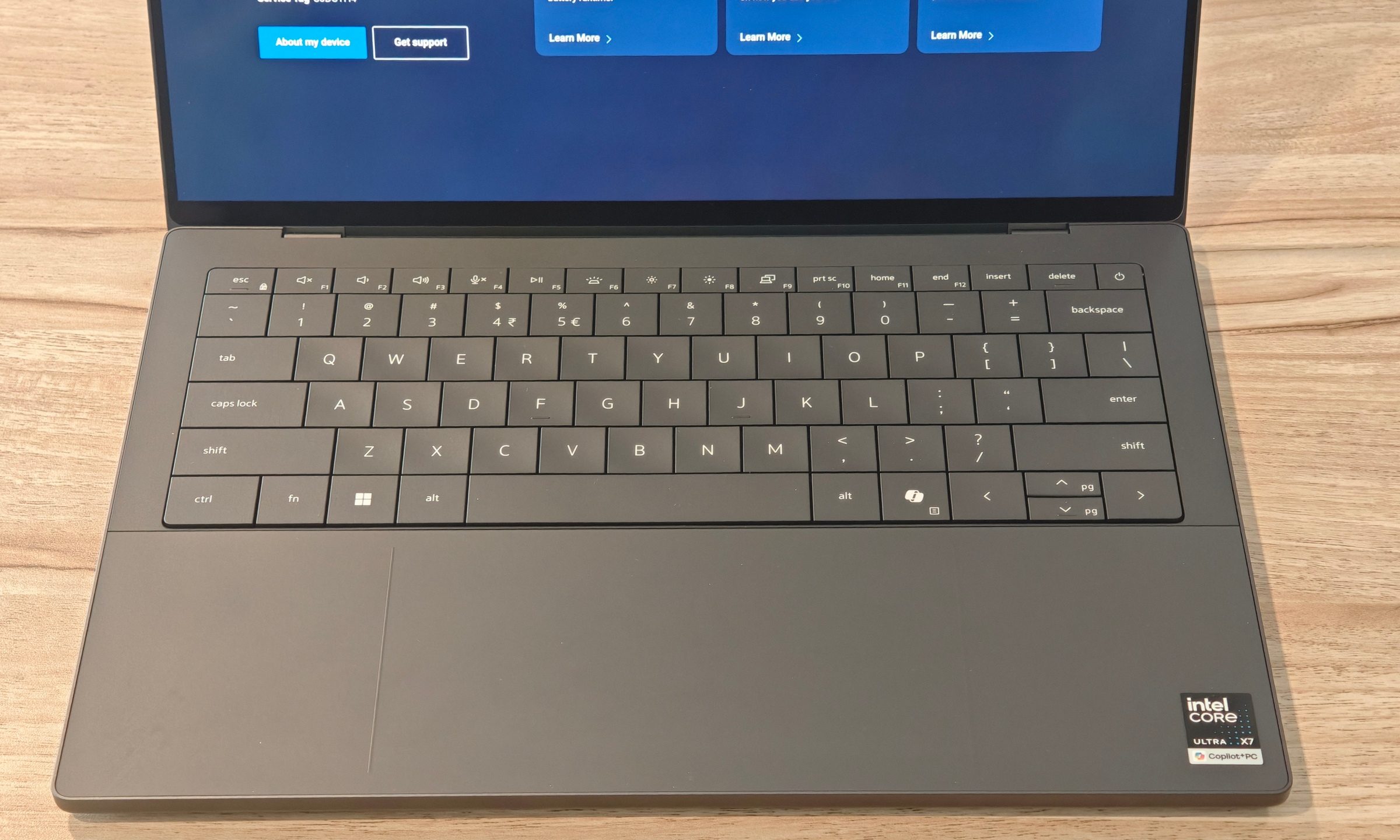
Key travel isn’t very deep. You can’t expect much from a laptop keyboard this thin, I know. Still, it felt quite mushy. I used it for my daily work, which involves a lot of typing, and it was comfortable even for longer sessions. The backlighting is decent, and the layout didn’t take much adjustment either.
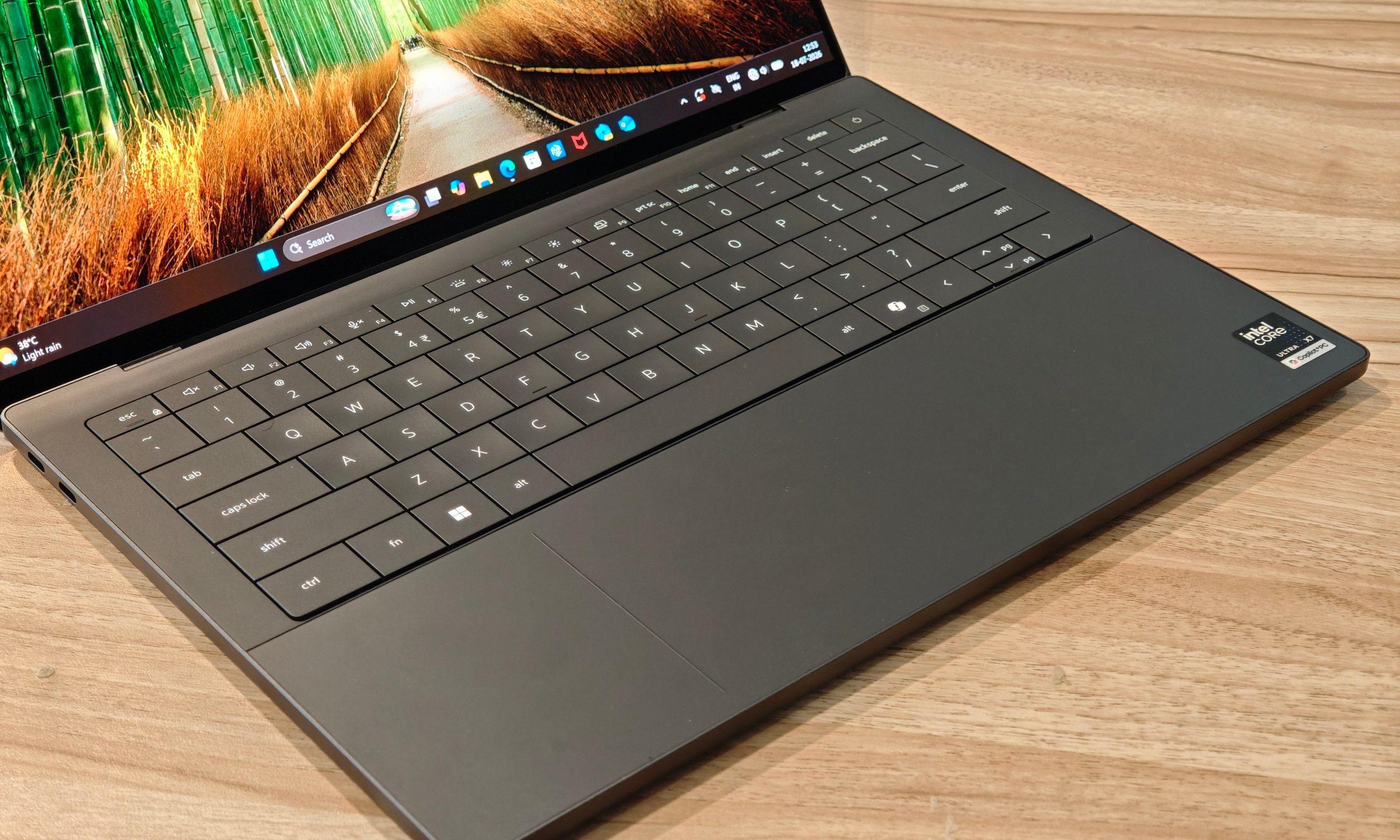
The haptic touchpad is a big win here. It is accurate and smooth, and I really wish more Windows laptops adopted this approach as standard, especially on premium models. The large size also ensured that I never lost track of its edges, even with the near-invisible design.
Keyboard and touchpad score: 8/10
Performance: This XPS packs a punch
Quick take: The Core Ultra X7 358H and Arc B390 make the XPS 14 much more capable than a typical thin-and-light.
The XPS 14 is powered by Intel’s Core Ultra X7 358H processor, paired with 32GB of RAM and a 1TB SSD. In regular use, it performed exactly how a premium productivity laptop should.
I had no trouble with a dozen or two dozen browser tabs, writing apps, research pages, and media playback running together. Even with multiple apps open, the laptop never broke a sweat. The 32GB memory clearly helps, though it is depressing how much it adds to the cost. RAMmageddon really has us by the chokehold.
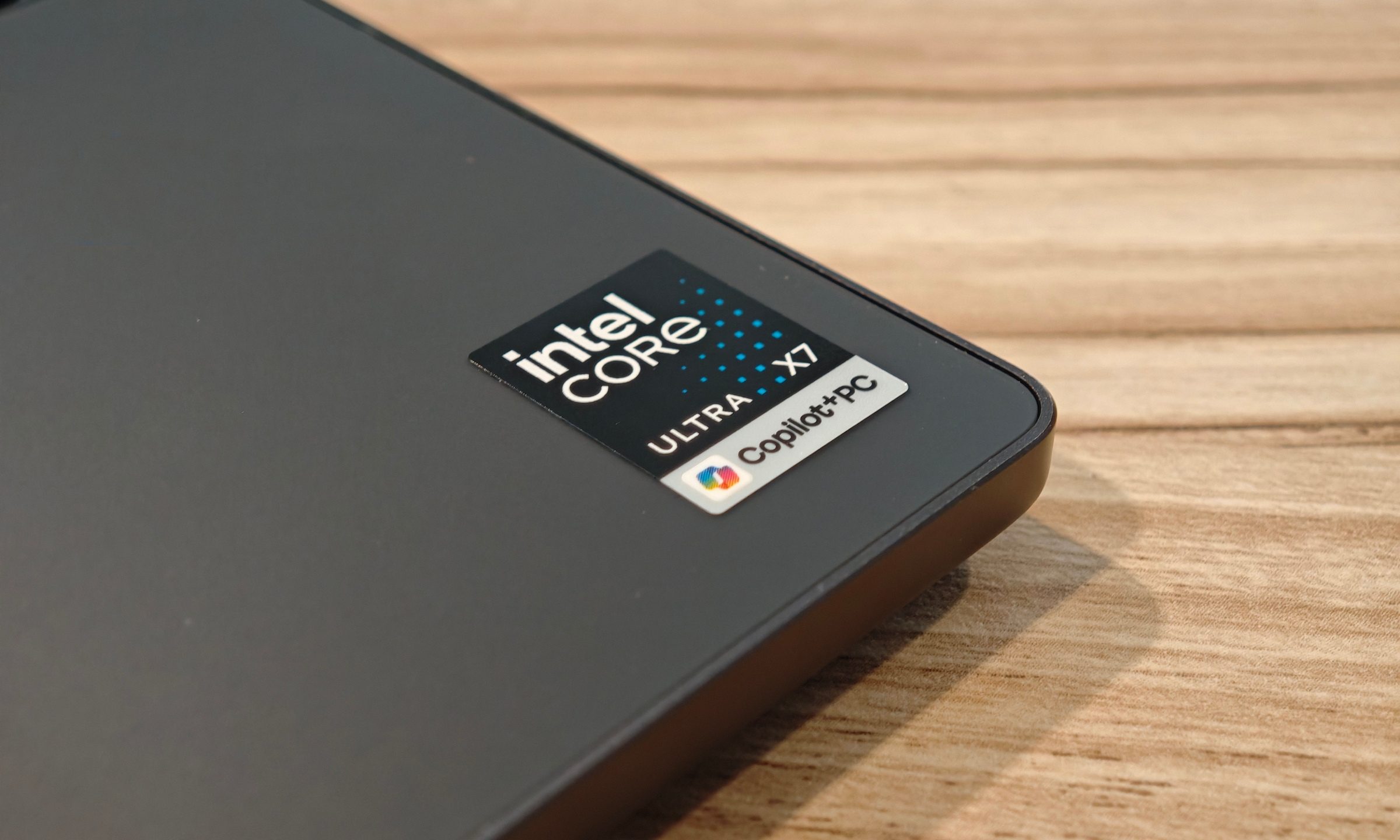
Apps opened quickly and consistently. Windows animations stayed smooth, and I never ran into crashes, freezes, or weird bugs during my testing. It felt reliable, which is sometimes more important than any benchmark chart.
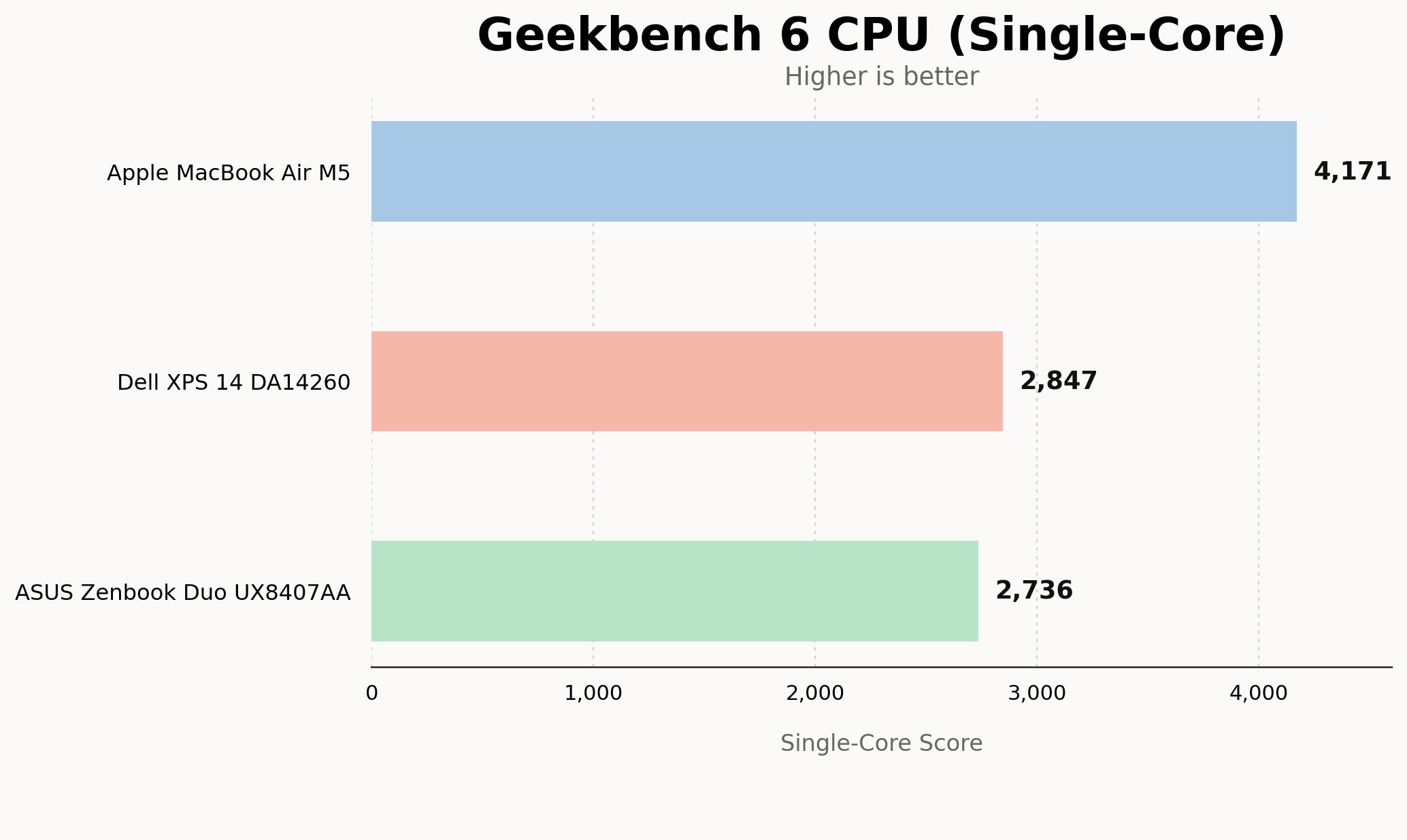
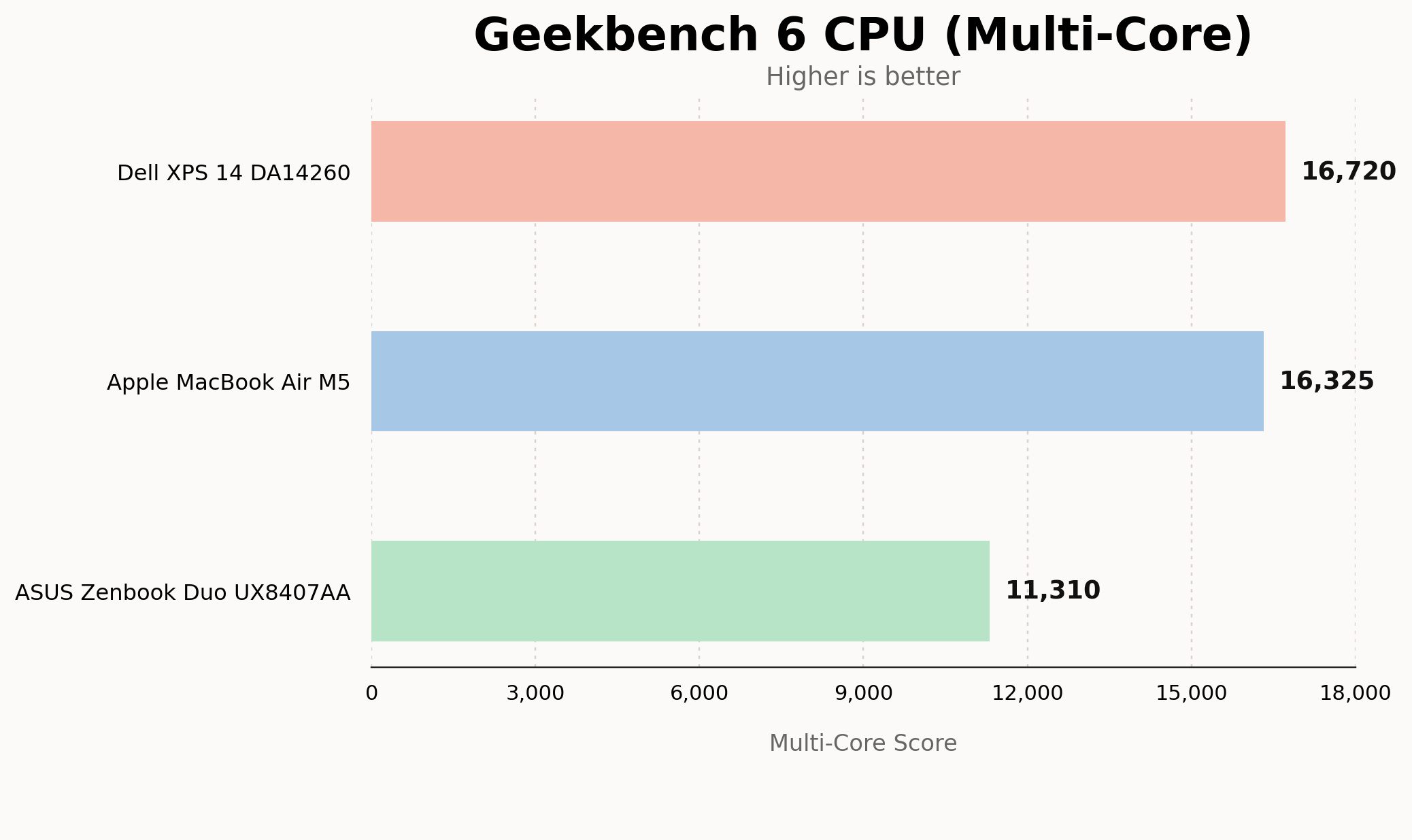
Speaking of which, the synthetic performance numbers are strong too. In Geekbench 6, the XPS 14 scored 2,847 in single-core and 16,720 in multi-core. This puts it slightly ahead of the M5 MacBook Air in multi-core, while Apple still has a massive lead in single-core performance.
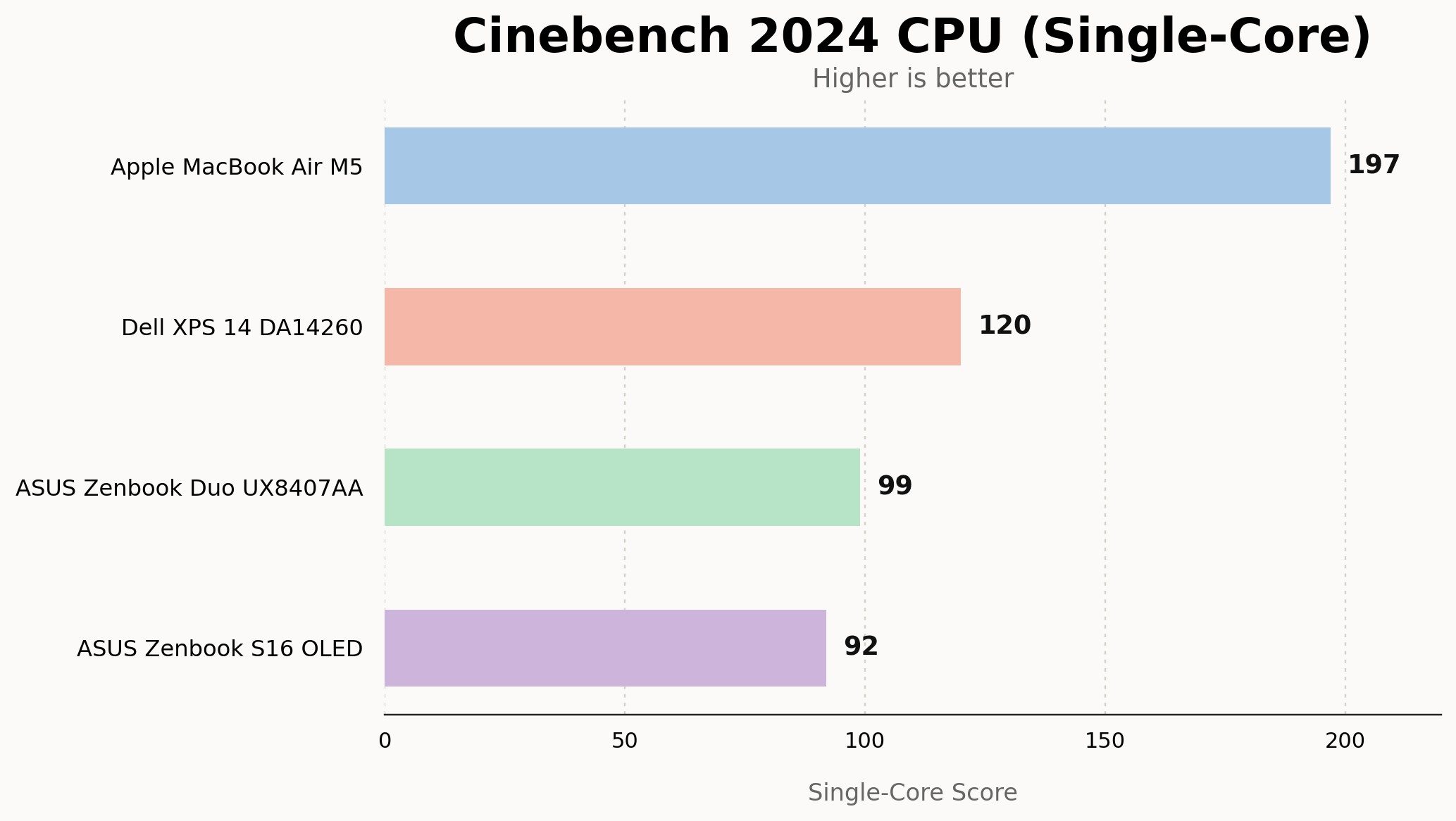
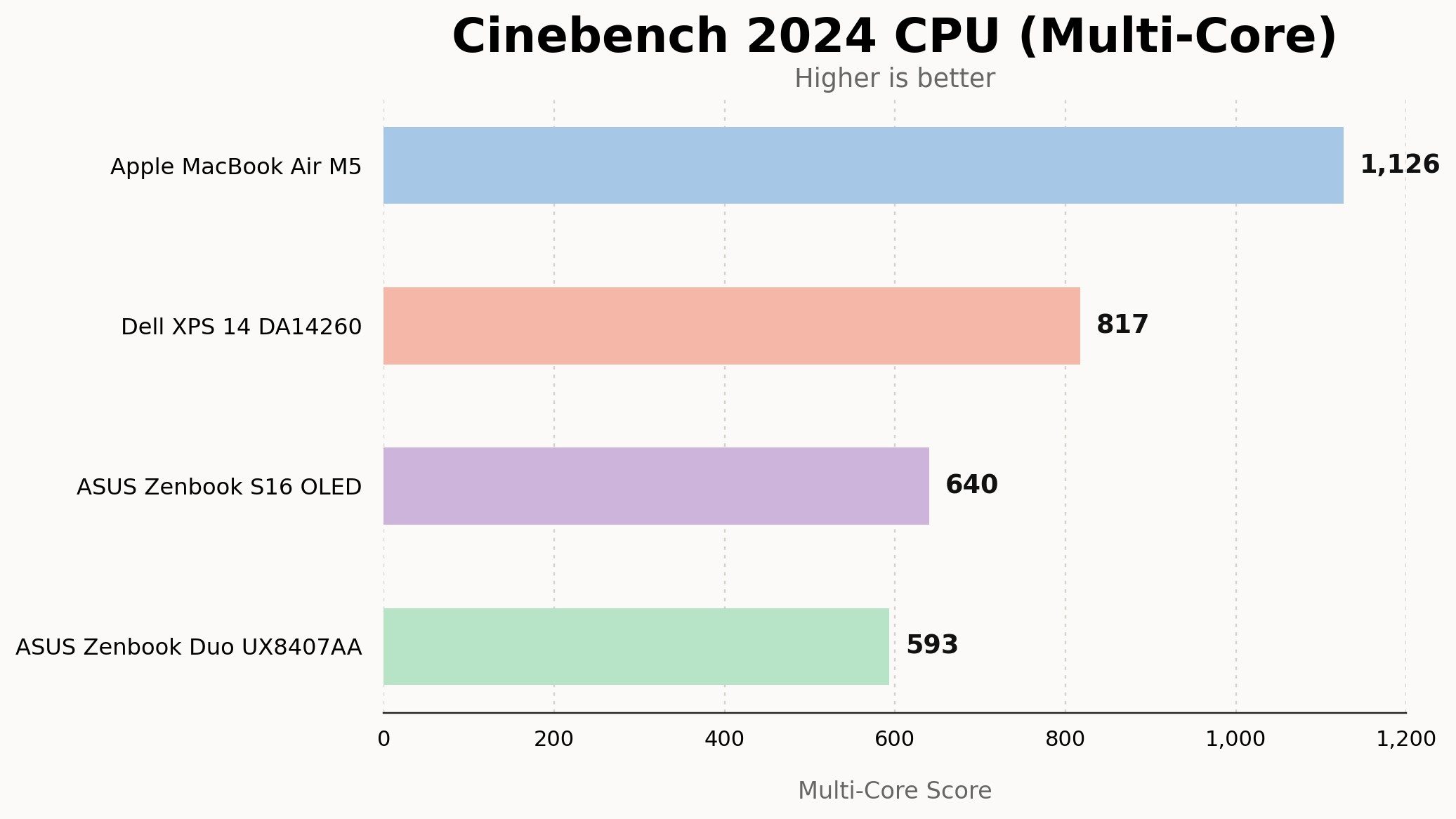
Cinebench 2024 produced 120 points in single-core and 817 in multi-core. So it outperformed both the Zenbook Duo and Zenbook S16 OLED. The MacBook Air M5 remains comfortably faster in the same test.
Storage performance was also excellent. CrystalDiskMark showed sequential reads of 6,520MB/s and writes of 5,665MB/s, which keeps file transfers, app launches, and general responsiveness quick.
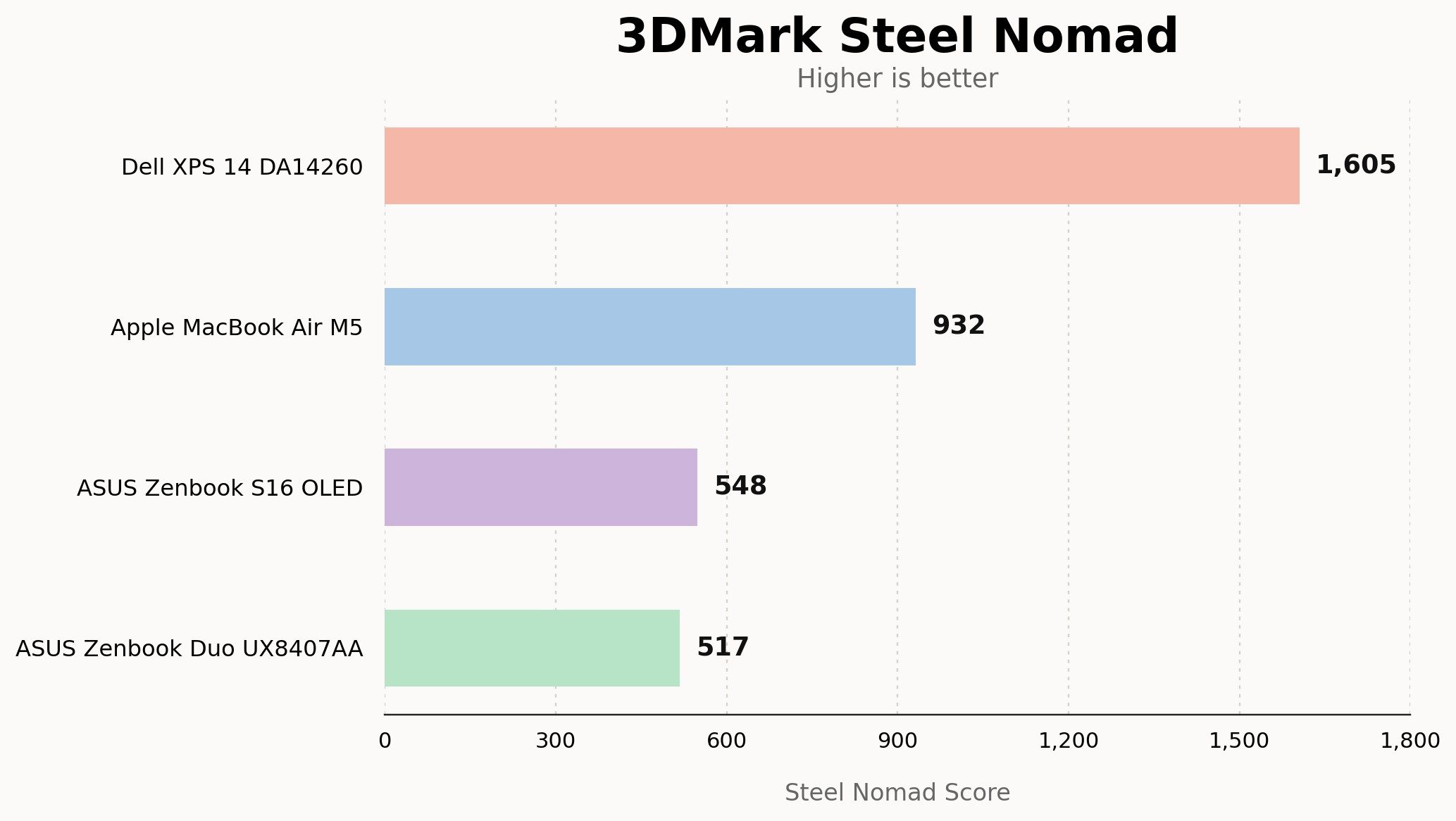
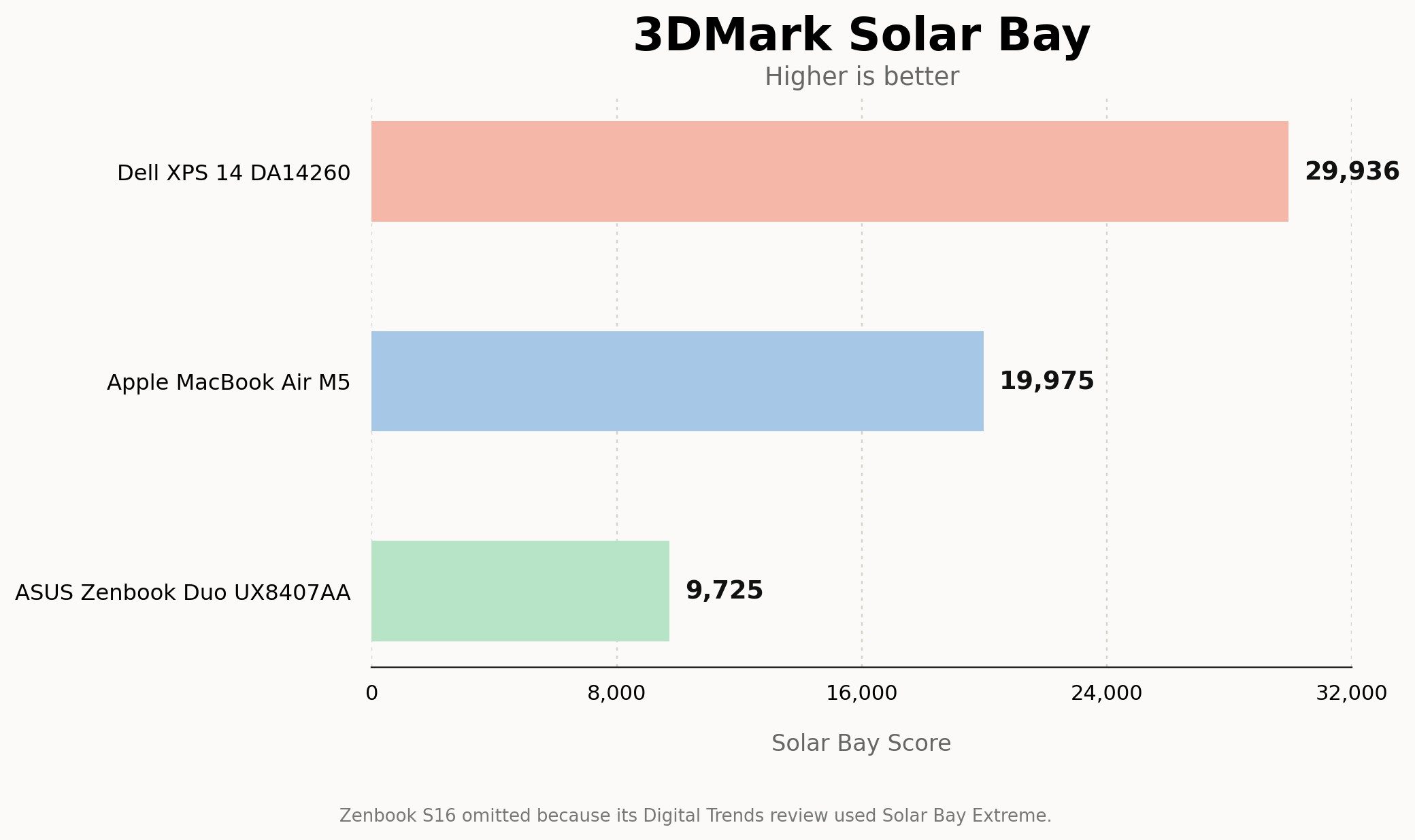
The most interesting part is graphics. The Arc B390 makes the XPS 14 feel much more capable than a typical integrated graphics laptop. It scored 1,605 in 3DMark Steel Nomad, well ahead of the M5 MacBook Air, Zenbook S16 OLED, and Zenbook Duo in our comparison set. Solar Bay was even more impressive, with the XPS 14 returning 29,936 points, compared with 19,975 on the M5 MacBook Air and 9,725 on the Zenbook Duo.
This doesn’t mean it’s a gaming laptop by any means. But Intel is catching up to AMD with its integrated graphics, which are now closer in performance to entry-level mobile graphics cards.
I even tried some light gaming on it, mainly with GTA V Enhanced Edition. Even at the native resolution of 2880 x 1800p at mostly high settings, I was easily seeing a stable framerate of over 60fps. Lowering the resolution down to 1200p and tweaking even more with the graphics settings can easily offer triple-digit framerates. Unfortunately, I couldn’t try more games this time. I’m planning a more in-depth piece about gaming on the Dell XPS 14, because this part genuinely surprised me.
Thermals were another pleasant surprise. Thin-and-light notebooks can run cool during regular work, then turn into a toasty metal slab the moment you push them hard. Dell managed to strike a solid balance here. During normal browsing, writing, and streaming, the XPS 14 stayed quiet and mostly cool. The fans didn’t spin up too often, and idle noise was practically nonexistent.
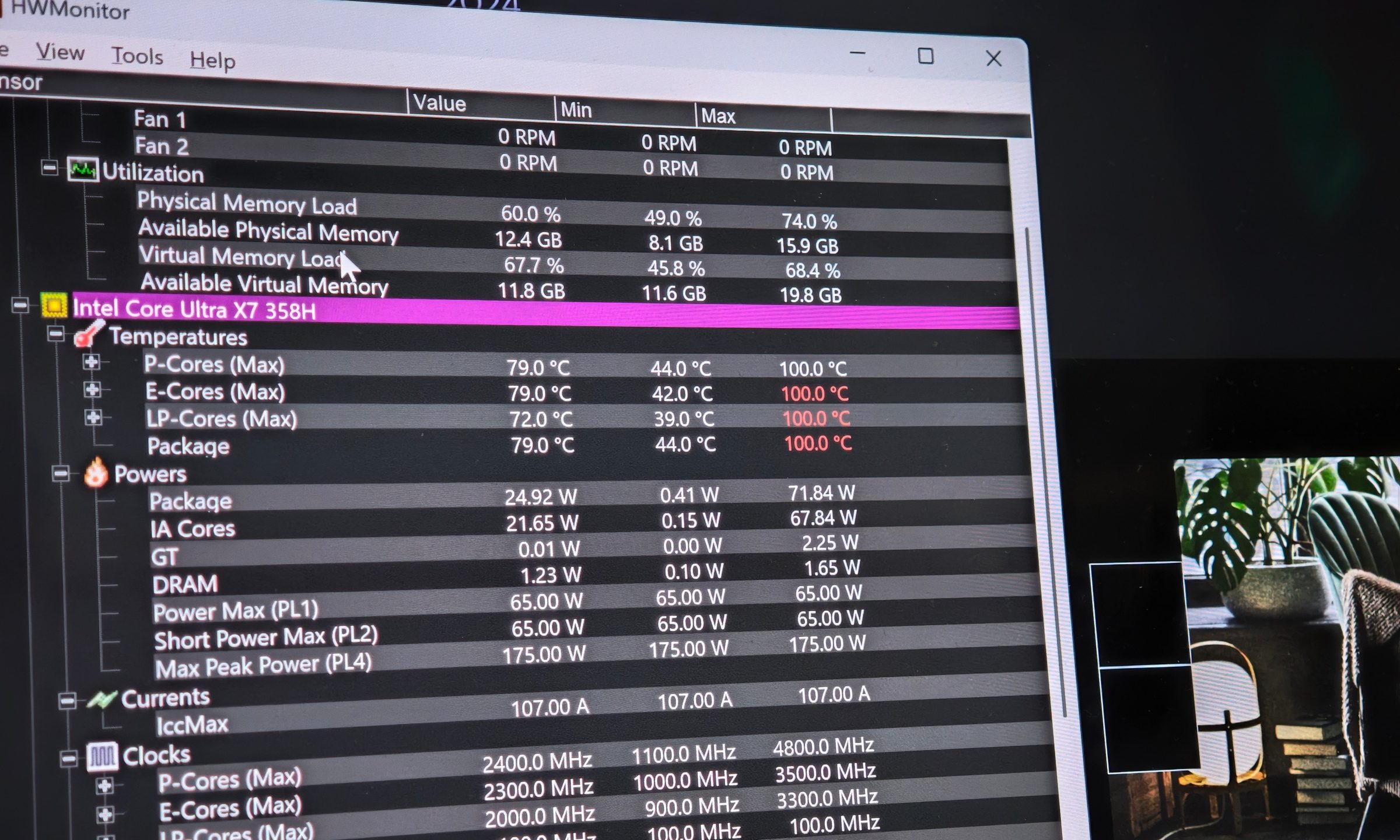
Only when I started pushing the XPS 14 during benchmarks did the fans become audible. I set the fans to max for the best performance, and even then, they didn’t sound like a jet getting ready to take off. Hotspots were mostly around the top part of the keyboard deck, so the palm rest and typing area stayed comfortable. On the lap, it remained fine, though I wouldn’t recommend doing heavy tasks that way.
Performance score: 9/10
Battery life: Much better than expected
Quick take: The XPS 14 lasts long enough to be a proper all-day work laptop.
Battery life was excellent for my workload. With the display usually at 70% to 80% brightness, HDR enabled, and the refresh rate set to its 20Hz to 120Hz variable mode, I was still comfortably getting around 13 hours of screen-on time. Keep in mind this was just for my daily tasks, so I wasn’t exactly having it run at full tilt.
Regardless, that’s roughly a day and a half of my usual browser and writing workload. Video streaming endurance was also strong, and standby drain was impressively low at just 1% to 2% over eight hours.
With this level of performance and a sharp OLED display, I expected more compromise. Instead, it behaved like a proper portable machine. I could lower the resolution or drop the refresh rate to 60Hz, which should make a big impact on endurance. But what’s the point of having a sharp and fluid OLED panel if you don’t get to use it all the time?
The MacBook Air M5 is still the obvious reference point for battery life and power efficiency, but the XPS 14 does enough here that I never felt like I was giving up endurance to stay on Windows.
Speakers, webcam, and ports
Quick take: The speakers are excellent, the webcam is fine, and the ports are very XPS.
Speakers on Windows laptops are something you’d hardly praise. I have reviewed a ton of laptops over the years, and they are usually passable at best, even in premium ranges. Only a few models have shown that the brands gave speakers some love, and I’m glad the XPS didn’t skimp here.
The loudness is excellent, with the laptop easily filling a room. I was happy using it for music and movies, and I even got to enjoy the FIFA World Cup finals on it. Max volume can get a little harsh, so 80% to 90% was the sweet spot for me. Stereo separation is solid, and this is a speaker setup I could rely on without immediately reaching for headphones. The only area where it fell behind the MacBook was bass. But with so many of the right boxes being ticked, I can live with a little imperfection.
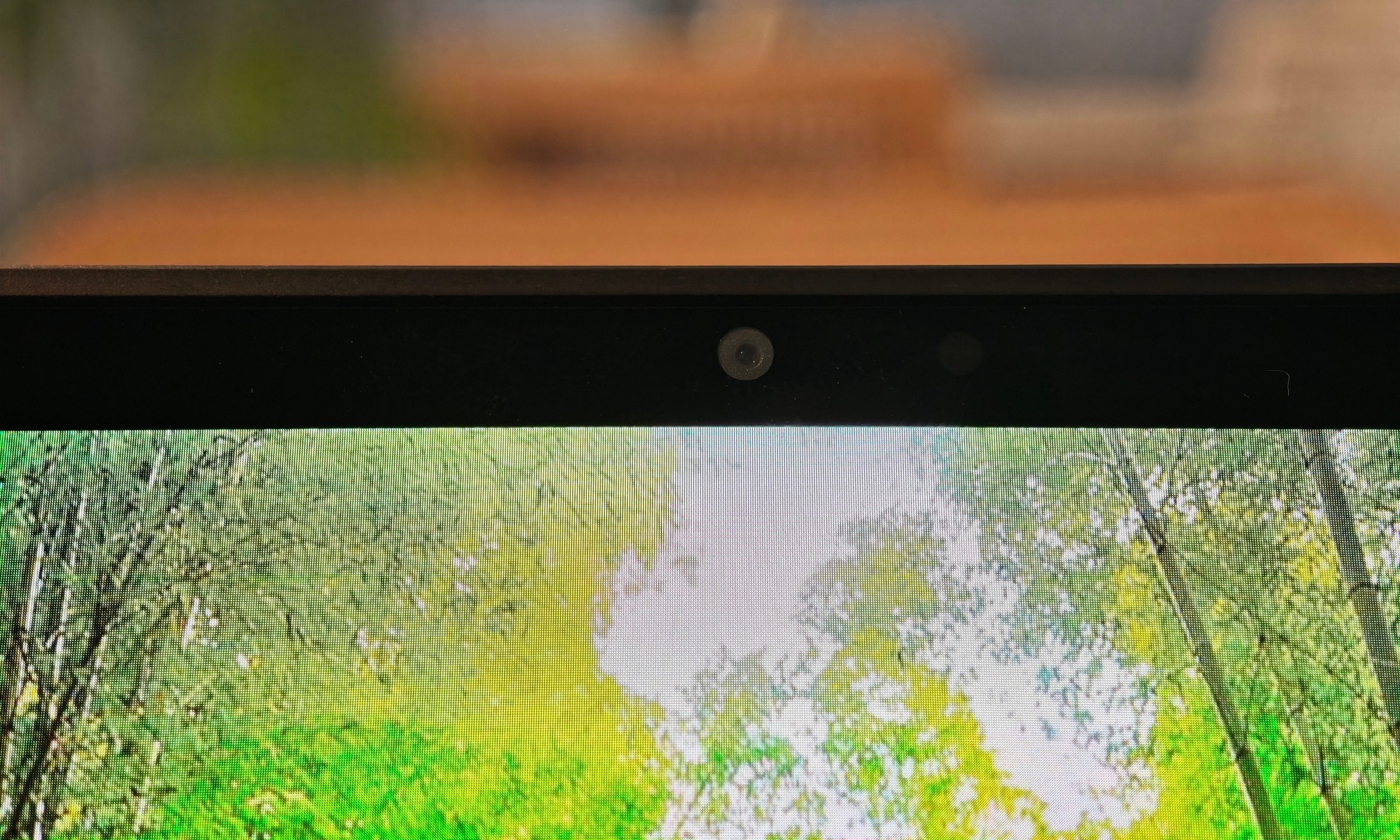
The webcam is decent in daylight and grainy in low light. It gets the job done for video calls and meetings, but I wouldn’t rely on it for much else. The microphones can also capture clear audio that’s good enough for the same scenarios.
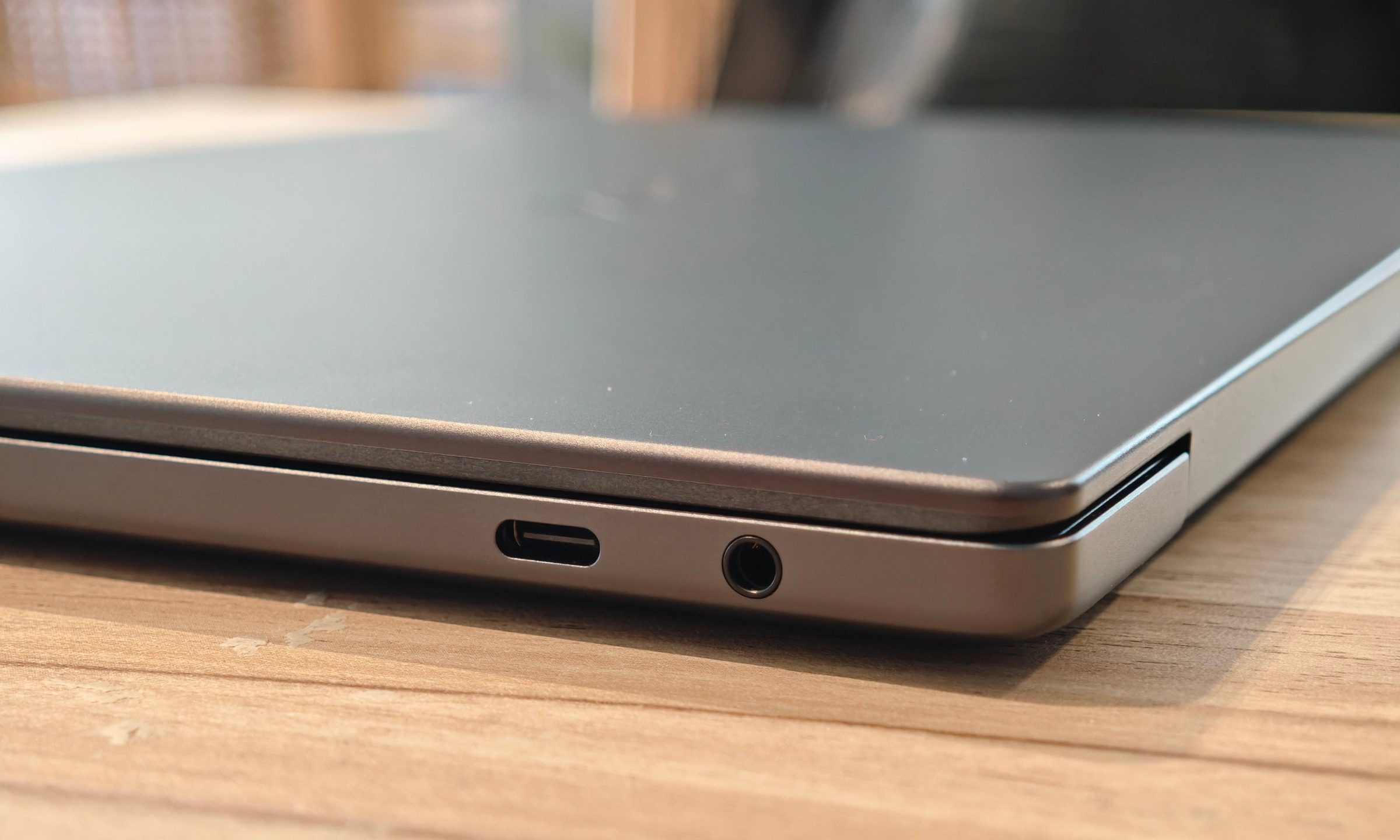
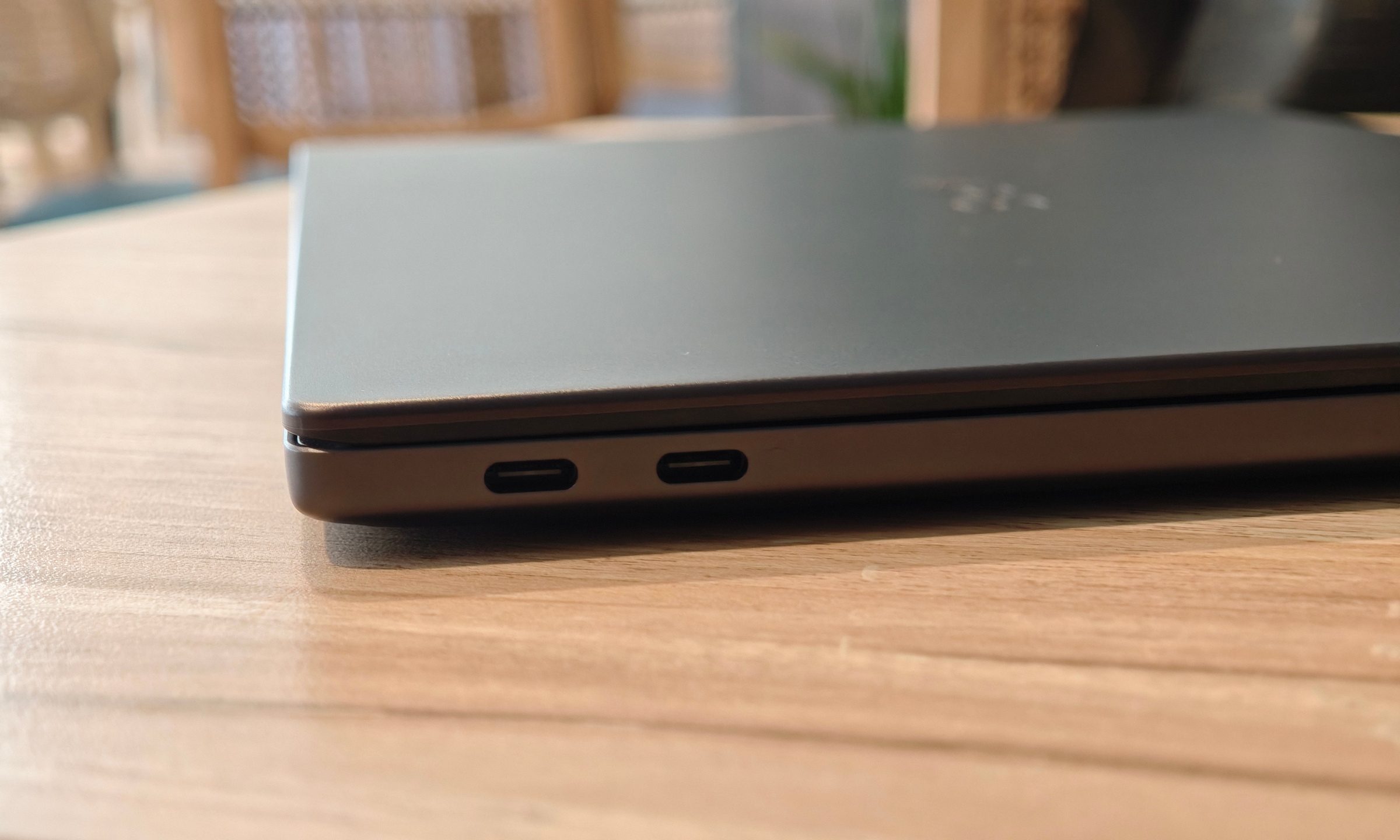
Port selection left me wanting more. In the pursuit of bringing a MacBook-like experience to Windows, ports also took a hit. You get three Thunderbolt 4 USB-C ports with DisplayPort 2.1 and Power Delivery, along with a universal audio jack. That’s fine for a modern premium laptop, but a single USB-A port would have been handy. You will need a dongle for accessories like a mouse. Wi-Fi and Bluetooth reliability were strong during my testing, helped by the Intel Wi-Fi 7 BE211 and Bluetooth 6.0 wireless card.
Software: Nothing you haven’t seen before
Dell’s software experience is refreshingly light. There is a simple app for managing power profiles, fan speeds, display settings, and a few other system controls. It stays out of the way, which is exactly what I want from this kind of laptop.
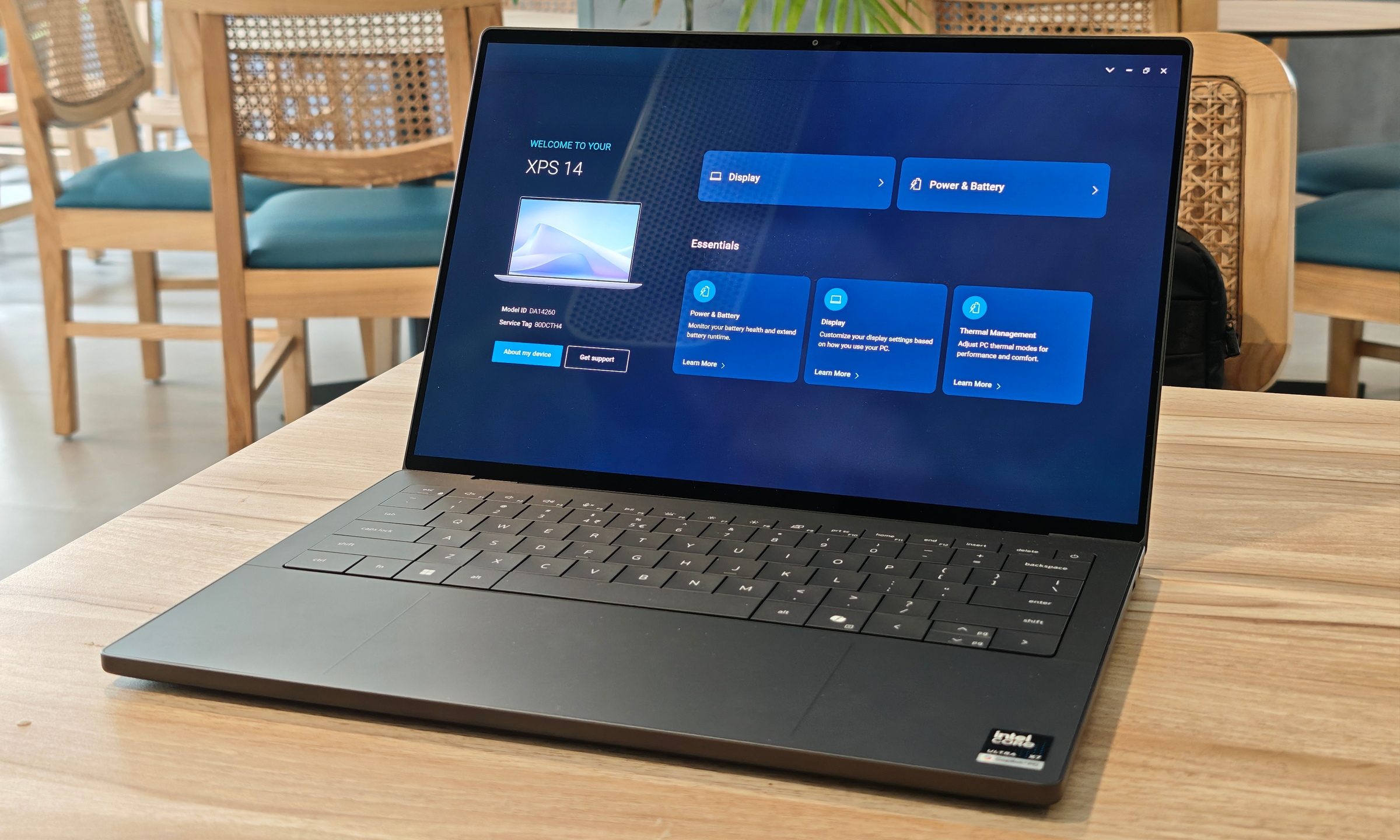
Running Windows might make some people worry about optimization, though I never ran into any of the infamous sleep/wake issues, random freezes, or touchpad inconsistencies. Windows laptops still have a habit of surprising you in all the wrong ways, and the XPS 14 avoided that during my two weeks of use.
Should you buy the Dell XPS 14?
The Dell XPS 14 is expensive. At $2,879.99, it is more than I can comfortably justify for most people. At the same time, the price isn’t exactly surprising anymore. Premium laptops are getting expensive, memory pricing is getting ridiculous, and this machine sits at the top end of Dell’s thin-and-light lineup.
What matters is that the XPS 14 delivers on the things it promises. The design is excellent, the OLED display is sharp and responsive, performance is strong, battery life is much better than expected, and the speakers are easily among the better ones I’ve used on a Windows laptop.
It is a great fit for productivity users, writers, creative professionals who need a color-accurate OLED display, and anyone who wants a premium Windows machine that is still portable. It also works for casual users with a lot of money to spend, though that is a much harder recommendation.
Gamers should stay away, for obvious reasons, and so should anyone who needs a dedicated GPU for heavy video work, 3D rendering, or more serious creative workloads. The Arc B390 is impressive, but it isn’t a proper replacement for a discrete GPU.
The XPS 14 still feels special. More importantly, it feels useful beyond the design. Dell’s iconic thin-and-light is back in form, and I’d personally pick this over several of the recent premium laptops I’ve tested.
Why not try
- Apple MacBook Air M5 – The MacBook Air M5 is the safer pick if you want a tighter ecosystem, excellent battery life, and Apple’s usual software consistency in a lighter package. It packs plenty of horsepower and is the de facto choice for many creative professionals who need that kind of reliability.
- ASUS Zenbook S16 OLED – The Zenbook S16 OLED is the most direct Windows alternative if you want a larger OLED display in a simpler and lighter-feeling package. It doesn’t match the XPS 14’s graphics performance, but its 16-inch OLED panel, premium Ceraluminum build, and lower price make it a strong choice for people who don’t need Dell’s extra GPU headroom.
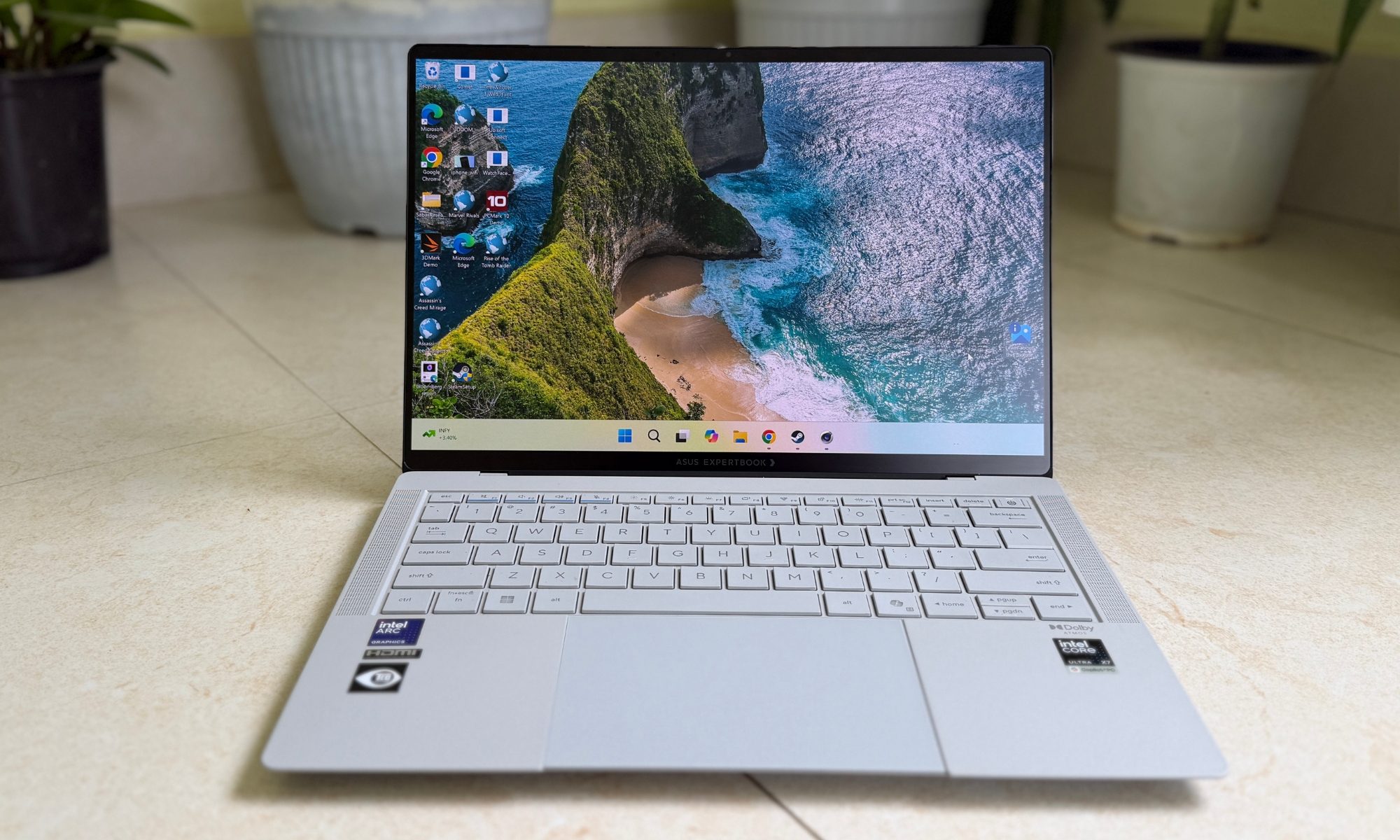
- ASUS ExpertBook Ultra – The ExpertBook Ultra is worth considering if portability and business-friendly practicality matter more than premium flair. However, its unique ceramic frame and equally impressive performance match the XPS 14 blow for blow. It even has the edge with a much brighter Tandem OLED panel that goes really well with one of the best anti-reflective screens on the market. ASUS calls it the industry flagship for a reason.
How we tested
I used the Dell XPS 14 DA14260 as my main work laptop for two weeks. My review unit was the graphite 124DJ01 configuration with Intel’s Core Ultra X7 358H processor, 32GB of memory, a 1TB SSD, Intel Arc B390 graphics, and a 2.8K OLED touchscreen running Windows 11 Home 25H2.
My regular workload included heavy browser use, writing, document work, media streaming, video calls, and everyday multitasking. Battery observations were made mostly on battery power with brightness around 70% to 80%, HDR enabled, and the display running at its 120Hz variable refresh rate.
Benchmarks were run while plugged in using Dell’s High Performance / Max Fan Speed profile and Windows Best Performance mode. Testing included Geekbench 6, Cinebench 2024, CrystalDiskMark, 3DMark Time Spy, Fire Strike, Night Raid, Steel Nomad, and Solar Bay. I also tested GTA V at 1080p and the native 2.8K resolution to get a practical sense of the Intel Arc B390 graphics performance.
%20102026%20top%20art%20SOURCE%20Govee.jpg "The Best Permanent Outdoor Lights (2026): Govee, Eufy, Cync")

