



Technologist Mag
  • Home
  • Tech News
  • AI
  • Apps
  • Gadgets
  • Gaming
  • Guides
  • Laptops
  • Mobiles
  • Wearables
  • More
    • Web Stories
    • Trending
    • Press Release

Subscribe to Updates

Get the latest tech news and updates directly to your inbox.

What's On
Shark Promo Codes for November 2026

Shark Promo Codes for November 2026

28 November 2026
The Galaxy S27 Ultra’s night photography may be the upgrade worth waiting for

The Galaxy S27 Ultra’s night photography may be the upgrade worth waiting for

28 November 2026
KitchenAid Promo Codes: Save Up to 20%

KitchenAid Promo Codes: Save Up to 20%

28 November 2026
Apple’s red HomePod mini 2 has already turned up on a store shelf

Apple’s red HomePod mini 2 has already turned up on a store shelf

28 November 2026
Best Dyson Vacuum Black Friday Deals for 2026: Up to 0 Off

Best Dyson Vacuum Black Friday Deals for 2026: Up to $400 Off

28 November 2026
Facebook X (Twitter) Instagram
Technologist Mag
SUBSCRIBE
  • Home
  • Tech News
  • AI
  • Apps
  • Gadgets
  • Gaming
  • Guides
  • Laptops
  • Mobiles
  • Wearables
  • More
    • Web Stories
    • Trending
    • Press Release
Technologist Mag
Home » Claude can now use your computer while you get other things done
Tech News

Claude can now use your computer while you get other things done

By technologistmag.com3 September 20263 Mins Read
Claude can now use your computer while you get other things done
Share
Facebook Twitter Reddit Telegram Pinterest Email

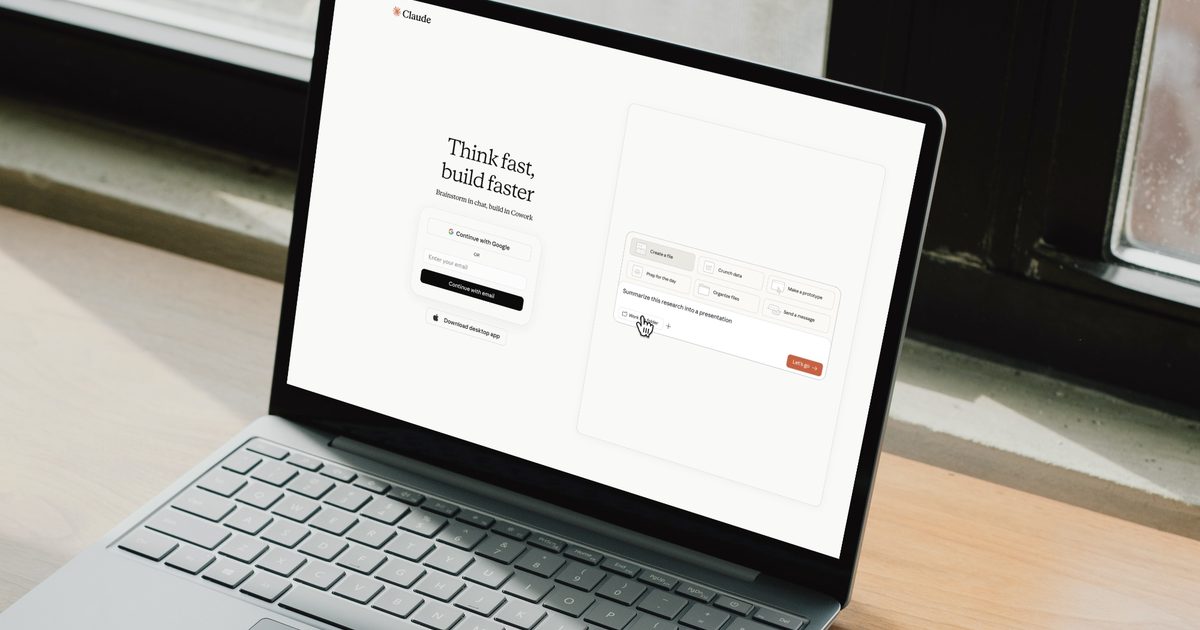
Anthropic just rolled out a genuinely useful update. Computer use in Claude Cowork and Claude Code now lets Claude work in the background on your Mac, meaning it clicks, types, and opens apps while you do literally anything else.

How does Claude work in the background without taking over my screen?

Claude now runs in a background window instead of taking over your display. That means you can keep browsing, writing, or coding while Claude quietly handles its own task behind the scenes.

Claude can now use your computer in the background in Claude Cowork and Claude Code.

Give it something to do on your desktop and Claude clicks, types, and opens apps just like you would, while you work on something else. pic.twitter.com/AOiup03pQK

— Claude (@claudeai) September 2, 2026

It won’t grab your mouse or keyboard mid-task, and it waits if you’re in the middle of typing. The only time it interrupts you is when a task needs the full screen, and even then, it asks permission first, just once per session.

What tool does Claude actually use to get things done?

Claude doesn’t jump straight to clicking around your screen. It first checks if a connector like Gmail, Google Drive, or Slack can handle the job, since that’s the fastest route. If there’s no connector, it tries your browser next, either the one built into Claude Desktop or your own Chrome browser through Claude in Chrome. 

Only when neither option works does Claude fall back to navigating your screen directly, handy for internal dashboards or specialized tools at work without a proper connector.

What can you actually hand off?

There’s plenty of busy work you can hand off to Claude. You could ask Claude to pull together a competitive analysis from local files and connected tools, then format it into a report. Or have it open your phone simulator, poke around the app you’re building, and flag any UX issues. And since Claude works in the background, if your task depends on a physical machine, it will keep chugging along even after you walk away from your desk, as long as your computer stays on.

The feature is currently in beta for Pro and Max plans and is available in Cowork and Claude Code on both macOS and Windows. Head to Settings → General → Computer use to turn it on, and make sure you read up on using Cowork safely before you let Claude loose on your desktop.

Share. Facebook Twitter Pinterest LinkedIn Telegram Reddit Email
Previous ArticleRange Rover Electric arrives with 543hp, 600km range, and a starting price of the moon
Next Article ABT Promo Codes & Discounts for September 2026

Related Articles

Shark Promo Codes for November 2026

Shark Promo Codes for November 2026

28 November 2026
The Galaxy S27 Ultra’s night photography may be the upgrade worth waiting for

The Galaxy S27 Ultra’s night photography may be the upgrade worth waiting for

28 November 2026
KitchenAid Promo Codes: Save Up to 20%

KitchenAid Promo Codes: Save Up to 20%

28 November 2026
Apple’s red HomePod mini 2 has already turned up on a store shelf

Apple’s red HomePod mini 2 has already turned up on a store shelf

28 November 2026
Best Dyson Vacuum Black Friday Deals for 2026: Up to 0 Off

Best Dyson Vacuum Black Friday Deals for 2026: Up to $400 Off

28 November 2026
Scientists turn internet cables buried under the sea into an earthquake sensing system

Scientists turn internet cables buried under the sea into an earthquake sensing system

28 November 2026
Stay In Touch
  • Facebook
  • Twitter
  • Pinterest
  • Instagram
  • YouTube
  • Vimeo

Subscribe to Updates

Get the latest tech news and updates directly to your inbox.

Don't Miss
The Galaxy S27 Ultra’s night photography may be the upgrade worth waiting for

The Galaxy S27 Ultra’s night photography may be the upgrade worth waiting for

By technologistmag.com28 November 2026

Every Galaxy S27 Ultra camera leak has been about Samsung taking away key features, with…

KitchenAid Promo Codes: Save Up to 20%

KitchenAid Promo Codes: Save Up to 20%

28 November 2026
Apple’s red HomePod mini 2 has already turned up on a store shelf

Apple’s red HomePod mini 2 has already turned up on a store shelf

28 November 2026
Best Dyson Vacuum Black Friday Deals for 2026: Up to 0 Off

Best Dyson Vacuum Black Friday Deals for 2026: Up to $400 Off

28 November 2026
Scientists turn internet cables buried under the sea into an earthquake sensing system

Scientists turn internet cables buried under the sea into an earthquake sensing system

28 November 2026
Technologist Mag
Facebook X (Twitter) Instagram Pinterest
  • Privacy
  • Terms
  • Advertise
  • Contact
© 2026 Technologist Mag. All Rights Reserved.

Type above and press Enter to search. Press Esc to cancel.