





Technologist Mag
  • Home
  • Tech News
  • AI
  • Apps
  • Gadgets
  • Gaming
  • Guides
  • Laptops
  • Mobiles
  • Wearables
  • More
    • Web Stories
    • Trending
    • Press Release

Subscribe to Updates

Get the latest tech news and updates directly to your inbox.

What's On
What You Need to Know About the Foreign-Made Router Ban in the US

What You Need to Know About the Foreign-Made Router Ban in the US

20 September 2026
Meta’s Muse Is Better at Surveilling Than Helping Me

Meta’s Muse Is Better at Surveilling Than Helping Me

20 September 2026
It’s Donald Trump Versus MAGA on Data Centers

It’s Donald Trump Versus MAGA on Data Centers

20 September 2026
Welcome to Dogs Anonymous, the Online Support Group for People With Difficult Dogs

Welcome to Dogs Anonymous, the Online Support Group for People With Difficult Dogs

20 September 2026
Review: Thermacell LIV Smart Mosquito Repellent System 2.0

Review: Thermacell LIV Smart Mosquito Repellent System 2.0

20 September 2026
Facebook X (Twitter) Instagram
Technologist Mag
SUBSCRIBE
  • Home
  • Tech News
  • AI
  • Apps
  • Gadgets
  • Gaming
  • Guides
  • Laptops
  • Mobiles
  • Wearables
  • More
    • Web Stories
    • Trending
    • Press Release
Technologist Mag
Home » Adobe is putting its entire creative ecosystem inside ChatGPT with one unified plugin
Tech News

Adobe is putting its entire creative ecosystem inside ChatGPT with one unified plugin

By technologistmag.com6 August 20262 Mins Read
Adobe is putting its entire creative ecosystem inside ChatGPT with one unified plugin
Share
Facebook Twitter Reddit Telegram Pinterest Email

A lot of my friends spent too many hours bouncing back and forth between ChatGPT and Photoshop, trying to turn an idea into a vision. Adobe just closed that gap. 

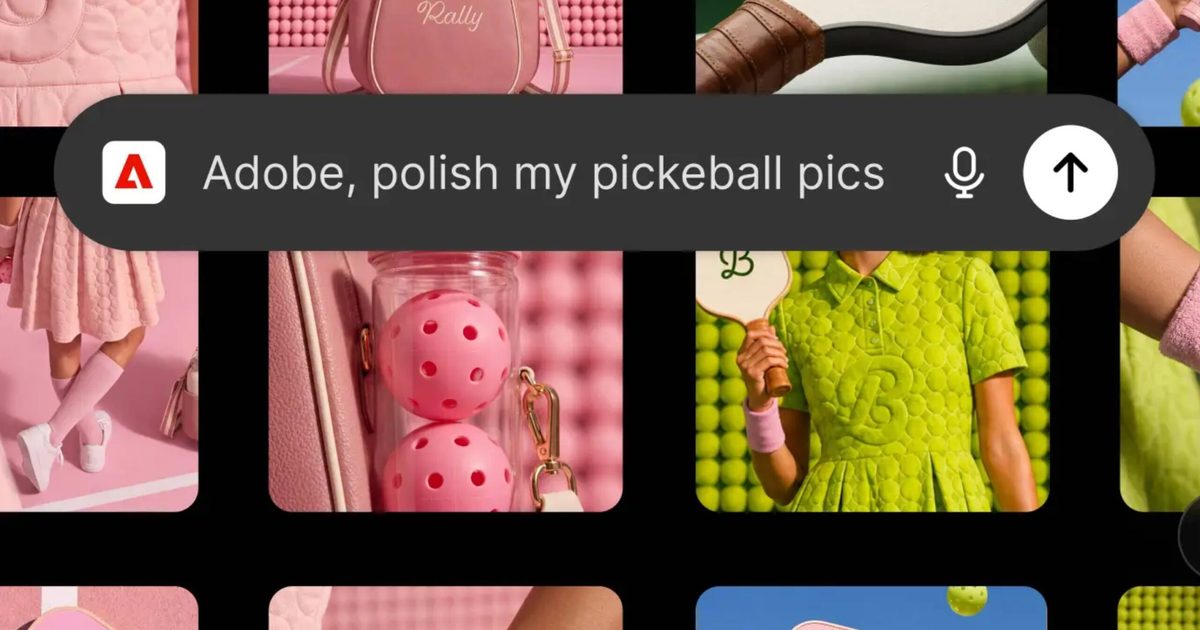
The company has launched a single plugin that can pull over 70 of its creative and productivity tools directly into your chat with ChatGPT.

So what can you actually do with this plugin?

Instead of separate Adobe connectors like before, ChatGPT users now get one unified plugin that covers a variety of Adobe tools, including Photoshop, Premiere, Firefly, and Lightroom, among others. 

You can simply describe what you want, and the ChatGPT plugin figures out which Adobe tools are required to fulfill the request. Then, it invokes those tools behind the scenes to get you there, without any manual back-and-forth whatsoever. 

Practical examples Adobe’s highlighting include applying one consistent visual style across a batch of product photos, saving the results straight to Creative Cloud, or turning a single strong shot into a packaging mockup without opening anything else.

What about video and document work?

You can hand ChatGPT a long video recording, ask it to create a highlight reel, then have it reformatted for YouTube Shorts. Instagram Reels, or a TikTok video. Document and design work benefits too, letting you pull from thousands of templates and swap in your own copy and colors, 

You can also animate the result for social media or export it as a print-ready PDF. Despite ChatGPT being able to invoke the most popular Adobe tools and getting some of the most tedious work done via a natural language command, Adobe’s clear that this isn’t meant to replace its full apps entirely, and I can see why.

While you can expect ChatGPT to get a quick first draft by handing off the required task to Photoshop, Premiere, or Express, the chatbot doesn’t guarantee pixel-perfect results for creative designs or deeper video editing. 

To me, it sounds like Adobe simply wants to consolidate all its ChatGPT connectors into one solid plugin to save the users’ time and effort. On OpenAI’s end, this ensures that ChatGPT users aren’t exiting the chatbot the moment they need something that’s not text or research.

Share. Facebook Twitter Pinterest LinkedIn Telegram Reddit Email
Previous ArticleHackers Stalked Me by Hijacking a Smartwatch for Kids
Next Article ICE’s DNA Collection Increases, SpaceX’s Rocket Crashes Into the Moon, and the AI Backlash Grows

Related Articles

What You Need to Know About the Foreign-Made Router Ban in the US

What You Need to Know About the Foreign-Made Router Ban in the US

20 September 2026
Meta’s Muse Is Better at Surveilling Than Helping Me

Meta’s Muse Is Better at Surveilling Than Helping Me

20 September 2026
It’s Donald Trump Versus MAGA on Data Centers

It’s Donald Trump Versus MAGA on Data Centers

20 September 2026
Welcome to Dogs Anonymous, the Online Support Group for People With Difficult Dogs

Welcome to Dogs Anonymous, the Online Support Group for People With Difficult Dogs

20 September 2026
Review: Thermacell LIV Smart Mosquito Repellent System 2.0

Review: Thermacell LIV Smart Mosquito Repellent System 2.0

20 September 2026
Meet the Academics Trying to Stop You From Having Sex in Robotaxis

Meet the Academics Trying to Stop You From Having Sex in Robotaxis

20 September 2026
Stay In Touch
  • Facebook
  • Twitter
  • Pinterest
  • Instagram
  • YouTube
  • Vimeo

Subscribe to Updates

Get the latest tech news and updates directly to your inbox.

Don't Miss
Meta’s Muse Is Better at Surveilling Than Helping Me

Meta’s Muse Is Better at Surveilling Than Helping Me

By technologistmag.com20 September 2026

“I do see this as a continued trajectory of their main business model of controlling…

It’s Donald Trump Versus MAGA on Data Centers

It’s Donald Trump Versus MAGA on Data Centers

20 September 2026
Welcome to Dogs Anonymous, the Online Support Group for People With Difficult Dogs

Welcome to Dogs Anonymous, the Online Support Group for People With Difficult Dogs

20 September 2026
Review: Thermacell LIV Smart Mosquito Repellent System 2.0

Review: Thermacell LIV Smart Mosquito Repellent System 2.0

20 September 2026
Meet the Academics Trying to Stop You From Having Sex in Robotaxis

Meet the Academics Trying to Stop You From Having Sex in Robotaxis

20 September 2026
Technologist Mag
Facebook X (Twitter) Instagram Pinterest
  • Privacy
  • Terms
  • Advertise
  • Contact
© 2026 Technologist Mag. All Rights Reserved.

Type above and press Enter to search. Press Esc to cancel.