



.jpg "Review: Factor Prepared Meals (2026)")





If your Windows 11 PC suddenly looks low on storage, your downloads folder or game library may not be the problem. According to Windows Latest, a bug tied to a Windows system file can silently consume tens or even hundreds of gigabytes on the system drive.
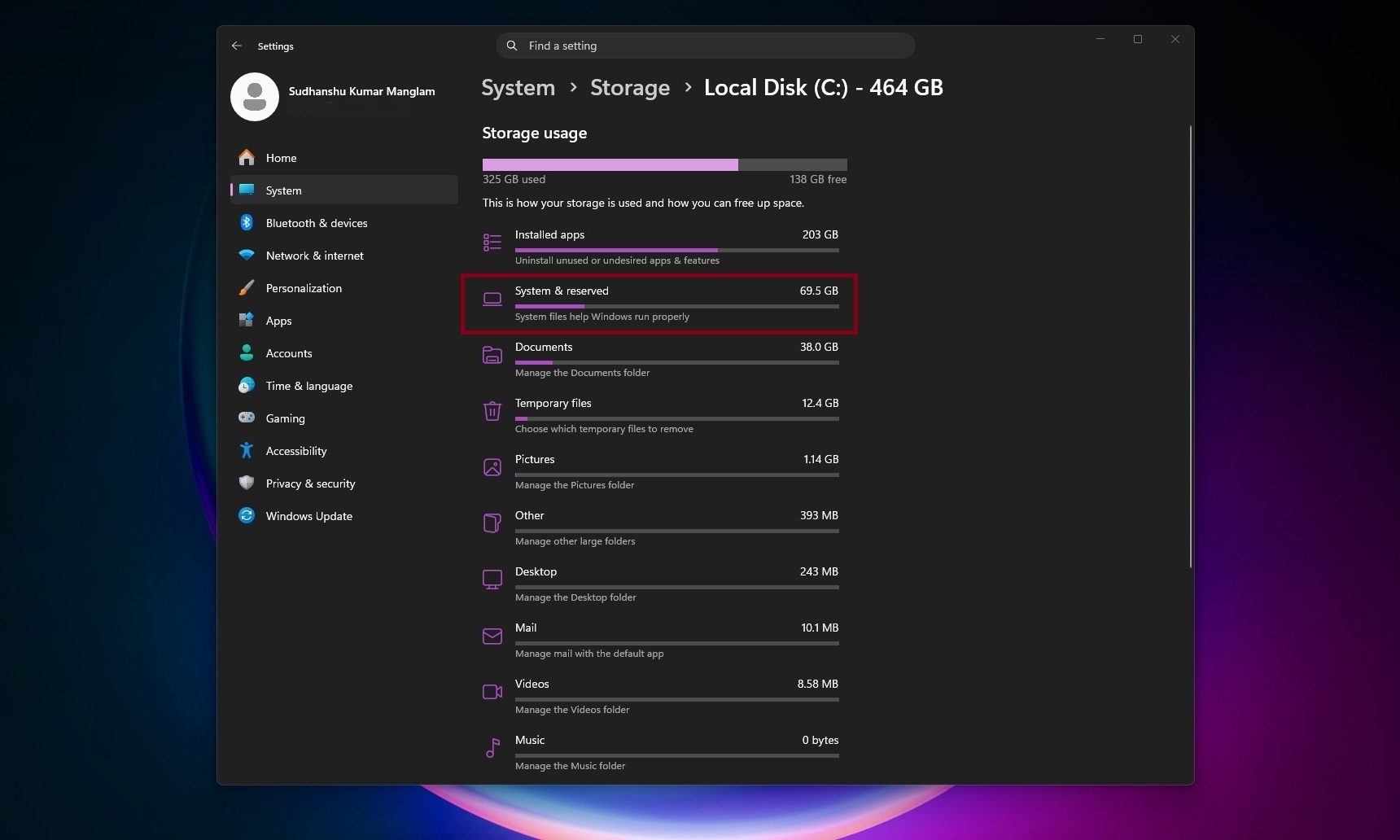
The file in question is called CapabilityAccessManager.db-wal, and it sits inside Windows’ Capability Access Manager folder. Windows Latest says the issue may appear as unusually high “System files” usage in Windows 11’s storage breakdown, even though the Settings app does not clearly identify the exact file responsible. In some reported cases, users saw it grow to 200GB, and even more.
So, what is eating the storage?
Capability Access Manager is linked to app permissions and privacy-related activity in Windows 11. Broadly, it helps track access requests for features such as the camera, microphone, location, and screen capture.
The problem appears to involve the write-ahead log file attached to that database. A log file like this can grow temporarily, but it should not keep expanding until it takes over the C drive. Windows Latest says the file may keep logging repeated events and fail to compact properly, which explains why affected PCs can lose storage without an obvious culprit.
How do you check and fix it?
The easiest place to start is in Settings. Navigate to System, then Storage, click on Show more categories, and then System & reserved. If System files are using hundreds of gigabytes, your PC may be affected. You can check the size of your CapabilityAccessManager.db-wal file directly, but it requires jumping through a few hoops. First, you’ll need to boot your PC in safe mode, navigating to Local Disc (C) > Program Data (usually hidden) > Microsoft > Windows > CapabilityAccessManager.

Microsoft has not published a detailed public explanation of the bug, but it did mention in the Windows 11 KB5095093 release notes that the update improves disk space usage for the CapabilityAccessManager.db-wal file.
The safest fix is to install KB5095093 from Windows Update, or wait for the July 2026 Patch Tuesday release where the same fix is expected to roll out more widely. If your drive is already full, install Microsoft’s update first rather than manually deleting the CapabilityAccessManager.db-wal file. It is a protected Windows system file, and removing or changing it while Windows is running could create more problems. Some users on Reddit have reported losing their WiFi functionality after deleting CapabilityAccessManager.db-wal.
