

Technologist Mag
  • Home
  • Tech News
  • AI
  • Apps
  • Gadgets
  • Gaming
  • Guides
  • Laptops
  • Mobiles
  • Wearables
  • More
    • Web Stories
    • Trending
    • Press Release

Subscribe to Updates

Get the latest tech news and updates directly to your inbox.

What's On
Apple Mac Mini M6 and Mac Studio M5 Ultra: Specs, Price, Release Date

Apple Mac Mini M6 and Mac Studio M5 Ultra: Specs, Price, Release Date

25 August 2026
Apple just gave Mac mini a huge performance boost with M6, and a fat price hike

Apple just gave Mac mini a huge performance boost with M6, and a fat price hike

25 August 2026
The County Prosecutors Who Became ICE Informants

The County Prosecutors Who Became ICE Informants

25 August 2026
Nothing OS 5.0 wants you to stop switching apps and start living in your phone

Nothing OS 5.0 wants you to stop switching apps and start living in your phone

25 August 2026
The 4 Best Car Phone Mounts I’ve Tried (2026): Belkin, Andery, Andobil

The 4 Best Car Phone Mounts I’ve Tried (2026): Belkin, Andery, Andobil

25 August 2026
Facebook X (Twitter) Instagram
Technologist Mag
SUBSCRIBE
  • Home
  • Tech News
  • AI
  • Apps
  • Gadgets
  • Gaming
  • Guides
  • Laptops
  • Mobiles
  • Wearables
  • More
    • Web Stories
    • Trending
    • Press Release
Technologist Mag
Home » Nothing OS 5.0 wants you to stop switching apps and start living in your phone
Tech News

Nothing OS 5.0 wants you to stop switching apps and start living in your phone

By technologistmag.com25 August 20263 Mins Read
Nothing OS 5.0 wants you to stop switching apps and start living in your phone
Share
Facebook Twitter Reddit Telegram Pinterest Email

Nothing has officially confirmed Nothing OS 5.0, and based on what the team showed off in a recent company update video, this release is chasing one very specific goal: making the hardware and software finally feel like they came from the same brain, instead of two things bolted together.

Why is Nothing doing a design overhaul now?

Nothing’s design lead explained that ever since the Phone 1, the company has wanted its hardware and software to feel like a single product. The industrial design language that started with the Ear 1 carried over to the phones, but the software side took longer to catch up. OS 5.0 is being positioned as the version where that finally happens, bringing years of gradual design evolution together in one place.

The update brings the Geist font, already used across Nothing’s marketing and playgrounds, into the OS itself. The system also leans harder into transparency, so widgets now sit on top of your wallpaper with a sense of depth instead of floating flat above it. That same design thinking, covering typography, icons, and colors, will run across the camera, gallery, widgets, settings pages, and the launcher.

How much can you customize?

Nothing is adding lots of customization features with the latest update. It’s adding two new clock face styles on the lock screen, one smooth and minimal, and another detailed and terminal-like, giving users both ends of the customization spectrum. Onboarding is getting simplified, making it easier for users to set up their phone. There’s also batch editing, so you can move multiple home screen elements around at once instead of dragging them one by one.

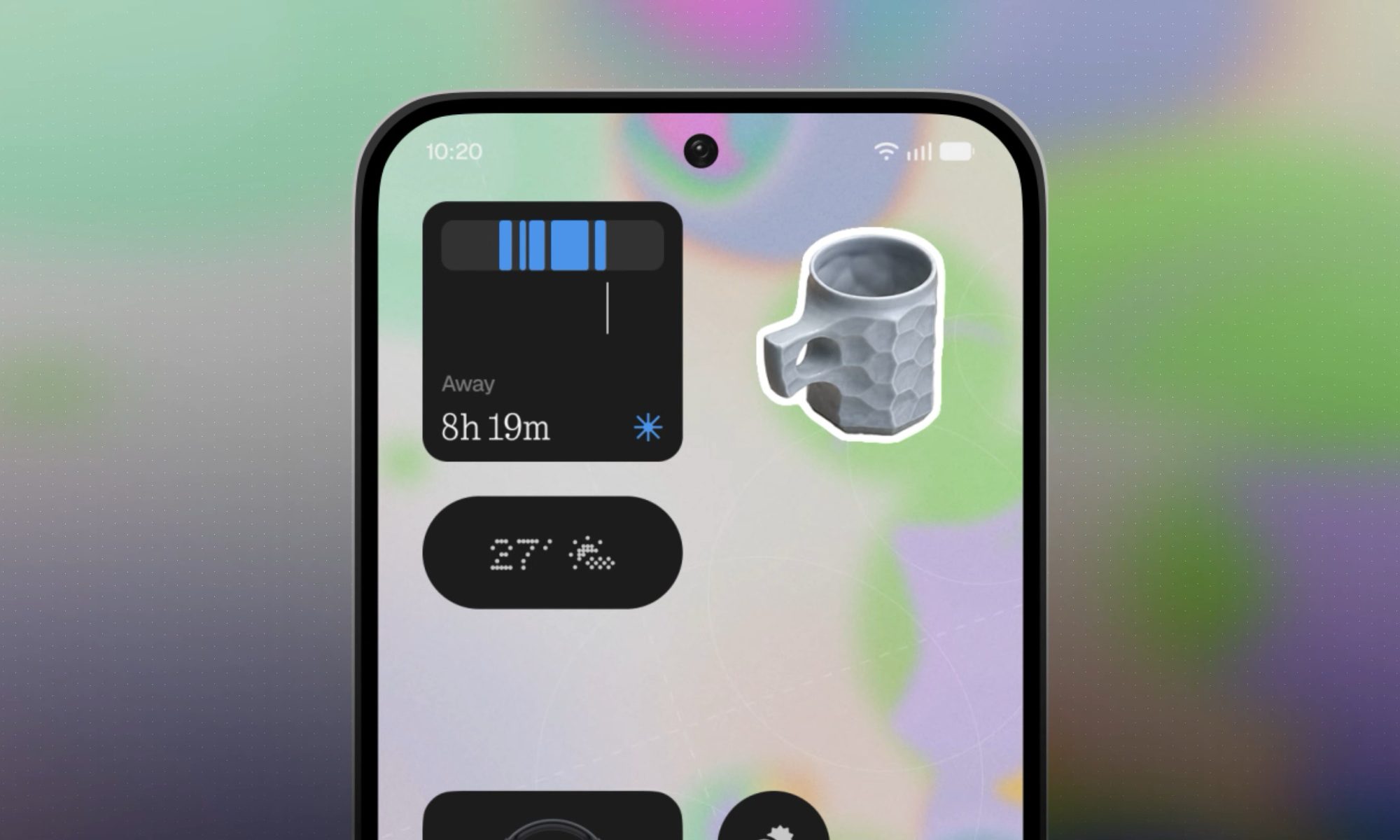
Glyph fans get their own dedicated Glyph app. Nothing admits people love their glyphs but often find them tricky to configure. That’s why the company will release a new app to make it easier for users to customize the phone’s glyph interface. Two new widgets round things out: an away time tracker that encourages you to put the phone down, and a collections widget that turns photos of things you love into little stickers on your home screen.
Nothing OS 5.0 New widgets

What’s new with the Essential Suite?

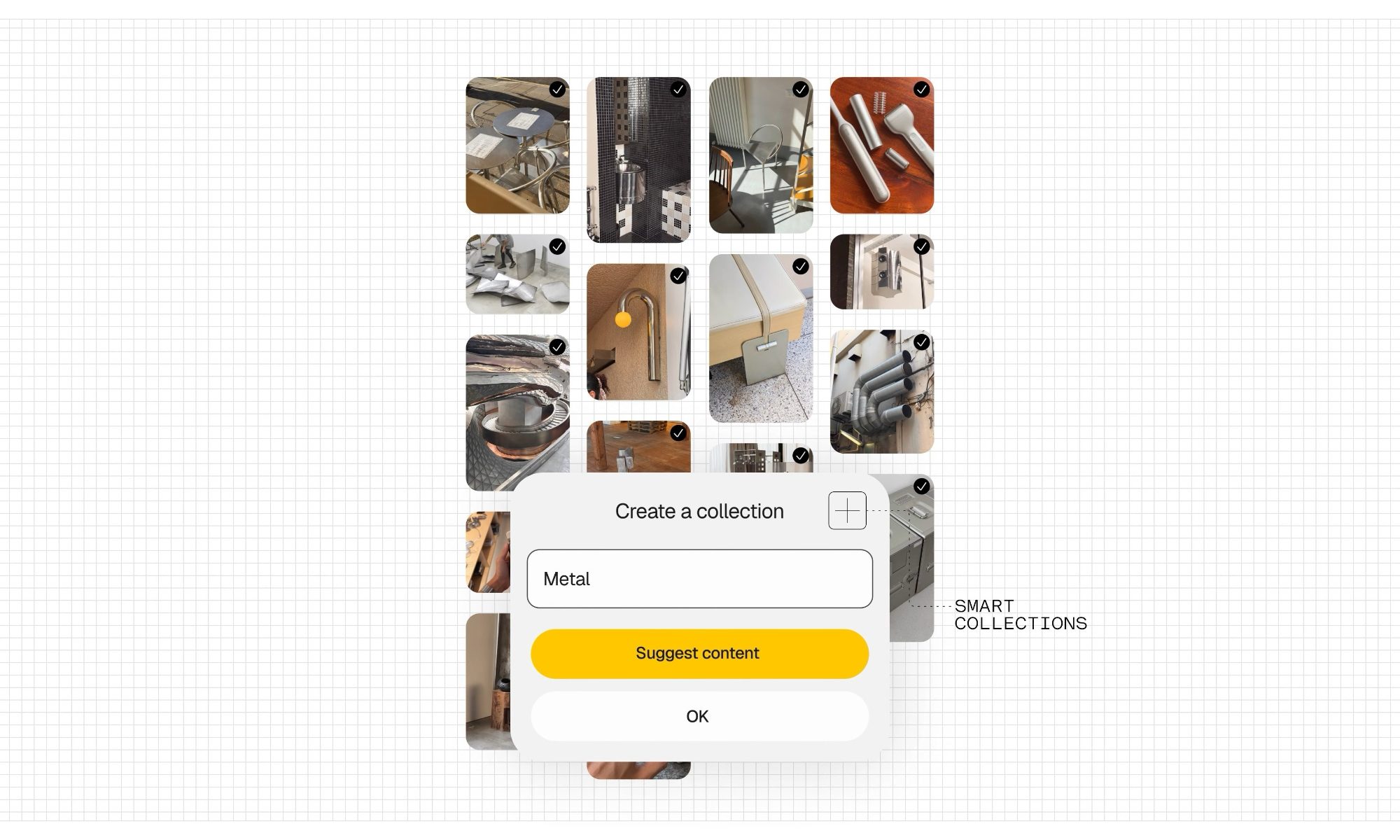
The Essential Suite is getting an upgrade too. Essential Voice, which lets you interact with your phone by talking instead of typing, is getting continuous improvements to its models, latency, and transcription accuracy. Essential Space, the area for organizing notes and files you’d otherwise lose track of, is adding smart collections along with MCP support, so you can connect your own AI tools directly to your data. 
Nothing OS 5.0 Collections in Essential Space

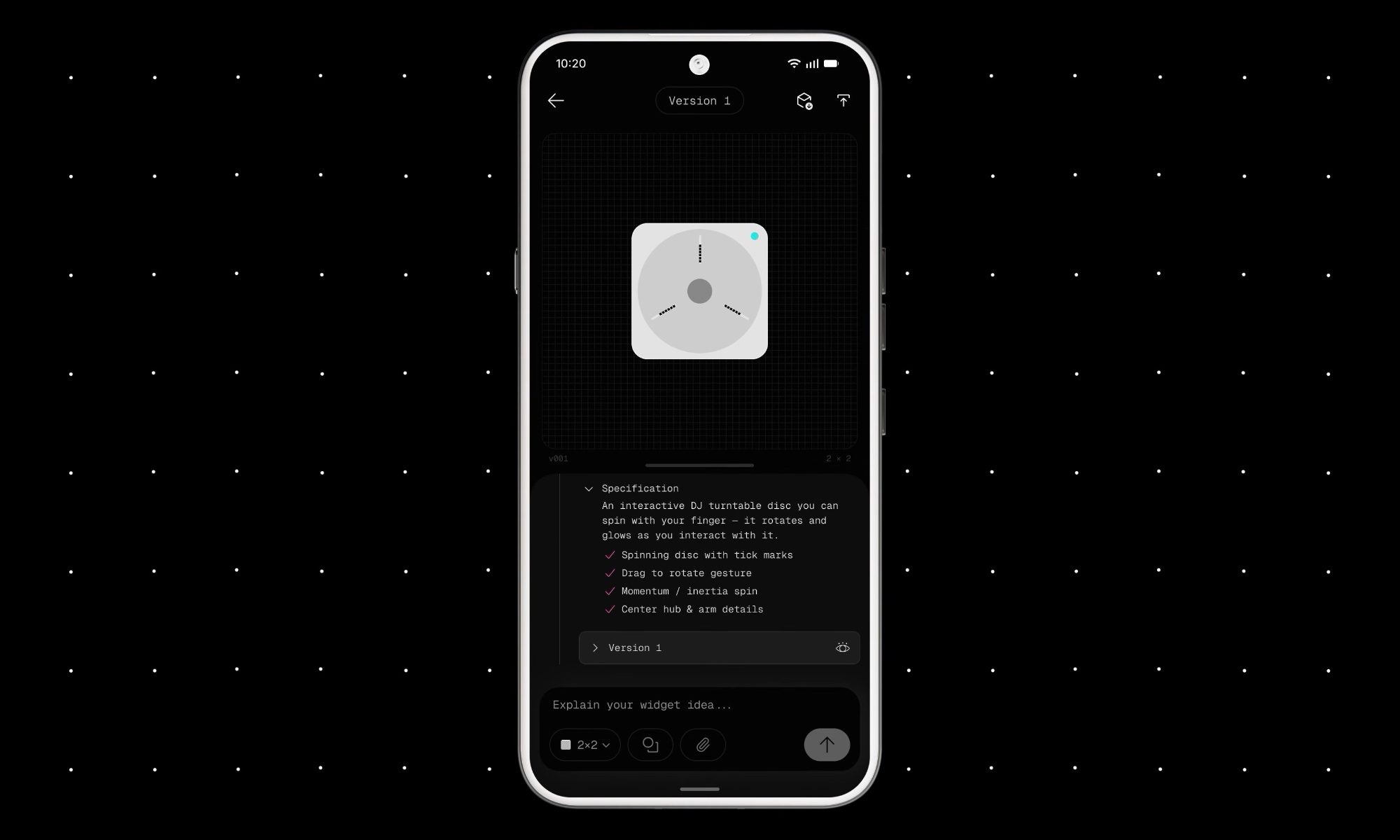
Nothing is also expanding the Essential Apps beta, letting users vibe code their own widgets right from the phone, with examples like a homemade metronome and a morning routine planner that pulls in your commute and first meeting.
Nothing OS 5.0 Essential Apps

What does Android 17 bring to the table?

Nothing OS 5.0 is built on top of Android 17, which brings a few genuinely useful changes. Quick settings and notifications are now separated instead of sharing one panel, screen recording gets improved, and there are new 3D emojis. Android 17 also improves privacy, security, and Bluetooth performance.
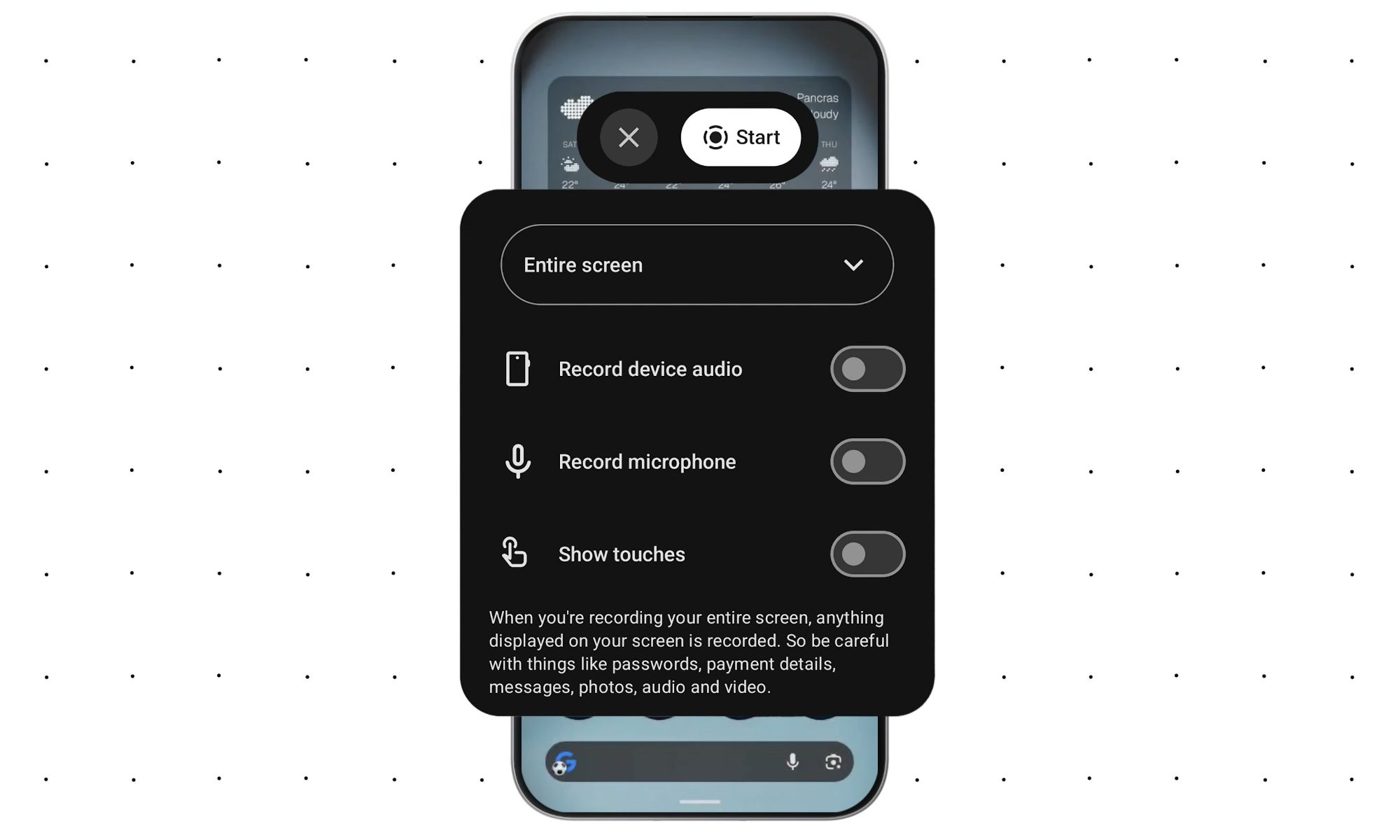
nothing os 5.0 improved screen recording

When can you try it?

The beta opens tomorrow through nothing.tech, starting with the Nothing Phone 3 before rolling out to other devices.

Share. Facebook Twitter Pinterest LinkedIn Telegram Reddit Email
Previous ArticleThe 4 Best Car Phone Mounts I’ve Tried (2026): Belkin, Andery, Andobil
Next Article The County Prosecutors Who Became ICE Informants

Related Articles

Apple Mac Mini M6 and Mac Studio M5 Ultra: Specs, Price, Release Date

Apple Mac Mini M6 and Mac Studio M5 Ultra: Specs, Price, Release Date

25 August 2026
Apple just gave Mac mini a huge performance boost with M6, and a fat price hike

Apple just gave Mac mini a huge performance boost with M6, and a fat price hike

25 August 2026
The County Prosecutors Who Became ICE Informants

The County Prosecutors Who Became ICE Informants

25 August 2026
The 4 Best Car Phone Mounts I’ve Tried (2026): Belkin, Andery, Andobil

The 4 Best Car Phone Mounts I’ve Tried (2026): Belkin, Andery, Andobil

25 August 2026
Australia’s music charts just banned AI made songs, and it’s a big deal

Australia’s music charts just banned AI made songs, and it’s a big deal

25 August 2026
Review: Optoma GT2400HDR

Review: Optoma GT2400HDR

25 August 2026
Stay In Touch
  • Facebook
  • Twitter
  • Pinterest
  • Instagram
  • YouTube
  • Vimeo

Subscribe to Updates

Get the latest tech news and updates directly to your inbox.

Don't Miss
Apple just gave Mac mini a huge performance boost with M6, and a fat price hike

Apple just gave Mac mini a huge performance boost with M6, and a fat price hike

By technologistmag.com25 August 2026

Apple just gave the Mac mini a proper glow-up. The tiny desktop now comes with…

The County Prosecutors Who Became ICE Informants

The County Prosecutors Who Became ICE Informants

25 August 2026
Nothing OS 5.0 wants you to stop switching apps and start living in your phone

Nothing OS 5.0 wants you to stop switching apps and start living in your phone

25 August 2026
The 4 Best Car Phone Mounts I’ve Tried (2026): Belkin, Andery, Andobil

The 4 Best Car Phone Mounts I’ve Tried (2026): Belkin, Andery, Andobil

25 August 2026
Australia’s music charts just banned AI made songs, and it’s a big deal

Australia’s music charts just banned AI made songs, and it’s a big deal

25 August 2026
Technologist Mag
Facebook X (Twitter) Instagram Pinterest
  • Privacy
  • Terms
  • Advertise
  • Contact
© 2026 Technologist Mag. All Rights Reserved.

Type above and press Enter to search. Press Esc to cancel.