

Technologist Mag
  • Home
  • Tech News
  • AI
  • Apps
  • Gadgets
  • Gaming
  • Guides
  • Laptops
  • Mobiles
  • Wearables
  • More
    • Web Stories
    • Trending
    • Press Release

Subscribe to Updates

Get the latest tech news and updates directly to your inbox.

What's On
Apple’s M7 Ultra could take on Nvidia Blackwell with a staggering 1.5TB of memory

Apple’s M7 Ultra could take on Nvidia Blackwell with a staggering 1.5TB of memory

12 July 2026
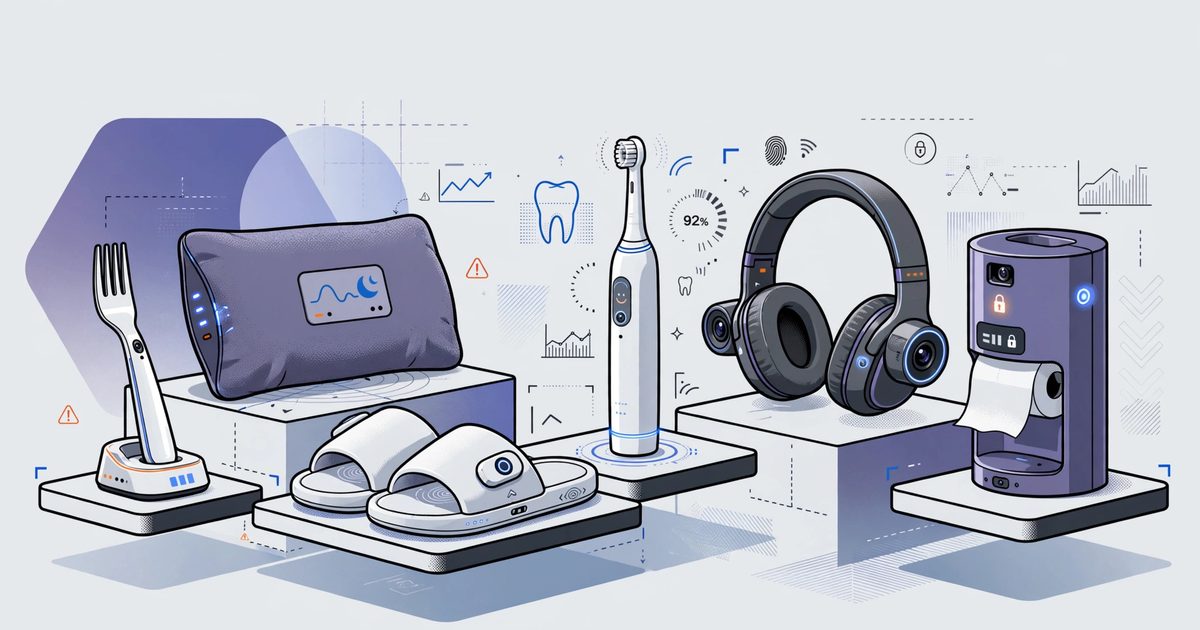
I tried to parody the most absurd AI products, but the tech industry beat me to it

I tried to parody the most absurd AI products, but the tech industry beat me to it

12 July 2026
The Pixel 11 is almost here, and these are the 3 upgrades I’m begging Google to make

The Pixel 11 is almost here, and these are the 3 upgrades I’m begging Google to make

12 July 2026
What is Copilot? Everything you need to know about Microsoft’s AI assistant

What is Copilot? Everything you need to know about Microsoft’s AI assistant

12 July 2026
Best External Hard Drives (2026): SSD to Store Data, Video, and More

Best External Hard Drives (2026): SSD to Store Data, Video, and More

12 July 2026
Facebook X (Twitter) Instagram
Technologist Mag
SUBSCRIBE
  • Home
  • Tech News
  • AI
  • Apps
  • Gadgets
  • Gaming
  • Guides
  • Laptops
  • Mobiles
  • Wearables
  • More
    • Web Stories
    • Trending
    • Press Release
Technologist Mag
Home » Microsoft will let users disable the floating Copilot button in the Office app
Tech News

Microsoft will let users disable the floating Copilot button in the Office app

By technologistmag.com24 May 20262 Mins Read
Microsoft will let users disable the floating Copilot button in the Office app
Share
Facebook Twitter Reddit Telegram Pinterest Email

If you use Word, Excel, or PowerPoint, you have probably noticed a floating Copilot button hovering over your documents. It has been there since December 2025, sitting at the bottom-right corner of your screen, and Microsoft is finally letting you move it.

Starting the last week of May 2026, an update will give users the option to send it back to the ribbon where it belongs.

Why did Microsoft add the floating Copilot button in the first place?

The short answer is numbers. Only around 3.3% of Microsoft 365 users actually pay for Copilot, and adoption has stayed well below what Microsoft expected. To push more people toward the feature, Microsoft rolled out what it calls the Copilot Dynamic Action Button, or DAB, and quietly expanded it to everyone by May 2026.

The idea was that making Copilot more visible would drive more clicks, which it did. However, it also drove a wave of complaints. Excel users were hit hardest, since the button floated directly over spreadsheet cells, blocking data with no easy way to dismiss it.

How to move the Copilot button off your screen

Once the update rolls out, you can right-click the Copilot icon and choose to move it back to the ribbon. Microsoft is not removing the dock option, so you will still be able to switch between the floating button, the docked version, and the ribbon placement depending on your preference.

Katie Kivett, partner group product manager at Microsoft, acknowledged the frustration, saying the company is making short-term adjustments while it figures out a better long-term approach.

This is not the first time Microsoft has quietly scaled back Copilot. Just a month ago, it began pulling Copilot buttons from various Windows 11 apps after similar pushback. It seems Microsoft is slowly learning that forcing AI into every corner of your workflow is not the same as making it useful.

Share. Facebook Twitter Pinterest LinkedIn Telegram Reddit Email
Previous ArticleMini PCs are the most boring exciting computers you can buy
Next Article Valorant’s anti-cheat just made some expensive cheat hardware useless

Related Articles

Apple’s M7 Ultra could take on Nvidia Blackwell with a staggering 1.5TB of memory

Apple’s M7 Ultra could take on Nvidia Blackwell with a staggering 1.5TB of memory

12 July 2026
I tried to parody the most absurd AI products, but the tech industry beat me to it

I tried to parody the most absurd AI products, but the tech industry beat me to it

12 July 2026
The Pixel 11 is almost here, and these are the 3 upgrades I’m begging Google to make

The Pixel 11 is almost here, and these are the 3 upgrades I’m begging Google to make

12 July 2026
What is Copilot? Everything you need to know about Microsoft’s AI assistant

What is Copilot? Everything you need to know about Microsoft’s AI assistant

12 July 2026
Best External Hard Drives (2026): SSD to Store Data, Video, and More

Best External Hard Drives (2026): SSD to Store Data, Video, and More

12 July 2026
Here’s How Apple Is Updating Its Child Safety Features in iOS 27

Here’s How Apple Is Updating Its Child Safety Features in iOS 27

12 July 2026
Stay In Touch
  • Facebook
  • Twitter
  • Pinterest
  • Instagram
  • YouTube
  • Vimeo

Subscribe to Updates

Get the latest tech news and updates directly to your inbox.

Don't Miss
I tried to parody the most absurd AI products, but the tech industry beat me to it

I tried to parody the most absurd AI products, but the tech industry beat me to it

By technologistmag.com12 July 2026

I wanted to invent an AI product so silly that no founder could turn it…

The Pixel 11 is almost here, and these are the 3 upgrades I’m begging Google to make

The Pixel 11 is almost here, and these are the 3 upgrades I’m begging Google to make

12 July 2026
What is Copilot? Everything you need to know about Microsoft’s AI assistant

What is Copilot? Everything you need to know about Microsoft’s AI assistant

12 July 2026
Best External Hard Drives (2026): SSD to Store Data, Video, and More

Best External Hard Drives (2026): SSD to Store Data, Video, and More

12 July 2026
Here’s How Apple Is Updating Its Child Safety Features in iOS 27

Here’s How Apple Is Updating Its Child Safety Features in iOS 27

12 July 2026
Technologist Mag
Facebook X (Twitter) Instagram Pinterest
  • Privacy
  • Terms
  • Advertise
  • Contact
© 2026 Technologist Mag. All Rights Reserved.

Type above and press Enter to search. Press Esc to cancel.