


.jpg "How to Claim Your Cut of Apple’s 0 Million Siri Settlement")


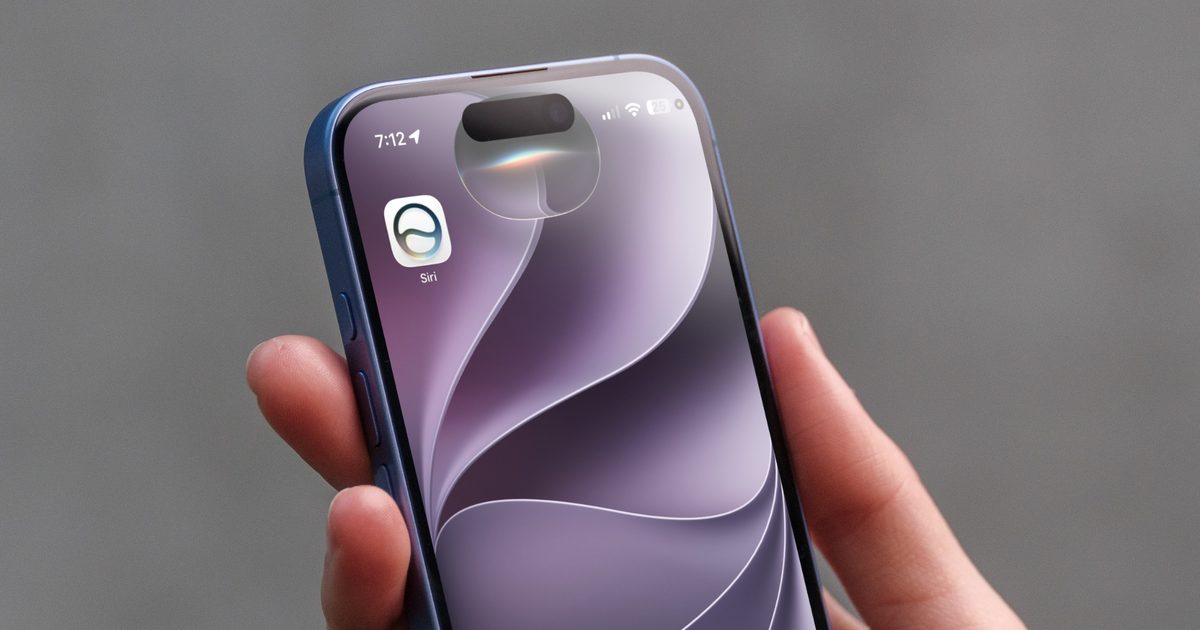
iOS 27 has finally brought the much-improved Siri experience to iPhones that Apple had promised three years back. The new Siri, dubbed Siri AI, actually feels useful now. I can use it to create shortcuts, get answers based on my personal context, perform actions in apps, and so much more. Of all the Siri AI features, three simple ones have genuinely improved my day-to-day experience. Let’s talk about them.
Search has improved across the board
Spotlight search has been one of my favorite features of iOS. I can simply swipe down anywhere on the screen to invoke Spotlight and use it to find apps, perform calculations, and search the web.
With Siri AI in iOS 27, it feels as if Spotlight search has gained superpowers. Not only can it do everything it already could, but it now does it much faster and better. It has also gained new features that make it even more capable.
For example, now when I ask questions that require a web search, it doesn’t launch me into Safari with a bunch of links. Most times it finds the information I am looking for and gives me a concise answer then and there.
It can also search inside apps. So I can ask it to find photos, a certain message in my messages app, or an email. The email search is what makes me most happy. Apple Mail was really bad at finding emails. With the new Siri AI, that is a thing of the past, and it can instantly find emails I am looking for most of the time.
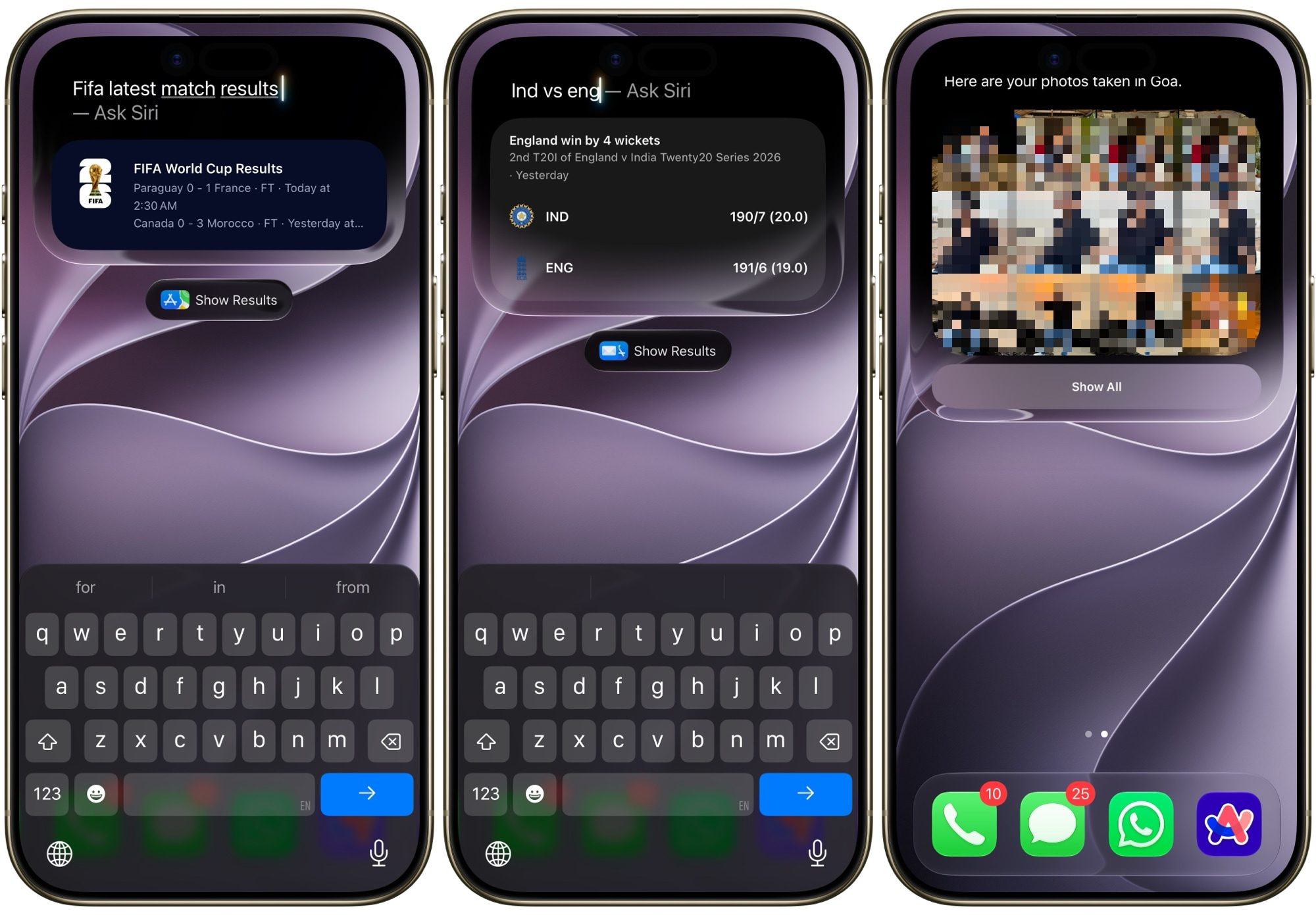
The improved search saves me so much time that I cannot believe how I was happy with my iPhone without it for the past couple of years. It’s one of those features that works in the background but improves your life infinitely.
Adding reminders and calendar events finally feels natural
For years, I have used Fantastical 2 (and recently Dot Calendar) for adding calendar events on my Mac and iPhone for one simple reason. These apps support natural language processing, allowing me to add events simply by typing naturally.
For example, I can type something like “Dinner with Jenny at 10PM tomorrow,” and it will create the event at the right date and time. Apple Calendar and Reminders have been missing this crucial feature for years, but no more.
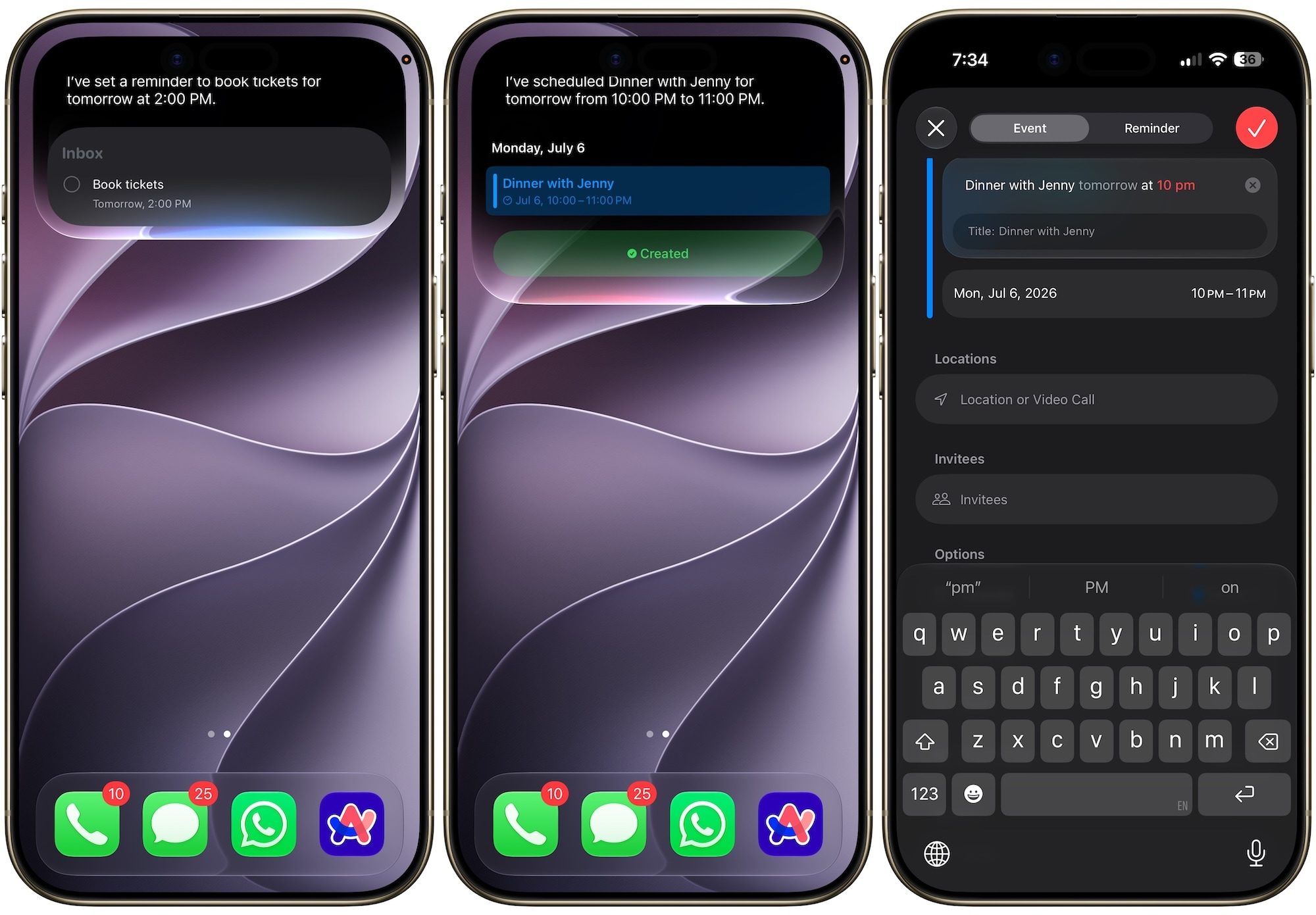
With the latest Siri AI update, these apps finally support natural language processing, allowing me to create reminders and events without filling all the different data fields.
I can simply tell Siri AI to add an event in plain English or type it directly into Reminders or Calendar. It makes creating reminders and events so much easier than before, and the best part is that you no longer have to pay for an app to do it.
Your camera got an AI brain too
One of my favorite additions to Siri AI is that it now works right inside the Camera app. So whatever your camera sees, Siri AI can see it too, giving you access to a multitude of features.
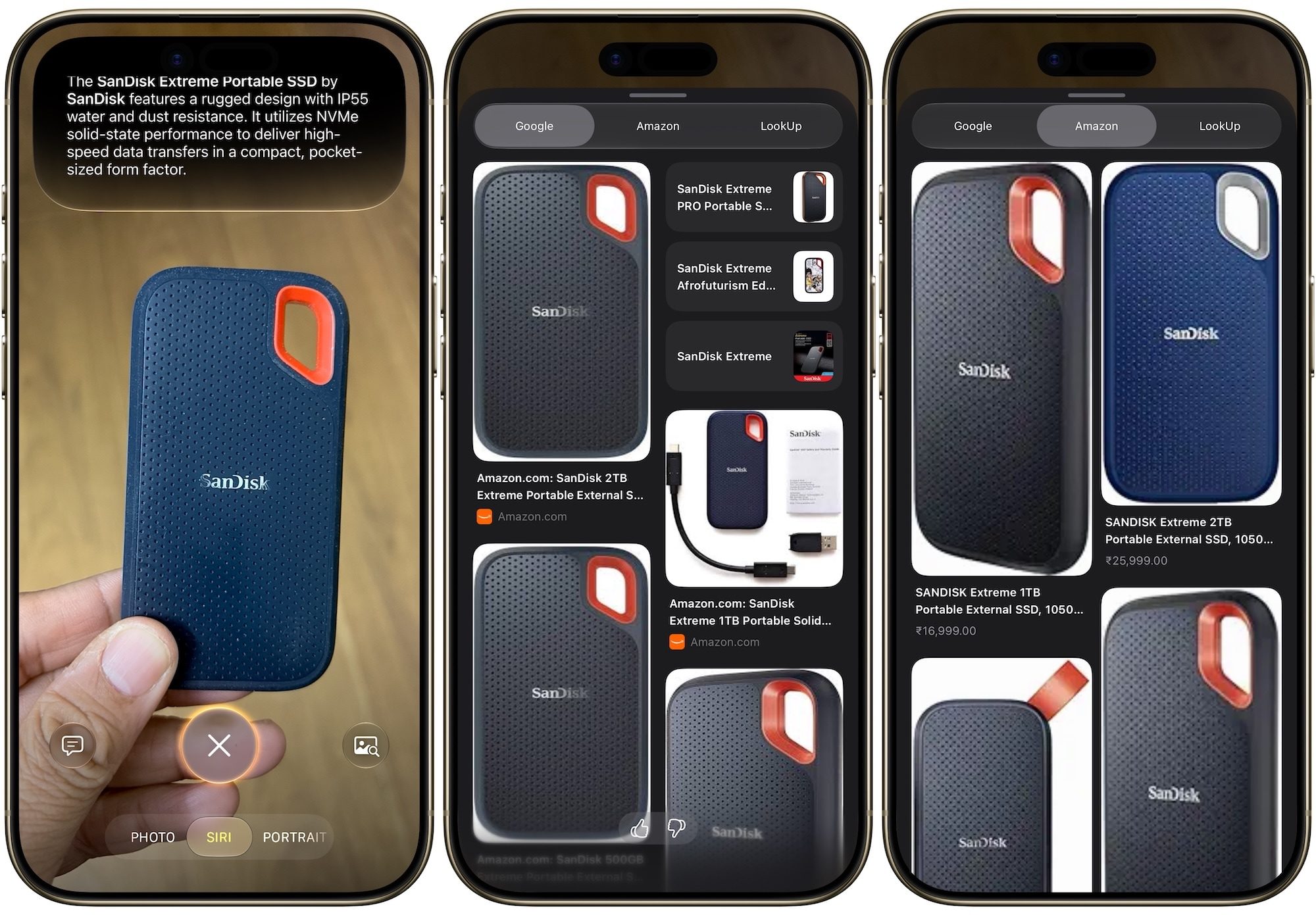
For example, you can open the camera in Siri AI mode, point at a product, and ask it to search for it on the web. You can use it to translate menus and road signs, find nutritional information about the food you are about ot eat, and so on.
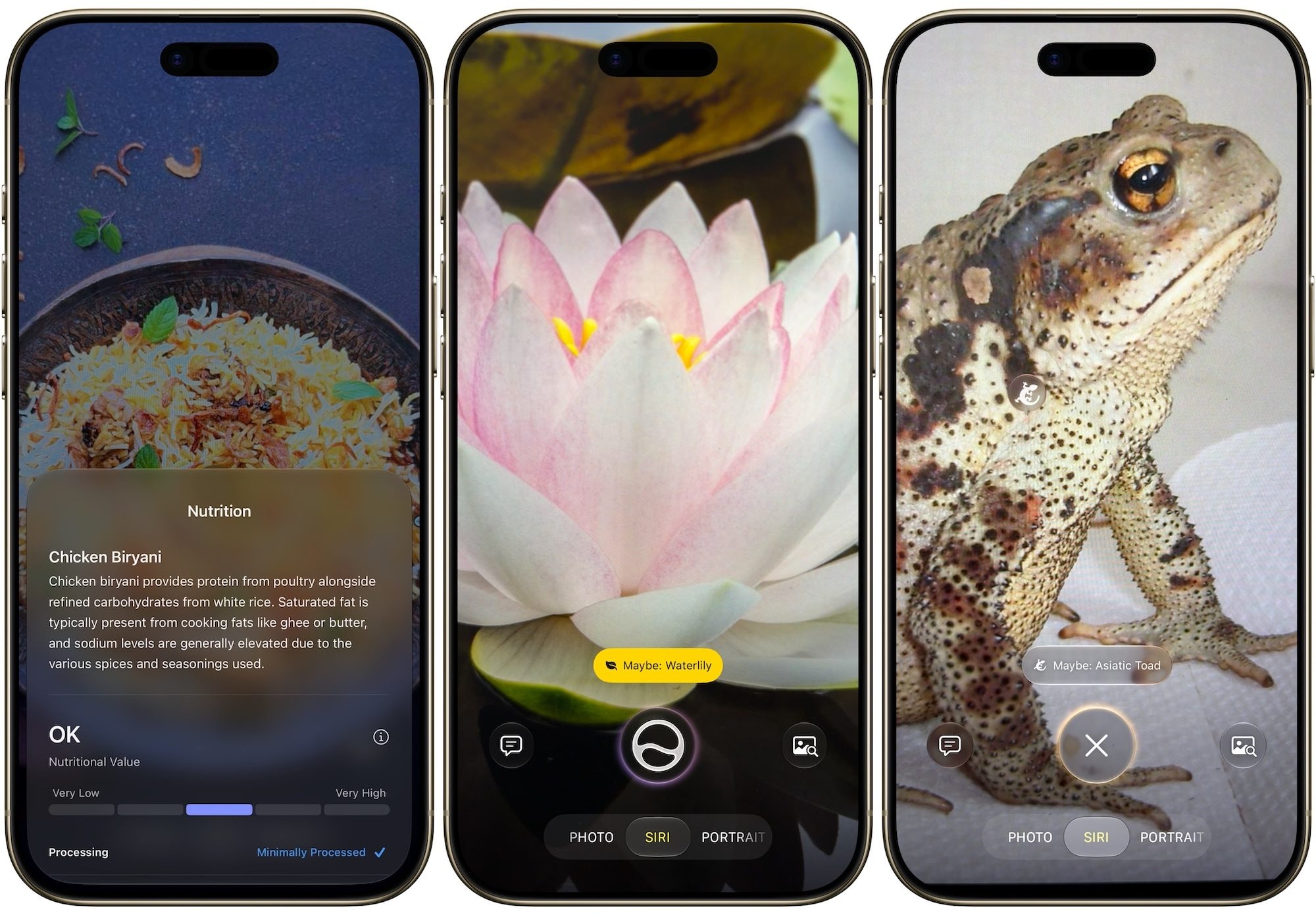
Your imagination is the limit here. One of my favorite things to do is to point it at a plant and find its name. If you have not used this feature till now, I highly recommend you try it out.
Siri AI: final thoughts
These three features may not be the flashiest updates in iOS 27, but they are the ones I use every single day. Siri AI finally feels like an assistant instead of a gimmick, and honestly, that took long enough. If you have been ignoring Siri for the past few years, now might be the time to give it another shot.
